



I'll summarize the Claude pricing plan status as of August 18, 2025, tested with a new account:
Claude pricing plan options
Currently Available Plans:
Free: Basic free plan
Pro Trial: Trial Pro Plan
Pro Trial의 특징:
Claude Sonnet 4 available for free use
Credit card information required upon registration
Automatic payment starts in 2 weeks
You can cancel anytime during the trial period
The photo below shows the usage history from today when I used the Pro Trial for free to test it out.
After entering your card information, automatic payment will be registered, so you just need to be careful to cancel this part.
Please refer to this
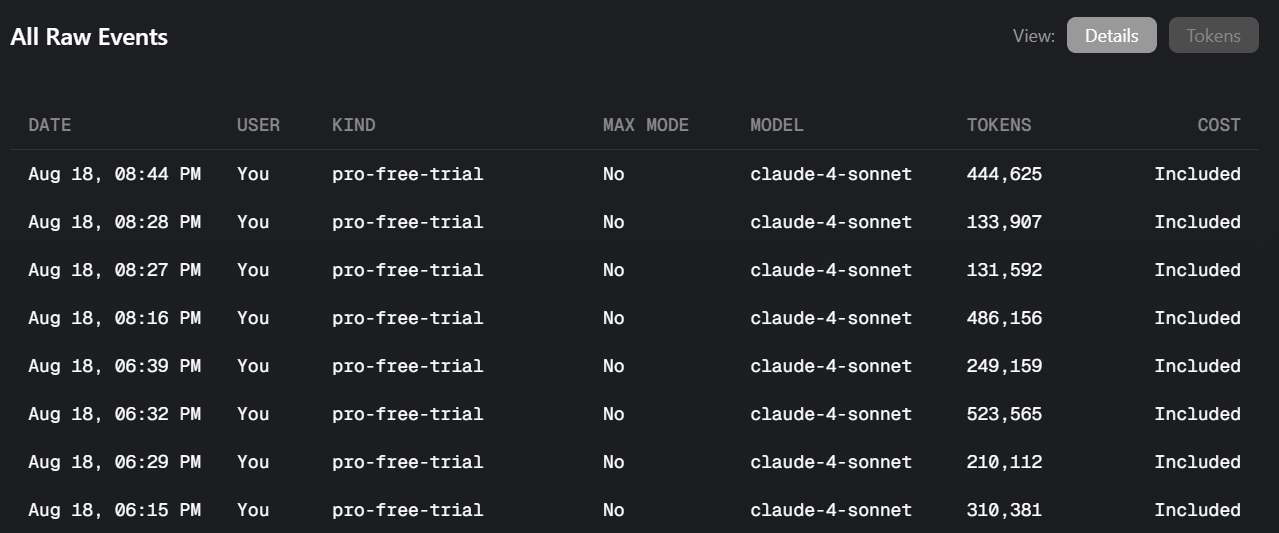
If before the 2 weeks are up, for example, you exhaust all the provided tokens within 3 days, the following message will appear in the cursor prompt window.
In this case, you can cancel the automatic payment without proceeding with the payment.
This doesn't mean you can no longer use it for free, and within the 2-week period, you can continue using it by selecting other models besides Sonnet or Auto mode.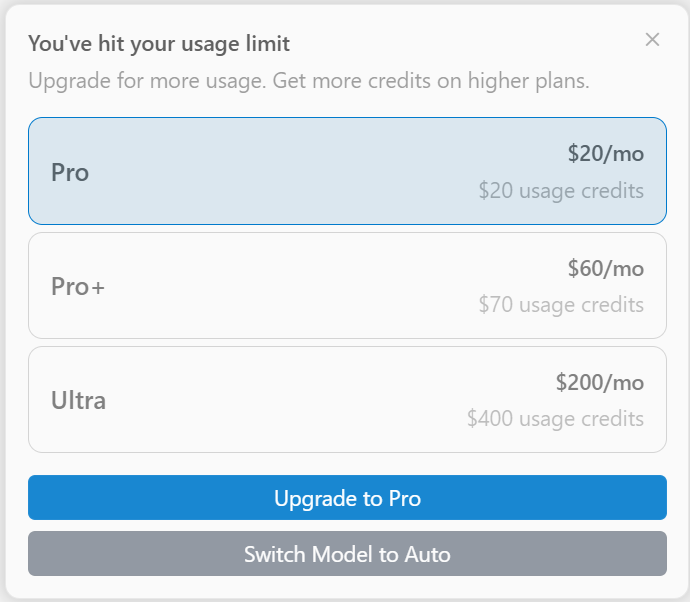
Hello, everyone!
Recently, we have been receiving many inquiries stating that "it's difficult to proceed for free."
Test results show that, unlike when the course was created, Cursor's free version functionality restrictions have significantly increased, and paid subscription is now required.As an alternative to this, I have prepared a production video using Gemini CLI.
If you want to use it for free, please refer to the [Free] Production using Cursor + Gemini video at the end of Section 2.Thank you. Fighting today as well! 🙂
Amazon Kiro AI ( https://kiro.dev ) has been released.
Currently, you can use up to Claude Sonnet 4 model for free (during the preview period).
Those who were disappointed by the limitations of the free version of Cursor AI and those who found paid payment burdensome
Take advantage of this opportunity and try it out right away! 🥰
Because we have a local environment set up for using the cursor AI
You can use it right away by simply installing Kiro AI.

Related Articles
When doing vibe coding in Cursor, I mostly use the Claude model .
Recently upgraded from claude-3.7-sonnet to claude-4-sonnet ,
I didn't notice it when I used it for a short time, but when I used it all day, I definitely felt that it was slower.
It wasn't just that the usage had increased and it had switched to slow mode .As it turns out, there are two versions of claude-4-sonnet .
Thinking mode (deep thinking, slow)
Non-Thinking mode (light thinking, fast)
The default setting is Thinking mode , so it will naturally be slow. The solution is simple.
Go to the gear ( ⚙ ) in the upper right corner → Settings
Activate claude-4-sonnet without Thinking in the Models tab

If you just change the settings like this, your Vibe coding speed will become a little more comfortable!
⚠ Note: Do not select the MAX option just because it is slow. Additional charges will apply.
