inflearn logo

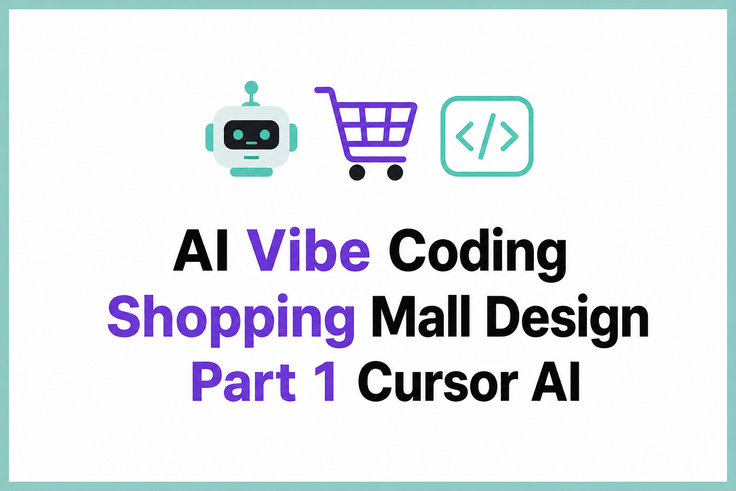
Developing an Online Store Solo with AI Vibe Coding (Design Edition) Part 1: Basics 1 - Cursor AI

This is an AI vibe coding course where you develop an online store using Cursor AI with just questions. As a foundational design course, it teaches the basic workflow of developing applications with AI tools. Even without coding experience, you’ll gain hands-on experience creating real-world results by conversing with AI.

(1.0) 1 reviews

4 learners

Level Beginner

Course period 12 months

Vibe Coding
Vibe Coding
ecommerce
ecommerce
Cursor AI
Cursor AI
Vibe Coding
Vibe Coding
ecommerce
ecommerce
Cursor AI
Cursor AI
Thumbnail

What you will gain after the course

  • You can develop an application using only questions with Cursor AI.

  • You can implement the design and basic structure of an online store using AI vibe coding.

  • I can independently build a development workflow using AI tools.

Build an Online Store on Your Own with AI Vibe Coding (Design Edition)
Part 1: Basics 1 - Cursor AI

Learn the basics of developing a shopping mall program using the Cursor AI editor.

This course covers the fundamentals of developing an online shopping mall through questions alone using the Cursor AI editor.

By the end of the course, you will understand the differences between AI models and be able to build an AI-powered development environment using code editing and version control techniques, including the Checkpoint feature.

🎯 Learning Objectives

  • You can understand the basic layout of the Cursor AI editor and the differences between free and paid models.
  • Understand the characteristics of Auto mode and Max mode and use them appropriately for your project.
  • You can efficiently control AI coding results using the Undo and Keep menus.

⚙️ Tools Covered

  • Cursor AI

📂 Curriculum

1. 001_DEMO Preview and Explanation of What You’ll Learn in Each Part

DEMO, Preview, What You’ll Learn

2. 002_Cursor AI Editor and AI Free/Paid Model Guide

Cursor AI Editor, AI Free and Paid Models, Guide

3. 003_Cursor AI: Differences Between Free and Paid Models, Auto Mode vs. Max Mode, Basic Screen Layout, and Shortcuts

Cursor AI, distinguishing free and paid models, keyboard shortcuts

4. 004_Cursor AI Project Folder, How to Use the Undo vs. Keep Menu

Cursor AI, project folder, Undo vs. Keep

5. 005_Cursor AI: Differences Between Auto Mode and Max Mode

Cursor AI, Auto Mode, Max Mode

6. 006_Cursor AI How to Use the Restore Checkpoint vs. Redo Checkpoint Menu

Cursor AI, Restore Checkpoint, Redo Checkpoint

7. 007_Cursor AI How to Use the Undo All vs. Keep All Menu (1)

Cursor AI, Undo All, Keep All (1)

8. 008_Cursor AI Undo All vs. Keep All Menu Guide (2)

Cursor AI, Undo All, Keep All (2)

9. 009_Cursor AI Autocomplete Feature and Quick Edit Quick Q&A Mode

Cursor AI, Auto-Suggestion Feature, Quick Edit

✅ Items to Check

  • This course does not provide instructor Q&A.

Recommended for
these people

Who is this course right for?

  • Those who want to create an application using AI tools without coding experience

  • Those who want to learn development using Cursor AI

  • Those who want to develop an online shopping mall on their own

Need to know before starting?

  • A basic understanding of programming would be helpful.
  • Basic web browser and computer skills are required.

  • Experience using AI chatbots will be advantageous for taking the course.

Hello
This is usefulit

8,281,874

Learners

6,730

Reviews

4.6

Rating

407

Courses

I will help you grow through useful IT lectures.

Reviews

All

1 reviews

1.0

1 reviews

  • juho07301208님의 프로필 이미지
    juho07301208

    Reviews 11

    ∙

    Average Rating 4.6

    Edited

    1

    100% enrolled

    No, I think this has really crossed the line. I understand that the course introduction says it is based on the time of filming, but I think it’s unacceptable that it doesn’t even reflect Cursor 3.0, which was updated five months ago. At this point, it’s not even possible to try using the tools used in the course. If it were just a different model, I could understand, but the tool itself changed more than five months ago, and releasing this as a new course in September without updating it is really too much. “From the GPT-5 and Sonnet 4 era”… seriously? 😭 Most of the course consists of explanations of the tools. This really isn’t acceptable. I didn’t want to write something this harsh either, but it seems too serious to ignore… If they had at least shown the Cursor interface in the preview lessons, I would have realized it was outdated and probably wouldn’t have purchased it at all. I’m leaving this here as a reference for others.

    usefulit's other courses

    Check out other courses by the instructor!

    Similar courses

    Explore other courses in the same field!

    Free