
inflearn logo

Docker Masters! From CI/CD to DevSecOps Automation Security Practice!

This course systematically teaches practical Docker skills (installation→operation→automation→security) and comprehensively covers the latest security threats and countermeasures in each section. It features a hands-on approach where you learn by following along with practical exercises. This curriculum is highly recommended for DevOps engineers, infrastructure engineers, and security practitioners who want to experience the latest container/cloud environments in real-world scenarios.

(5.0) 13 reviews

310 learners

Level Beginner

Course period Unlimited

Docker
Docker
Kubernetes
Kubernetes
CI/CD
CI/CD
devsecops
devsecops
security training
security training
Docker
Docker
Kubernetes
Kubernetes
CI/CD
CI/CD
devsecops
devsecops
security training
security training

News

2 articles

  • cloudsecuritylab님의 프로필 이미지

    Hello, Inflearn students!

    I am Choi Ilsun, CEO of Cloud Security Lab, striving to deliver the latest Docker trends and practical techniques as quickly as possible.

    Recently, the DHI (Docker Hub Introspection) feature, a powerful security analysis tool in Docker Desktop, has been released for free. Accordingly, I have uploaded the video "Images for Security: DHI (Docker Hardened Images)" at the end of Section 3 so that all students can personally experience image vulnerability and configuration analysis practices that were previously limited to paid plans.


    🛠 Update Background: DHI (Docker Hub Introspection) Now Free

    Previously, a paid subscription was required to check the internal layer structure, Software Bill of Materials (SBOM), and detailed vulnerability analysis results of images uploaded to Docker Hub. However, due to a recent change in Docker's policy, this feature has now been opened to free users as well.

    This feature, which allows you to immediately check security status through the web interface and CLI without having to download images locally, is a core element of modern container security operations (DevSecOps).
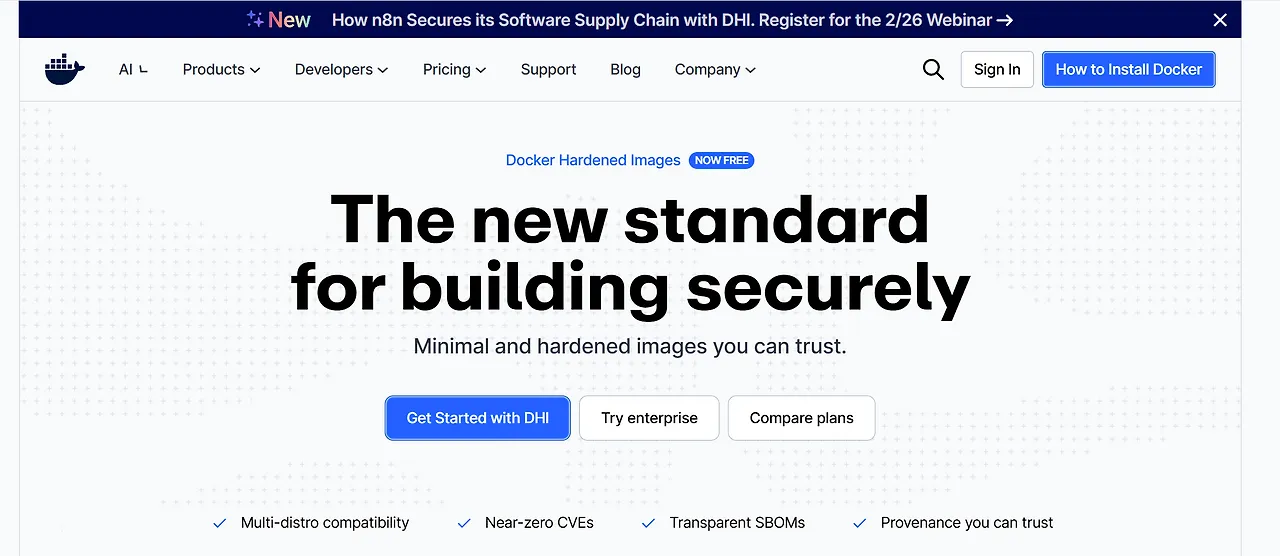
    image.png.webp


    📺 List of changed and added lectures

    [Section 3. Core Concepts of Docker Containers]

    • Images for Security: DHI (Docker Hardened Images)

      • Additional Content: We have added content on how to interpret vulnerability reports for images in the Docker Hub web console, as well as how to download and test the features of the newly provided DHI (Docker Hardened Images).


    Course Guide

    DHI is a powerful tool that can be used immediately with just a Docker Hub account, without the need for any complex tool installations. If you want to develop practical skills in ensuring image layer transparency and preventing security incidents, please be sure to watch this updated lecture.

    We will do our best to ensure you always stay at the center of the latest technology, keeping pace with the rapidly changing Docker ecosystem.

    I hope you have an enjoyable learning session today!

    Thank you.

    0
  • cloudsecuritylab님의 프로필 이미지

    Hello, Inflearn students!

    Thank you for always taking the classes with such enthusiasm. I'm reaching out because there have been important changes to the storage driver structure related to the recent Docker Engine major updates (v27.0, v28.0), and I've updated some of the lecture content in Section 3 to reflect these changes.

    🛠 Update Background: Graphdriver plugins Deprecation

    Docker v27.0 has disabled the previously experimental Graphdriver plugins feature by default, and it is scheduled to be completely removed in v28.0. Docker now recommends using an architecture based on the containerd image store and snapshotter.

    https://docs.docker.com/engine/deprecated/#graphdriver-plugins-experimental

    Due to these changes, the path and method for checking the layer structure of Docker images at the host level have been modified. If you practice using the old method, you may not see the expected file paths (Layer paths) or the structure may appear different in the latest Docker environment.

    Accordingly, we have filmed and updated the relevant lectures so that you can learn without confusion even in the latest practical environments.

    📺 Updated Course List

    [Section 3. Docker Container Core Concepts]

    1. Checking Image Manifest Files and Layer Structure

      • Changes: Updated with methods to access and understand the structure of image layer filesystems in the latest storage driver environment.

    2. Checking Container Details and Lifecycle Practice

      • Changes: Enhanced the hands-on content to inspect container details according to the updated storage structure and verify the merged directory of the filesystem in the rootfs path.

    Course Guide

    Even if you've taken this course before, we recommend lightly reviewing the updated lectures to understand the changes in the latest Docker architecture. If you're taking the course for the first time, you can proceed with the updated content as is.

    If you happen to find any differences from the lecture content or discover additional changes, please don't hesitate to report them using the following methods. Your valuable feedback helps make the course even better and greatly benefits other students as well.

    We will continuously update our course content to keep pace with technological changes, delivering the most accurate and useful knowledge to you.

    Then I hope you have a fun learning experience today!

    Thank you.

    0

$77.00