inflearn logo

[Creating Your Own Game Textures] Everything About Substance Designer

Stop using the identical textures that everyone else uses from texture sites! Study Substance Designer from basic to advanced, enabling you to create your own textures and improve the quality of your portfolio and game graphics.

(4.7) 19 reviews

190 learners

Level Basic

Course period Unlimited

substance
substance
texture
texture
3d
3d
adobe
adobe
designer
designer
substance
substance
texture
texture
3d
3d
adobe
adobe
designer
designer

News

7 articles

  • gmpeanut님의 프로필 이미지

    Edited

    Hello! This is Gwangmyeong Peanut!

    It's been a while since I last greeted you. The reason is that I told you last time that I had completed providing custom nodes and additional lectures. However, I have created a node that I've always wanted to have, so I'd like to share it with you, my students.


    Node Name: GM_Dilation
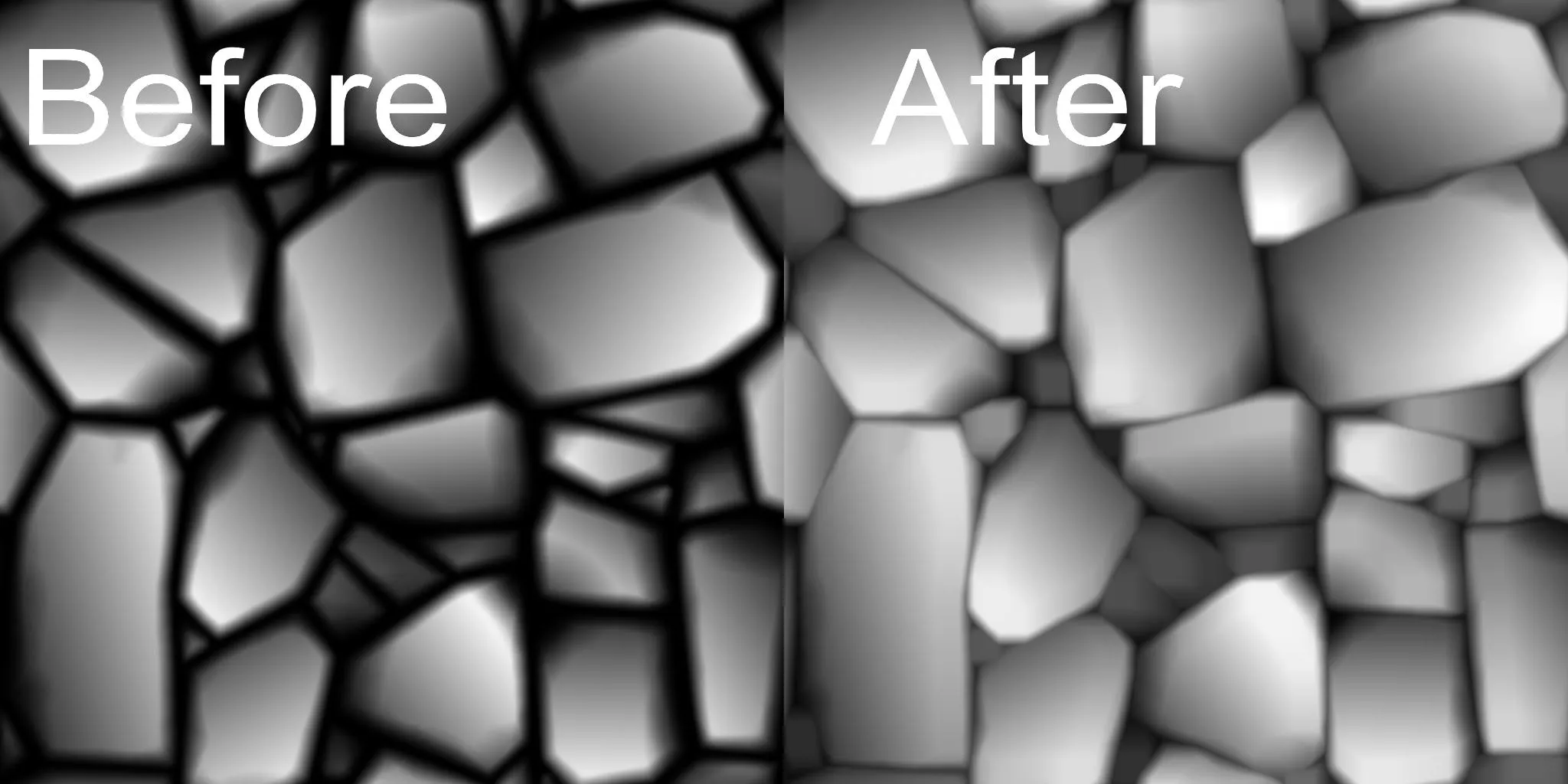
    ccc.jpg.webp

    This is a node that can narrow the gaps by increasing the size of each pattern, as in the image above.

    When working on things like bricks and stone floors, there are often times when you want to attach more patterns while maintaining the gap between the details. In particular, when working on details, the gaps will gradually widen as they are chipped away. If you use this node, you can close the gaps again.


    Those who have searched overseas sites, etc. may have already encountered other nodes with the same function. I have found some as well, but they are not nodes that I have made, and they were made in very old versions, so there were errors, making it difficult to share them separately. However, I needed them, and I thought it would be good to make them myself and share them with you this time. Since it is a function that I have desperately thought about every time I do subdi, I think the students will need it too!

    Thank you so much for taking the class!

    0
  • gmpeanut님의 프로필 이미지

    Hello students, this is Gwangmyeong Peanut.

    After a long time, a new custom node has been added.

    This node marks the end of providing custom nodes. (Of course, we will leave the nodes provided so far available for download in the future.)


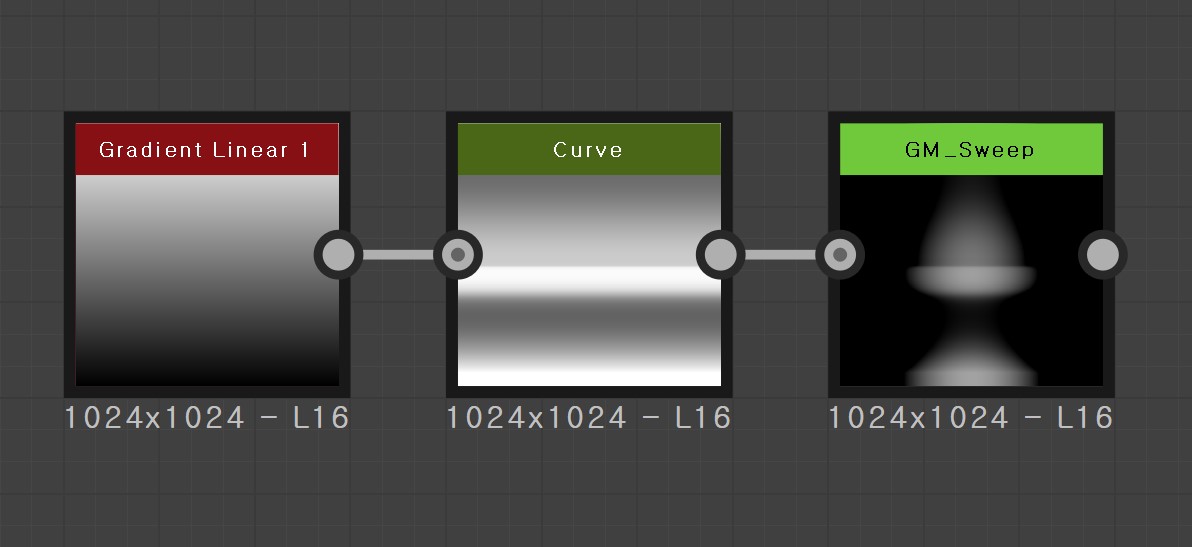
    This custom node is a node that can be created right away to model a specific type of hate using curve values.

    Node Name: GM_Sweep
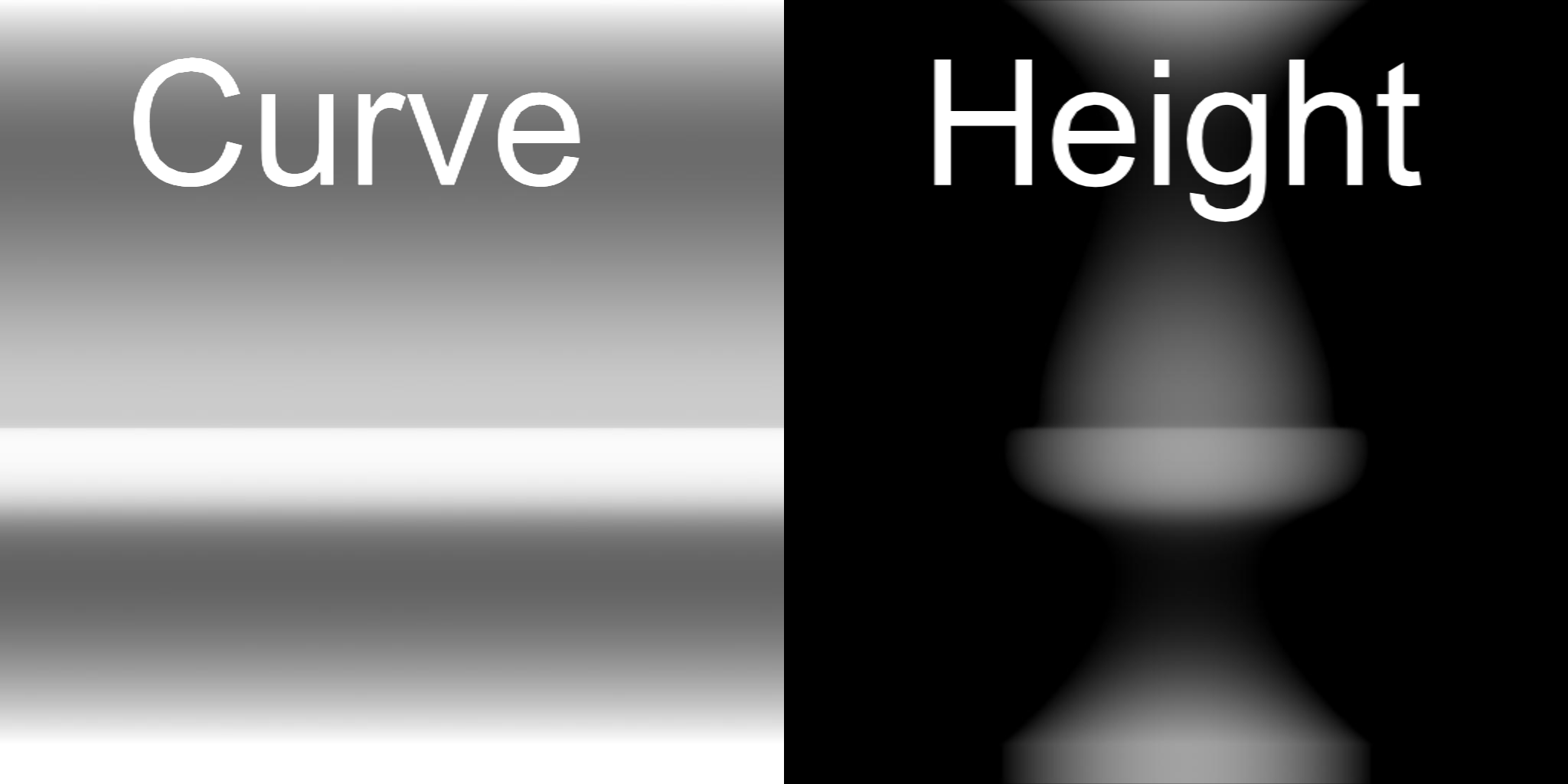
    Substance_graph_Height.pngshot.jpg

    You can input the curve value and use the Thickness value to adjust the thickness.


    Thank you so much for taking this course!

    0
  • gmpeanut님의 프로필 이미지

    Hello students, this is Gwangmyeong Peanut.

    Sorry it took so long (。•́︿•̀。) . We're happy to inform you that a new custom node has been added!


    This custom node is one that can highlight edges!

    Node Name: GM_Pinch
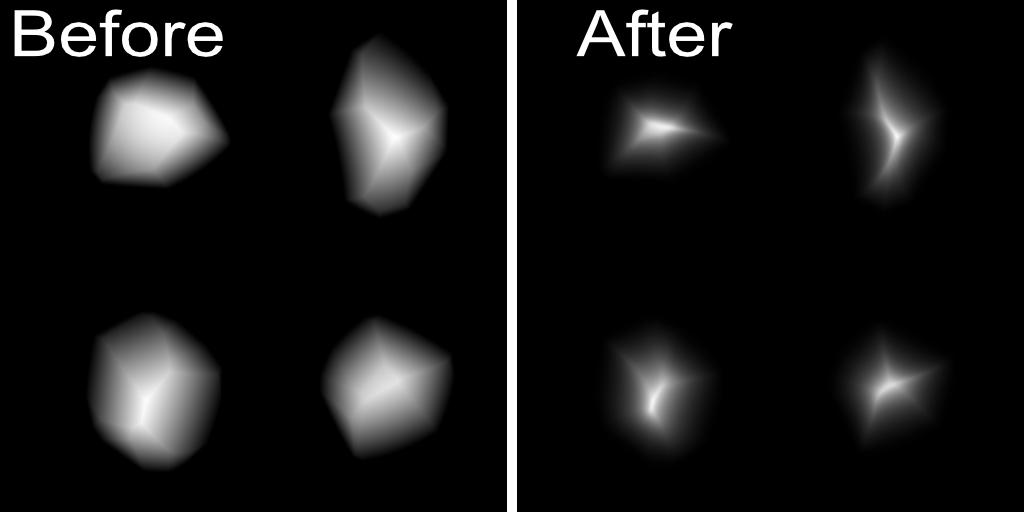
    image

    Blending with edge emphasis can be used to increase the normal strength of an edge or to emphasize the hate value.


    I am always grateful to the students who take my lectures, and I will see you in the next news. Thank you!

    0
  • gmpeanut님의 프로필 이미지

    Hello! This is Gwangmyeong Peanut.

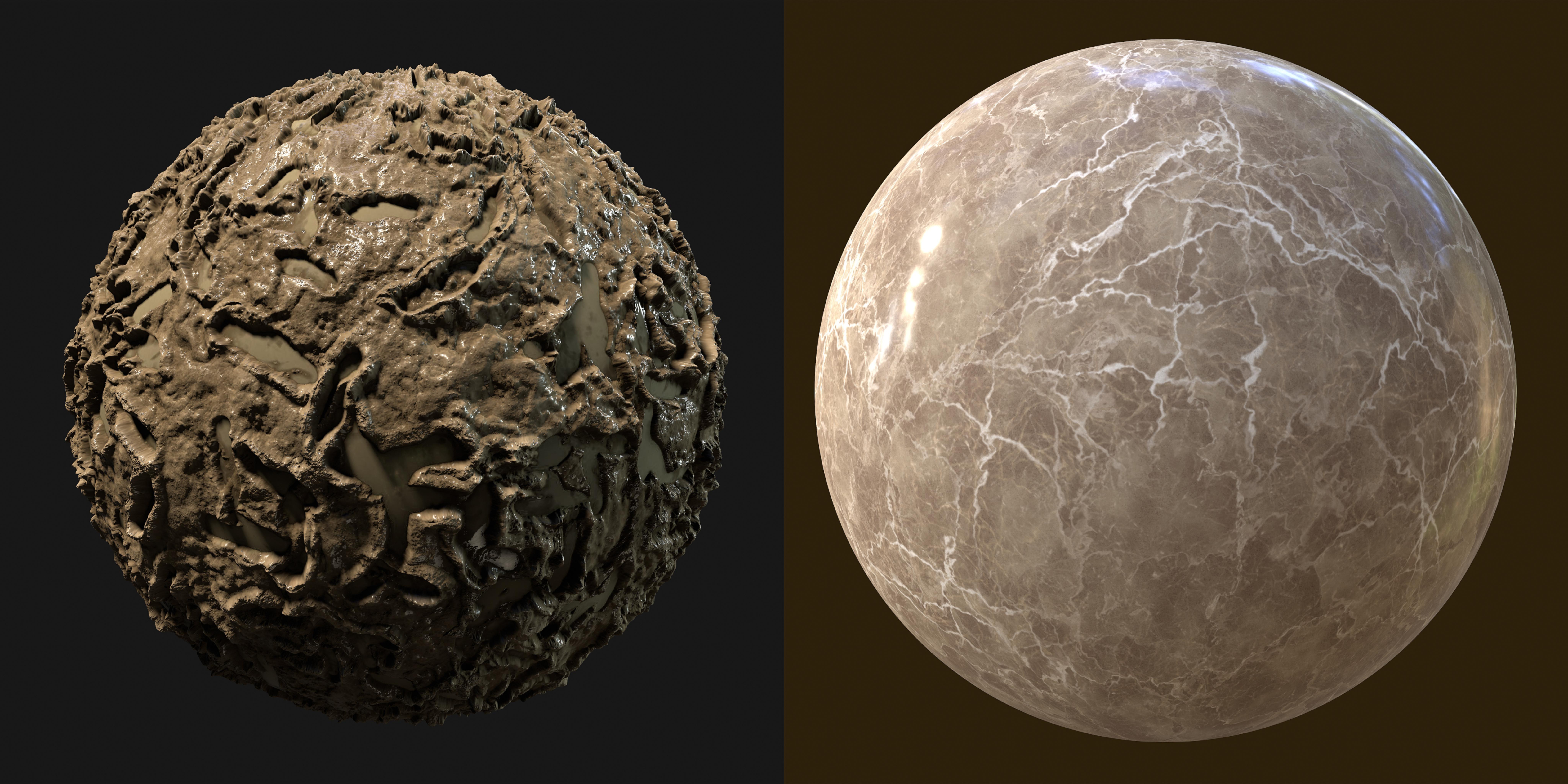
    Two new texture creation videos have been added to the Substance Designer tutorial.


    • Mud

    • Marble


      image

    • Mud textures can be learned in a procedural way, just like in the existing lectures.

    • The Marble texture is a low difficulty tutorial, but it will teach you how to create a base color.


      The two examples are designed with a low difficulty level to help you learn Subdi more easily.

    Including this, the texture creation videos have been completed with a total of 11 stylized ones. The custom nodes will be updated slowly and continuously (Please understand that it is difficult to create custom nodes quickly because they should be convenient to use and help improve quality and save time.).

    thank you!

    0
  • gmpeanut님의 프로필 이미지

    Edited

    Hello! This is Gwangmyeong Peanut.

    Added a video of creating a stylized texture and the custom nodes used within it to the Substance Designer tutorial.

    Stylized textures were added to the last section.

    Custom nodes have been updated in the Providing Additional Nodes section.

    This time, 2 videos were added and 3 custom nodes were added.


    • Stylized dirt texture

    • Stylized stone floor texture


    • GM_Stone (node that holds the stone shape)

    • GM_Partition (node that separates each created stone shape)

    • GM_Brush (Brush Node)


    For students interested in stylized and those who are not yet familiar with using Subdi

    I think it will help. Thank you!

    0
  • gmpeanut님의 프로필 이미지

    Edited

    We have created a new section to provide our students with custom nodes that can be used in Substance Designer. You can download the materials from this lesson (videos are not included).

    There are two types of custom nodes added this time.

    • Crack generator for use in Zbrush etc.

    • Fur material available in Substance Painter


    The crack generator is a node that creates a crack brush that matches the shape of the line you draw.

    The Fur Material is a Substance Painter material designed to allow you to create and modify fur materials in any desired shape.


    Crack Generator: https://www.artstation.com/artwork/PXV8N1

    Fur material: https://www.artstation.com/artwork/NyJayN


    You can learn how to use it through the corresponding ArtStation link.

    The nodes provided this time are provided for free through ArtStation.

    Nodes that will be updated in the future will continue to be provided free of charge to students.

    We will continue to update more convenient nodes to provide useful assistance to students.

    thank you!

    0
  • gmpeanut님의 프로필 이미지

    Edited

    We received inquiries about file sharing to make connections between nodes more clear, making it much easier for students.

    I have shared the completed sub-files in the materials while producing the lecture so that you can study.

    I hope this helps you in your studies. Thank you!

    0

$212.30