



Hello everyone, this is Lee Jeong-hwan.
Finally, the Live seminar will take place today at 8 PM!
Also, I'm sending you the URL for today's Live course materials site!I’m sending this email to inform those who have newly joined about the precautions as well.
📝 Course Materials 안내
During this Live session, we will guide you through the hands-on exercises in real time, so you may inevitably miss some of the material due to unavoidable circumstances (such as taking a phone call or going to the restroom). Nevertheless, we have prepared free course materials so that you can follow along with the practice through to the end, so we would appreciate it if you could review them in advance.
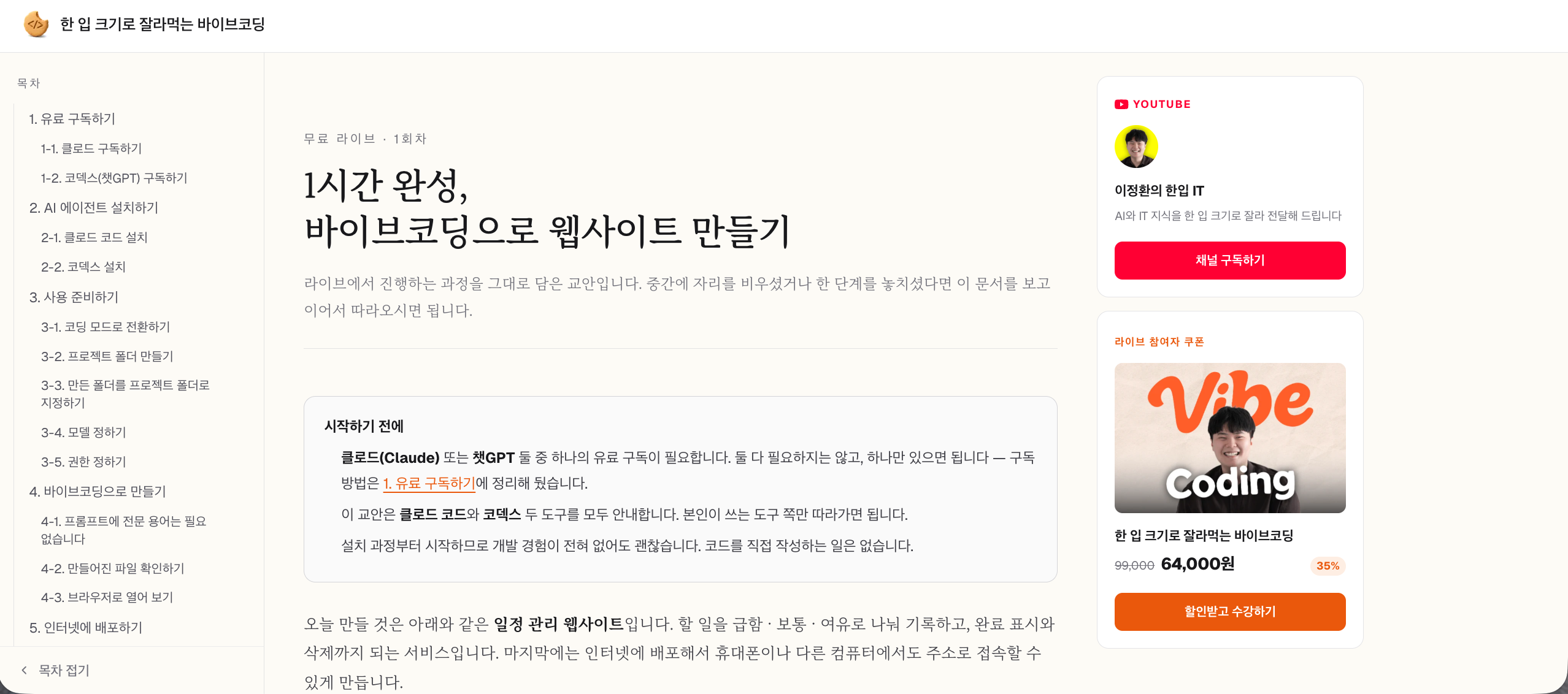
Course materials URL: https://vibe.onebitefe.com/live/1#subscribe-claude
⚠️ Note 1.
This Live is not for developers.
Tomorrow’s Live has been prepared specifically for non-developers and non-majors with no IT knowledge whatsoever.
Assuming you only know how to use a computer, we’ll start with how to install Claude Code or Codex and kindly guide you through the very basics of using AI tools.
Therefore, if you have already studied programming for more than a year or are working as a developer, you may feel, "What? They’re teaching me things I already know?"】【。
(Of course, even if you’re a developer, if you’ve never used Claude Code or Codex at all, you’ll still find the methods of using AI tools themselves to be new.)
So I’d like to mention this in advance: if you’re already well-versed in web development, this Live session may not be the right fit for you, so it’s perfectly fine to leave partway through—and you don’t have to participate if you don’t want to 😀
⚠️ Note 2.
A paid Claude or Codex subscription is required for the hands-on practice.
In tomorrow’s Live, we’ll be doing vibe coding using Claude Code and Codex, and I’ll walk you through the process in detail so that everyone can follow along and try it out.
However, Claude Code and Codex are only available to those subscribed to a paid plan, so if you’d like to practice with me tomorrow, you’ll need to subscribe in advance.
You don't need to subscribe to both! Just choose one tool and subscribe to it. I'll explain the subscription process in detail below.
PS. If you're unable to subscribe right away, it's perfectly fine to simply observe tomorrow's Live 😀
How to Subscribe to Claude Code
Go to the https://claude.ai website..
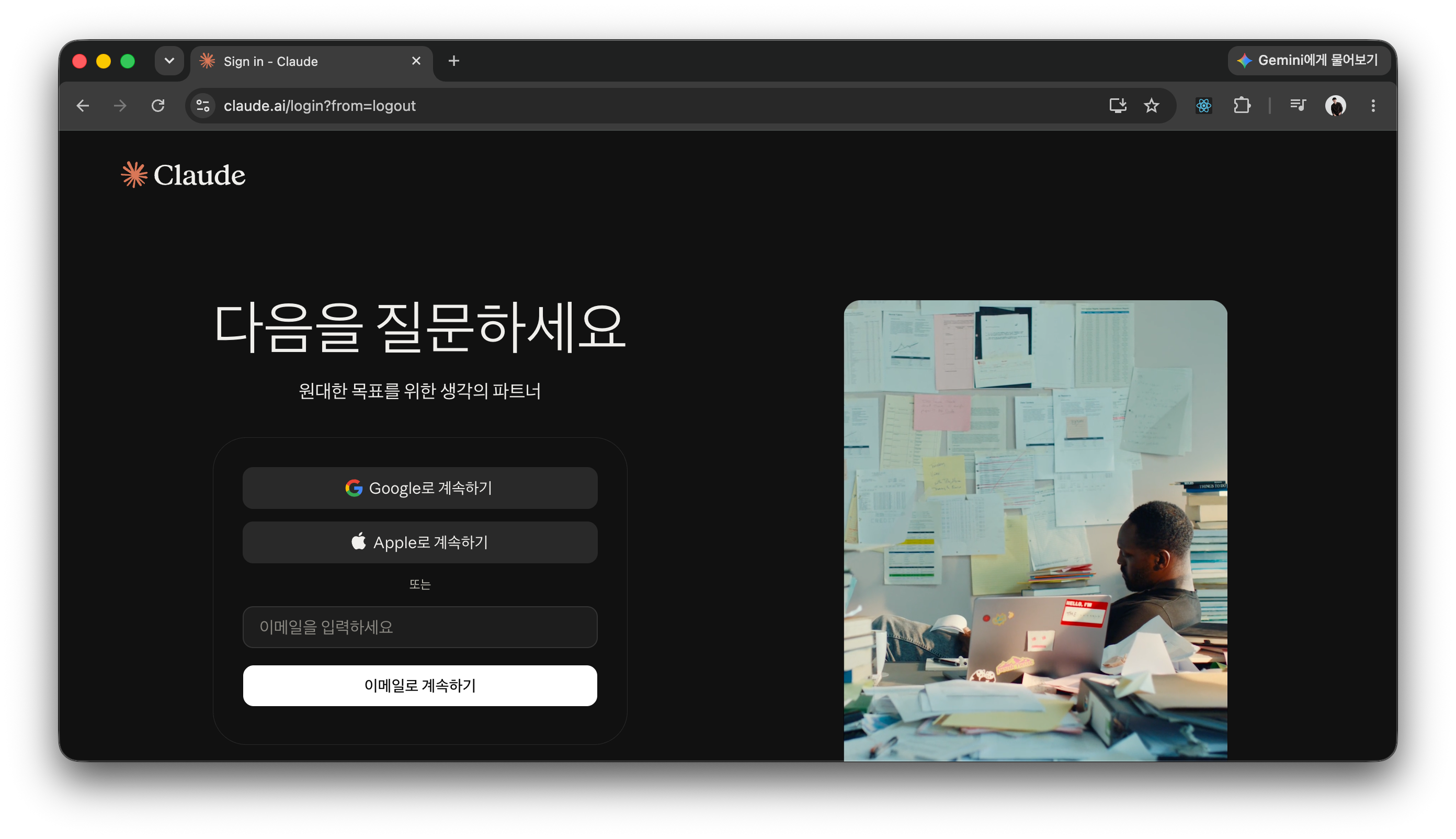
Sign up and log in.
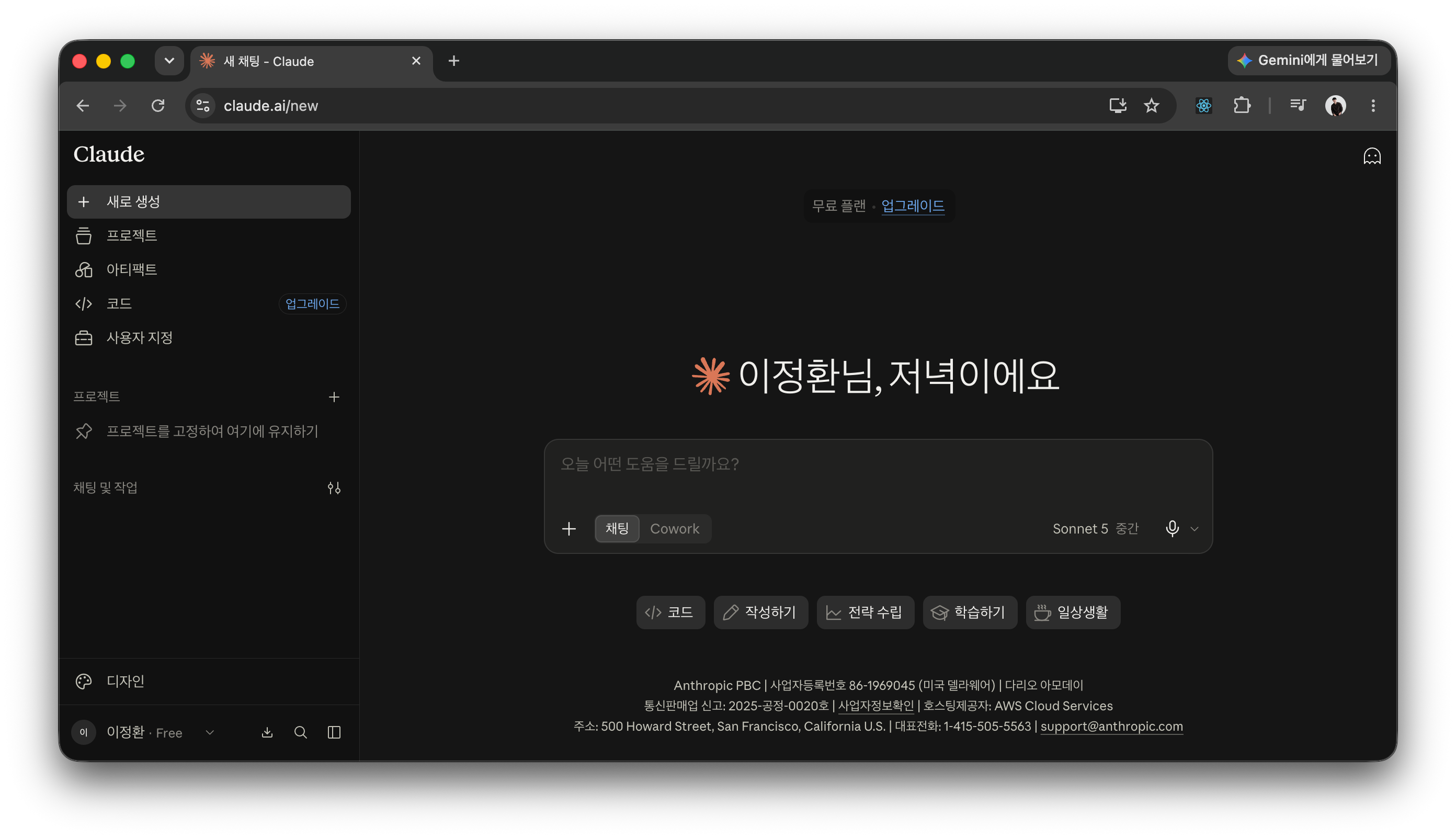
Click the account button in the bottom-left corner.
Click “Upgrade Plan” in the menu that appears.
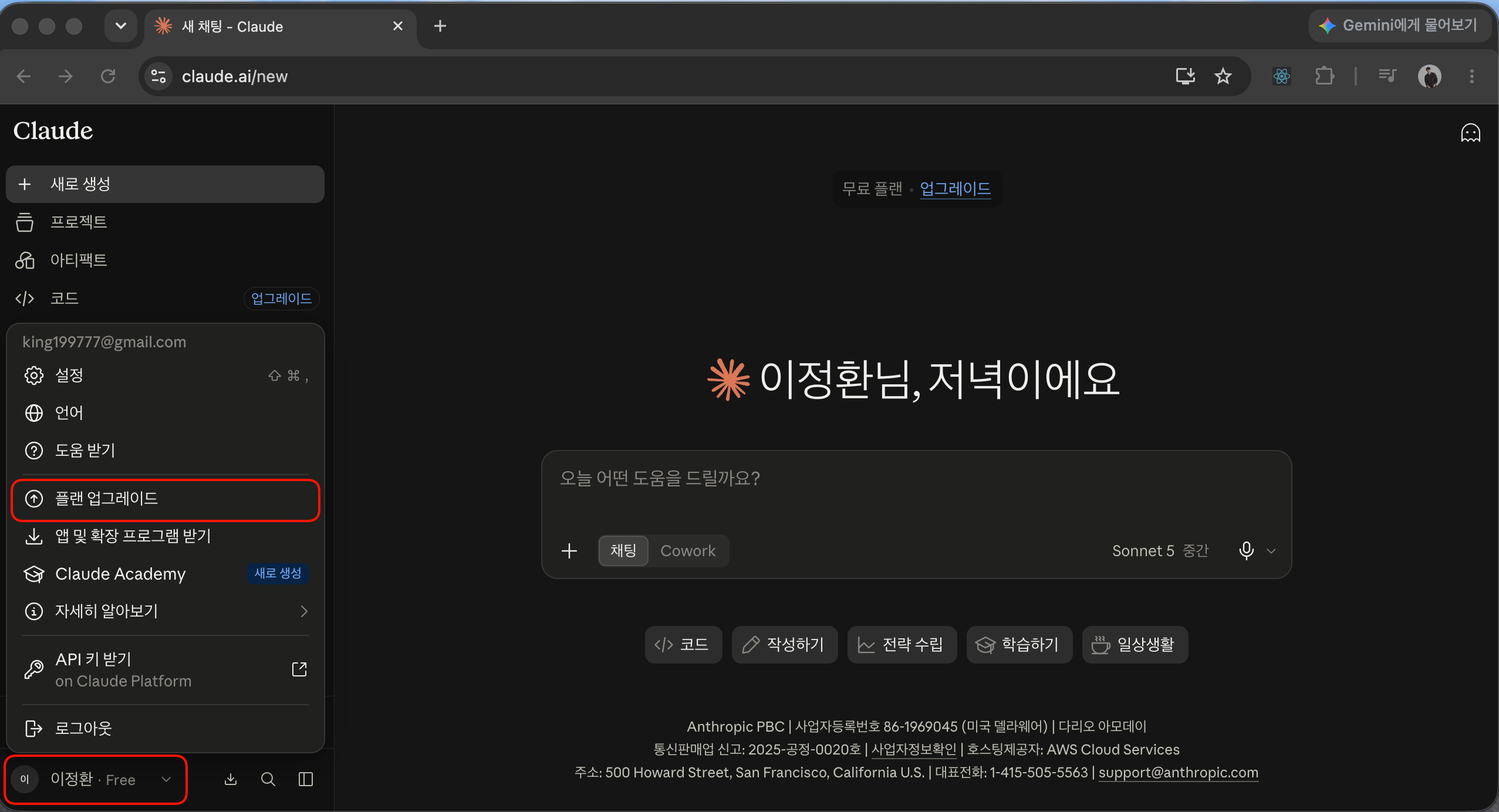
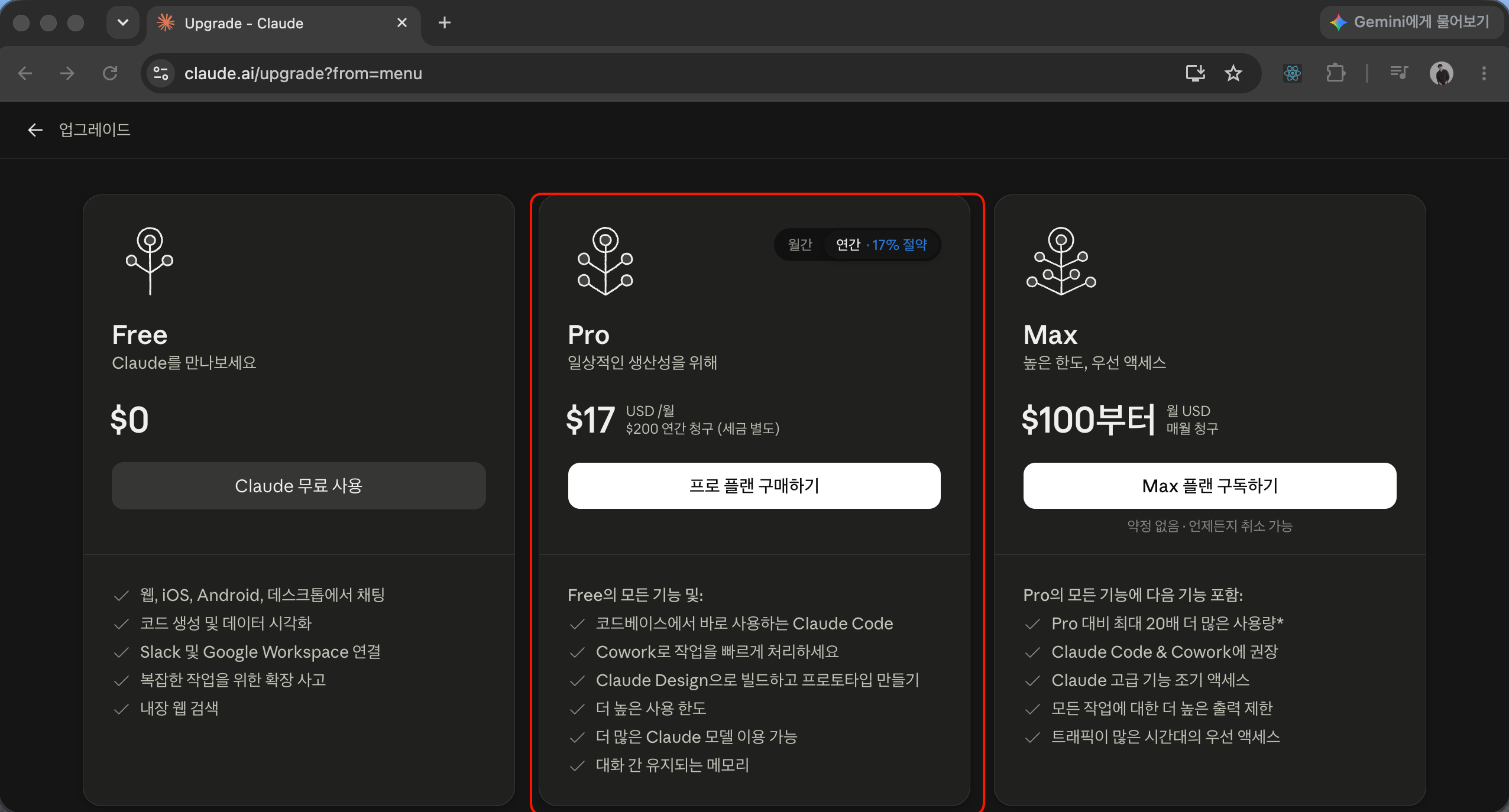
Subscribe to the Pro plan in the middle.
(You may subscribe to the Max plan, but if you want to try it out casually, Pro is sufficient for now.)
How to subscribe to Codex
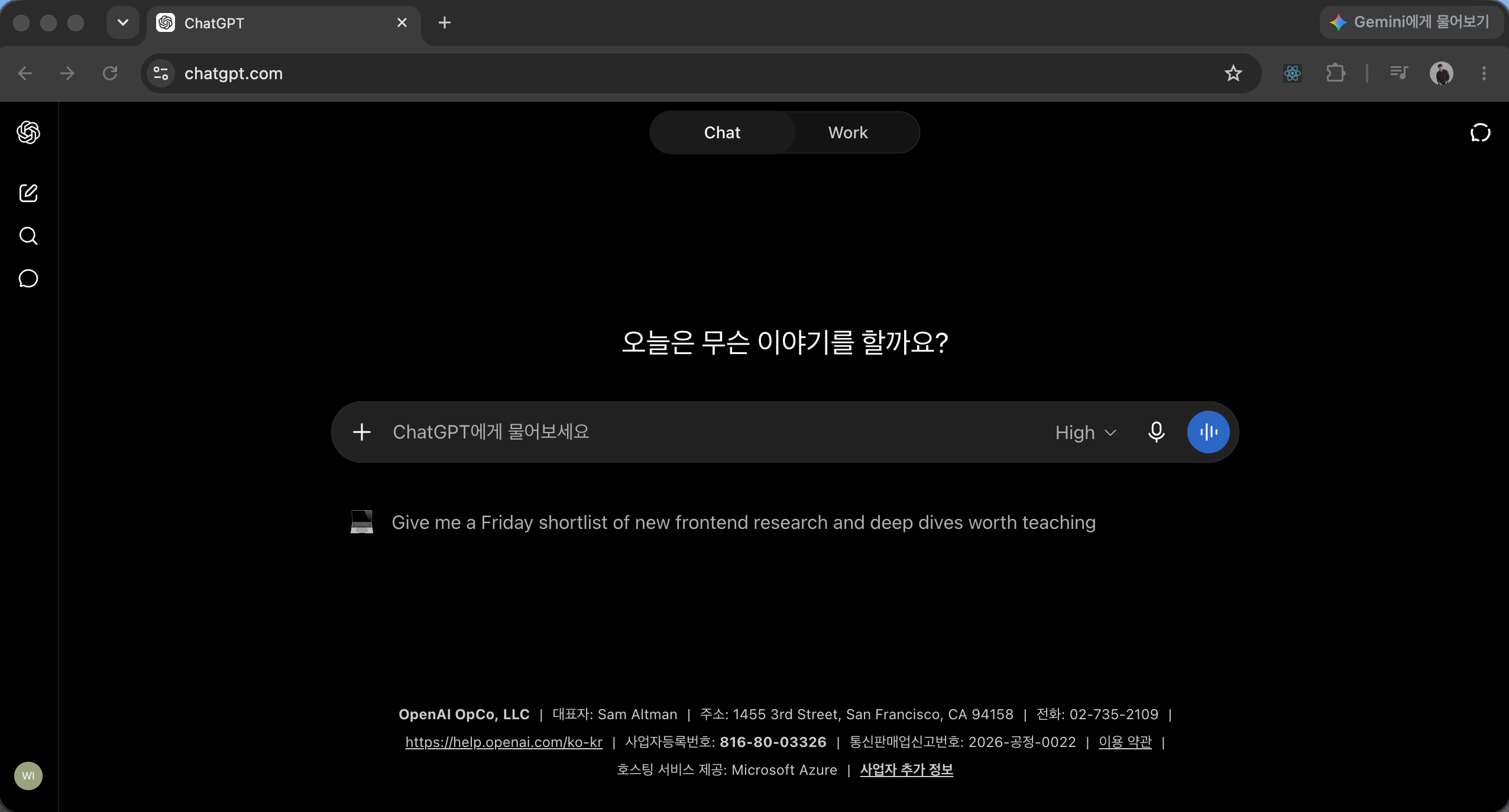
Go to https://chatgpt.com, sign up, and log in., đăng ký tài khoản và đăng nhập.
P.S. Codex is an AI coding tool powered by ChatGPT.
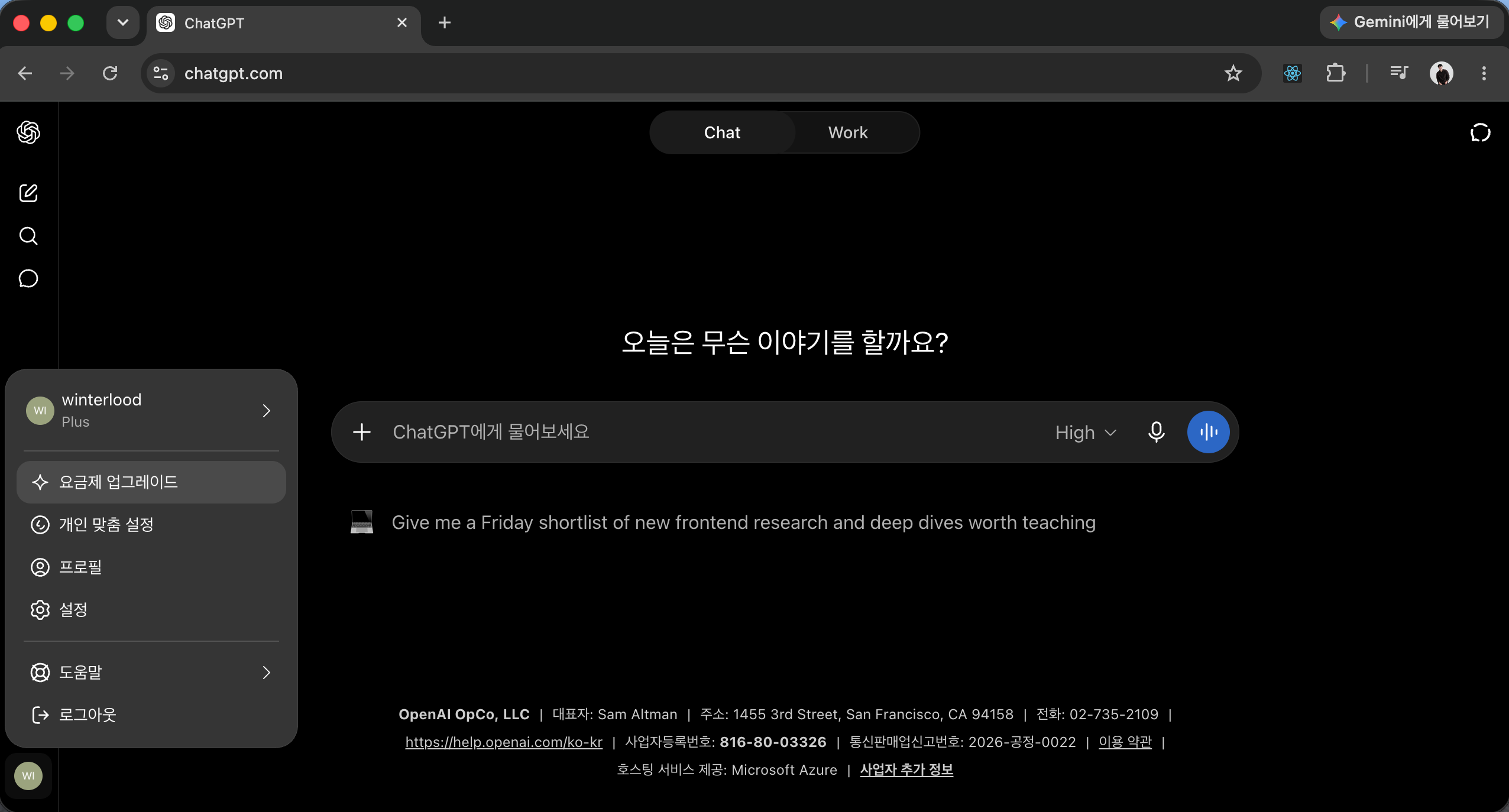
Click the profile button in the bottom-left corner.
Click the Upgrade Plan button in the menu that appears.
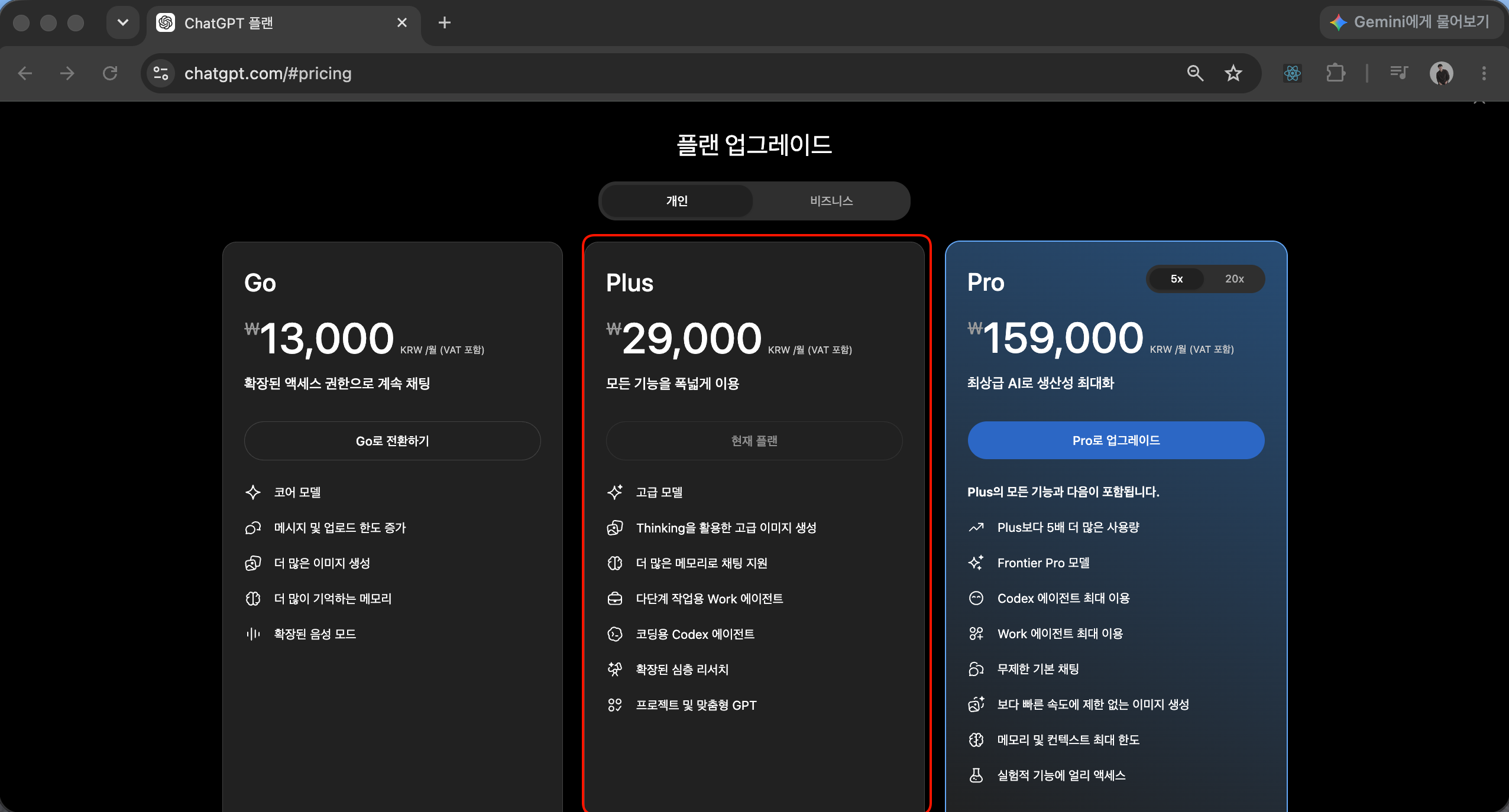
Subscribe to the Plus plan or higher (Note: Codex is not available with the Go plan)
Then I’ll see you shortly.
Thank you.
Sincerely, Lee Jeong-hwan 🙇♂️

Hello everyone, this is Lee Jeong-hwan.
Finally, the Live seminar will take place tomorrow at 8 p.m.
You haven’t forgotten, have you..?!
The reason I’m sending you this update the day before the Live is!
I’m sharing two things you absolutely need to check before participating.
We would appreciate it if everyone could make sure to check these points before joining 😀
⚠️ Caution 1.
This Live is not for developers.
The Live taking place tomorrow has been prepared specifically for non-developers and non-majors with no IT knowledge whatsoever.
Assuming you only know how to use a computer, we’ll start by showing you how to install Claude Code or Codex and kindly guide you through the very basics of using AI tools.
Therefore, if you have already been studying development for a year or more, or are working as a developer, you may feel, "What? They're teaching me things I already know?"
(Of course, even if you’re a developer, if you’ve never used Claude Code or Codex at all, you’ll still find the AI tool usage itself new.)
So I want to let you know in advance. If you’re already well-versed in web development, this Live may not be the right fit for you, so it’s perfectly fine to leave partway through, and you don’t have to participate if you don’t want to 😀
⚠️ Note 2.
A paid subscription to Claude or Codex is required for the hands-on practice.
In tomorrow’s live session, we’ll be doing vibe coding using Claude Code and Codex, and I’ll walk you through the process in detail so that everyone can follow along with the hands-on practice.
However, Claude Code and Codex are only available to users subscribed to a paid plan, so if you’d like to practice with me tomorrow, you’ll need to subscribe in advance.
You don't need to subscribe to both! Just choose one tool and subscribe to it. I'll provide detailed instructions on how to subscribe below.
P.S. If subscribing right away is difficult, it’s perfectly fine to just observe tomorrow’s Live 😀
How to Subscribe to Claude Code
Go to the https://claude.ai website.
Sign up and log in.
Click the account button in the bottom left.
Click “Upgrade plan” in the menu that appears.
Subscribe to the Pro plan in the middle.
(It’s okay to subscribe to the Max plan, but if you just want to try it out, Pro should be sufficient for now.)
How to Subscribe to Codex
Go to https://chatgpt.com, sign up, and log in.
P.S. Codex is an AI coding tool powered by ChatGPT.
Click the profile button in the lower-left corner.
Click the Upgrade Plan button in the menu that appears.
Subscribe to the Plus plan or higher (Note: Codex is not available with the Go plan)
Then I’ll see you on Live tomorrow. Thank you!

