


실행시 최상단 폴더
588
작성한 질문수 9
인텔리제이가 익숙하지가 않아서 실행시에 궁금한점이 있어서요.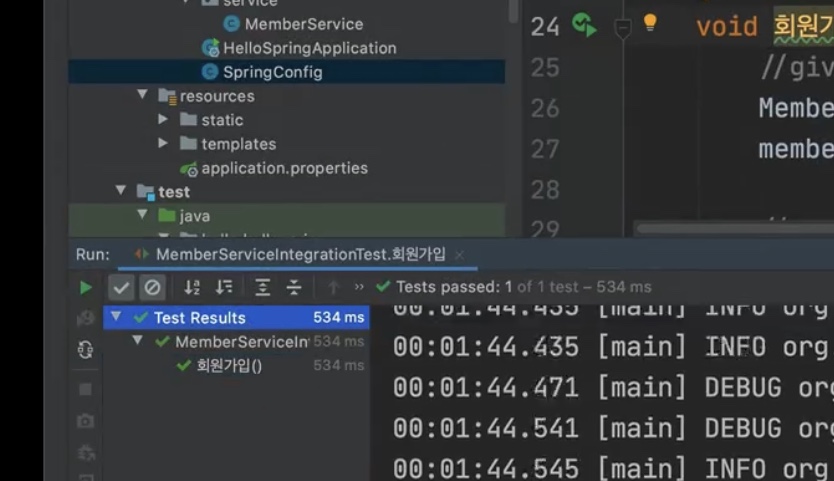 강의에서는 왼쪽 실행시 로그에 최상단 폴더 Test Results부터 실행이 되는데, 저는 메인에서도 그렇고 test코드에서도 실행을 시키면 크 클래스가 로그의 최상단폴더가 됩니다. 강의처럼 최상단 폴더부터 보려면 어떻게 해야되는지 궁금합니다.
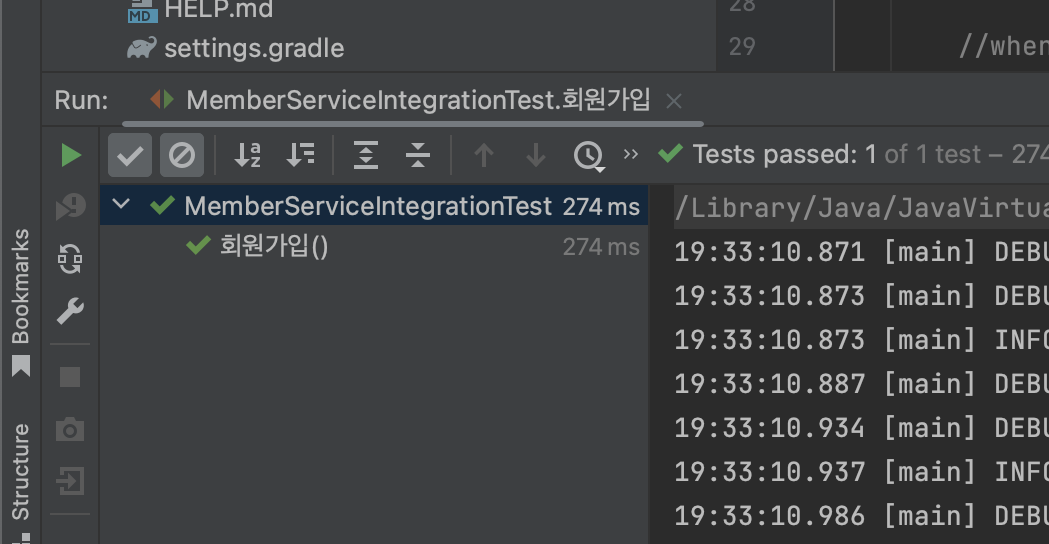 드라이브 링크 공유하겠습니다.
https://drive.google.com/file/d/1L8ERakx6jM2ZK_L4P3OaxtrLN5GUj2SZ/view?usp=share_link
답변 1
0
안녕하세요. start1234님, 공식 서포터즈 OMG입니다.
.
윈도우: ctrl + alt + s
맥 : command + ,
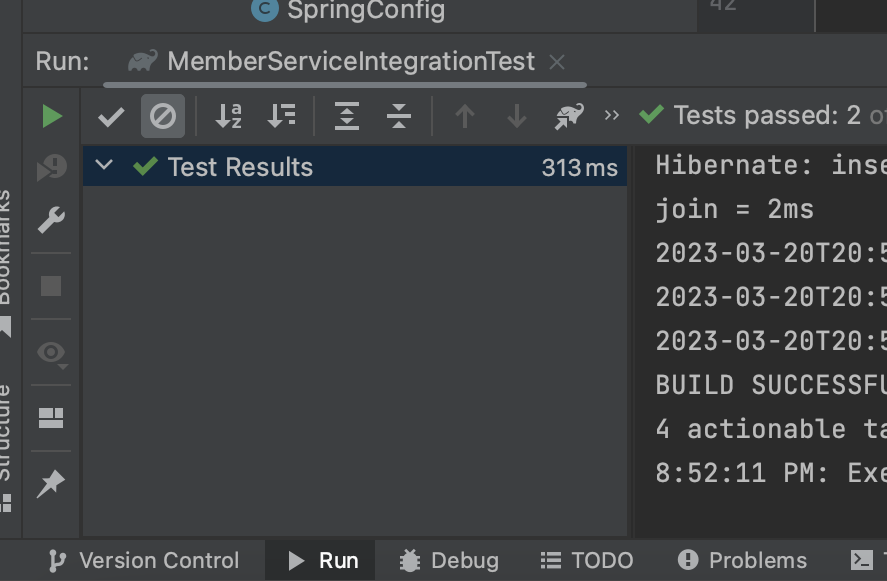
아래 표시한 영역을 IntelliJ IDEA가 아닌 Gradle로 변경해서 확인해주세요.
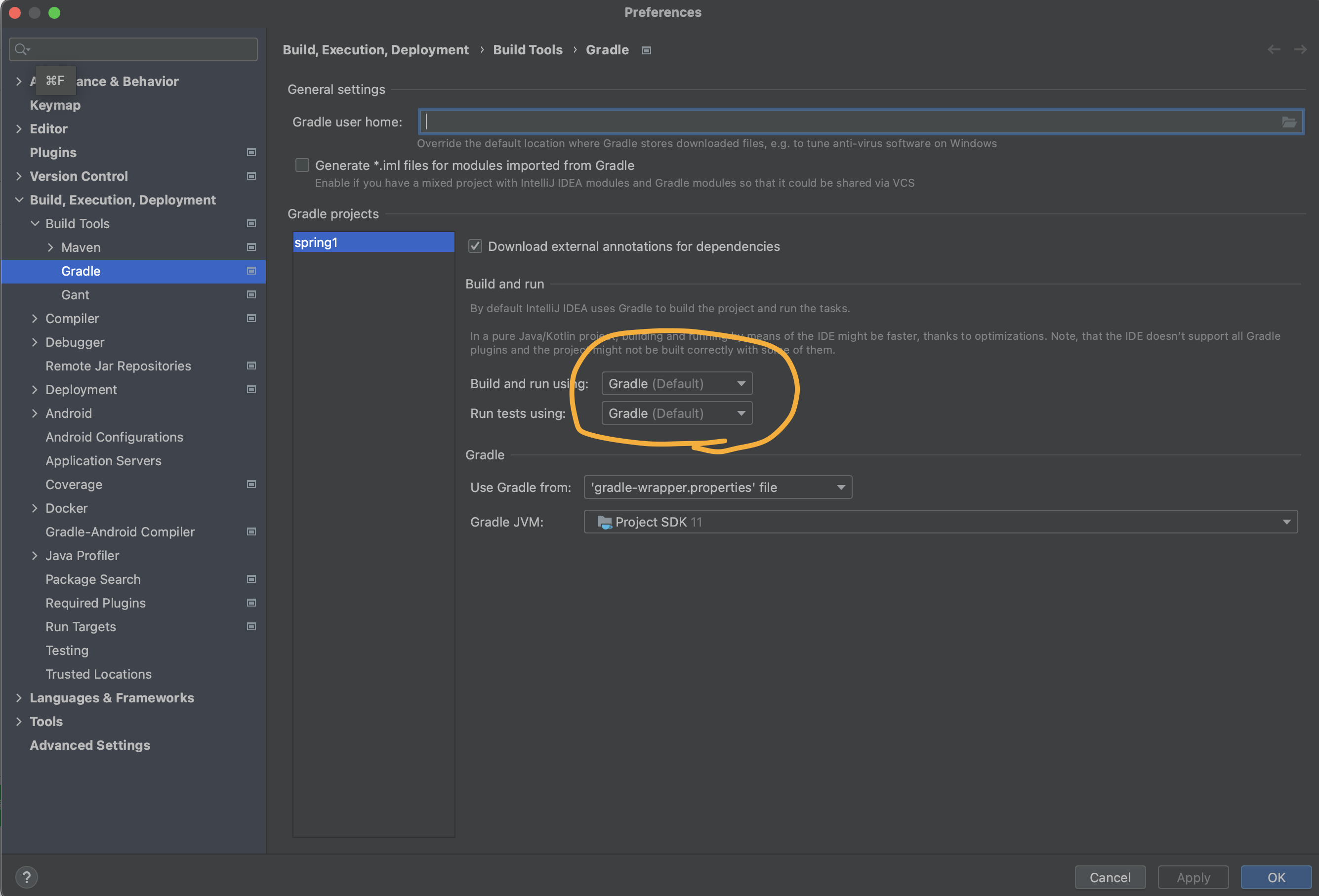
Gradle일 경우
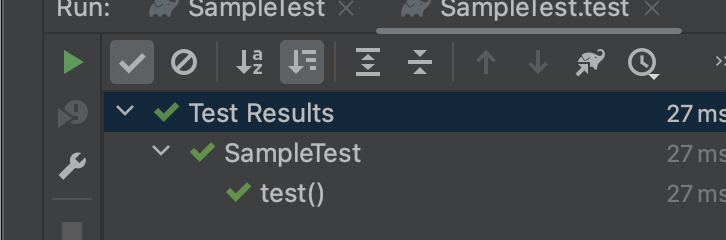
IntelliJ IDEA인 경우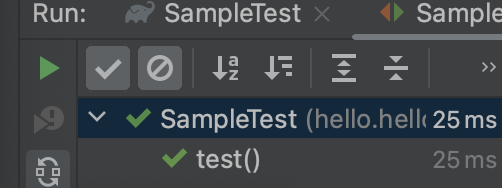
.
감사합니다.

0
감사합니다. 하지만 Gradle(Default)로 바꾸니
Execution failed for task ':HelloSpringApplication.main()'.
> Process 'command '/Library/Java/JavaVirtualMachines/jdk-17.jdk/Contents/Home/bin/java'' finished with non-zero exit value 1
* Try:
> Run with --stacktrace option to get the stack trace.
> Run with --info or --debug option to get more log output.
> Run with --scan to get full insights.
이러한 오류도 뜨고 HelloSpringApplication 메인도 잘 실행되지 않는데 무슨 이유인가요?
1
톰캣 정상적으로 실행되지 않나요?
해당 메시지는 서버 종료 버튼을 클릭했을 때 출력되고 있지 않나요?
해당 메시지가 출력되는 과정을 화면캡쳐로 설명해주세요.
실행과정을 알아야 답변을 드릴 수 있습니다.
0
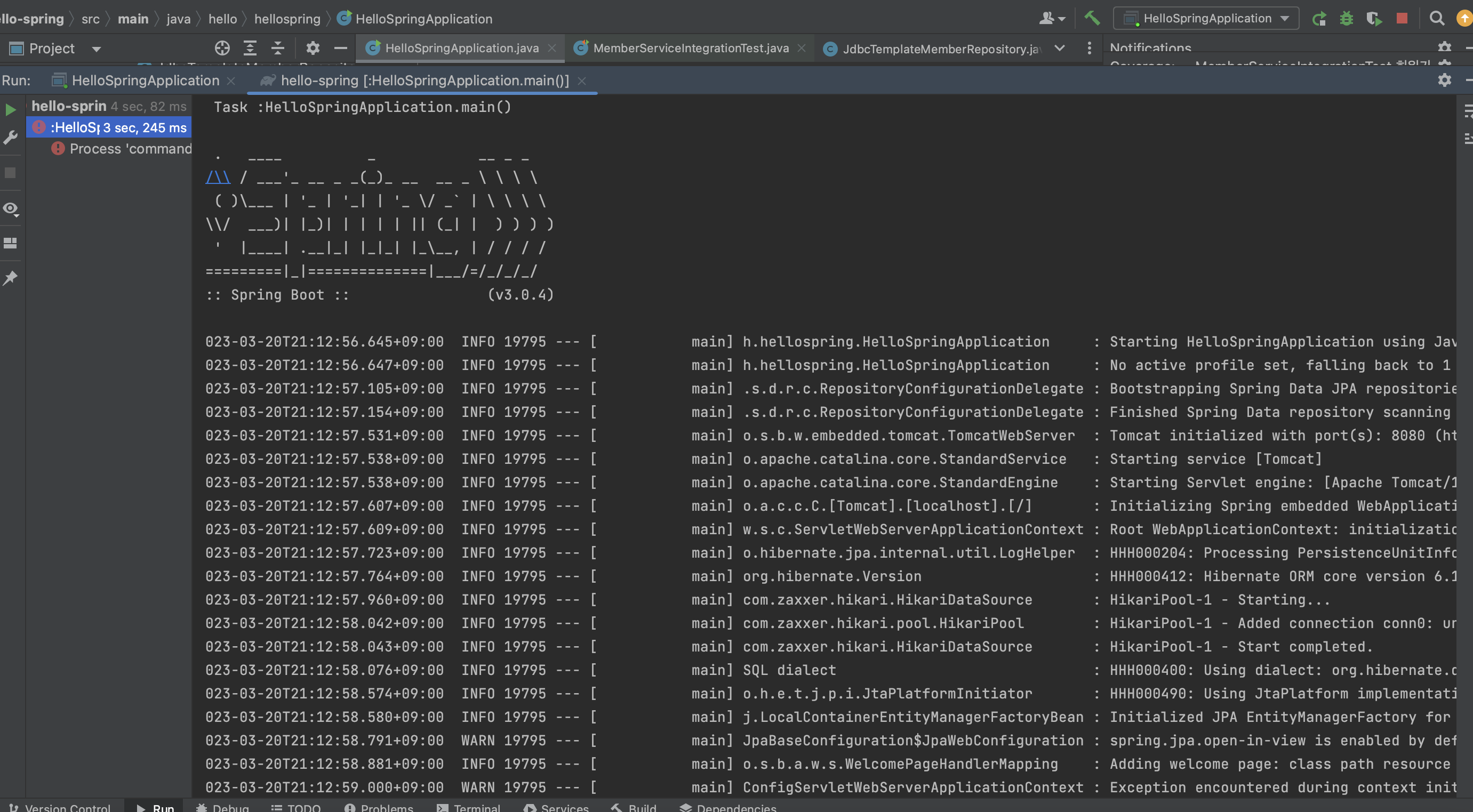
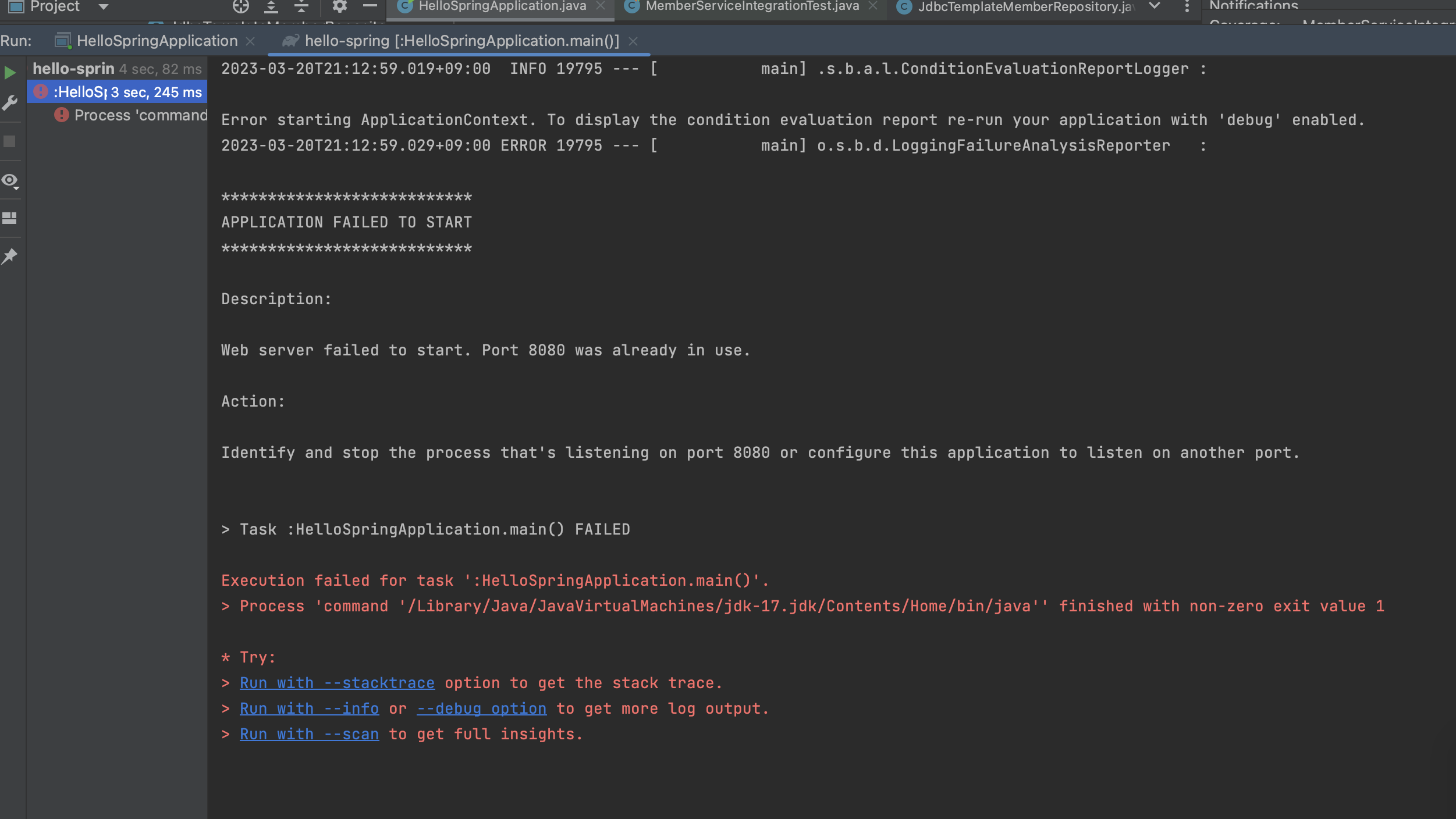
1.말씀해주신 것 처럼, gradle로 바꾼후 HelloSpringApplication을 run해보면 이런 과정들로 인해 마지막에
Execution failed for task ':HelloSpringApplication.main()'.
> Process 'command '/Library/Java/JavaVirtualMachines/jdk-17.jdk/Contents/Home/bin/java'' finished with non-zero exit value 1
* Try:
> Run with --stacktrace option to get the stack trace.
> Run with --info or --debug option to get more log output.
> Run with --scan to get full insights.
이런 오류가 뜨는 것을 확인할 수 있었습니다.
2.하지만 gradle이 아닌 기존 intellij로 바꿔서 다시 run해보면, 위와 같은 오류 메시지 없이 실행은 됩니다.
WARN 21707 --- [ main] ocalVariableTableParameterNameDiscoverer : Using deprecated '-debug' fallback for parameter name resolution. Compile the affected code with '-parameters' instead or avoid its introspection: hello.hellospring.repository.SpringDataJpaMemberRepository 과 같은 경고가 Info사이에 뜨는데 이건
어떻게 해결해야 하나요?
이 아래 두개의 경고중에 아래 경고는 강의에도 똑같이 표시되있던데 넘어가도 되는 부분인가요?
WARN 21707 --- [ main] ocalVariableTableParameterNameDiscoverer : Using deprecated '-debug' fallback for parameter name resolution. Compile the affected code with '-parameters' instead or avoid its introspection: hello.hellospring.repository.SpringDataJpaMemberRepository
WARN 21707 --- [ main] JpaBaseConfiguration$JpaWebConfiguration : spring.jpa.open-in-view is enabled by default. Therefore, database queries may be performed during view rendering. Explicitly configure spring.jpa.open-in-view to disable this warning
이 경고말고는 잘 실행되는 것 같습니다.
0

이 메시지는 8080포트가 충돌해서 발생합니다.
포트 충돌을 해결해주세요.
(PC를 재부팅해도 해결이 되긴하겠지만, 해당 메시지가 보인다면 8080포트로 실행중인 프로세스를 kill해야합니다.)
인텔리제이 오류
0
53
1
..
0
115
2
Unused property.....
0
121
2
project JDK is misconfigured
0
169
2
외부 API의 ID 타입(String/UUID)과 내부 도메인의 ID 타입(Long)이 불일치할 때의 설계 정석
0
102
2
단위/통합 테스트 버전충돌 문제
0
104
2
❗️springboot 4.0.2 버전 aspectj dependency 설정❗️
0
257
1
왜 컨트롤러는 변한게 없는데 새로 만든 html 파일이 뜨나요?
0
125
2
윈도우 build test오류 질문
1
123
2
테스트 관련 공부에 대한 조언을 얻고 싶습니다
0
114
2
테스트 실행 시 에러 질문
0
323
1
name을 통한 비교와 객체를 통한 비교
0
82
1
빌드 후 libs 없음
1
152
1
윈도우 gradlew.bat 에러
0
188
1
@PostMapping("/members/new")가 동작하지 않습니다
0
99
1
java static class와 kotlin class
0
92
1
스프링 DB연결
0
146
1
소요 시간
0
96
2
ddl.sql에 빨간 밑줄
1
118
2
welcome page 에러
0
202
3
잘 모르겠습니다.
0
174
2
fail을 똑같이 쳤는데 오류가 발생해요
0
177
2
index.html Welcome page
0
140
1
프로젝트 gradle-groovy ?
0
407
1