인프런 커뮤니티 질문&답변
이미지 로딩 오류(ERR_SSL_PROTOCOL_ERROR)
작성
·
4.2K
0
안녕하세요
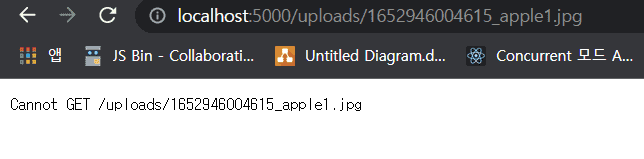
강의를 듣다가 이미지 로딩에 계속 문제가 생겨 문의 드립니다.
* 오류 (ERR_SSL_PROTOCOL_ERROR)

- 이미지 등록 시 uploads 폴더에서 이미지 확인됨
- ERR_SSL_PROTOCOL_ERROR
-> 해당 출처(https://onna.kr/484)를 통해 한 번씩 다 시도해봄
Client
- FileUpload.js
import React, { useState } from "react";
import Dropzone from "react-dropzone";
import { PlusOutlined } from "@ant-design/icons";
import axios from "axios";
function FilUpload() {
//저장하기 전 state에 저장
const [Images, setImages] = useState([]);
const dropHandler = (files) => {
let formData = new FormData();
const config = {
header: { "content-type": "multipart/form-data" },
};
formData.append("file", files[0]);
axios.post("/api/product/image", formData, config).then((response) => {
if (response.data.success) {
// console.log(response.data);
//원래있던 이미지 다 넣게 됨
setImages([...Images, response.data.filePath]);
} else {
alert("파일을 저장하는데 실패했습니다.");
}
});
};
return (
<div style={{ display: "flex", justifyContent: "space-between" }}>
<Dropzone onDrop={dropHandler}>
{({ getRootProps, getInputProps }) => (
<div
style={{
width: 300,
height: 240,
border: "1px solid lightgray",
display: "flex",
alignSelf: "center",
justifyContent: "center",
}}
{...getRootProps()}
>
<input {...getInputProps()} />
<PlusOutlined
style={{ fontSize: "3rem", display: "flex", alignSelf: "center" }}
/>
</div>
)}
</Dropzone>
<div
style={{
display: "flex",
width: "350px",
height: "240px",
overflow: "scroll",
}}
>
{Images.map((image, index) => {
return (
//key 없으면Each child in a list should have a unique "key" prop. 오류 발생
<div key={index}>
<img
style={{ minWidth: "300px", width: "300px", height: "240px" }}
src={`https://localhost:5000/${image}`}
/>
</div>
);
})}
</div>
</div>
);
}
export default FilUpload;
Server
- index.js
app.use("/api/product", require("./routes/product"));
app.use("/uploads", express.static("uploads"));
- routes/product
const express = require("express");
const router = express.Router();
const multer = require("multer");
const storage = multer.diskStorage({
destination: (req, file, cb) => {
cb(null, "uploads/");
},
filename: function (req, file, cb) {
cb(null, `${Date.now()}_${file.originalname}`);
},
});
const upload = multer({ storage: storage }).single("file");
router.post("/image", (req, res) => {
upload(req, res, (err) => {
console.log("filePath", res.req.file.path);
console.log("fileName", res.req.file.filename);
if (err) {
return res.json({ success: false, err });
}
return res.json({
success: true,
filePath: res.req.file.path,
fileName: res.req.file.filename,
});
});
});
module.exports = router;
답변 2
1
ssl 인증이슈는 https 를 통해 데이터를 불러오기 때문입니다.
이미지를 불러오는 부분의 src 부분을 아래와 같이 http로 불러오도록 수정해 보세요.
{Images.map((image,index) => (
<img key={index} style={{minWidth:'300px', width: '300px', height:'240px'}}
src = {`http://localhost:5000/${image}`} />
))}
0
류지혜
질문자
강의 처음부터 따라서 다시 작성하고 다른 분들의 글을 보면서 해결했습니다
참고한 글 : https://www.inflearn.com/questions/445195
Client
- FileUpload.js
import React, { useState } from "react";
import Dropzone from "react-dropzone";
import { PlusOutlined } from "@ant-design/icons";
import axios from "axios";
function FileUpload() {
const [Images, setImages] = useState([]);
const dropHandler = (files) => {
let formData = new FormData();
const config = {
header: { "content-type": "multipart/fomr-data" },
};
formData.append("file", files[0]);
axios
.post("/api/product/image", formData, config)
.then((response) => {
if (response.data.success) {
console.log(response.data);
setImages([...Images, response.data.filePath]);
} else {
alert("파일을 저장하는데 실패했습니다.");
}
});
};
return (
<div style={{ display: "flex", justifyContent: "space-between" }}>
<Dropzone onDrop={dropHandler}>
{({ getRootProps, getInputProps }) => (
<section>
<div
style={{
width: 300,
height: 240,
border: "1px solid lightgray",
display: "flex",
alignItems: "center",
justifyContent: "center",
}}
{...getRootProps()}
>
<input {...getInputProps()} />
<PlusOutlined
style={{
fontSize: "3rem",
display: "flex",
alignSelf: "center",
}}
/>
</div>
</section>
)}
</Dropzone>
<div
style={{
display: "flex",
width: "350px",
height: "240px",
overflowX: "scroll",
}}
>
{Images.map((image, index) => {
return (
<div key={index}>
<img
style={{ minWidth: "300px", width: "300px", height: "240px" }}
src={`http://localhost:5000/${image}`}
/>
</div>
);
})}
</div>
</div>
);
}
export default FileUpload;
Server
- index.js
app.use("/api/product", require("./routes/product"));
app.use("/uploads", express.static("uploads"));
- routes/product
const express = require("express");
const router = express.Router();
const multer = require("multer");
var storage = multer.diskStorage({
destination: function (req, file, cb) {
cb(null, "uploads/");
},
filename: function (req, file, cb) {
cb(null, `${Date.now()}_${file.originalname}`);
},
});
var upload = multer({ storage: storage }).single("file");
router.post("/image", (req, res) => {
// 가져온 이미지를 저장을 해주면 된다.
upload(req, res, (err) => {
if (err) {
return req.json({ success: false, err });
}
return res.json({
success: true,
filePath: res.req.file.path,
fileName: res.req.file.filename,
});
});
});
module.exports = router;