


긴급 질문 - css 유효성 검사 오류
852
작성한 질문수 6
다음과 같이 에러가 생기는데 괜찮은 건지 확인부탁드립니다.
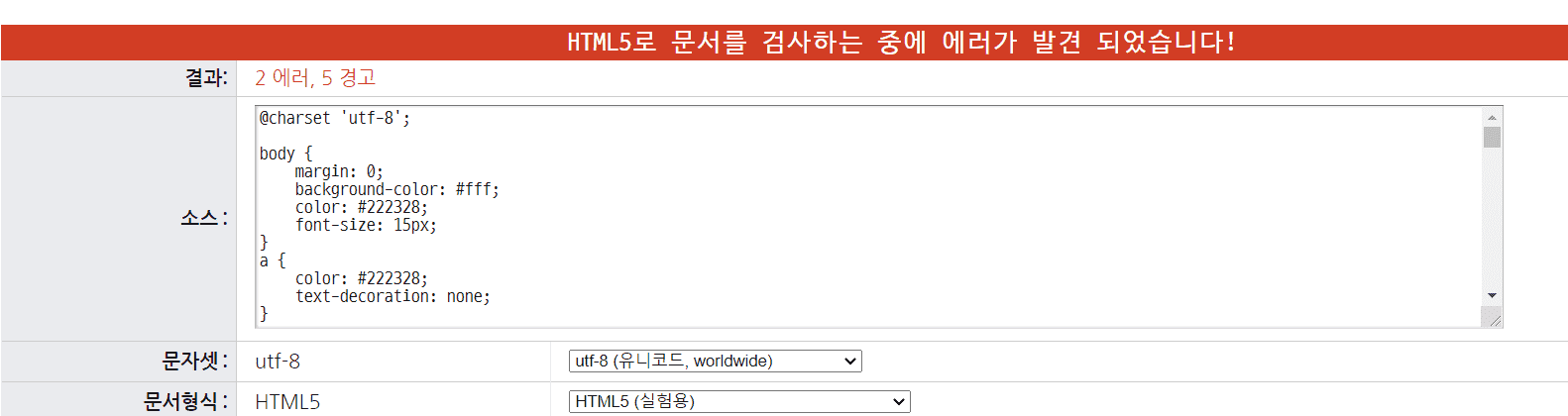
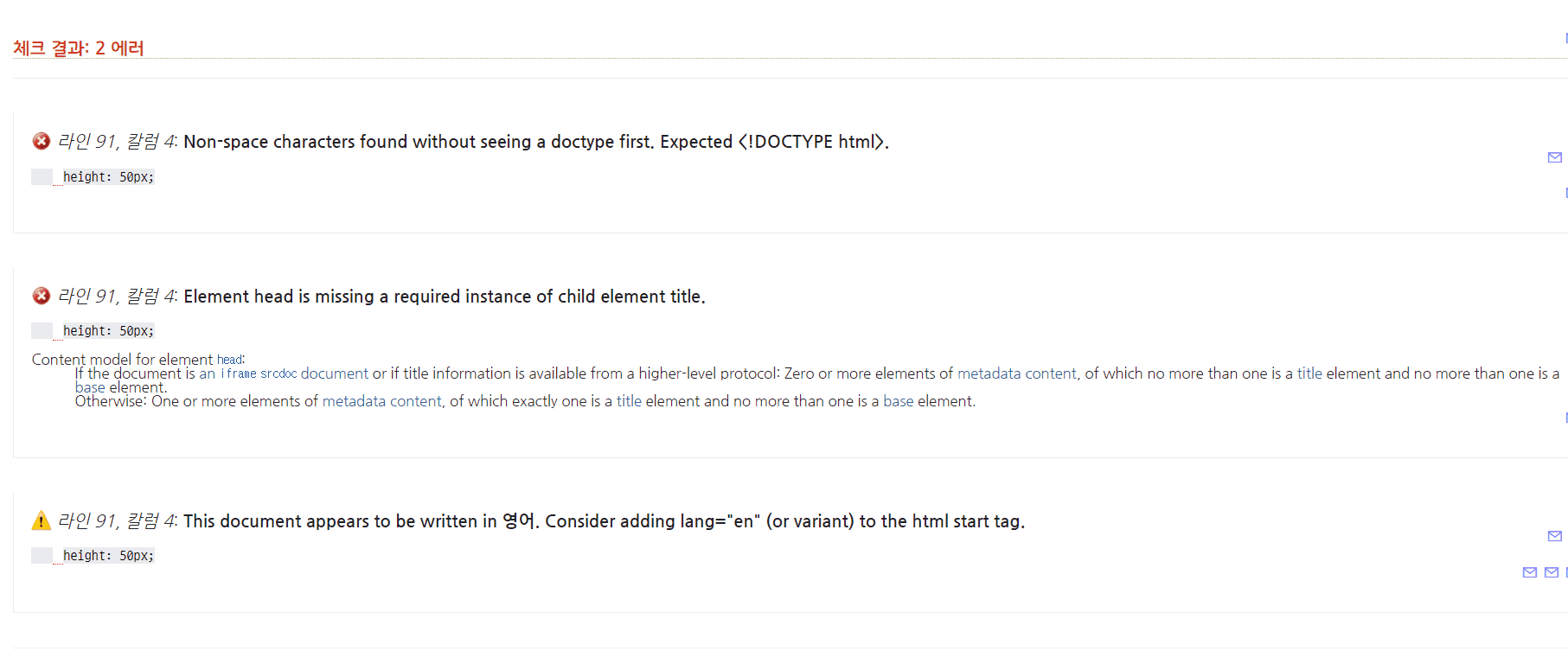
<style.css> 소스입니다.
@charset 'utf-8';
body{
margin:0;
background-color: #fff;
color:#222328;
font-size:15px;
}
a{
color:#222328;
text-decoration: none;
}
.container{
width:1000px;
}
.container > div{
float:left;
box-sizing: border-box;
}
.left{
width:200px;
}
header{
position:relative;
z-index:10;
}
header > div {
}
.header-logo{
height:100px;
line-height: 130px;
}
.navi{
height:450px;
}
.right{
width:800px;
}
.right > div{
}
.slide{
}
.slide > div{
height:350px;
}
.items{
overflow:hidden;
}
.items > div{
border:1px solid pink;
height:200px;
float:left;
box-sizing: border-box;
}
.content{
width:300px;
}
.gallery{
width: 300px;
}
.banner{
width: 200px;
}
footer{}
footer > div{
float:left;
box-sizing: border-box;
height:100px;
}
.copyright{
width:600px;
text-align: center;
padding-top:40px;
}
.footer-inner{
width:200px;
}
.footer-inner div {
height: 50px;
box-sizing: border-box;
text-align: center;
}
.footer-inner div:nth-child(1){
padding-top: 10px;
}
.footer-inner div:nth-child(2){
padding-top: 5px;
}
/* Nabigation */
.menu{
padding:0;
list-style: none;
position:relative;
width:90%;
margin: auto;
text-align: center;
/*왼쪽여백 줘야하는데...margin:auto; */
/*메뉴 밑 부분에 여백이 없어야하는데 */
}
.menu li{
box-sizing: border-box;
}
.menu li > a{
display:block;
padding:10px;
border:1px solid black;
}
.menu li:hover > a{
background-color: #000;
color:#fff;
}
.submenu{
border:1px solid black;
margin: auto;
display:none;
position:absolute;
top:0;
left:100%;
width:100%;
height:200px;
background-color: #fff;
}
/*넓어야되는데 padding:5px;*/
.submenu > a {
display:block;
background-color: #fff;
padding:5px;
}
.submenu > a:hover{
background-color: #000;
color:#fff;
}
/* slide */
.slide{
position:relative;
}
.slide > div a{
position:absolute;
left:0;
top:0;
opacity:0;
animation:slide 10s linear infinite;
}
.slide > div a:nth-child(1){
animation-delay: 0s;
}
.slide > div a:nth-child(2){
animation-delay: 3.5s;
}
.slide > div a:nth-child(3){
animation-delay: 7s;
}
@keyframes slide{
0%{opacity:0;
visibility:hidden;}
5%{opacity:1;}
35%{opacity:1;}
40%{opacity:0;}
100%{opacity:0;}
}
/* 공지사항 & gallery */
.tab-inner{
width:97%;
margin:auto;
}
.btn{}
.btn span{
border:1px solid pink;
display:inline-block;
width:100px;
text-align: center;
border-radius:5px 5px 0 0;
border-bottom:none;
margin-bottom: -1px;
background-color: #fff;
}
.tab1{
border:1px solid black;
padding-bottom: 10px;
}
.tab2 {
border:1px solid black;
padding-bottom: 40px;
}
.tab1 a{
display:block;
border-bottom: 1px solid black;
}
.tab1 a:last-child{
border-bottom: none;
}
.tab1 a em {
font-style: normal;
}
.tab1 a b{
float:right;
font-weight:normal;
}
.tab2{}
.tab2 a{
display:inline-block;
}
.tab2 a img{
width:90px;
padding-top:40px;
text-align: center;
}
/* Modal */
.modal{
position:absolute;
width:100%;
height:100%;
left:0;
top:0;
background-color: rgba(0, 0, 0, 0.42);
display:none;
}
.modal-content{
position:absolute;
left:50%;
top:50%;
width:400px;
height:450px;
transform:translate(-50%,-50%);
background-color: #fff;
border-radius:10px;
padding:20px;
}
.modal-content h2{
background-color: #000;
color:#fff;
text-align: center;
font-weight:normal;
padding:5px 10px;
}
.modal-content p{}
.close-modal{
float:right;
border:1px solid black;
width:60px;
height:30px;
text-align: center;
padding:5px 10px;
font-size:13px;
}
답변 2
1
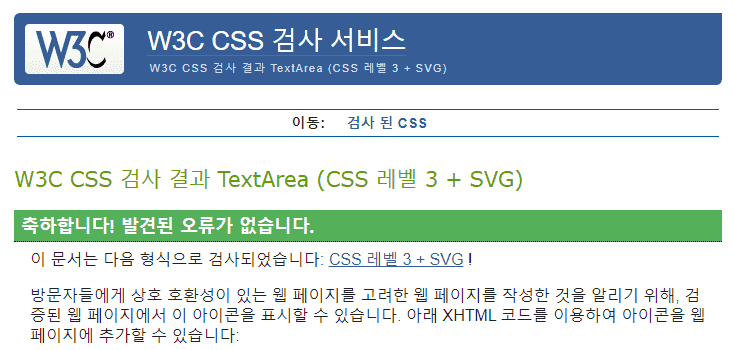
CSS Validation Service에서 올리신 코드 검사하시면 오류 없다고 나옵니다.
잘하셨어요.
아래 주소로 들어가셔서 직접입력 누르고 css 코드 붙여넣기 하시면 됩니다.
https://jigsaw.w3.org/css-validator/
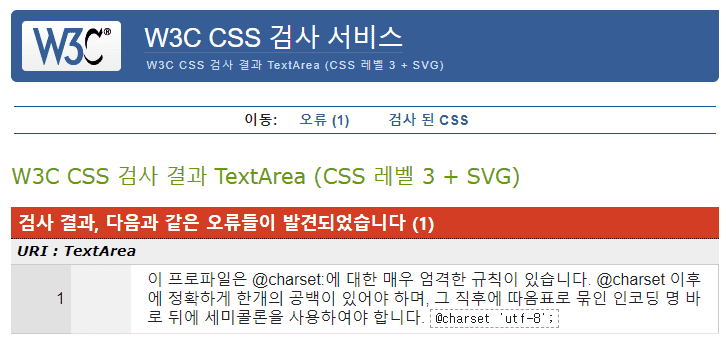
1개 나오는건 @charset 'utf-8'; 이 부분인데 @charset "utf-8"; 쌍따옴표로 하면 완벽하게 오류없음으로 나옵니다. 그런데 따옴표 체크하는건 아무리 기계지만 좀 그렇네요ㅠㅠ
해당 강의 PDF는 어디에 있나요?
1
102
2
2026 웹디자인개발기능사 실기 보는데 필요한 텍스트에디터는 무엇인가요?
1
146
2
예제파일
1
89
1
섹션10-77번강의 내 와이어프레임 pdf 자료 다운로드 어디서 하나요?
1
133
2
보더를 사용해 와이어프레임만드는 강의 html+css소스 다운로드 받을 수 있나요?
1
93
1
시험 시 슬라이드 작성 관련 문의
0
90
1
강의 질문 있습니다
1
86
1
시험 관련 문의
1
82
1
파워포인트 자료 다운로드 버튼 어디에 있나요?
1
94
1
브라우저 화면 줄일 시 빈 공간 발생
0
88
1
서브메뉴가 유지되지 못하고 사라지는데 무엇이 문제 일까요?
1
103
1
슬라이드 및 완성본 관련 사항
1
98
2
D유형 레이아웃 연습중인데 슬라이드 이미지 크기가 변하지 않습니다
1
126
3
B-4연습중인데 네비게이션의 a태그 두께가 이상하고 슬라이드 다운시 문제가 있습니다.
1
77
2
A2 연습중인데 메뉴 배경색과 서브메뉴 크기, 갤러리 그림 정리에 문제가 있습니다
1
94
2
A1 레이아웃 연습중인데 overflow: hidden이나 box-sizing: border-box;가 적용되지 않는 것 같습니다
1
95
2
레이어 팝업 '닫기' 가 안됩니다
1
92
1
공지사항과 갤러리 탭(안)구성 중 마우스 클릭시 색상변경이 안됩니다.
1
121
2
뷰티파이 설치 관련 문의
1
125
3
웹디자인 기능사 웹디자인개발기능사로 개편 되었는데 이 수업만 들어도 가능?
1
125
2
A유형~C유형 수험자 제공파일 어디서
1
98
1
A1 작업하는데 와이어프레임이 무너지고, hover일부가 적용 안되고 메뉴바가 슬라이드를 밀어냅니다. 탭메뉴도 작동하지 않습니다..
0
151
4
footer 높이 값
1
72
2
div 상하분배?가 안돼요
0
96
2