


모달 UI 관련 질문
112
작성한 질문수 3
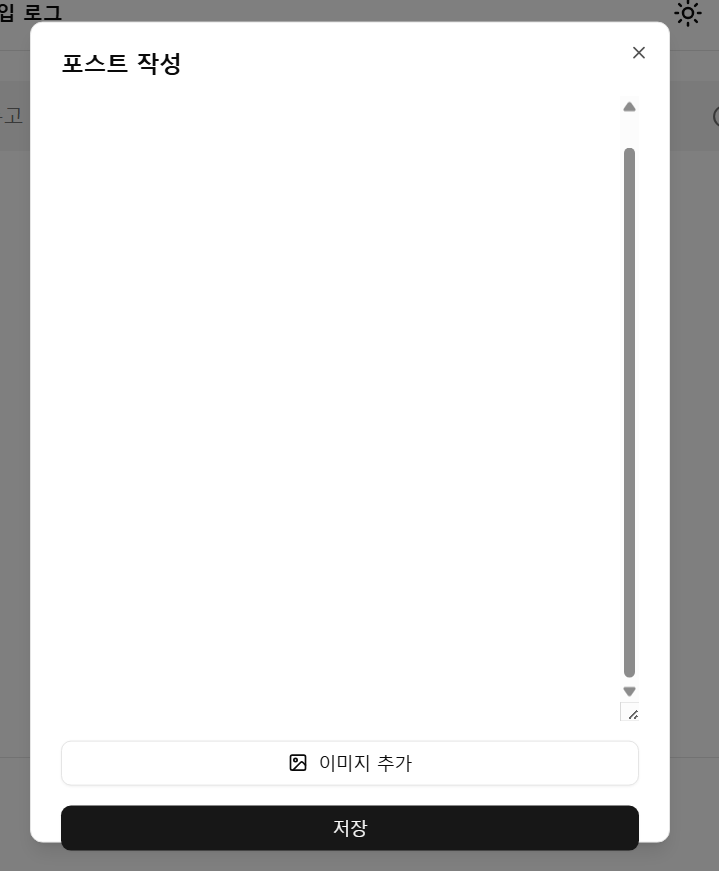
이렇게 내용이 길어져서 모달 전체 크기인 max-h-[90vh]에 도달할 경우, 저는 모달 내부에 있는 버튼이 밖으로 안튀어나가게 작동할거라고 예상했는데, 첨부한 이미지처럼 튀어나가더라고요...이런 경우는 어떻게 해결할 수 있나요?
답변 1
0
안녕하세요 keenco님 이정환입니다.
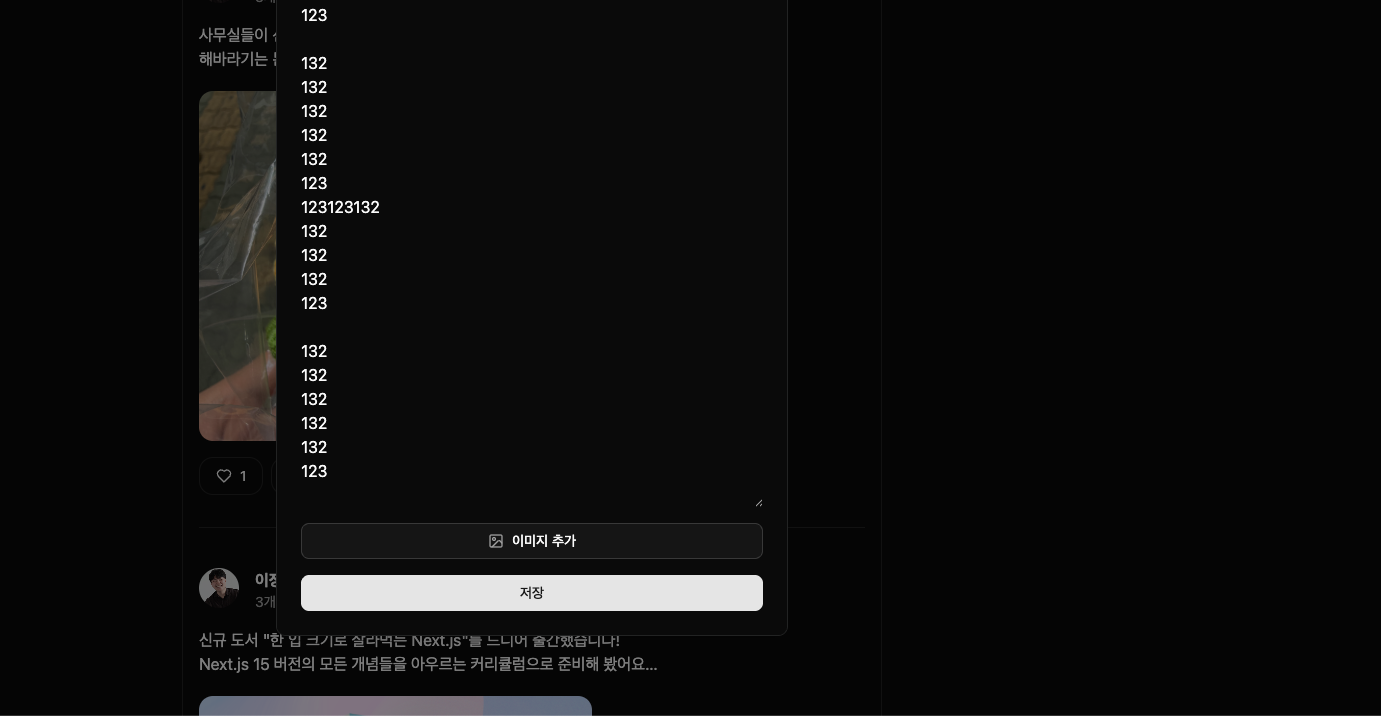
이런 경우 모달내부 요소의 CSS 속성에 overflow-scroll 등을 추가해 스크롤바를 통해 해결할 수 있습니다. 강의에서도 아래에 보이시는 것 처럼 스크롤바를 통해 해결했으니 강의 코드를 참고해보셔도 좋을 것 같습니다 😀
0
DialogContent와 textarea 여기저기 다 overflow-scroll을 추가해봤으나 해결되지 않는데 어디에 추가하신건지 자세히 알려주실 수 있을까요..?ㅠㅠ 제공해주신 코드와 diff checker까지 사용해봤으나 제가 다르게 입력한 부분을 못찾겠습니다..!!
(+ 같은 코드로 다른 모니터 환경에서는 강의처럼 정상 작동합니다. 노트북(권장사항인 120%배율)환경에서 이런거같은데, 잘못 작성된 코드가 아니라면 이런경우를 어떻게 대처하나요? 반응형으로 보완해줘야할까요? )
import { ImageIcon } from "lucide-react";
import { Button } from "../ui/button";
import { Dialog, DialogContent, DialogTitle } from "../ui/dialog";
import { usePostEditorModal } from "@/store/post-editor-modal";
import { useEffect, useRef, useState } from "react";
import { toast } from "sonner";
import { useCreatePost } from "@/hooks/mutations/post/use-create-post";

export default function PostEditorModal() {
  const { isOpen, close } = usePostEditorModal();
  const { mutate: createPost, isPending: isCreatePostPending } = useCreatePost({
    onSuccess: () => {
      close();
    },
    onError: (error) => {
      toast.error("포스트 생성에 실패했습니다. 다시 시도해주세요.", {
        position: "top-center",
      });
    },
  });

  const [content, setContent] = useState("");
  const textareaRef = useRef<HTMLTextAreaElement>(null);

  const handleCloseModal = () => {
    close();
  };

  const handleCreatePostClick = () => {
    if (content.trim() === "") return;
    createPost(content);
  };

  useEffect(() => {
    if (textareaRef.current) {
      textareaRef.current.style.height = "auto";
      textareaRef.current.style.height = `${textareaRef.current.scrollHeight}px`;
    }
  }, [content]);

  useEffect(() => {
    if (!isOpen) return;
    textareaRef.current?.focus();
    setContent("");
  }, [isOpen]);

  return (
    <Dialog open={isOpen} onOpenChange={handleCloseModal}>
      <DialogContent className="max-h-[90vh]">
        <DialogTitle>포스트 작성</DialogTitle>
        <textarea
          disabled={isCreatePostPending}
          ref={textareaRef}
          value={content}
          onChange={(e) => setContent(e.target.value)}
          className="max-h-125 min-h-25 focus:outline-none"
          placeholder="무슨 일이 있었나요?"
        />
        <Button
          disabled={isCreatePostPending}
          variant="outline"
          className="cursor-pointer"
        >
          <ImageIcon />
          이미지 추가
        </Button>
        <Button
          disabled={isCreatePostPending}
          onClick={handleCreatePostClick}
          className="cursor-pointer"
        >
          저장
        </Button>
      </DialogContent>
    </Dialog>
  );
}
수파베이스 데모 버전
0
41
1
modal-root질문드립니다.
0
65
2
모달 여러개 질문드립니다
0
54
2
tsconfig.app.json 파일 설정(경로 별칭 옵션) 관련 질문입니다.
0
73
2
onSettled 질문드립니다.
0
67
2
Zustand의 Store 타입은 어떤 기준으로 작성하는 건가요?
0
96
2
포스트 작성 중 이탈 방지 기능 (취소 버튼 클릭 시 오류)
0
102
2
"포스트 생성에 실패했습니다" 실패 문구와 함께 에러가 발생합니다ㅠㅠ
0
102
2
강의자료는 어떻게 제작하시나요?
0
110
2
비밀번호 재설정 1회용 이메일 링크
0
117
1
강의 수강 후 포트폴리오 준비 방향에 대해 조언 부탁드립니다.
2
122
1
회원가입 구현 (구현 후 최종 화면 출력 X)
0
149
2
(6.11) 회원가입시 프로필 정보 자동 생성하기 Q. 호출 순서 문의
0
93
1
명시적 타입 선언(콜론 타입 선언)과 as 타입 단언 차이
0
97
2
useMutation 적용 후 새로운 글 등록시 content가 안보여요
0
123
3
6.8 zustand 세션 질문입니다.
0
170
2
next.js 강의에서도 리액트 라이브러리들을 다뤄주시나요?
0
148
2
shadcn에서 radix ui와 base ui 차이는 뭔가요?
1
831
2
updateTodo 함수 생성시 화살표 함수 사용 안하는 이유
0
140
2
4.11 바로 투두 삭제가 안됨 질문
0
157
3
매개변수 updatedTodo 관련 질문
0
129
3
인증 정보가 만료되었을 때 라우트 가드 처리가 궁금합니다!
0
143
2
supabase를 사용하지 않을 경우 세션 데이터의 변경을 감지하고 스토어에 보관하는 방법이 궁금합니다!
0
142
2
4.6 id를 string으로 변경시 오류
0
140
2