


nested 리스트일때 <ul> bullet 스타일 바꾸는 방법
249
작성한 질문수 1
안녕하세요 강사님
typescript next 환경에서 포트폴리오를 만들고 있는데요
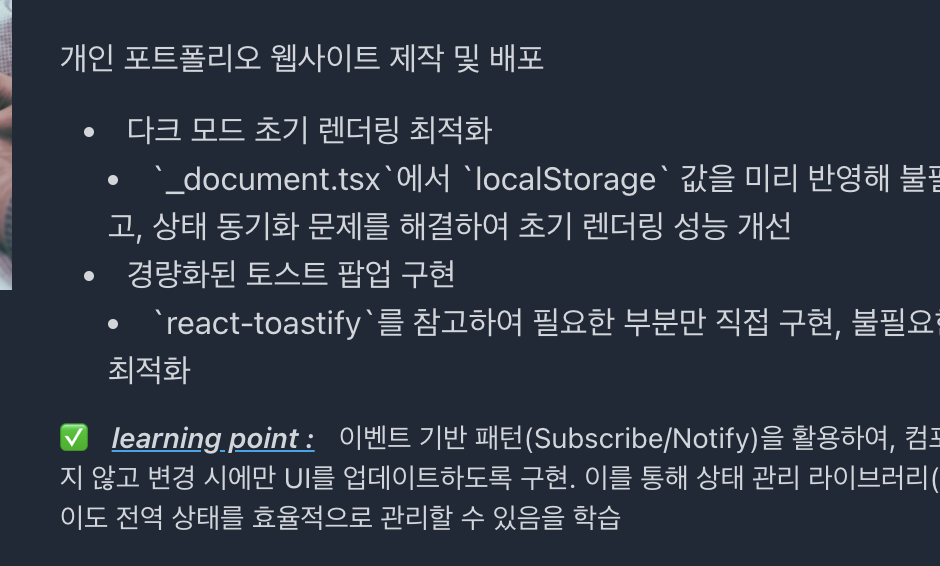
위 사진처럼 nested list 구조 일때 불릿 스타일이 변하지 않습니다.
tailwind.config.ts 에서 기본 ul 태그 스타일을 수정해볼까 하는데
ul {
    list-style-type: disc;
}
ul ul {
    list-style-type: circle;
}
ul ul ul {
    list-style-type: square;
}
이런식(?)으로요
특정 요소만 기본 css 를 사용하고 싶거나 위 처럼 tailwind 스타일을 커스텀하고 싶을때 어떻게 하면될까요?
답변 2
0
Tailwind CSS에서 중첩된 리스트의 불릿 스타일을 다르게 지정하려면 몇 가지 방법이 있습니다.
방법 1: 전역 스타일 추가하기
globals.css 파일에 직접 CSS를 추가하는 방법입니다:
/* globals.css 파일에 추가 */
ul {
  list-style-type: disc;
}
ul ul {
  list-style-type: circle;
}
ul ul ul {
  list-style-type: square;
}
방법 2: Tailwind CSS 설정에 추가하기
tailwind.config.ts 파일을 수정하여 스타일을 지정할 수 있습니다:
import type { Config } from "tailwindcss";

const config: Config = {
  // 기존 설정...
  theme: {
    extend: {
      // 기존 확장...
    },
  },
  plugins: [
    function({ addBase }) {
      addBase({
        'ul': { listStyleType: 'disc' },
        'ul ul': { listStyleType: 'circle' },
        'ul ul ul': { listStyleType: 'square' },
      })
    }
  ],
};

export default config;
addBase 플러그인 함수를 사용하면 기본 스타일을 추가할 수 있습니다.
방법 3: 특정 클래스를 사용하기
특정 컴포넌트에만 적용하고 싶다면, 클래스를 만들어 사용할 수도 있습니다:
// tailwind.config.ts
import type { Config } from "tailwindcss";

const config: Config = {
  // 기존 설정...
  theme: {
    extend: {
      // 기존 확장...
    },
  },
  plugins: [],
};

export default config;
그리고 globals.css에 다음과 같이 추가:
/* globals.css */
@layer components {
  .nested-list ul {
    list-style-type: disc;
  }
  .nested-list ul ul {
    list-style-type: circle;
  }
  .nested-list ul ul ul {
    list-style-type: square;
  }
}
그런 다음 컴포넌트에서:
<div className="nested-list">
  <ul>
    <li>항목 1
      <ul>
        <li>하위 항목 1.1
          <ul>
            <li>하위 하위 항목 1.1.1</li>
          </ul>
        </li>
      </ul>
    </li>
  </ul>
</div>
수파베이스 데모 버전
0
28
1
modal-root질문드립니다.
0
44
2
모달 여러개 질문드립니다
0
43
2
지금 강의가 어려우신분 추천드립니다.
0
44
1
기존의 완성된 CRUD의 Build.gradle에 security관련 dependency를 추가하면 문제가 생깁니다.
0
56
2
tsconfig.app.json 파일 설정(경로 별칭 옵션) 관련 질문입니다.
0
59
2
CRA ? 질문입니다
0
46
1
강의 커리큘럼 관련 질문입니다.
0
55
1
onSettled 질문드립니다.
0
61
2
스크립트 영상 미일치
0
73
3
강의 설명 중에 헷갈리는 것이 있네요
0
49
1
tailwindcss v4.1 에서의 script 사용에 대해 궁금한 점이 있습니다.
1
153
1
확장 프로그램 설치 및 최적화 버전 문의
1
156
2
tailwindcss 와 ai tool
0
128
1
tailwindcss 4.1 docs에서는 container가 목록에서 안보이네요
0
124
2
quasar와 tailwind 조합에 관한 질문
0
138
1
실습에 사용되는 이미지
0
163
2
모바일 사이즈에 대해 질문있습니다.
0
121
1
via.placeholder.com 오류
0
917
2
빈 화면에서 tail 만 쳤을때 팝업도움말 나오게 하는 법 알려주세요.
0
166
2
tailwind.config.js 파일을 통해 다크 모드 설정시 적용이 되지 않습니다.
0
343
1
수강평 이벤트
0
183
2
font-weight가 왜 적용이 안될까요?
0
469
3
스니펫 관련질문
0
174
1