


템플릿 리터럴 오류 질문
윈도우, 안드로이드 환경입니다.
import React from 'react';
import {Pressable, StyleSheet, Text} from 'react-native';

interface CustomButtonProps{
    label: string;
    variant?: 'filled' | 'outlined';
    size?: 'large' | 'medium';

}

function CustomButton({
    label,
    variant='filled',
    size='large',
}: CustomButtonProps) {
  return (
    <Pressable style={[styles.container, styles[variant], styles[size]]}>
        <Text style={[styles.text, styles['${variant}Text']]}>{label}</Text>
    </Pressable>
  )
}

const styles = StyleSheet.create({
    container:{
        borderRadius: 3,
        justifyContent:'center',
    },
    filled: {
        backgroundColor:'#C63B64'
    },
    outlined: {
        borderColor:'C63B64',
        borderWidth: 1,

    },
    large: {
        width: '100%',
        paddingVertical: 15,
        alignItems: 'center',
        justifyContent: 'center',
    },
    medium: {
        width: '50%',
        paddingVertical: 12,
        alignItems: 'center',
        justifyContent: 'center',
    },
    text: {
        fontSize: 16,
        fontWeight: '700',
    },
    filledText: {
        color: 'white',
    },
    outlinedText: {
        color: '#C63B64',
    },
});

export default CustomButton;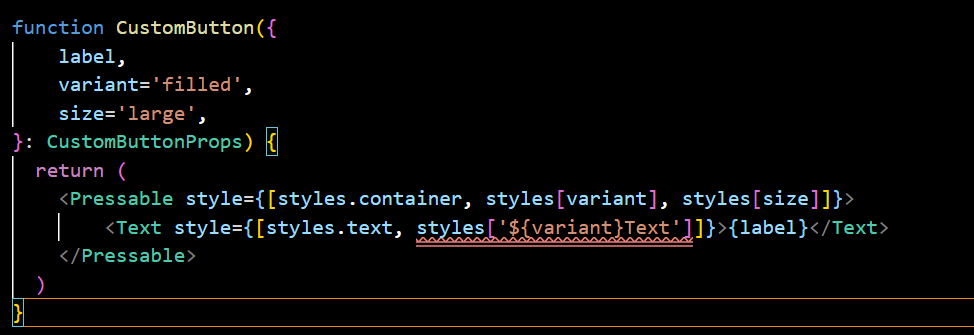
styles['${variant}Text' ]이 부분이 에러가 발생하는데 왜그런 것인가요?
에러메세지는 다음과 같습니다.
[{
"resource": "/c:/Users/dcgn6ec/MatzipApp/front/src/components/CustomButton.tsx",
"owner": "typescript",
"code": "7053",
"severity": 8,
"message": "Element implicitly has an 'any' type because expression of type '\"${variant}Text\"' can't be used to index type '{ container: { borderRadius: number; justifyContent: \"center\"; }; filled: { backgroundColor: string; }; outlined: { borderColor: string; borderWidth: number; }; large: { width: \"100%\"; paddingVertical: number; alignItems: \"center\"; justifyContent: \"center\"; }; medium: { ...; }; text: { ...; }; filledText: { ...; }; ...'.\n Property '${variant}Text' does not exist on type '{ container: { borderRadius: number; justifyContent: \"center\"; }; filled: { backgroundColor: string; }; outlined: { borderColor: string; borderWidth: number; }; large: { width: \"100%\"; paddingVertical: number; alignItems: \"center\"; justifyContent: \"center\"; }; medium: { ...; }; text: { ...; }; filledText: { ...; }; ...'.",
"source": "ts",
"startLineNumber": 18,
"startColumn": 36,
"endLineNumber": 18,
"endColumn": 60
}]
답변 1
0
['${variant}Text'] 이렇게 넣으셨다면 그냥 저 문자 자체를 넣으신겁니다. 그래서 variant 부분이 변수로 들어가지않습니다. 템플릿리터럴로 변수와 문자를 함께 사용할때는 ''가 아니라 백틱(``)으로 하셔야합니다. styles[`${variant}Text`]
디바이스 별 다른 크기의 화면을 고려하는 반응형UI
0
54
2
react-native-screens 버전 호환 문제
3
181
1
안드로이드 실행 중 Drawer네비게이션과 MapView 성능 문제
0
133
2
해당 강의 부분은 실제 활용하기에 부족해 제가 해결한 방법입니다.
0
113
1
소스코드가 강의 순서랑 다른가요?
0
87
2
현재 Windows에서 VsCode로 작업 중인데 추후에 IOS도 가능하게 하려면
0
130
2
react-native-fast-image는 react 19 버전에서 설치가 안되나요?
0
226
2
SQL Shell의 역할이 무엇인가요?
0
100
1
혹시 해당 강의에서invalidateQueries를 사용한 이유가 있을까요?
0
84
2
빠르게 실행해보고싶습니다.
0
91
1
강의 수강 순서 관련
0
88
1
애뮬레이터 실행 방법
0
116
2
무료 Apple ID로 실기기 테스트 가능한가요?
0
106
2
ios 실기기 연결
0
80
2
npm run ios에러
0
88
1
10월 삭제 예정인 강의는 이유를 알 수 있을까요?
0
113
1
캘린더 개발 후에 navigation 에 대해서 궁금한 점이 있습니다.
0
60
1
안드로이드 위치 권한 이슈 2가지 문의
0
82
1
지도가 보이려면 음.. 작성해주신 스타일과 다르게
0
80
0
제대로 설치한거같은데 안드로이드랑 ios 둘다 앱실행이 안되는것같아요
0
99
3
강의 내용을 보면 전체적으로 function 함수 키워드를 사용하시는데
0
75
2
강의 3-9 에서 useGetRefreshToken 훅 안에 즉시 함수로 처리하는 이유가 궁금합니다!
0
88
2
사내에서 figma.com 업로드 안되나요?
0
105
1
AWS EC2 + RDS 설정
0
96
2