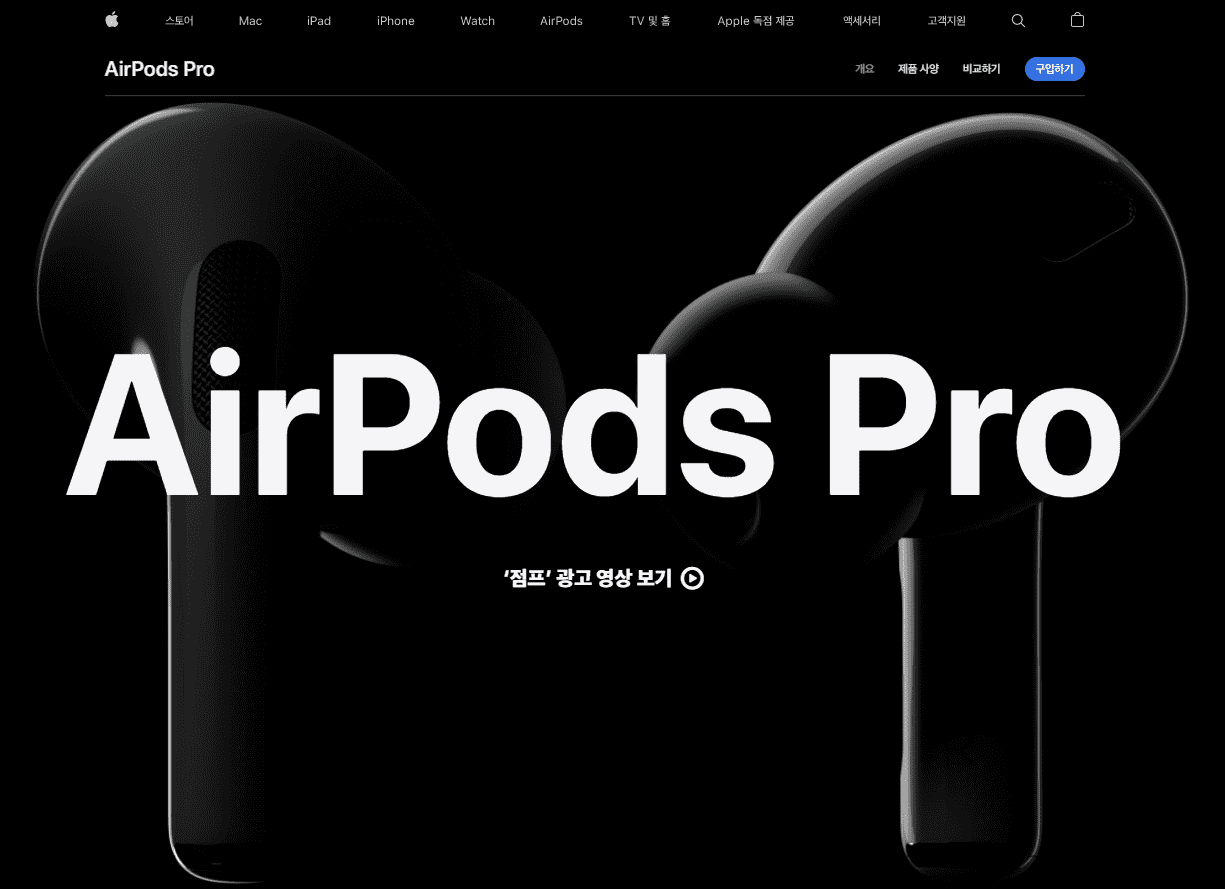
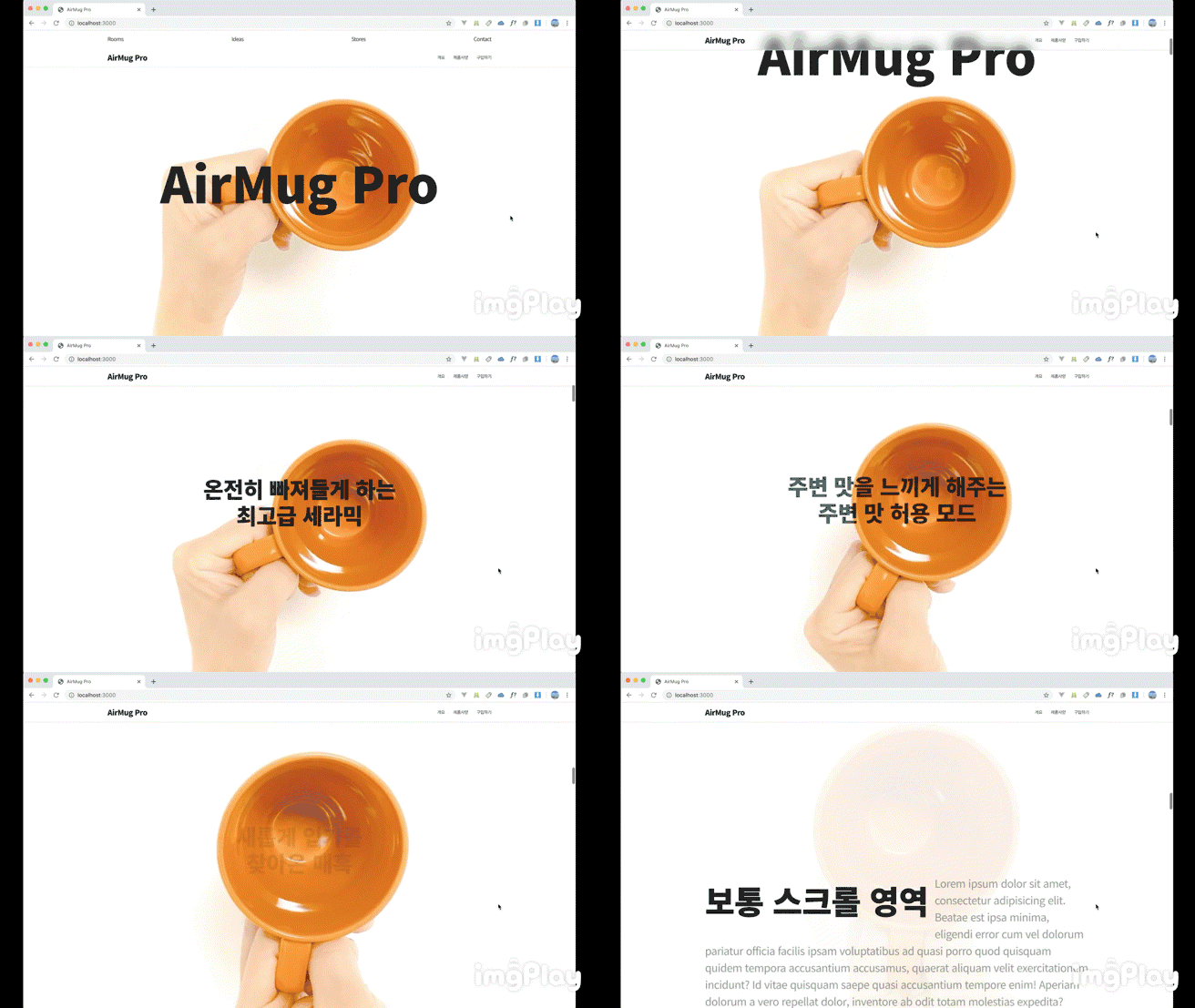
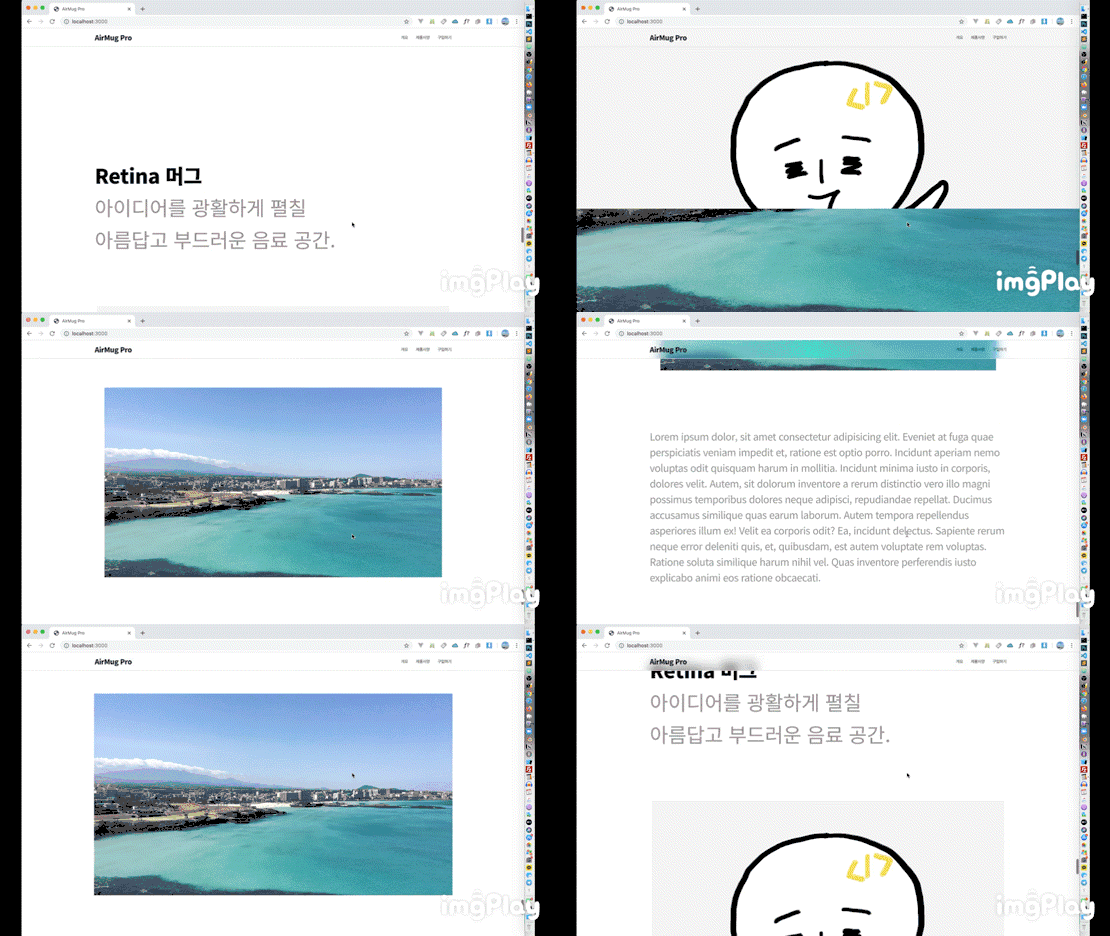
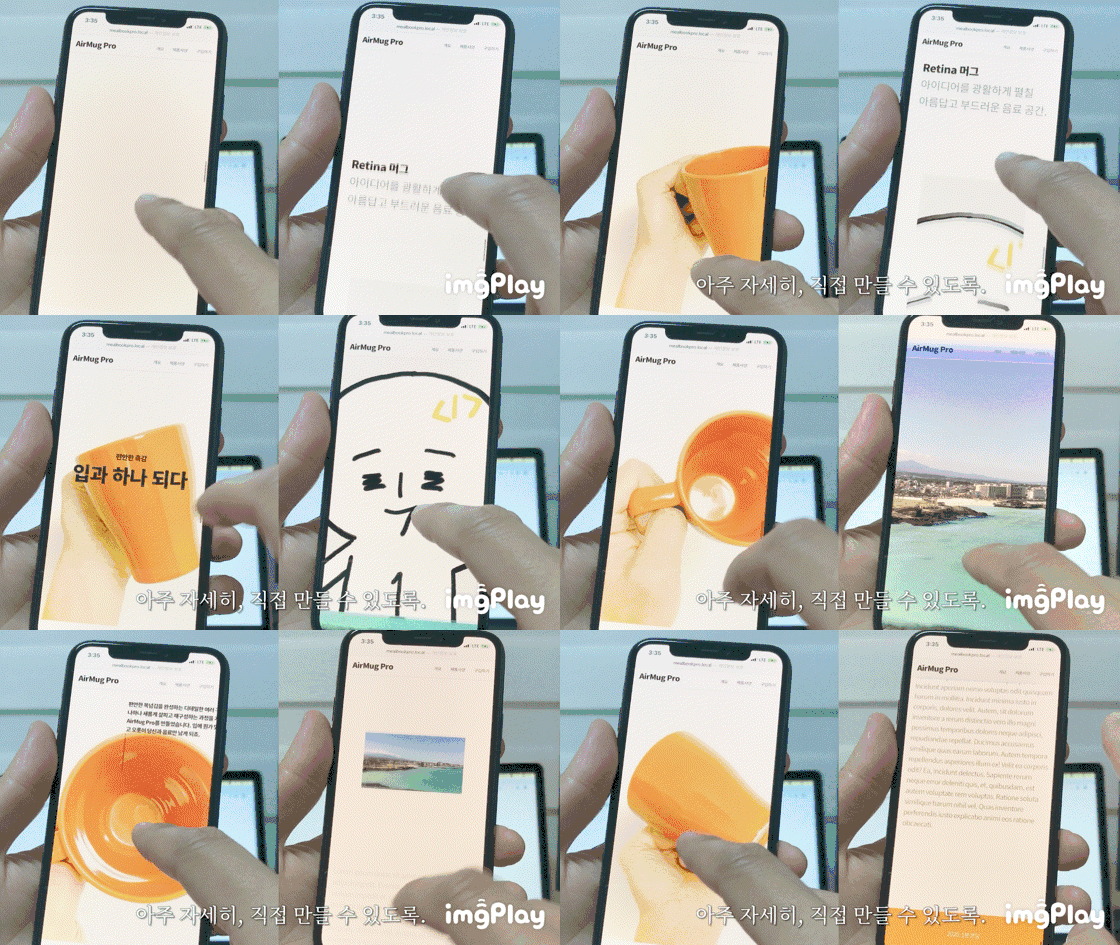
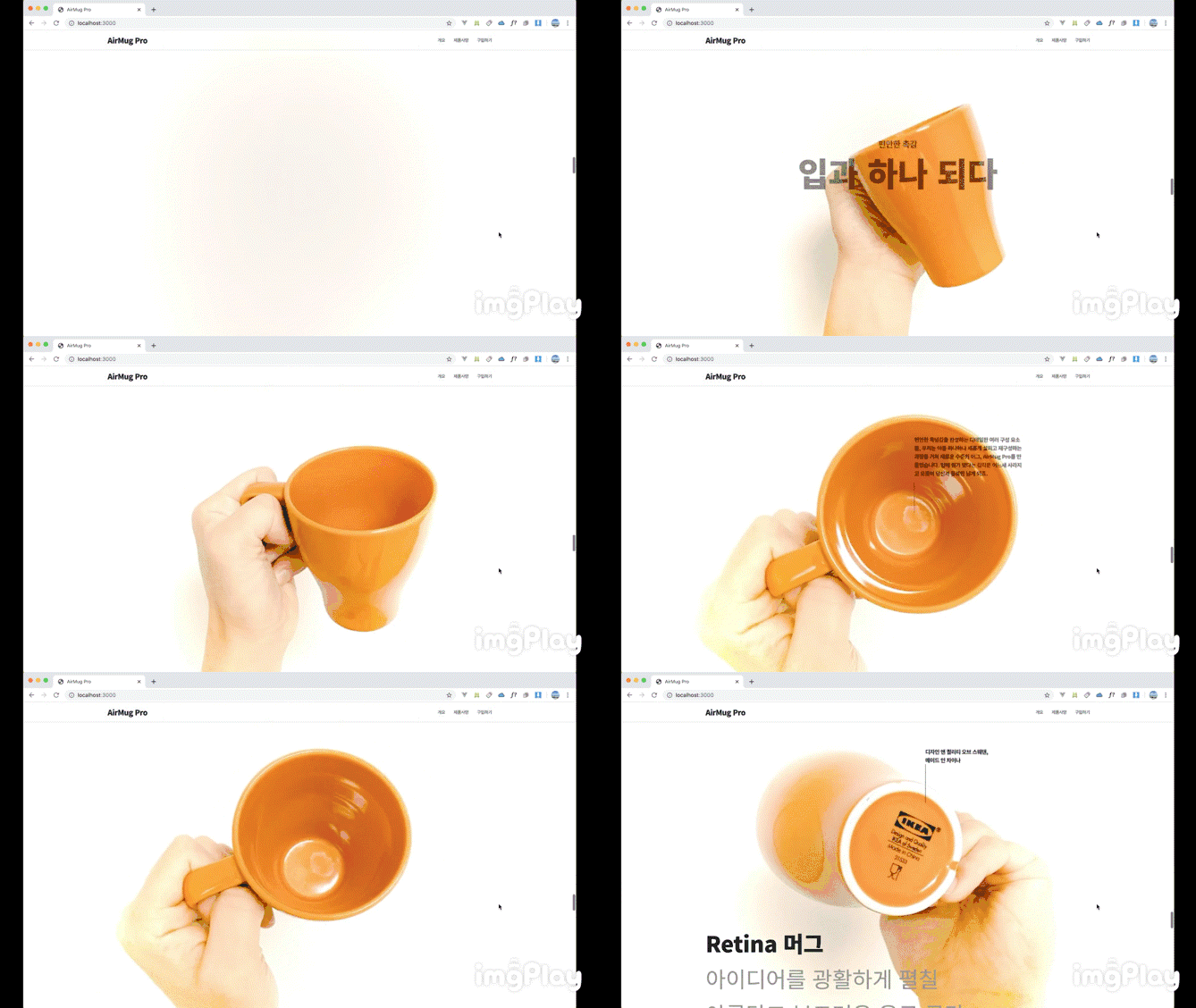
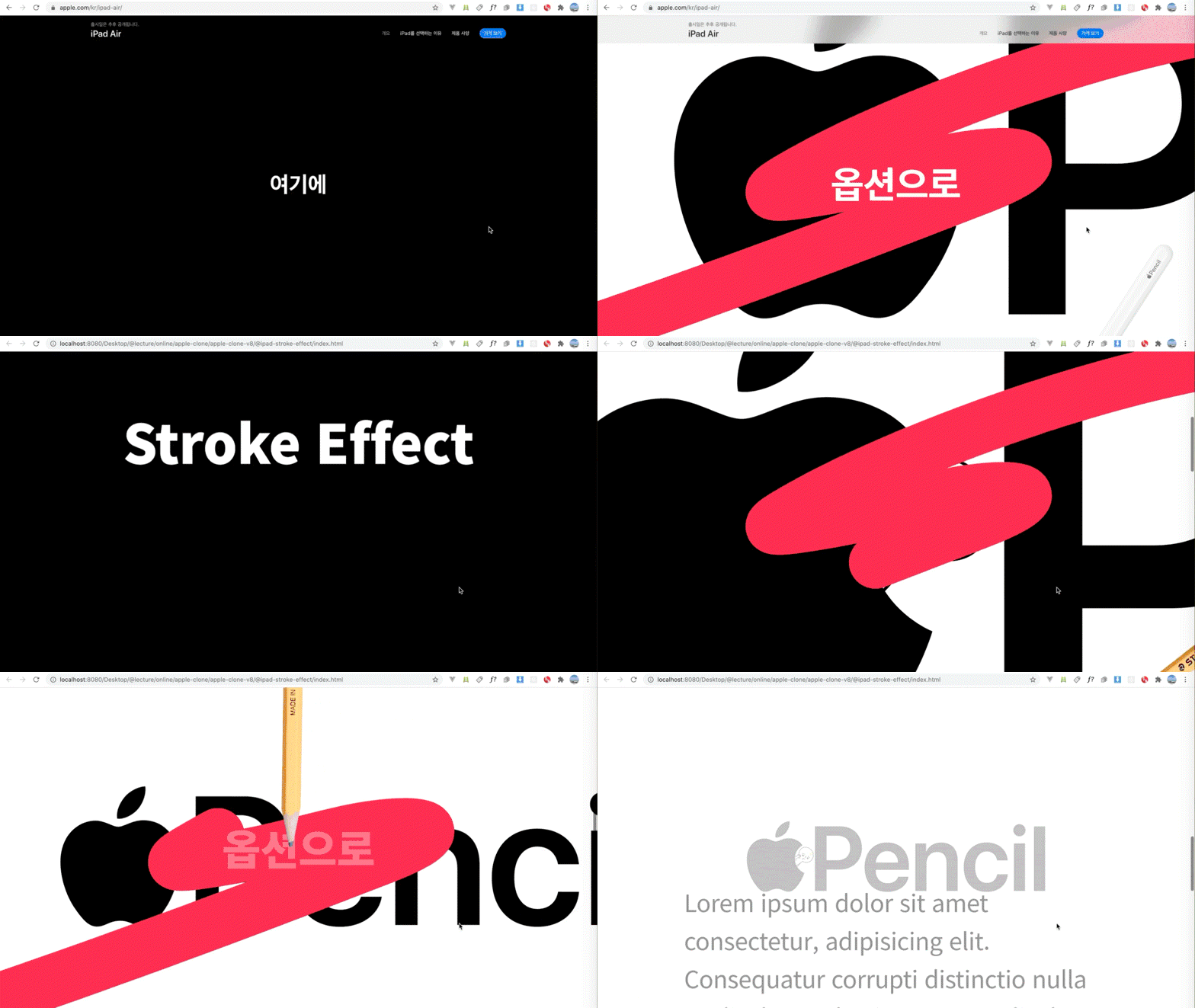
애플의 제품 소개페이지들은 제품마다 디자인과 효과는 조금씩 차이가 있지만, 인터랙션의 핵심 원리는 비슷합니다. 스크롤을 세밀하게 이용해서 여러 가지 디자인 요소들을 컨트롤하는데, 바로 이런 애플 제품 페이지에 두루 적용되는 핵심 인터랙션의 원리를 이해하고 직접 만들어 보는 수업이에요. 적용된 효과를 활용해 유기적으로 연결된 완성된 페이지를 만들어 봅니다.
Macbook Pro 소개페이지 (클릭)
Airpods Pro 소개페이지 (클릭)
요즘 애플에서 신제품이 출시되면 제품 구경하는 맛도 있지만, 이번 제품 소개 페이지는 얼마나 멋질까 기대하는 재미가 있잖아요. 특히 웹하시는 분들은 다들 즐기고 계시죠?
직접 구현해본 경험으로 새로운 것을 창조해보세요 🧰
남들이 만들어 놓은 것들을 가져다 쓰지 않고 핵심 원리들을 분석하고 직접 하나하나 구현하는 방식으로 진행하기 때문에, 애플과 전혀 다른 형태나 아이디어를 구현할 때도 큰 도움이 될거라고 생각합니다. 열심히 완강하고 나면, 난이도가 있는 시각 구현에 관련된 개발에 더 자신감을 가지실 수 있을 거예요.
보면서 ‘이런 건 어떻게 만들까?’ ‘나도 내 프로젝트에 이런 거 적용해보고 싶다.’ 이런 생각을 하시는 분들을 위한 수업이예요.
한땀 한땀 원리부터 제대로 💡
학습 내용
웹페이지 골격 만들기
스크롤 인터랙션 구현 원리와 구현 실습
고해상도 비디오 인터랙션과 스크롤 액션과 연동
위치와 크기 계산을 이용한 스크롤 인터랙션 구현 실습
더 부드럽게 고화징 비디오 제어하기
SVG 애니메이션 만들기
강의의 특징
👌 원리를 생각하며 표준 웹 기술만을 이용해 바닥부터 하나씩 만들어갑니다. 👌 늘어지지 않는 타이트한 컷편집으로도 10시간 이상, 놓치지 않고 실습할 수 있도록 자세하게 구성했습니다. 👌 표준 기술만 사용하기 때문에 시간이 지나도 변하지 않는 탄탄한 기본기를 익힐 수 있습니다.
미리 알려드려요 📌
CSS와 JS 기본을 알고계셔야 원활한 학습이 가능합니다.
CSS와 JS에 대한 기초 정리가 필요하시다면 제 유튜브 채널의 기초정리 영상으로 먼저 공부하시면 좋습니다.
인터랙티브 웹 개발에 대한 기초 지식을 탄탄히 공부할 수 있는 인터랙티브 웹 개발 제대로 시작하기강의를 먼저 수강하신 후 이 수업을 듣는 것을 추천합니다.
EMCA 2015 (ES6) 버전의 스크립트를 사용합니다.
완성된 소스코드를 제공합니다.
보너스 콘텐츠 추가 안내
2020년 9월 새로 발표한 아이패드 에어 소개페이지의 새로운 인터랙션 효과를 만드는 코드와 강의 영상이 추가되었습니다.
서울에서 웹 개발자/디자이너로 일했고, 제주를 거쳐.. 현재는 말레이시아 페낭에서 열심히 개발도 하고, 교육 콘텐츠도 만들고, 1인 기업으로서 해볼 수 있는 여러가지 시도와 실험들을 해보고 있습니다. 비주얼 임팩트가 있는 인터랙티브 웹에 관심이 많고, 유튜브와 페이스북 "1분코딩"에서 웹 개발 관련 기술들을 공유하고 있어요.
I've said this many times, but this Apple web show Kang-i is one of the most concise and cool Korean interactive shows. Even though it's an animation or canvas that I've never used, it's not easy to follow the Kang-i's example of how to do difficult things like drawing quickly. Although I'm a late bloomer, I don't know DOM well, so I had a hard time figuring out the CS:GO. However, since Kang-i's tutorial is done with a good scenario for 1 minute coding, I don't know if it's a good show or not. Even fans who watch it can easily upgrade their skills through Kang-i. That's all I can say.
ㅋㅋㅋㅋㅋㅋㅋ As your nickname suggests, Minam uses the word "Pangka" really well... I guess I should put it this way. It's a magic that even a translator can't translate it, but I'll understand what you're saying ㅋㅋㅋㅋㅋ Thank you, Mr. Heo, no, Mr. Ahn ㅋㅋㅋㅋㅋ
#Best in web design and interaction!
#From a programmer's perspective, well..?
If you are a web designer who wants to do publisher work or a publisher who is close to design, it may not be a problem,
but if you are someone like me who dreams of becoming a great programmer who is more familiar with the front-end or back-end than the design field, you often have questions when looking at the code. I personally thought this.
'Can't the code structure be more concise?'
'Hey, wouldn't it be cleaner if I processed it as a function...?'
'Huh? If I processed this as a formula, the value would come out automatically, so why do I have to input numbers like 0.22 one by one?'
## Don't code while modifying it like I did.
It is good for your mental health to copy it as it is.
I wrote the code by modifying it little by little instead of copying 1 Minute Coding's code as it is, and I feel like I'm going to die while debugging. ㅠㅠ I wonder if it would have been better if you had used a well-structured code while considering students who are not familiar with programming. The current code is too poorly readable and is messy like spaghetti code, so if you modify it and miss it for a moment, it's quite difficult to analyze...
But don't misunderstand. This is the only drawback. Everything else is great. There's nothing to criticize.
The concepts are explained in detail and delicately. It's also good that you explain them in detail with pictures. It's easy to understand, and the lectures are thoughtfully edited, so it's less boring. I'm leaving a review so that it will be helpful to students like me among the many students. Please think of it as completely copying the code and avoid doing useless things like I did.
The way functions work, how to get values and use them, and the parts that beginners like me might not know when writing script methods or variables in between were explained in detail. To be honest, there were many parts that I didn't understand, but if I continued to write these codes repeatedly, I gained the confidence that I would be able to make them mine someday!! I'm not a major, but based on this lecture, I'm going to create my own portfolio and prepare for employment! Thank you.
Wow, you wrote in detail about the parts that were helpful to me, so it was very helpful to me as well^^ You studied really hard, so thank you so much for writing such a great course review, Chan-gi. I hope you create a great portfolio and get hired at the place you want!
Not only coding, but also additional explanations using pictures and materials!
This is a very useful lecture that teaches the concepts and designs of programming, not just simple code!
Since this is a somewhat difficult lecture, I tried my best to make it as easy to understand as possible. Thank you for noticing this and leaving a good review^^









.png?f=avif&w=420)


![[Fantasy Pig's Feet] From design to coding강의 썸네일](https://cdn.inflearn.com/public/courses/332845/cover/5d0ef569-50e5-4300-96ed-3205d526795b/332845.png?f=avif&w=420)