

이미지 배너 만들기
726
작성자 없음
이미지 배너 만들기 강의중에 배너 css 부분이 다운받은 자료에도 소개해주신 드라이브에 가서 다운받아도 그부분만 안보이는데 어디가서 볼수 있는 걸까요 ? 밑에 화면처럼 저부분만 짤려서 안보입니다
Câu trả lời 3
0
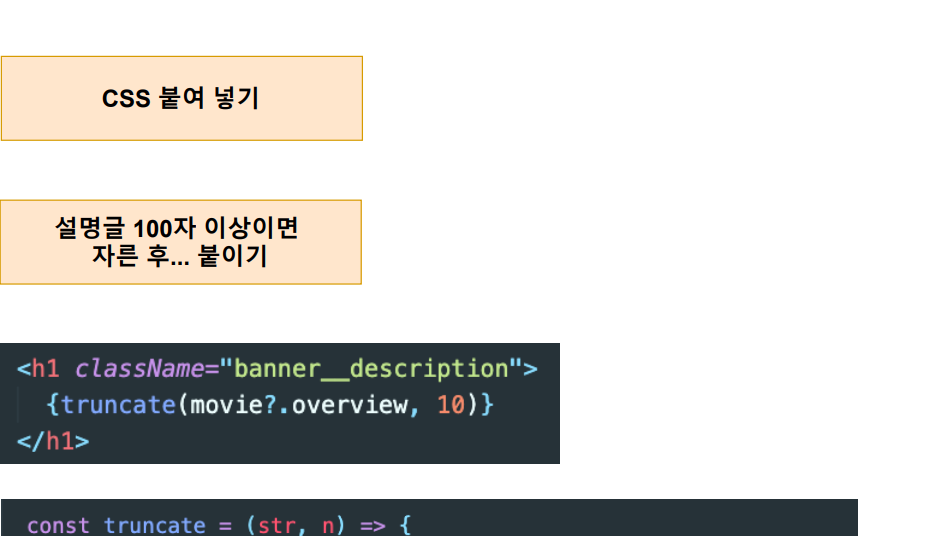
.banner { color: white; object-fit: contain; height: 448px; } @media (min-width: 1500px) { .banner { position: relative; height: 600px; } .banner--fadeBottom { position: absolute; bottom: 0; width: 100%; height: 40rem; } } @media (max-width: 768px) { .banner__contents { width: min-content !important; padding-left: 2.3rem; margin-left: 0px !important; } .banner__description { font-size: 0.8rem !important; width: auto !important; } .info { text-align: start; padding-right: 1.2rem; } .space { margin-left: 6px; } .banner__button { font-size: 0.8rem !important; border-radius: 4px !important; } } .banner__contents { margin-left: 40px; padding-top: 140px; height: 190px; } .banner__title { font-size: 3rem; font-weight: 800; padding-bottom: 0.5rem; } .banner__description { width: 45rem; line-height: 1.3; padding-top: 1rem; font-weight: 500; font-size: 1rem; max-width: 400px; height: 80px; } .banner--fadeBottom { height: 7.4rem; background-image: linear-gradient( 180deg, transparent, rgba(37, 37, 37, 0.61), #111 ); } .banner__buttons { display: flex; flex-direction: row; } .banner__button { display: flex; flex-direction: row; justify-content: start; align-items: center; cursor: pointer; outline: none; border: none; font-size: 1rem; font-weight: 700; border-radius: 0.2vw; padding: 0.4rem 1.8rem 0.4rem 1rem; margin-right: 1rem; } .banner__button:hover { color: #000; background-color: rgba(170, 170, 170, 0.9); transition: all 0.2s; } .play { background-color: white; color: black; } .info { background-color: rgba(109, 109, 110, 0.7); color: white; } .info:hover { background-color: rgb(74, 74, 74); color: white; } .space { margin-left: 4px; }
0
안녕하세요.
아무래도 XML 파일을 PDF로 바꾼 것이다 보니
짤리는 부분이 생기게 됩니다.
https://drive.google.com/file/d/15Jcv8rVfB4xBdd1qaAVfAcsB3adbpink/view?usp=sharing
여기에 가시면 원본 자료를 확인해서 전체 소스코드를 확인하실 수 있습니다.
감사합니다.
0
문서 열면 이런식으로 나와요
xa0SndpHCubIoLnVWBA7epYfbl9gPnWxvuiWVuOnWfPQCkDaqudaFRaT4ySwy8WttUQ5xhE7Rm1k7NJA/kTM8HxOIAjvgTtuHNAvm9PbBiTq29ovESPyDrc+/VcQDhGwzh7KKOVorfyswqdLad9rIvNfDcvdxO/z4oyPR19MKzs23bo32GS3/XGE2IIoywnaToOedNr6b/b0+5D1xfZXX9/UWbc6UEQuOpmcPwvIBABwA6pfZ617I0HQ6raExAlMpfCA3BdPb7reuDCg9KMWPi2RyIyAyBSIBvxhhPEovb8oAxyzfihUL/A3JBXRJGA2+R9BfVOI8qJTh3aVXHueHmBCvS8QBHqAW1oOOw6SBPZuRkPF9JG++mOMYng5iJDEQHQh0yhMvYJu9y1KX5rjJOtMTu+jmNqnIoDuwL7LXxtJ7Gxq9uDwRWXPzkQNicR70+3kyq1vfY2fST6kWV/8bRVGyNCkvzhbqeBuwbeEldRX4ryh+qxD74T1asLuH6W7w1r/u51DAq9fzr2RrvVADB6MCQdETGDzeZxV2/bbkL7RjPGYXvbOEd9YuzvFbN4zcl2Ao+cR0eybPK2idJDC7JY5fOXDei0tApX2LVKqrTf12cxK+RivYMUjsnxw1QL2O1yjCczsoIyQU/yEzEu9Geg8btBqnkmo0DB9JFjKKRQR9YFHa1wBbhEAc3uxn1Gf22isiwrJUxmvaLekgmJXLppmzNA6vNAS/oFpotVz1Yg6/0KHNqMb3jIFHemdL76fOmrqNN3UMuEWE5e+dwhbU+TEKTCrBDqqL6yDkUxTm2fKGXmqmwYS/
0
Who Are Ya? is a pretty easy game to play in terms of how it works. Just type in who you think the player is in the blurry picture. You get eight guesses, and if you turned on the photo from the start, each guess will make it clearer. Play nerdle now!
강의 소스 코드 압축 풀기 오류
0
113
1
런타임 에러 ㅠㅠ
0
131
1
강의대로 따라갔는데 에러보다 api키로 들어간 넷플릭스? 그런게 렌더링 되지 않습니다 ㅠ
0
143
1
안녕하세요 개발과 상관없는 질문입니다만
0
150
1
리액트 라우터 관련
0
135
1
react-beatiful-dnd에서 문제가 발생합니다.
0
139
1
react19에서는 react-beautiful-dnd가 설치되지 않습니다.
0
859
1
useEffect로 사용을 해도 되나요?
0
225
1
넷플릭스 오리지널 제외하고 슬라이드가 동작을 안합니다.
0
214
1
react 19의 useActionState가 더이상 isPending은 지원하지 않는 듯합니다
0
310
2
리액트 dockderfile 작성 시 COPY 질문
0
165
1
next.js에서부터는 react query 필요없는지
0
346
1
기능
0
227
1
오류가 안보여요
0
225
1
CSS
0
235
1
local storage
0
240
1
list컴포넌트 생성하기
0
249
1
검색어 입력 후 초기화하는 방법 궁금합니다!
0
369
1
Banner.css에 대해서
0
480
1
플러그인이 추천을 안해줍니다
0
356
1
마이너스버튼 테스트
0
301
2
리액트 서버 실행 오류
0
1189
2
오류메세지는 확인했는데 어떻게 고쳐야 할지 모르겠습니다 ㅠ
0
320
1
creactStore질문이요
1
317
2