

<LinearLayout>에 에러가 발생합니다..
991
26 câu hỏi đã được viết
영상 그대로 따라 했는데 에러가 발생하네요.. 그리고 저는 영상과 달리 처음 부분에
<androidx.constraintlayout.widget.ConstraintLayout xmlns:android="http://schemas.android.com/apk/res/android"

이렇게 나와있는데 이것때문에 그런건가요??

처음 초반부터 이렇게 막히니깐 답이 없어버리네요..
Câu trả lời 4
0
안녕하세요
https://lcw126.tistory.com/29
https://coding-cat.tistory.com/entry/Session-app-Error-Installing-APK-%EC%97%90%EB%9F%AC-%ED%95%B4%EA%B2%B0%EB%B0%A9%EB%B2%95
이 블로그 참조해보실까요?
오류 코드로 검색해보면 좋은 해결 방법들이 나옵니다~
0
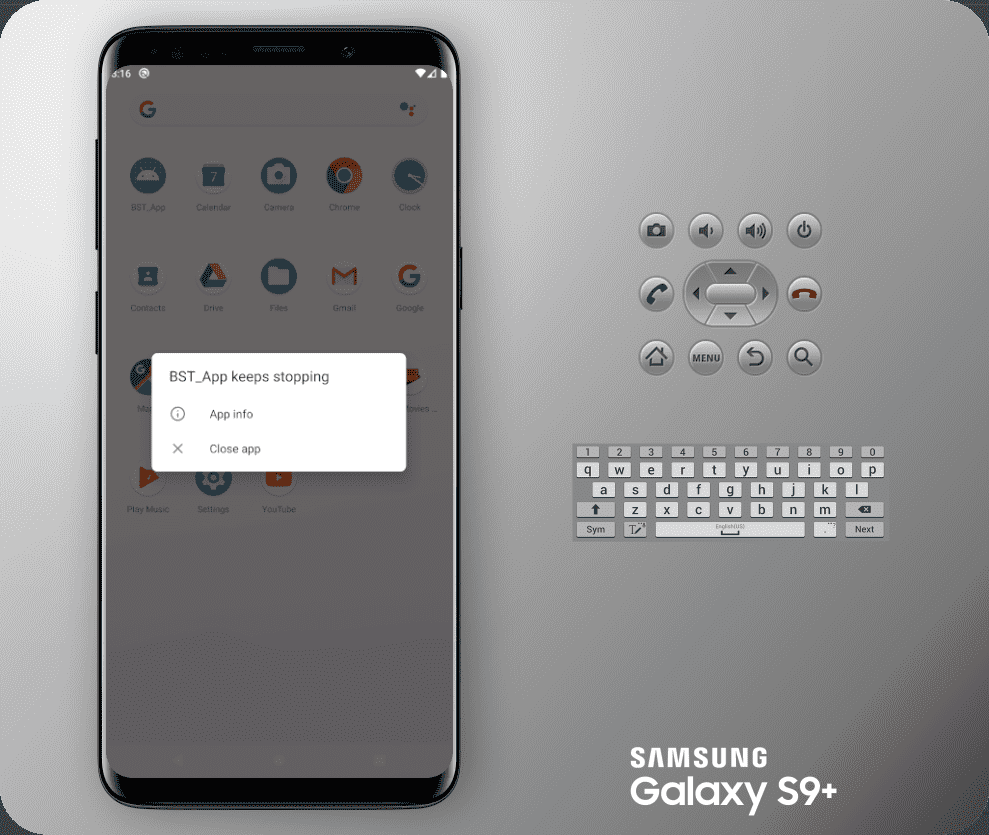
코드는 그대로 입력했는데 실행이 안됩니다. 코드들은 아래와 같습니다.
[.kt 파일]
package com.example.bst_app

import androidx.appcompat.app.AppCompatActivity
import android.os.Bundle
import android.widget.Toast
import kotlinx.android.synthetic.main.activity_main.*

class MainActivity : AppCompatActivity() {

    override fun onCreate(savedInstanceState: Bundle?) {
        super.onCreate(savedInstanceState)
        setContentView(R.layout.activity_main)

        button_one_name.setOnClickListener {

            Toast.makeText(this, "토스트입니다.", Toast.LENGTH_LONG).show()
        }


    }
}
[.xml 파일]
<?xml version="1.0" encoding="utf-8"?>
<LinearLayout xmlns:android="http://schemas.android.com/apk/res/android"
    xmlns:tools="http://schemas.android.com/tools"
    android:layout_width="match_parent"
    android:layout_height="match_parent"
    android:orientation="vertical"
    tools:context=".MainActivity">

    <Button
        android:id="@+id/button_one_name"
        android:layout_width="wrap_content"
        android:layout_height="wrap_content"
        android:text="정국"/>
    <Button
        android:layout_width="wrap_content"
        android:layout_height="wrap_content"
        android:text="슈가"/>
    <Button
        android:layout_width="wrap_content"
        android:layout_height="wrap_content"
        android:text="제이홉"/>
    <Button
        android:layout_width="wrap_content"
        android:layout_height="wrap_content"
        android:text="뷔"/>
    <Button
        android:layout_width="wrap_content"
        android:layout_height="wrap_content"
        android:text="진"/>
    <Button
        android:layout_width="wrap_content"
        android:layout_height="wrap_content"
        android:text="지민"/>
    <Button
        android:layout_width="wrap_content"
        android:layout_height="wrap_content"
        android:text="RM"/>

</LinearLayout>
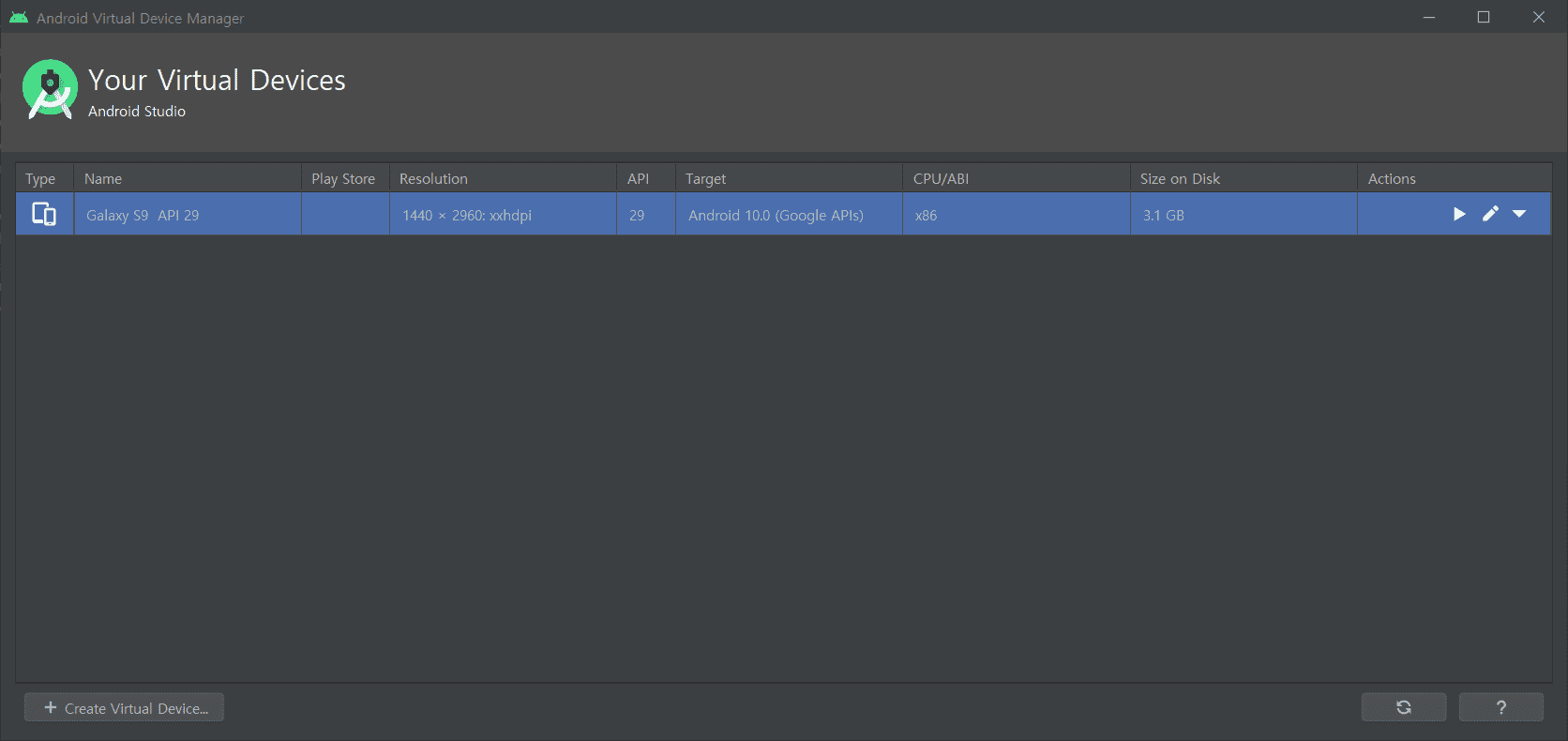
[AVD 설정]
[실행화면]
[오류내용]
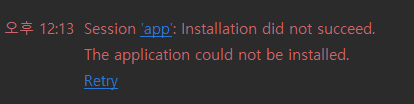
왜 안되는 건가요... ㅠㅜ
에뮬레이터 실행이 안됩니다.
0
354
1
kotlin-android-extensions 관련 질문
0
248
1
안드로이드 버전 문제로 컴파일 에러가 계속 발생합니다.
0
524
1
button_one_name이 자꾸 빨간색으로 표시가 되서요ㅠ
0
391
1
null exception
0
492
2
앱 실행 시 keeps stopping 에러
0
5397
1
unresolved reference 오류
0
447
2
파이어베이스에는 잘 저장 되는데 불러올때 null값이라고 나옵니다...
0
909
3
Property getter or setter expected
0
1716
2
MainListAdapter를 하는 과정에서 view binding
0
198
1
건들지마세요 누르면 소리나오는거 구현할때 build까지 무리없이 되었는데
0
499
8
저역시 id를 찾지못합니다
0
357
4
영상처럼 하면 id를 찾지 못합니다.ㅠㅠ
3
243
1
v7이 붉은 글씨로 뜨는데요.
0
215
1
githubapi 패키지는 어디서 가져온 거죠? 다운 받은건가요?
0
363
3
LayoutInflator from context 에서 에러 발생
0
334
1
Firebase.auth 없음
0
448
1
소문자 입력, 대문자 표기
0
308
0
andriox가 default로 잡혀있습니다.
0
284
1
리스트 뷰
1
245
1
리스트뷰 화면문제
0
190
1
프리뷰 창
0
361
1
ImageView 에러
0
315
4
프로그램 실행시
2
358
1