Flex Responsive Website Portfolio (The World's Best Cities)
Through the process of creating a Flex responsive website, you can build a solid foundation for intermediate publishing skills. In addition, there are thorough lectures on Flex from the basics to applications and even practical UI creation. With more than 20 hours of Flex theory, practical examples, and responsive website creation, you will gain skills and confidence that are comparable to practical experience.
Enhance your practical publishing skills through the core theories of HTML+CSS+JQUERY
Improve your Flex responsive website publishing skills and know-how
Mobile responsive web publishing production capability (media query)
Full responsive web design capabilities optimized for both PC and mobile versions
Accurate concept and use of position and display properties
Flex Core Theory and Practical UI Creation Skills
How to Create a Flex Responsive Website Portfolio
'Over 23 hours of Flex responsive website publishing lectures'
How to use a text editor (5 lessons, about 2.5 hours) Flex Core Theory (14 lectures, approximately 2.5 hours) Flex UI Application Examples by Type (12 lectures, approximately 2.5 hours) Flex Practical UI Creation (23 lectures, about 6 hours) Flex Practical Responsive Website Creation (23 lectures, approximately 7 hours)
Flex Core Theory PDF Textbook Provided Download all completed examples produced in class Photoshop UI design file
🙋🏻♂️ Please read before asking questions~!!
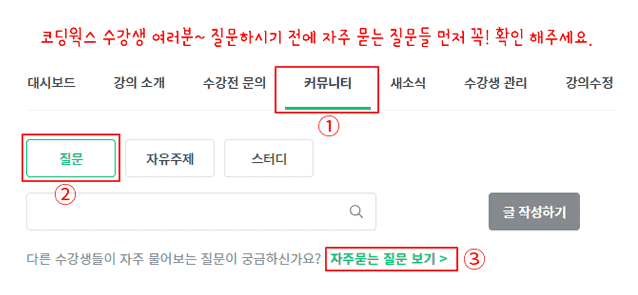
If you have any questions while learning, please ask. When asking questions, you must upload the content that is not working, the code, and a screenshot of the browser result. In the case of code, you must upload all HTML, CSS, and JS codes so that we can give you an accurate answer.
If you only describe your problem in text without any code in your question, it will be difficult to give you an accurate answer unless it is really simple. Then, I will have no choice but to reply again saying, 'Please upload HTML, CSS, JS code and browser capture~', which will be cumbersome and take more time to find a solution.
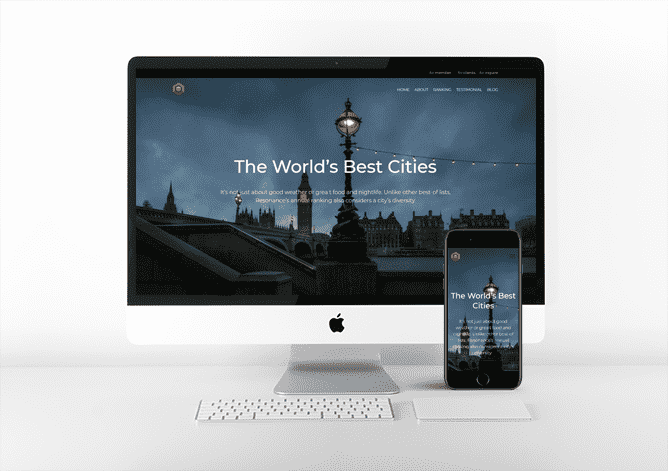
▼ Flex Responsive Website (The World's Best Cities) - PC Version
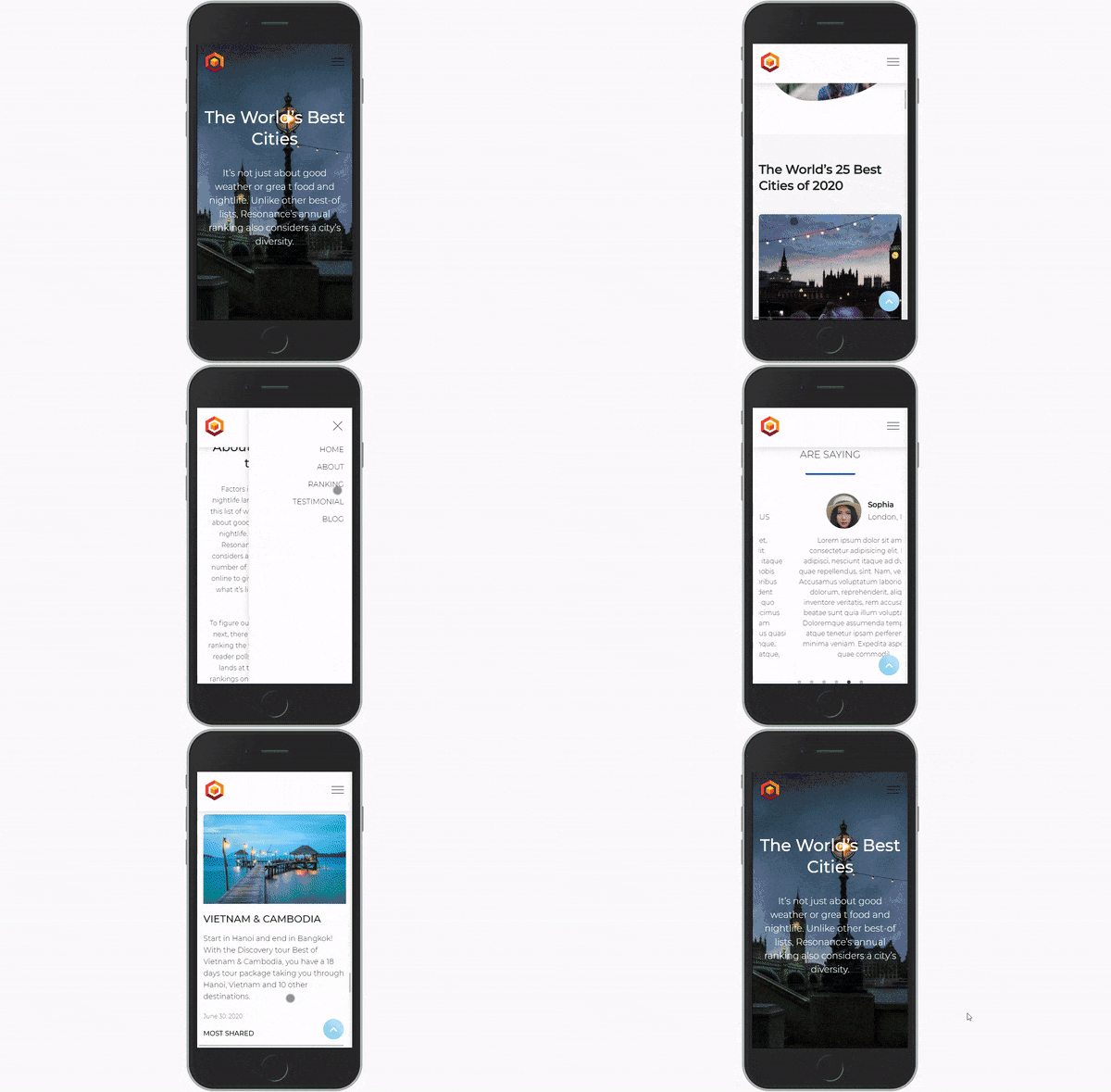
▼ Flex Responsive Website (The World's Best Cities) - Mobile Version
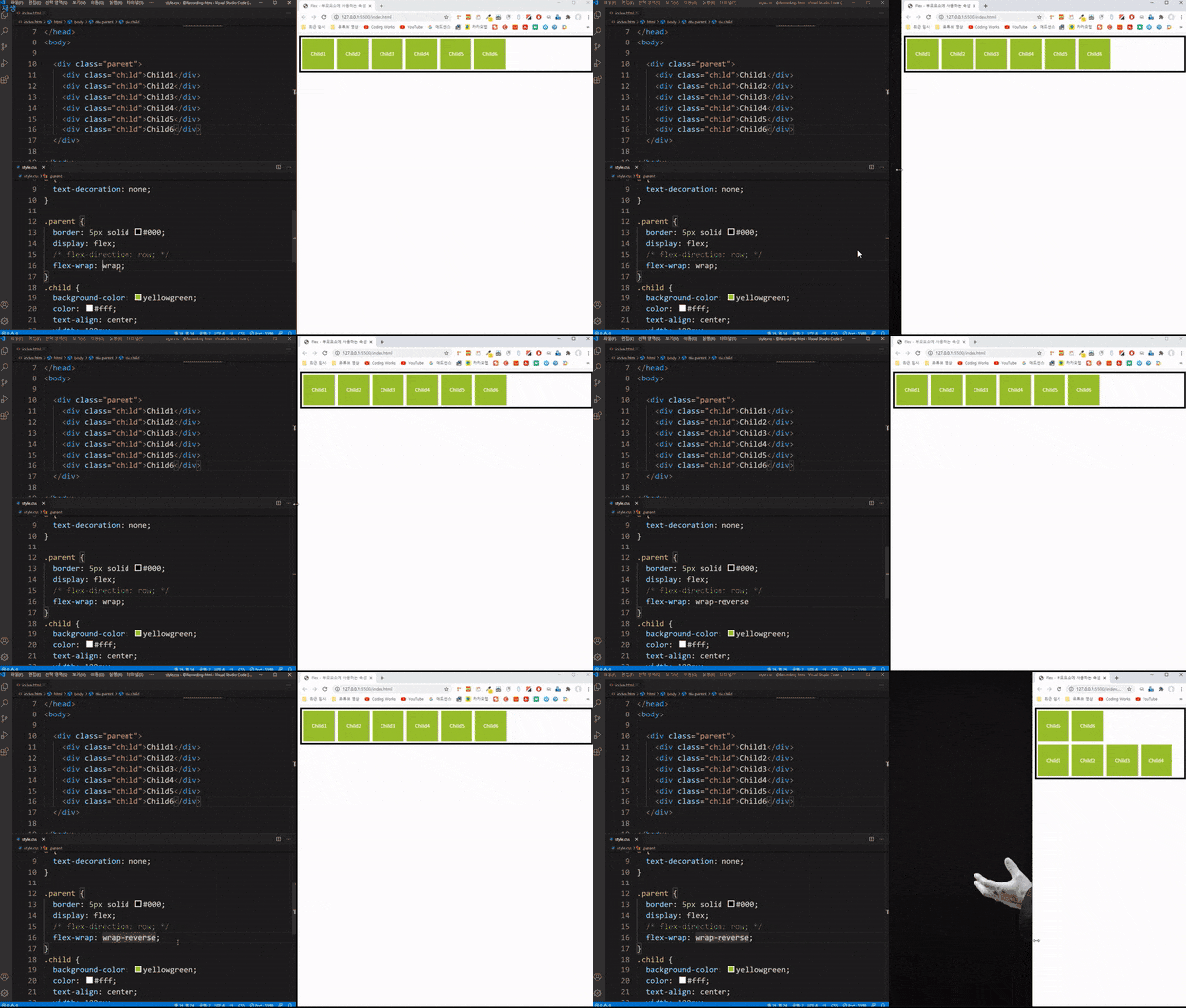
▼Preview of the Flex Core Theory Lecture
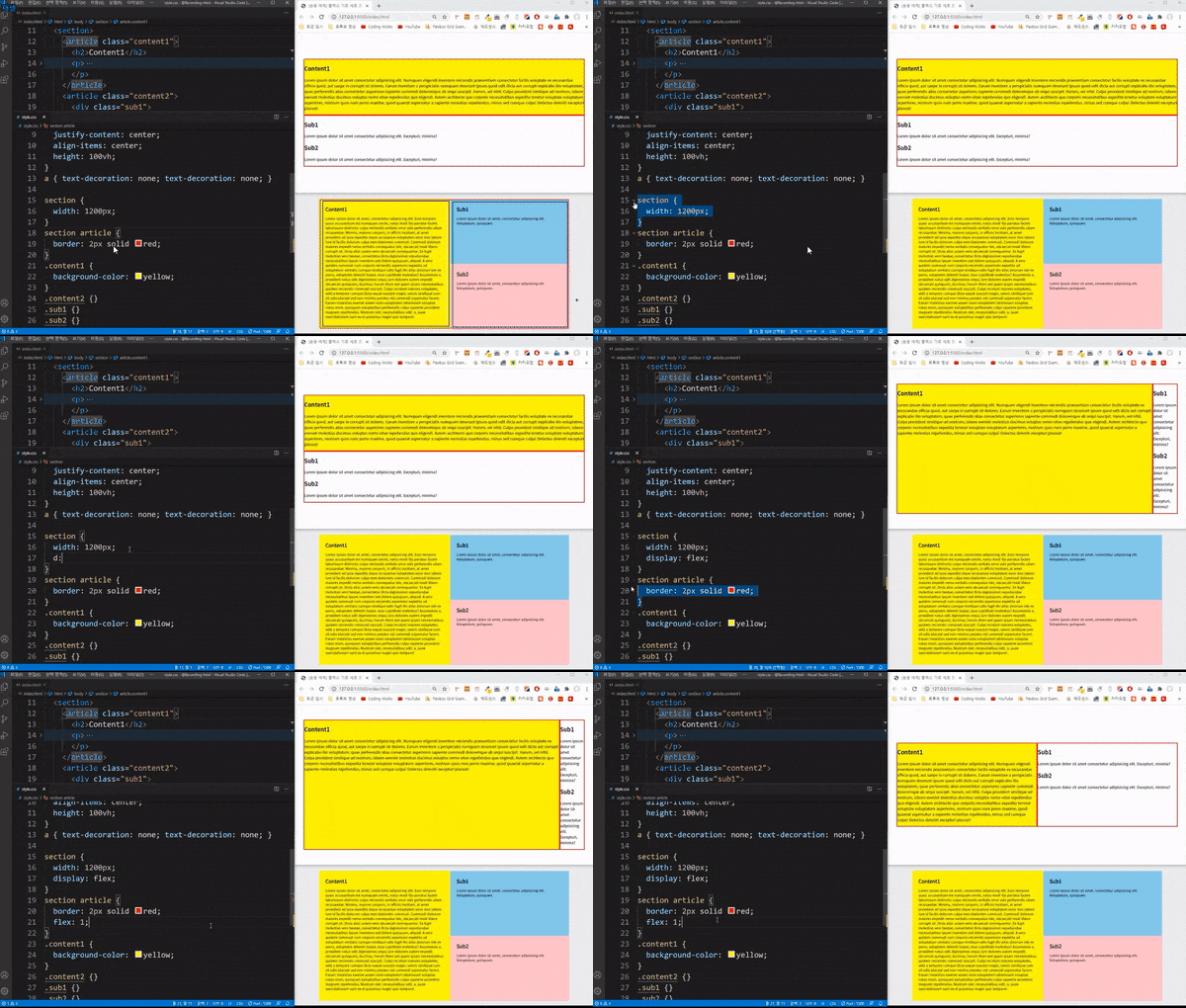
▼Preview of Flex UI application examples by type
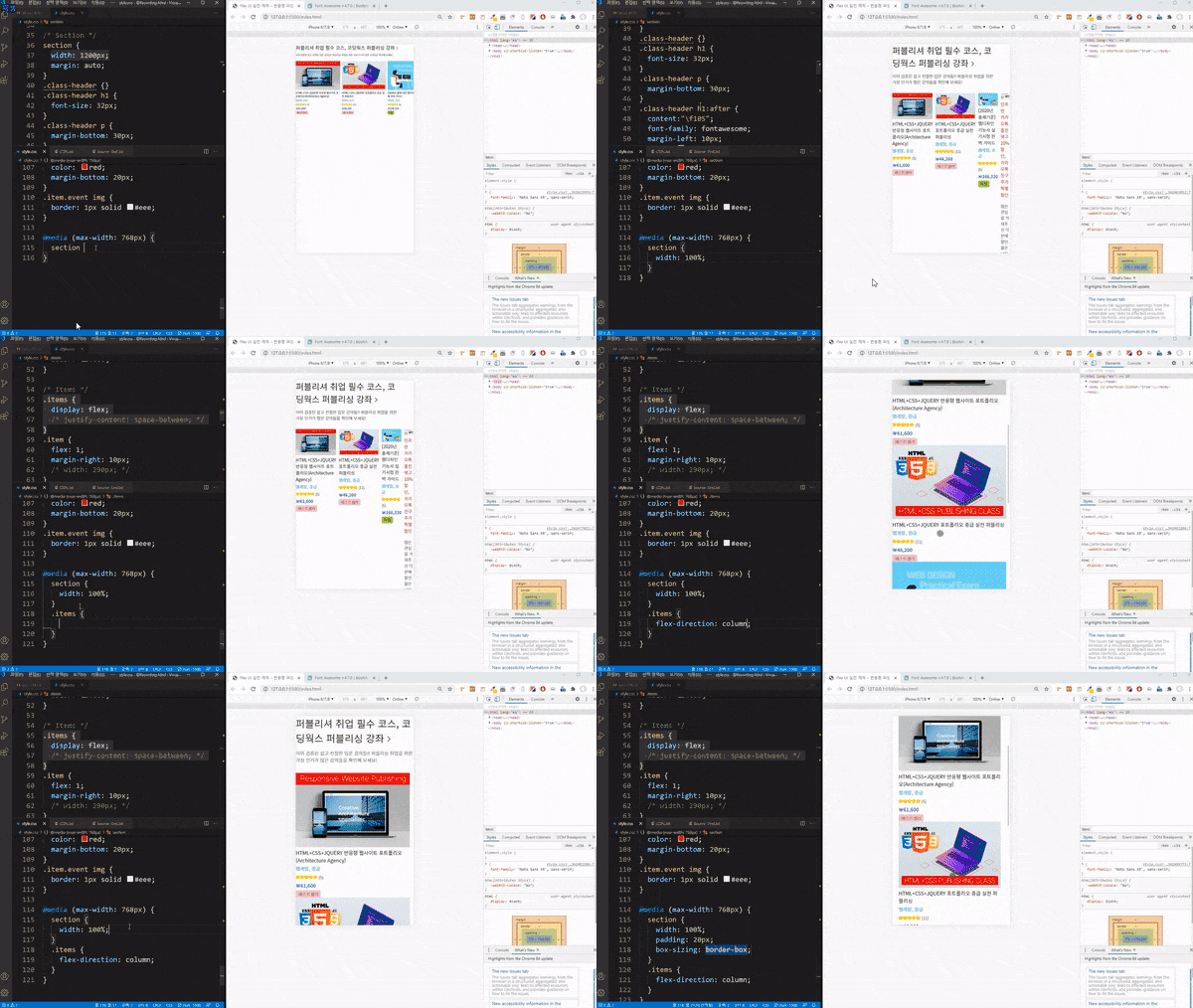
▼Preview of Flex Practical UI Creation Lecture
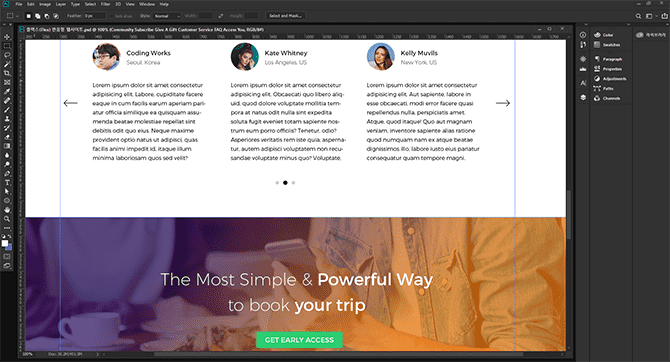
▼ Flex Responsive Website (The World's Best Cities) - PSD file provided (no restrictions on usage)
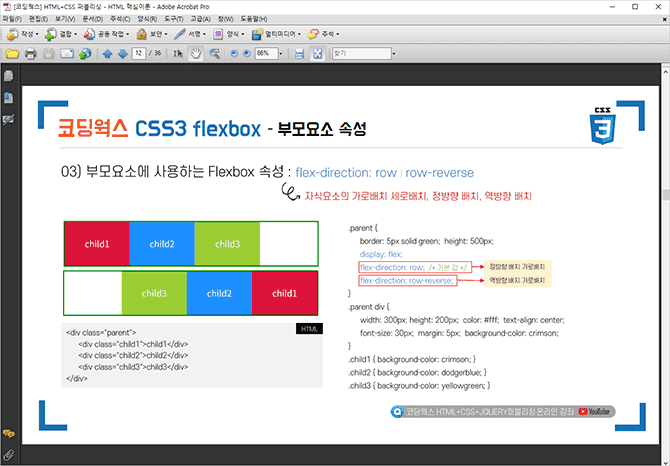
▼ Flex core theory PDF textbook provided (total 36 pages)
🙋🏻♂️ Prerequisite knowledge for taking the course
This lecture is a course on the subject of Flex, from the core theory of Flex to application and practical examples. And at the end, there is also a course on creating a responsive website using Flex. This lecture has the special feature of being a lecture on the theme of Flex responsiveness, but it is similar to a general publishing lecture.
Don't be too scared and start, because the Flex core theory will proceed step by step from the basics. However, you should have a basic understanding of HTML+CSS. If you are still lacking, you can take the Flex course while studying HTML+CSS.
Among my lectures, there is a ' HTML+CSS+JQUERY Portfolio Intermediate Practical Publishing Lecture '. The theoretical content and practical example production content in this lecture almost covers all the content needed to produce this responsive website. In other words, I think this is a lecture that will definitely help you build the basics of HTML+CSS+JQUERY.
I don't think there will be any major problems in following along unless you are a beginner or just starting out. If you have learned the basics of HTML+CSS through other lectures, I believe you will be able to follow along and complete the responsive website creation course with an understanding of why it is done this way.
🙋🏻♂️ Learning methods for efficient learning
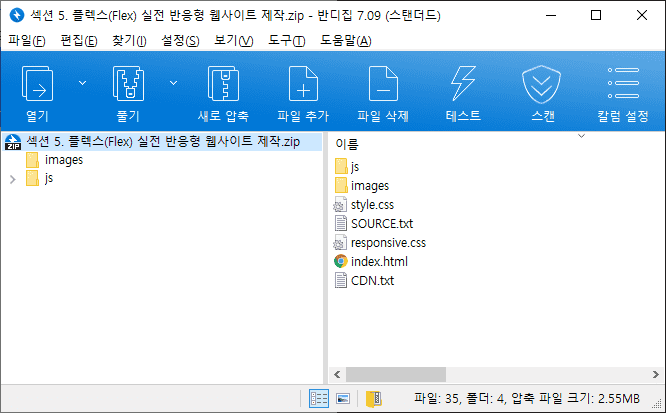
Sections 3, 4, and 5 can be downloaded from Section 6. Student Reference Materials and Download of Completed Works . ( Section 2 is a theory learning video, so it is the [Coding Works] FLEX Core Theory PDF Textbook.pdf file. )
Section 2. When studying the Flex core theory, study along with the core theory PDF textbook.
Section 3. Flex Type-Specific UI Application Examples and Section 4. Flex Practical UI Creation are the completed compressed files, so you can unzip them and start from the desired learning content. Since this is the completed version when you start learning, delete the index.html and style.css files and start from the beginning.
Section 5. When learning how to create a practical responsive website with Flex, download the completed version, unzip it, delete the index.html, style.css, responsive.css, and custom.js files, and start from scratch.
All completed examples come with a file called SOURCE.txt, which is intended for copying and pasting text for creating examples. Please make good use of it.
🙋🏻♂️ Expected questions and required reading related to the lecture
Q. Is there a video explaining intermediate CSS theory while making examples? A. ' There are a lot of intermediate theories that are not covered in the basic theory when making examples. Where can I take intermediate theory classes? ' This question is frequently posted on the bulletin board.
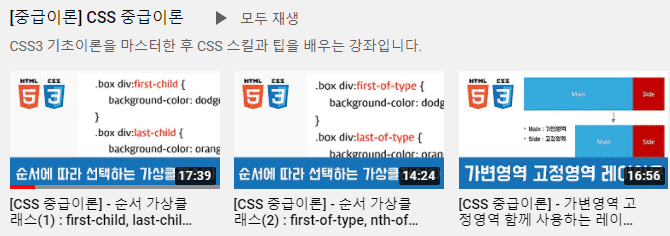
This course is not about creating a beginner publishing example. It is about creating a beginner to intermediate publishing example. So you should have some knowledge of CSS beginner and intermediate theories. But you don't have to know them all. We will continue to repeat CSS beginner and intermediate theorieswhile creating examples. And there is a detailed video of the essential intermediate theories needed for creating examples in the playlist called [Intermediate Theory] CSS Intermediate Theory on the Coding Works YouTube Publishing Channel, so it would be good to learn the intermediate theories while taking this course.
Q.If I take this course, will I be able to work as a publisher in the field? A. If you can do the last step of this course, 'Flex Practical Responsive Website Creation' on your own, I think you will be able to get a job. Of course, this course does not cover all the publishing skills needed for a publisher job, but I think that just being able to create a responsive website with Flex is a good start.
Q. Is there a separate theory part in this course that explains HTML+CSS+JQUERY publishing theory? A. The course you are currently taking is a course that studies Flex, creates Flex in practice, and creates Flex responsive websites, so there is no separate part on basic publishing theory required for the introductory beginner course, except for Flex theory. We recommend that you improve your skills by taking another course to learn the basic theory part and create practical examples.
Q. Where can I ask questions if I don't understand something while studying? A. If you have any questions, please post a post on the [Questions & Answers] board and I will answer you as soon as I confirm it, even if it is not right away. Also, please be as specific as possible with your questions. It is not easy to give a sufficient answer when your question is not specific. So when you ask a question, it will be much easier to answer if you capture the HTML, CSS, and JQUERY coding screens you are writing along with the content you are curious about.
Q. Where can I get the completed sample, PSD file, and textbook PDF file? A. All files provided to students can be downloaded from Section 6. Student Reference Materials and Download of Completed Version at the end.
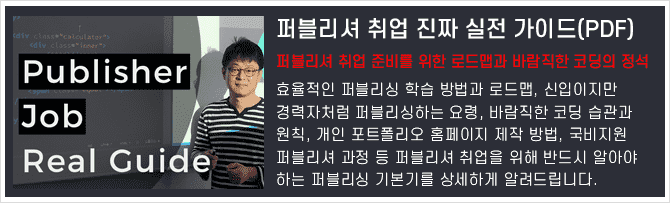
Q. Instructor, would it be a good idea to first look at the Publisher Job Search Real Practical Guide during class? A. It is important to learn more publishing skills, but it is important to first establish the basics as a publisher. In the e-book (PDF) of the Publisher Employment Practical Guide, the publishing basics are thoroughly organized into the content that you must know as a publisher, such as desirable coding habits and principles, and publishing like an experienced person. We recommend that you first look at the e-book (PDF) of the Publisher Employment Practical Guide and study the publishing basics to gain a sufficient understanding. Click on the image below to see the class introduction.
▲ Coding Works publishing course roadmap for publisher employment
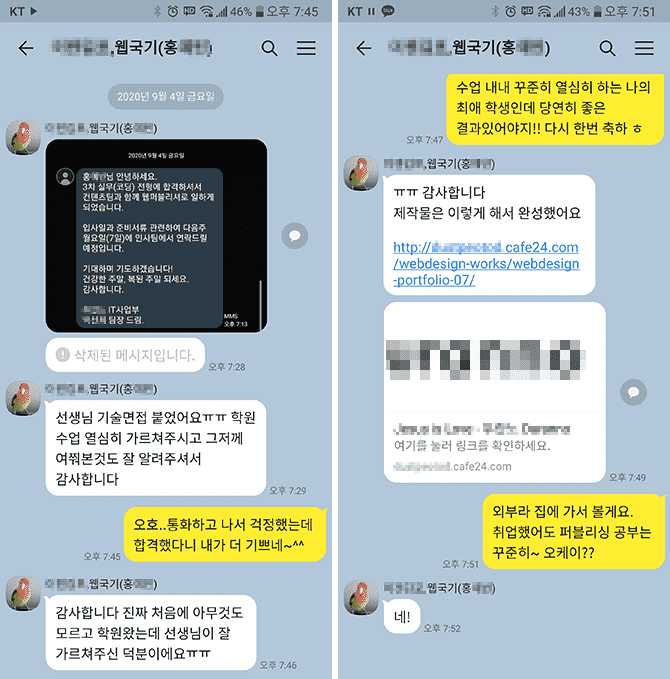
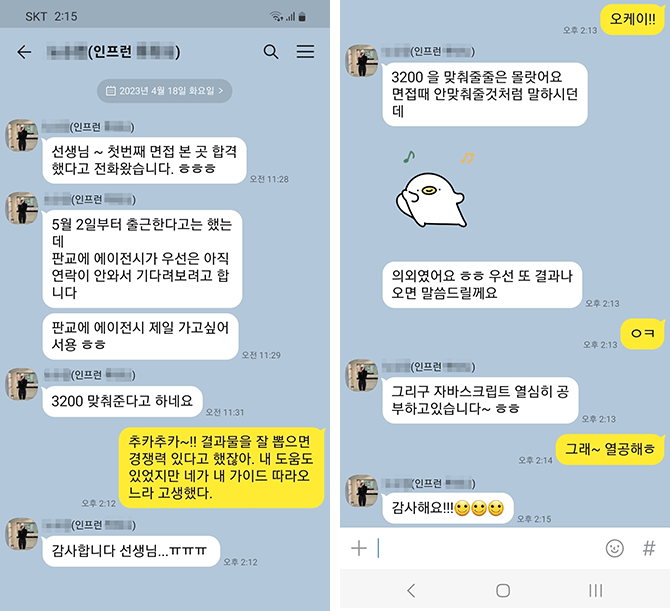
❤ News of passing the publisher exam for Coding Works students
▲ A student who studied under me for about 4 and a half months in a nationally funded publishing course received a KakaoTalk message saying that he got a job.
▲ I received a KakaoTalk message about the interview results for students who took the offline course on creating a personal portfolio at Coding Works (April 24, 2023).
❤ Email sent by a Coding Works student after getting a job at a publisher
Hello teacher :)
Teacher, I am Kim O-jeong, a student who was taking Inflearn's lectures. I am a student who sent an email this summer asking for advice on my personal portfolio. Do you remember?😊😊
It's nothing else than, I'm sending this email to tell you that I successfully landed a job at a publisher with the portfolio I received advice on from you!
Even!! The company contacted me first after seeing the portfolio I posted on Saramin, and I was interviewed via Zoom and passed! The company matched my desired salary, and I was able to join a company where I could do only publisher work, not design or development work.
It was a company looking for an experienced publisher, and they contacted me, a new employee, and asked me why they contacted me. He said that he looked at a lot of other people's portfolios, but he contacted me because the "Functional Definition" in my portfolio caught his eye.
I think this is all thanks to the teacher's lectures. If I hadn't taken the teacher's class, my portfolio would have just been ordinary, but I was able to successfully get a job thanks to the great tips the teacher gave me!
Although I have never actually met him, While creating my portfolio, I relied on it a lot, trusted it, and worked hard while watching the teacher's lectures!
I feel like my skills have improved a lot in the three months I spent listening to the teacher's lectures and creating a portfolio, more than the skills I built up while taking long classes at the academy.
I desperately wanted it, I believed and did as the teacher said and the results were really good.
Thank you so much!
Be careful of corona I hope to see you again with another great lecture :)
Hello teacher~ I'm Inflearn student OOO~ I found out the email address from another student's answer..😊😊
I just wanted to say thank you 😊😊
I've had a hard time taking your class and submitting my resume for about two weeks now... I passed the interview at a company and decided to come to work.. Thank you so much..😭😭
Actually, I was worried because I'm 32 years old. I submitted a lot of resumes, but I didn't get any calls. But this company's HR manager said that he doesn't like people who graduated from private academies 😊😊 The company I decided to join is small, but it has developers and web designers. They said they would train them for three months and then put them into practice. It's a bit far and the salary is low, but I'm going to study hard and try to increase my salary~ 😊😊
Thank you so much for everything. You answered my questions so well, and it's amazing that I got a job after taking this online class.
I will continue to study and improve my skills by listening to your lectures. Fighting~!
🙋🏻♂️ Please read before asking questions~!!
If you have any questions while learning, please ask. When asking questions, you must upload the content that is not working, the code, and a screenshot of the browser result. In the case of code, you must upload all HTML, CSS, and JS codes so that we can give you an accurate answer.
If you only describe your problem in text without any code in your question, it will be difficult to give you an accurate answer unless it is really simple. Then, I will have no choice but to reply again saying, 'Please upload HTML, CSS, JS code and browser capture~', which will be cumbersome and take more time to find a solution.
▲ Please check the frequently asked questions in the relevant lecture community first~
⚡ For effective learning, please refer to the Coding Works Publishing YouTube channel!
Please watch the theory video lectures on the Coding Works Publishing YouTube channel in parallel. Of course, not all theory videos are on the YouTube channel, but most of the important theory videos are there. Since there are many videos, it is recommended to search for videos as in the example below.
Interview and employment-inducing publisher personal portfolio homepage production, scss, sass, flex, grid, html, css, html/css, website, web publisher, publisher employment, website, coding, coding, jquery, javascript, jquery, javascript, layout, interactive web, interactive web, web design, web design, portfolio, publishing, responsive web, web design technician practical exam, bootstrap, bootstrap, css frameworks, framework
Recommended for these people
Who is this course right for?
Publishers who want to experience the process of creating a Flex responsive website
Those who want to create a real website using publishing basics
If you need to create a personal portfolio website for publishing
Need to know before starting?
Basic HTML+CSS coding skills
Hello This is
12,775
Learners
762
Reviews
2,114
Answers
4.9
Rating
23
Courses
■ [현재] 국비 퍼블리싱 & 프론트엔드 강사 ■ [현재] 프리랜서 프론트엔드 퍼블리셔 ■ [현재] HTML+CSS+JQUERY 퍼블리싱 유튜브 채널 '코딩웍스' 운영 ■ 그린 컴퓨터 아카데미 웹 퍼블리싱 강사 ■ 더조은 컴퓨터 아카데미 웹 퍼블리싱 강사 ■ 이젠 컴퓨터 아카데미 웹 퍼블리싱 강사 ■ 프론트엔드 퍼블리셔, 프론트엔드 퍼블리싱 전문강사 ■ UI/UX 웹 디자인 포트폴리오 강의 ■ 웹디자인 기능사 실기 자격증반 강의 ■ 이지앤에듀프론트엔드 UI/UX 디자인 및 퍼블리싱








![Bootstrapを活用したレスポンシブWeb制作[実践編]ブートキャンプCourse Thumbnail](https://cdn.inflearn.com/public/courses/333141/cover/2e0b10d5-7e3c-4dd9-ace8-b3374cb55007/333141.jpg?f=avif&w=420)


![Bootstrap を活用したレスポンシブ Web 制作 [基本概念編] ブートキャンプCourse Thumbnail](https://cdn.inflearn.com/public/courses/333092/cover/5a3043a4-fc2d-4b25-9096-306c8f707b5b/333092.jpg?f=avif&w=420)
