This course is designed to help you gain a basic understanding of Windows PowerShell and learn about basic command usage and scripting using the PowerShell console and ISE. I believe that even students who have never encountered PowerShell before will find this course very helpful in utilizing PowerShell.
I really like this one-hour course! If you open it up step by step, I would like to take it regularly^^
5.0
sunghayoung777
35% enrolled
Concise and informative lecture
5.0
joinho1022
35% enrolled
You deliver your lectures calmly and effectively.
If you sell the lecture materials, I am willing to purchase them.
What you will gain after the course
Building a foundation for leveraging PowerShell
PowerShell Basic Script
Easily automate large-scale IT environment management with Windows PowerShell !
What about PowerShell? 📝
PowerShell is a command-line interface (CLI) built into Windows. IT administrators can use PowerShell to:
Automation of repetitive tasks
Managing large-scale IT environments
Access to multiple user information, etc.
Why Learn PowerShell? ✒️
Easy automation
Windows PowerShell was introduced as a simple, single-function command-line tool based on the cmdlet concept and a shell. You can use individual cmdlets or combine simple tools to perform complex tasks. Windows PowerShell includes over a hundred core cmdlets, and you can create your own or share them with others.
Scalable Management
We know that installing PC operating system updates can be done with just a few clicks. However, manually updating hundreds or thousands of computers in different offices is highly inefficient. Smart IT administrators can easily manage hundreds or thousands of computers with just a few steps using PowerShell scripts.
Access to information
Like other Command Line Interfaces (CLIs), PowerShell provides access to a computer's file system. PowerShell also provides access to otherwise inaccessible data and information. For example, IT administrators can use PowerShell to easily access secure data repositories, such as the Windows Registry or digitally signed certificates.
Unlike other CLIs, PowerShell is built on the Microsoft .NET Framework. This allows you to manage remote computers over a network, with just a few commands.
Lecture Features 💡
We've designed this course to be short and easy to get started with, even for those who have no prior knowledge of PowerShell or IT.
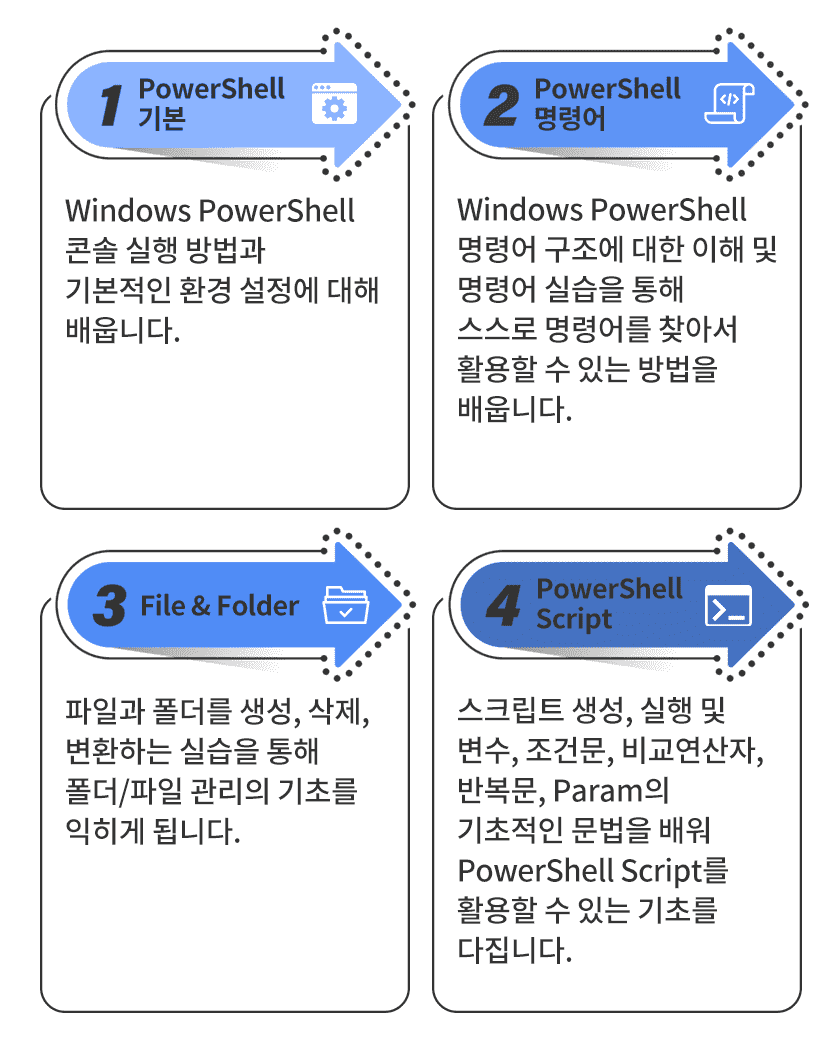
What you will learn in this course ✏️
What you need 🧰
This course uses the built-in PowerShell console and ISE in Windows 10. Students can learn with just a Windows 10 PC.