

PowerPoint Quick Start: Learn only the most useful features
topmentor
Free
Beginner / MS-Office, PowerPoint
4.8
(174)
6,500+
We'll focus on the 10 most important and essential points for those who need to 'present'.

Beginner
MS-Office, PowerPoint


This key-point course quickly covers the most essential aspects of Excel, from its fundamentals to its practical application. While challenging, if mastered, it can dramatically improve your work performance. In just three days, one hour per day, you can master the fundamentals of Microsoft Excel. You'll learn why you should study Excel, basic usage, and the "Excel-style thinking" that distinguishes between beginner and intermediate levels.

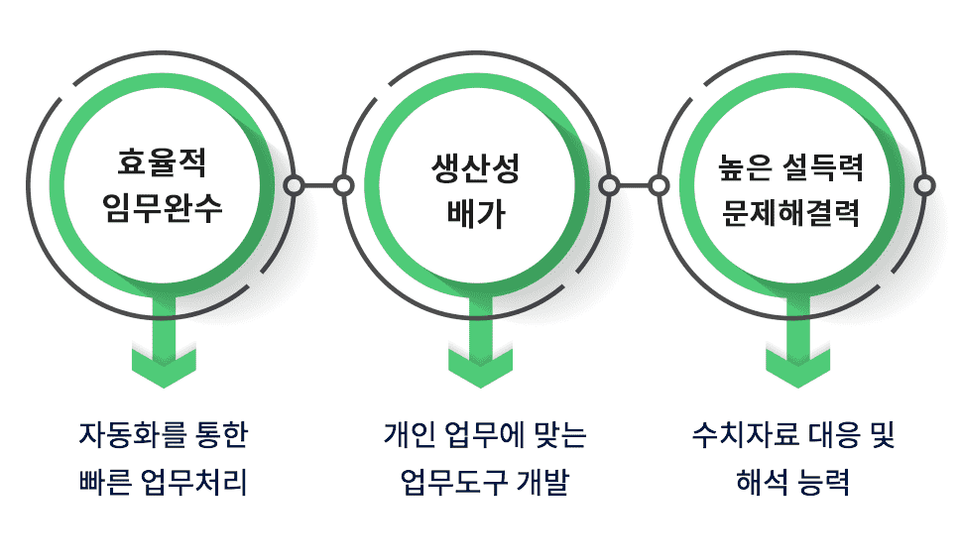
PowerPoint and Word cannot be your secretaries, but Excel can be.
= It can be transformed into a business program that suits your taste.
Sales Management
Excel is absolutely essential for managing receivables. ➔ I use it extensively to generate receivables and period-by-period performance reports.
Business Management
If you are good at using Excel, you can manage most business-related tasks.
➔ We use a lot of functions to aggregate labor-related data and calculate monthly performance. 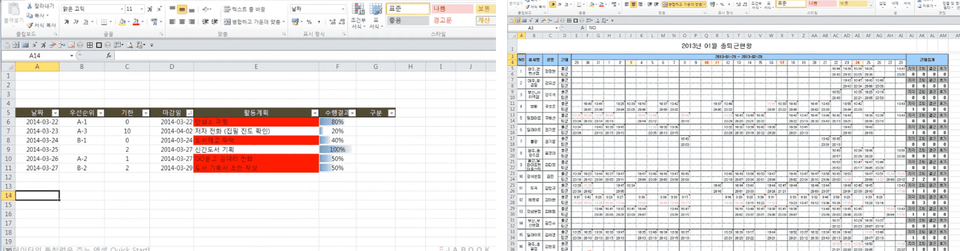
The course examples are available at https://github.com/topmentor/excelsample/archive/m

It was a good lecture that reminded me of Excel, which I had briefly learned in school before! It was good that the explanation was clear. However, there were some cases where the information was entered differently from the screen that appeared in the practice example file, so I got confused in the middle.
I didn't know Excel was such a powerful program!! I'll work hard to use it well from now on. ㅎㅎ
This is such a helpful lecture. Awesome!!!
It was a helpful lecture that can systematically improve work efficiency.
He taught me very well, systematically and step by step.







![[Pass ITQ Excel A in One Go] in 3 daysCourse Thumbnail](https://cdn.inflearn.com/public/courses/329652/cover/b44e11b6-a47e-4993-86ea-a85da9836bb5/329652-eng.png?w=420)

![[Star Instructor Teacher Choi] The Standard for Passing Quickly|ITQ Excel MasterCourse Thumbnail](https://cdn.inflearn.com/public/files/courses/343264/cover/01kxzse3ftyrhrd3te3b03e3ch?w=420)






