
Anyone Can Publish a Book (30 Lectures on Book Writing)
wave614
$69.30
Basic / writing, publishment
5.0
(1)
An author who has written 12 books in 12 years will help you publish a book under your own name.

Basic
writing, publishment

We will help you build a solid foundation in PowerPoint. Use these fundamentals to create faster and more impressive PowerPoint presentations for the rest of your life.
56 learners
Level Beginner
Course period 1 months

Reviews from Early Learners
5.0
남진우
I like it
5.0
minwlove2001
The essentials only, very good
5.0
오목교주 김동일
Okay, it's easy too
PowerPoint Basics
PowerPoint Tips
I've gathered only the essential PowerPoint tips
that you can use as soon as you learn them 😁
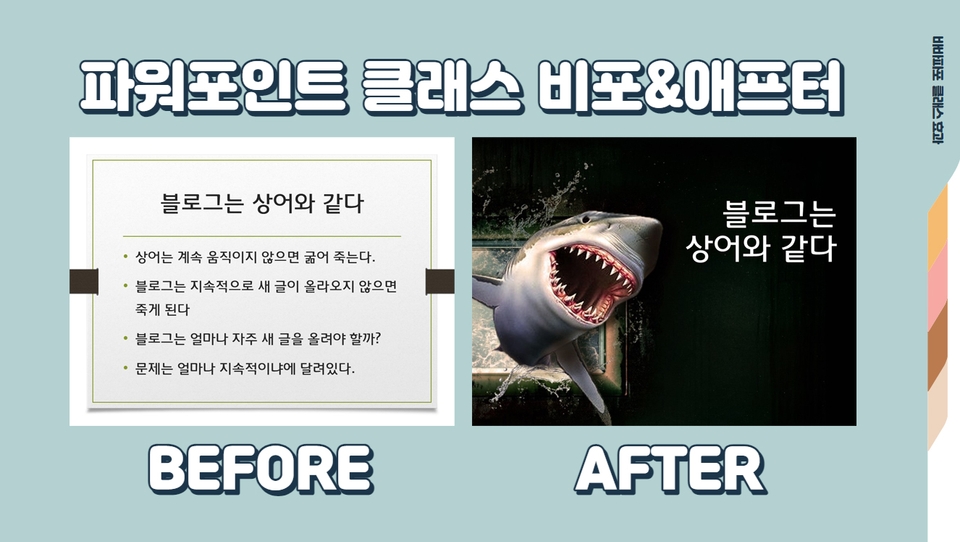
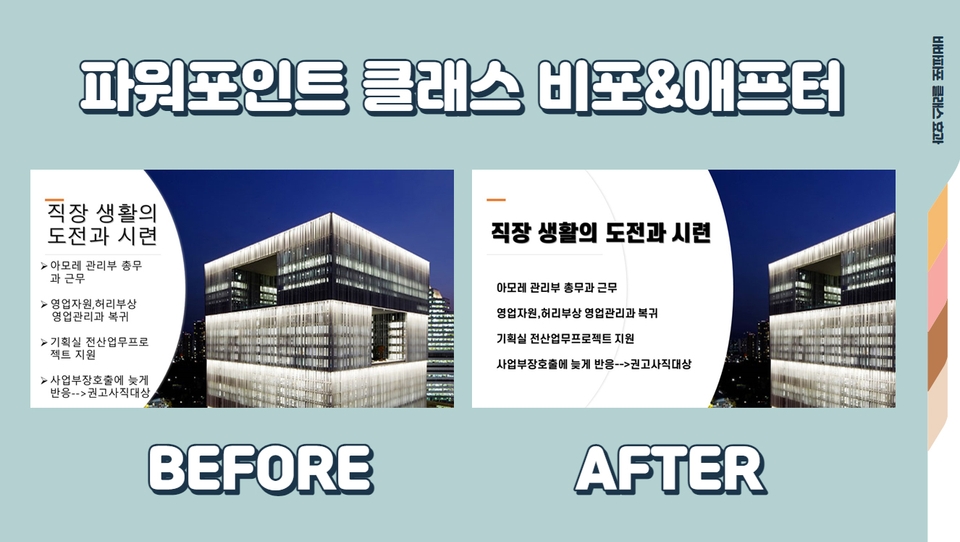
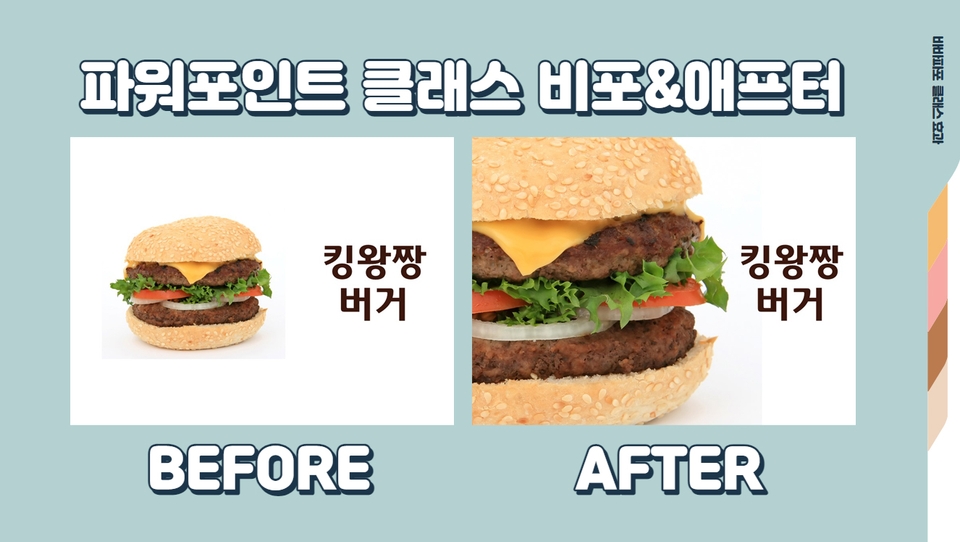
I learned PowerPoint through trial and error. Although I hadn't learned it systematically, I thought I was quite good at using it. However, after learning PowerPoint systematically, my work speed became faster than before, and my designs became more sophisticated. And I realized that I had been using PowerPoint incorrectly without a solid foundation.
I have published two PowerPoint books, <PowerPoint 2013> and <PowerPoint 2007>. Having conducted countless PowerPoint lectures, I know the key points that students need. I have incorporated those insights into this course.
This course is a hands-on class that guides you through the fundamentals of PowerPoint step by step. You will be able to understand and learn much faster by following along with the lessons.

Those who want to get started with PowerPoint

Those who want to learn the basics of PowerPoint

Those who want to work on PowerPoint quickly

Those who want to create sophisticated PowerPoints
We will help you build a solid foundation in PowerPoint!
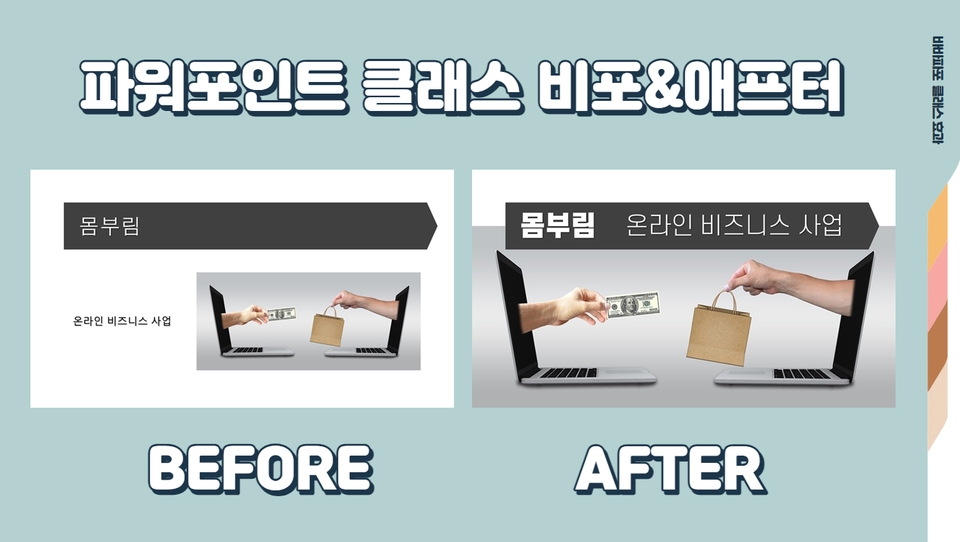
Q. Can anyone learn PowerPoint?
Yes! This is a beginner-level course that anyone curious about PowerPoint can learn from. By mastering the basics of PowerPoint through this class, you will be able to easily create slides and give presentations.
Q. What are the benefits of taking this course?
There are many PowerPoint books, but they don't point things out one by one. However, this lecture points out exactly what students need and is designed as a hands-on course, making it easy to follow along.
Who is this course right for?
People who want to learn PowerPoint easily
Those who are curious about practical PowerPoint skills.

69
Learners
8
Reviews
5.0
Rating
2
Courses
● Director of Vivaldi Research Institute
● Author of 12 published books
● A lecturer who gives more than 200 lectures a year
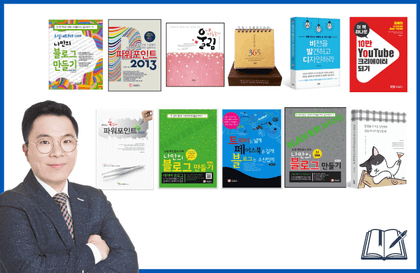
☆ Published Books
☆ Lectures and Special Sessions
Samsung Electronics, LG Display, KB Kookmin Bank, S-Oil, Ministry of Economy and Finance at the Government Complex,
Daegu City Hall, Daegu Metropolitan Office of Education, Gyeongsangbuk-do Office of Education, Yangsan Office of Education, Busan Metropolitan Office of Education, Gimcheon City Hall, Bucheon Office of Education,
National Pension Service, National Library for Children and Young Adults, Kyungpook National University, Daejeon University, Dong-A University, and many other educational institutions
All
16 lectures ∙ (3hr 3min)
1. PowerPoint Basics
11:11
2. Slide Basics
13:18
3. Text Basics
11:35
9. Using Smart Art
10:11
11. animated movie
10:23
13. Slide transition
08:23
14. Slideshow
10:45
15. Using video
08:29
16. Template site
12:42
All
7 reviews
5.0
7 reviews

Reviews 4
∙
Average Rating 5.0
Reviews 7
∙
Average Rating 5.0
Reviews 2
∙
Average Rating 4.5
Reviews 1
∙
Average Rating 5.0
Reviews 5
∙
Average Rating 5.0
Check out other courses by the instructor!
Explore other courses in the same field!
25% off for new members
$7.70
25%
$7.70
.jpg?w=420)

.jpg?w=420)







![[Pass ITQ PowerPoint A in One Go] in just 2 daysCourse Thumbnail](https://cdn.inflearn.com/public/courses/330108/cover/a0a7ac8c-cbd6-4acf-9cad-494ee28e1faf/파워포인트 썸네일(인프런).jpg?w=420)
![[For Beginners] Data Visualization with Power BICourse Thumbnail](https://cdn.inflearn.com/public/courses/327055/cover/455b54c1-3e63-439b-9b60-5d12e12bc303/PowerBI-001 (1).png?w=420)

![[Pass ITQ Excel A in One Go] in 3 daysCourse Thumbnail](https://cdn.inflearn.com/public/courses/329652/cover/b44e11b6-a47e-4993-86ea-a85da9836bb5/329652-eng.png?w=420)