Photoshop Basics Course in 2 Hours
hclass
This course will help you become interested in design studies by learning the basic tools of Photoshop and practicing some examples.

Beginner
Photoshop

It doesn't matter if you know nothing!
A Photoshop course exclusively for marketing 💬
In this lecture?
For those of you who don't know anything about Photoshop,
but need to create content!
I will pick and teach you only the essential information.
Hello! Everyone, I'm Pomanyeo, the woman who helps you master Photoshop. This course is designed for beginners who are new to Photoshop; you will learn the basic functions and then create actual SNS content, banners, promotional posters, blog skins, and more. I recommend watching the entire lecture once before trying to follow along! After taking this course, you will be able to create various promotional materials on your own!
Wait, please check this before taking the course!

Design Beginner
"I want to learn
content again"

Junior Marketer
"I need to make a banner
quickly... *sigh*"

Others
"Promotional materials...
how do I make them?"
Here is what you will learn
Learning Basic Photoshop Functions
We will teach you the essential core content necessary for learning Photoshop, such as the basic interface and layers.
Plan and design the promotional content needed for marketing yourself.
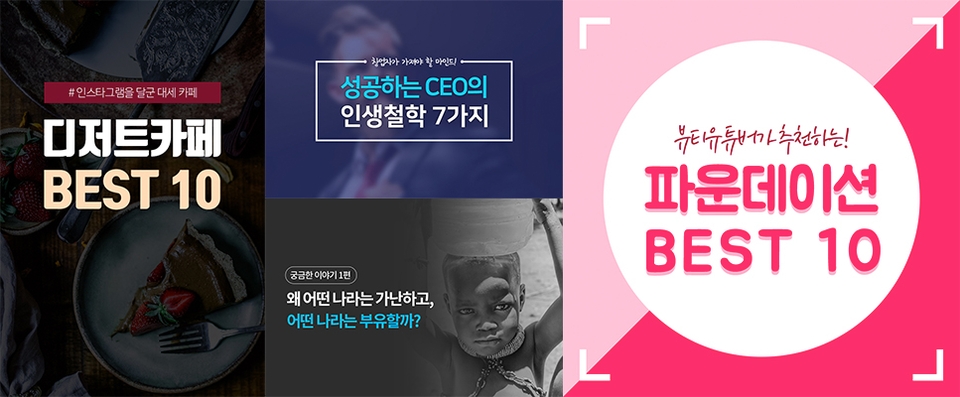
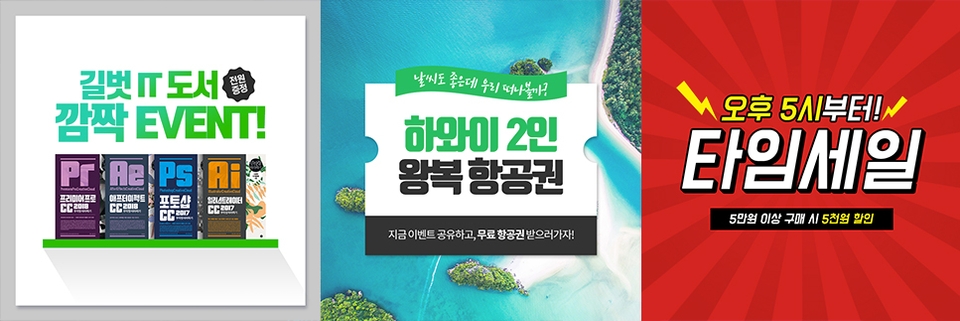
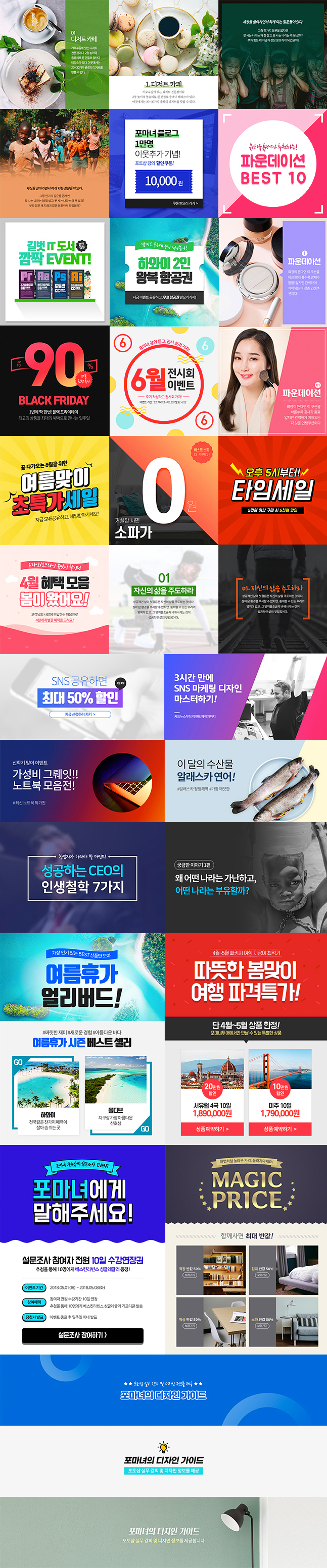
'Banner Making' practice results
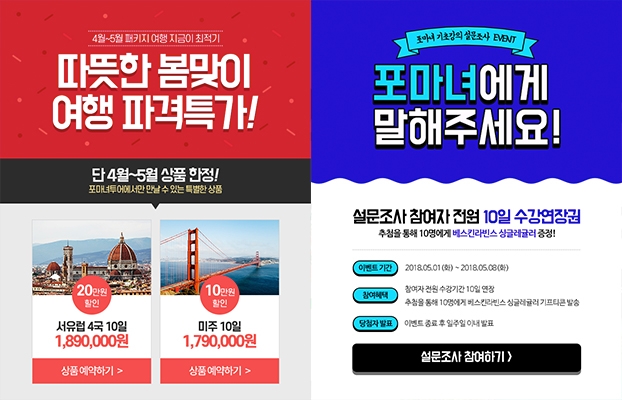
'Promotional Poster Making' practice results
We will explore layer masks, the most important feature for making your designs more diverse and vibrant.
Learn how to easily and accurately remove backgrounds from photos of people and objects.

I will also show you how to create skin images for your blog.

🙋🏻♂️ I'm curious!
Q. Is there a separate book?
A. Yes~ There is a book titled <SNS Marketing Design Follow Along> related to this lecture series.
Q. Do I have to purchase the book to study?
A. It is more convenient to study if you have the book, but it is okay even if you don't.
Q. Can non-majors learn this too?
A. Of course! From installing Photoshop to basic functions and various examples, you can quickly improve your skills!

Thank you for the great lecture.
I like how you show different features
I enjoyed the lecture! I was a total noob, but it was great because it was taught at a beginner level, focusing on design that is necessary for marketing.
It's good to report and apply when you need it urgently in practice~
I'm listening carefully.
![[Bestseller Author Direct Lecture] End! Content Marketing - From Beginners to PractitionersCourse Thumbnail](https://cdn.inflearn.com/public/courses/332690/cover/0c062dbc-53b5-47b6-9dff-fb3c2916a0e1/332690.jpg?w=420)

![[Photoshop Revolution Broadcast] Photoshop Basics CompleteCourse Thumbnail](https://cdn.inflearn.com/wp-content/uploads/photoshop002.jpg?w=420)


![[Fantasy Pig's Feet] From design to codingCourse Thumbnail](https://cdn.inflearn.com/public/courses/332845/cover/5d0ef569-50e5-4300-96ed-3205d526795b/332845.png?w=420)
![[No Development, No Coding] How to Create an MBTI Test Without a DeveloperCourse Thumbnail](https://cdn.inflearn.com/public/courses/327446/cover/0660562a-71e3-4b60-9b94-4fccbb67884f/cover.png?w=420)

![[3-Second Completion] Eye-Catching PPT Motion Graphics Templates That Make All the DifferenceCourse Thumbnail](https://cdn.inflearn.com/public/files/courses/337409/cover/01jvba0mg6r0e7f3shr9d0fjfm?w=420)