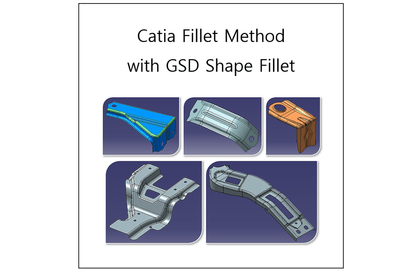


Catia Fillet Method
gypsum
This lecture covers methodologies for applying fillets in various cases using only the Shape Fillet feature from the Generative Shape Design (GSD) workbench, which is widely utilized in practical work.
Beginner
Catia
It explains the basic screen interface configuration of AutoCAD, coordinate system and object snap, various drawing and modification commands, and parametric design.

Handling AutoCAD's basic screen interface configuration
Coordinate System and Object Snap (OSNAP)
Various drawing commands and modification commands related to AutoCAD 2D drawing
Parametric design
Even beginners can do it!
Let's learn AutoCAD 2023 step by step 🙆♀️
Based on a basic understanding of space
From drawing to 3D graphic modeling!
Part 1 of "Learn AutoCAD 2023 with Video" covers the basic interface, coordinate system and object snaps, various drawing and modification commands, and parametric design. The content is structured to help you master essential functions in the shortest possible time, with functional explanations and practical drawing practice based on application cases.
Who is this course right for?
Beginners who want to learn AutoCAD from the basics through examples
Practitioners who want to systematically learn various functions of AutoCAD in a short period of time
1,187
Learners
95
Reviews
9
Answers
4.9
Rating
41
Courses
Key Experience: Graduate of Yonsei University Graduate School
(Former) Adjunct Professor, Department of Computer Science, Seoul Health College
(Former) Instructor, Future Talent Development Center, Inha University
(Current) Adjunct Professor, Gachon University, etc.
All
55 lectures ∙ (10hr 14min)
Course Materials:
All
3 reviews
5.0
3 reviews
Reviews 1
∙
Average Rating 5.0
Reviews 2
∙
Average Rating 4.5
Reviews 1
∙
Average Rating 5.0
Check out other courses by the instructor!
Explore other courses in the same field!
$28.60