Create your own differentiated homepage with a Github blog!
A blog of your own that everyone dreams of!
Not just another common blog you see everywhere, but a differentiated blog that you create and manage yourself! Try it now with a Github blog!
The voice is calm and easy on the ears. I had a lot of difficulties creating a GitHub blog, but this lecture scratches the itch.
5.0
티벳로보
89% enrolled
I made a git blog after watching the lecture.
I didn't make the template, but I'm getting attached to it as I modify it little by little.
5.0
정훈
100% enrolled
It helped me a lot when I was creating my GitHub blog.
What you will gain after the course
From Creation to Customization! Mastering GitHub Blog!
Create your own differentiated homepage, not a Naver blog!
Complete a Github blog that every developer wants to create!
Create your own differentiated tech blog with Github Blog!
What is a Github blog?
The official name for a Github blog is Github Pages. It's a web hosting service provided by Github, the open-source library used by developers worldwide, where users can freely create and operate their own sites (blogs) for free. Since Github is a service for developers, Github blogs are also widely used and favored by many developers.
Hello, I'm Lee Kyung-rok, who runs the data analysis blog and YouTube channel 'TeddyNote'.
When I first started studying data analysis, there weren't many educational institutions or resources available, so I faced many difficulties learning on my own. Because of that, I went through various trials and errors, and was able to build my skills with the help of YouTube online lectures and experts.
My GitHub repository called 'Machine Learning on My Own', which contains my struggles and efforts in this process, has received stars from many people. Based on this, I also run a data analysis blog (Github blog) called 'TeddyNote', which I created as a GitHub blog, and it receives approximately 25,000 visits annually.
Currently, approximately 270,000 people annually visit the blog through search.
This Github Blog course contains the know-how of creating and operating a Github blog that allowed me to build a portfolio of my concerns and efforts. I hope my 'Creating a Github Blog' course will be of practical help to many people who are thinking and working hard for their future.
With your GitHub blog, you can even monetize the results you've worked hard to create.
You can register with Google Adsense to insert banner ads on your blog. You can receive advertising revenue each month based on the number of visitors, and it's not difficult to implement at all.
Income accumulates in dollars in your balance each month, and you can withdraw once it reaches $100 or more.
> January 2023 Revenue Status
Please check before enrolling! This is a course available for free on YouTube!
This course is publicly available for free on the TeddyNote YouTube channel.
However, since free courses are difficult to complete, I've included the minimal motivation of 'payment'.
All revenue from paid Inflearn courses is donated in full to the Children's Foundation.
Paid courses that can only be found on Inflearn will also be continuously updated.
Why Use a GitHub Blog 💡
#1. Portfolio Utilization
Many developers manage their blogs alongside Github. They create and share code themselves, building up their work as a portfolio piece by piece. It's common to conduct detailed reviews of this on their blog.
By using a Github Blog, you can manage and upload your portfolio blog on GitHub, which allows you to handle code reviews, sharing, and commit management all at once.
#2. Blog Operation and Management Efficiency
Generally, with blogs, developers have to create the post content directly themselves. Especially when it comes to code written in programming languages or formulas, it's typical that you have to convert them once again to match the characteristics of that particular blog platform in order to post them.
However, with a Github blog, you simply upload files created in markup language to Github and they are automatically converted and uploaded. From a developer's perspective, you can upload code files as-is to the blog, enabling efficient blog operation and management.
#3. High degree of freedom and optimization
Unlike typical blogs, Github blogs offer a high degree of freedom for users to create and customize on their own. While existing blogs provide uniform templates and features, using a Github blog allows you to create and operate your own differentiated blog with the design and features you want.
What You'll Learn 📚
You can learn videos related to this course on the YouTube channel.
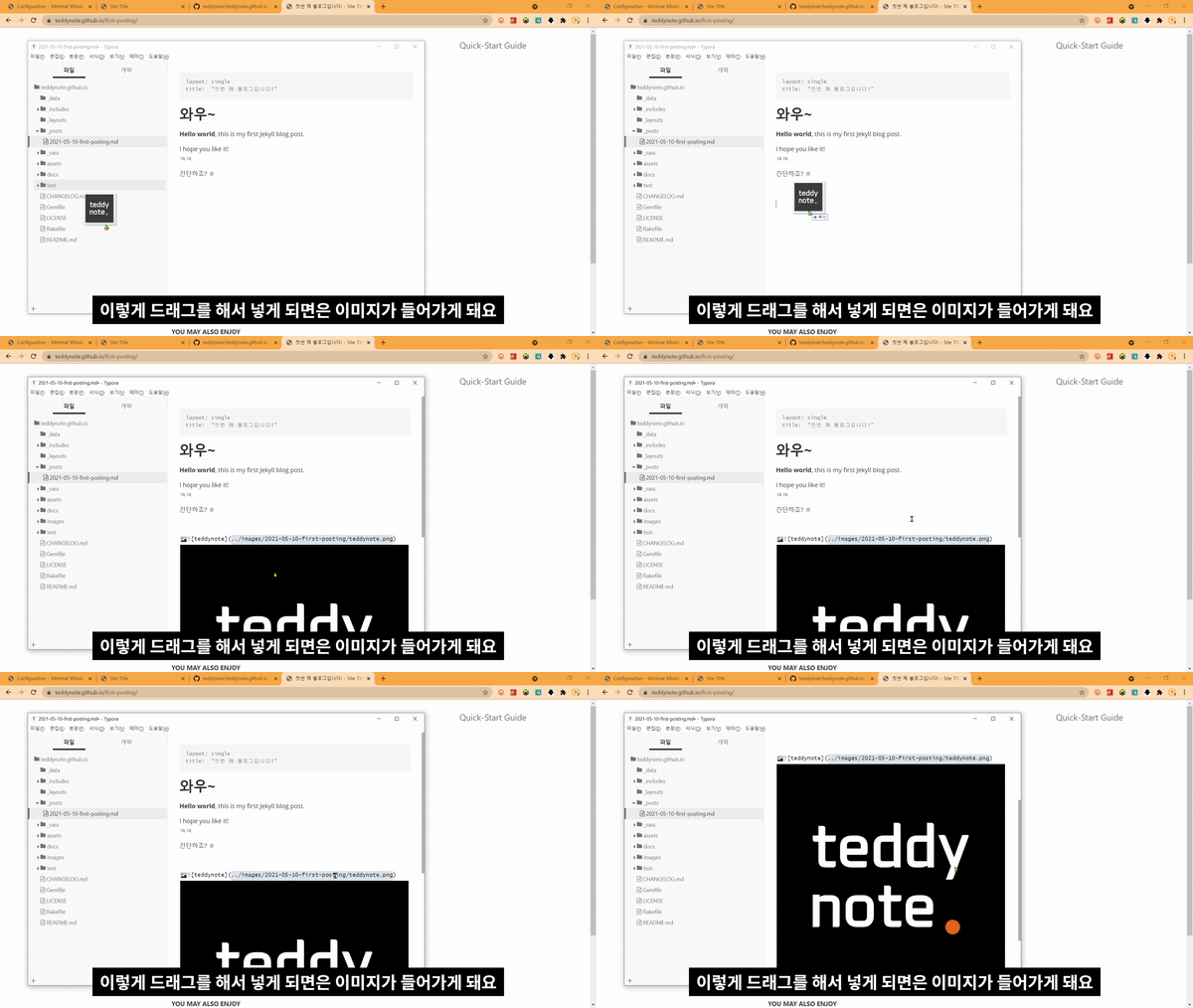
Adding blog images
Apply code style
Change blog style
Font change
Yearly Archive
Videos related to this course can be found on the YouTube channel. Add blog image Apply code style Change blog style Change font Archive by year
Videos related to this course can be found on the YouTube channel. Add blog image Apply code style Change blog style Change font Archive by year
About the Instructor ✒️
Key Experience
Fastcampus Lecture - Python Data Analysis All-in-One Package for Working Professionals Online.







.gif?w=960)
.gif?w=960)
.gif?w=960)
.gif?w=960)



![[Teddy Note] Python in One Room (Includes E-book)Course Thumbnail](https://cdn.inflearn.com/public/courses/327591/cover/e7ce21cc-aafb-4a86-a1c4-9e5e2aa3a131/python note_thumnail.png?w=420)


![[TeddyNote] Pandas in One Shot (Includes E-book)Course Thumbnail](https://cdn.inflearn.com/public/courses/327864/cover/1c1b9c75-243a-48ac-af65-38a1c735bcb1/pandas.png?w=420)