Creating an online booking system for your company - MS Bookings
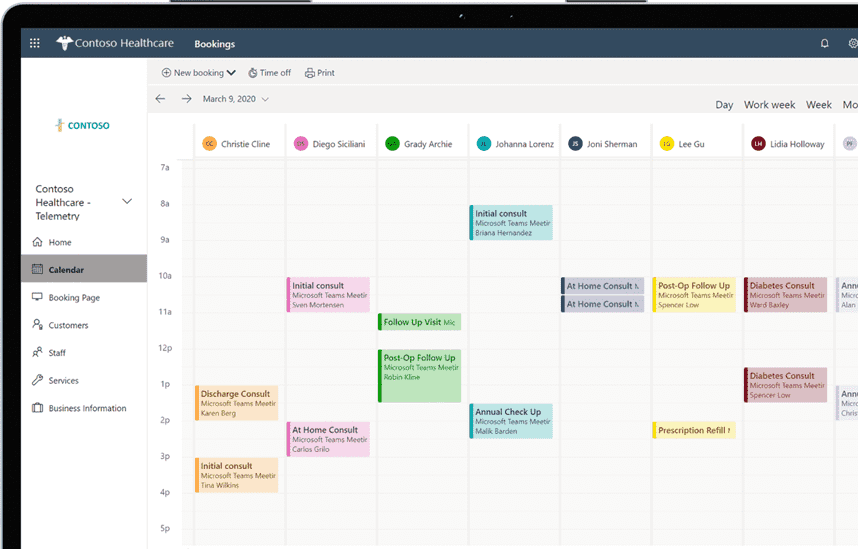
You can create an online reservation system through Microsoft Bookings where customers can see our company's services at a glance, select a schedule, time, and person in charge, and make a reservation right away.
Everything from reservations to reservation confirmation emails and advance notifications is automated, and customers can easily make reservations and change their schedules. Now manage your reservations smartly!
How to create a reservation system with Microsoft Bookings
Activate Bookings service
Setting up the Bookings service
Posting a reservation system created with Bookings
Operating a reservation system created with Bookings
How to create your own online reservation system
Increase work efficiency! Creating an online reservation service that allows instant reservations
Lecture Introduction 📝
To reserve our services, customers must contact us during business hours, receive an explanation of the service, inquire about pricing, coordinate their schedule, be assigned a representative, confirm their schedule, receive an email confirmation, and then use the service according to their schedule. If they need to change their schedule or representative, they must repeat this process.
What about the person in charge? These customer contacts continue even during work hours and meetings, requiring repeated explanations of services and prices, assigning staff, and coordinating schedules. Furthermore, confirmation emails and advance notices are required to prevent no-shows.
So, what we're looking for is an online reservation system. However, building one is expensive and time-consuming.
But what if you could create and use an online reservation system easily and simply, without any additional costs? With Microsoft Bookings, we can create and operate a reservation system without any hosting costs or separate license subscriptions.
What I learned in class ✏️
In this course, you will learn the following so that you can create and operate your own online reservation system for your company.
Lecture Table of Contents
Course Introduction
About Bookings
Bookings Settings
Service activation
Set up company information
Staff Settings
Service Product Settings
Publish page
Bookings Operation
Announce reservation page
Manage your reservation schedule
Customer Information Management
Use and operation
Additional Uses
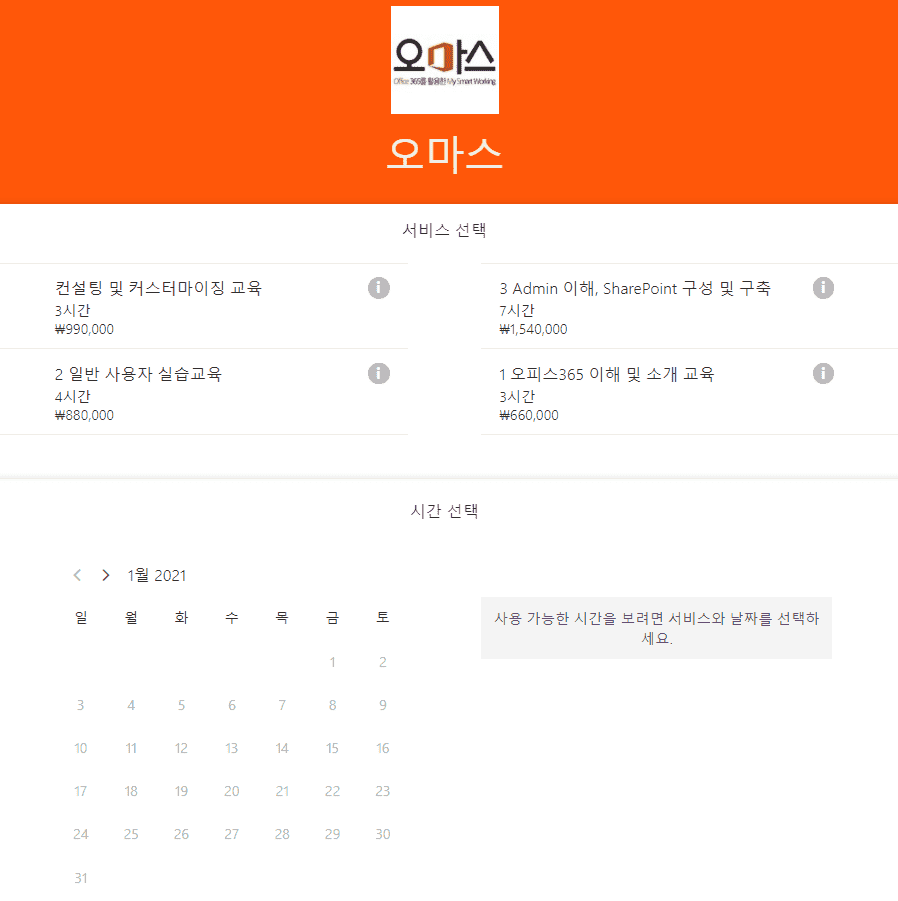
The image below shows Omas' reservation management system, built using Bookings. This is a working system, and you can view the screen directly through the system view.





![[Work Automation Using Free MS RPA] Power Automate Desktop BasicCourse Thumbnail](https://cdn.inflearn.com/public/courses/329047/cover/35cb417d-cd84-47f8-a20f-653724b03a77/329047-eng.png?f=avif&w=420)
![[Office 365] Setting up and understanding Admin CenterCourse Thumbnail](https://cdn.inflearn.com/public/courses/324935/course_cover/6580912e-13aa-4939-92d0-c3b6fded1a43/omas-admincenter.png?f=avif&w=420)


![[Latest version update] Project and task management to become a pro at planning - MS PlannerCourse Thumbnail](https://cdn.inflearn.com/public/courses/336001/cover/9368db08-c64b-42ca-8ad1-e7a872bffc0e/336001.jpg?f=avif&w=420)

![[Work Automation Using Free MS RPA] Power Automate Desktop - Automate Repetitive TasksCourse Thumbnail](https://cdn.inflearn.com/public/courses/332826/cover/fd9d8667-48a8-4d2e-b27d-1154f66df679/332826.png?f=avif&w=420)


![[Work Automation Using Free MS RPA] Power Automate Desktop - Excel AutomationCourse Thumbnail](https://cdn.inflearn.com/public/courses/330201/cover/8adc841c-39de-4770-98d3-2439ed8881a3/330201-eng.png?f=avif&w=420)
![[Work Automation Using Free MS RPA] Power Automate Desktop EssentialsCourse Thumbnail](https://cdn.inflearn.com/public/courses/329655/cover/8364da63-535b-4613-9b02-3dcdfc21791d/329655-eng.png?f=avif&w=420)


![[Pass ITQ Excel A in One Go] in 3 daysCourse Thumbnail](https://cdn.inflearn.com/public/courses/329652/cover/b44e11b6-a47e-4993-86ea-a85da9836bb5/329652-eng.png?f=avif&w=420)
![[First in Korea] ChatGPT × Word Practical Application: Document Automation Made Easy for EveryoneCourse Thumbnail](https://cdn.inflearn.com/public/files/courses/338227/cover/01k0rxg0k0xk9q6vefywa4qnbn?f=avif&w=420)


![[For Beginners] Data Visualization with Power BICourse Thumbnail](https://cdn.inflearn.com/public/courses/327055/cover/455b54c1-3e63-439b-9b60-5d12e12bc303/PowerBI-001)