
inflearn logo

Creating Web Pages Easily - How to Use IUEditor

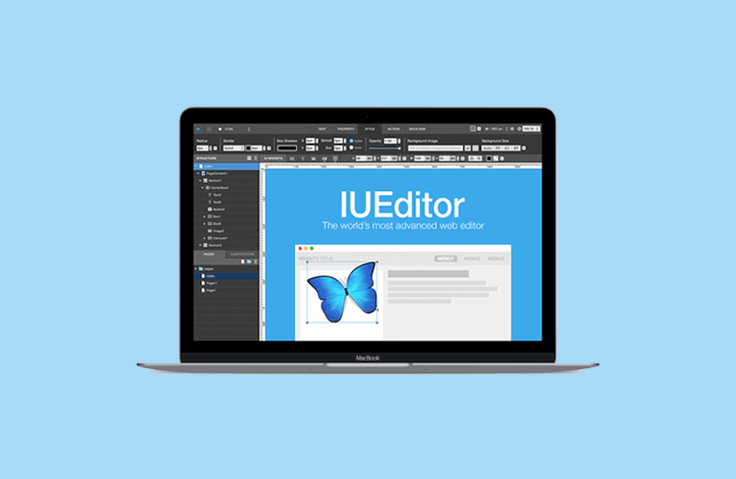
IUEditor is a web editor that automatically generates the front-end code required for developing responsive websites. Learn how to use IUEditor.

(4.2) 16 reviews

1,205 learners

Level Basic

Course period Unlimited

Web Design
Web Design
Web Design
Web Design

Reviews from Early Learners

4.2

5.0

khn010919

100% enrolled

great!!

5.0

쿠카이든

57% enrolled

I learned a lot about how to make web pages really easily! Thank you for the great lecture.

5.0

KYUNG TAE BAE

71% enrolled

I made a web page so easily with IUEditor! Thank you for the great lecture (__)

1. Course Introduction

Building a responsive website costs a fortune and takes a ton of time, right? Maintenance can be a real pain, too. Even a small change can require multiple people and multiple discussions. But with IUEditor, if a client encounters a problem, you can make changes on the spot and publish the results quickly and easily. That's why even large companies like LGU+ can complete a six-month project in two weeks, and even complex websites like 8 Percent use IUEditor to build them.

This course explains widgets and basic features to help you build a simple responsive website with IUEditor. We plan to offer additional courses covering more complex website creation methods, WordPress, backend support, and more. We strive to make IUEditor a valuable tool that can help you in your work, reducing your workload.

About IUEditor

IUEditor is a web editor that automatically generates the front-end code required for responsive website development. It is a WYSIWYG (What You See Is What You Get) web development tool that allows you to easily create websites with various functional widgets that replace the long and complicated coding of existing web editors. It allows you to easily create responsive websites optimized for various screens (smartphones, tablets, desktops). It supports back-end frameworks such as Django and Angular JS, and recently released a version with integrated support for WordPress, allowing users to create various WordPress themes using drag-and-drop without coding with IUEditor alone.

2. People who can help

  • Designers, planners, and developers planning to create responsive websites

  • For those who want to reduce the ping-pong between designers and developers.

  • Anyone who needs a responsive website

Hello
This is y5162

1,205

Learners

16

Reviews

4.2

Rating

1

Course

Curriculum

All

7 lectures ∙ (8min)

Published: 
Last updated: 

Reviews

All

16 reviews

4.2

16 reviews

  • devkuka님의 프로필 이미지
    devkuka

    Reviews 320

    Average Rating 5.0

    5

    71% enrolled

    I made a web page so easily with IUEditor! Thank you for the great lecture (__)

    • everick93569님의 프로필 이미지
      everick93569

      Reviews 317

      Average Rating 4.9

      5

      29% enrolled

      Thank you~!!!!

      • hyongsu44님의 프로필 이미지
        hyongsu44

        Reviews 868

        Average Rating 5.0

        5

        100% enrolled

        Thank you for the lecture.

        • khn0109199048님의 프로필 이미지
          khn0109199048

          Reviews 3

          Average Rating 5.0

          5

          100% enrolled

          great!!

          • kukaeden님의 프로필 이미지
            kukaeden

            Reviews 521

            Average Rating 5.0

            5

            57% enrolled

            I learned a lot about how to make web pages really easily! Thank you for the great lecture.

            Free
