
강의

멘토링

커뮤니티

Programming

/

Mobile Application Development

Making an iOS Settings App Easily

This is not a class where you just follow along, but an app that builds the foundation. It's a time to learn what it takes to create the things we want to create.

(4.9) 9 reviews

408 learners

Level Basic

Course period Unlimited

  • leeo
ios
ios
아이폰
아이폰
swiftui
swiftui
Swift
Swift
SwiftUI
SwiftUI
ios
ios
아이폰
아이폰
swiftui
swiftui
Swift
Swift
SwiftUI
SwiftUI
Thumbnail

Reviews from Early Learners

Reviews from Early Learners

4.9

5.0

Jang Jaehoon

100% enrolled

I'll refer to this when developing iPhone apps! Thank you!

5.0

꽃게장세트

100% enrolled

Thank you. Have a nice day.

5.0

노하윤

100% enrolled

It's the best!

What you will gain after the course

  • iOS

  • swift

  • swiftUI

A settings app I created and used myself 📱

Mobile apps, now in action! 💪

Can I really make an app? I'm tired of just studying grammar ...

Can I really create something with this much study? I have no idea what else I should be doing ...

When should I start building apps? I just want to try making anything ...

Is this perhaps your concern?

Creating an iOS Settings App for Rio

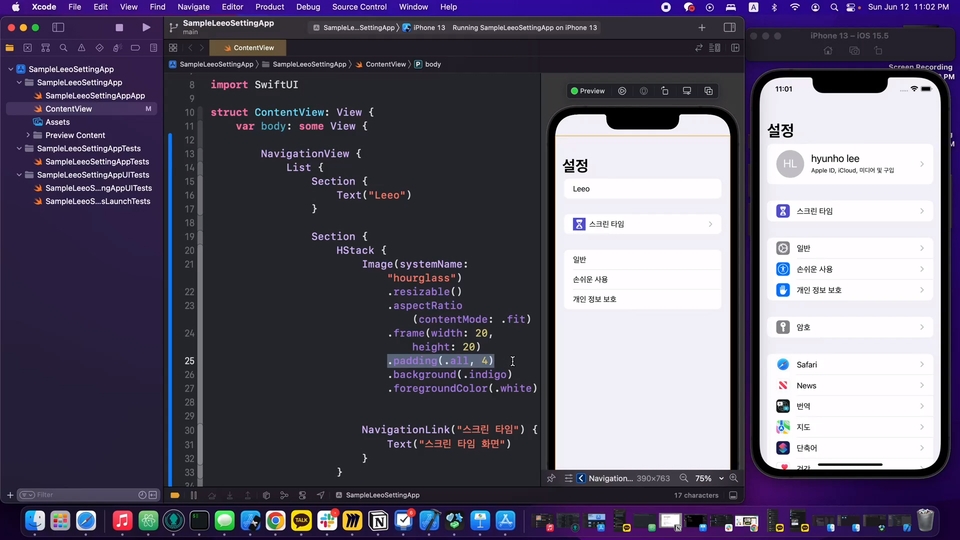
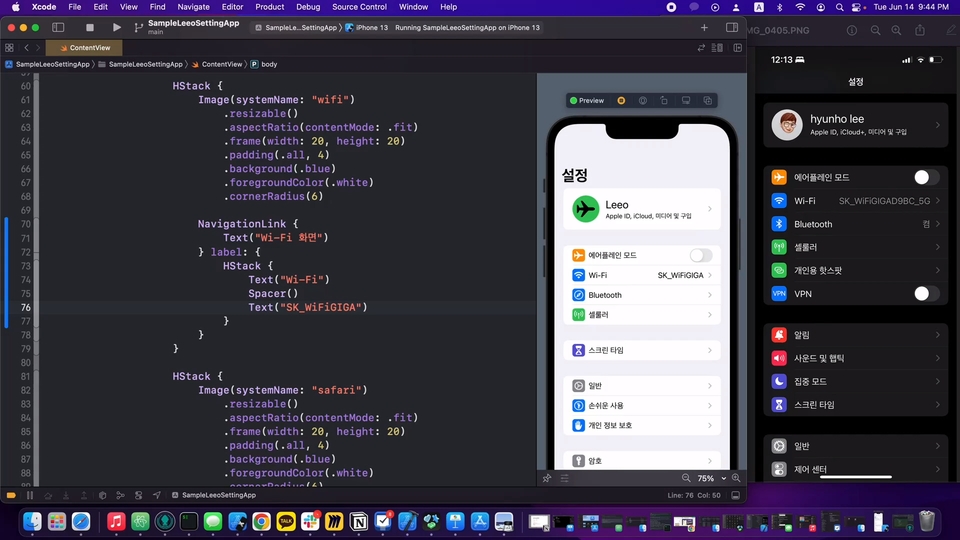
If you've taken previous courses or are just starting out and want to gauge your progress, you've come to the right place. In this course, we'll build a settings app, the next step after the first hurdle. We'll build the grammar and knowledge needed to build something. Let's test our knowledge to see how far we've come.

Since I built the app with minimal knowledge, the code quality isn't great. However, for beginners, there's a lot to learn from it. Writing good, clean code from the start is difficult, so let's get it running and improve it.


After listening to the lecture
You can do this 👍

1️⃣

Any other app
You can try making it.

2️⃣

What parts of the app are you stuck on?
You can solve it yourself .

3️⃣

How to build a better app
You can get hints.

So, let's learn this stuff ! 📚

First, it's important to create the shell, right? We'll create a shell using SwiftUI, creating an app that looks like a settings screen, though it doesn't actually work. Then, we'll explore how to make it more flexible and improve the code .

We implement the calculator button, reducing the amount of manual work that would have been required if we hadn't improved it before, and then improve it again. Without further improvement, it would be difficult to develop subsequent features. In other words, app development is a continuous process of improvement .

💡 Please check before taking the class!

  • This course can be taken only if you have completed Rio's existing Swift/SwiftUI course or are familiar with the content covered in that course.

Q&A 💬

Q. Can I start with mobile app development and the app creation process?

Of course it is possible, but you may end up seeing it over and over again because you don't understand it very well.

Q. Can I start developing with SwiftUI?

Yes, it is possible. We will eventually go together to study UIKit.

Q. Do I have to attend all the previous lectures?

Yes, you should listen, or even if you don't listen, you should know the content.

First, follow Rio's iOS app development series.

Recommended for
these people

Who is this course right for?

  • For those who want to create a simple app

  • Anyone who wants to create an app through a project

Need to know before starting?

  • SwiftUI

  • Swift

Hello
This is

7,844

Learners

206

Reviews

4

Answers

4.9

Rating

15

Courses

안녕하세요 포항에서 개발을 낚고있는 리이오 입니다.

Curriculum

All

5 lectures ∙ (1hr 7min)

Published: 
Last updated: 

Reviews

All

9 reviews

4.9

9 reviews

  • es0ujkqw님의 프로필 이미지
    es0ujkqw

    Reviews 3

    Average Rating 5.0

    5

    60% enrolled

    • jjhgwx님의 프로필 이미지
      jjhgwx

      Reviews 641

      Average Rating 4.9

      5

      100% enrolled

      I'll refer to this when developing iPhone apps! Thank you!

      • abdurl3229님의 프로필 이미지
        abdurl3229

        Reviews 9

        Average Rating 4.7

        4

        100% enrolled

        If there are many settings (title, input values (toggle, etc.)), It seems that it is easier and cleaner to do it with Swift rather than Storyboard as in the lecture. However, it is regrettable that it would be better if it included the connection to the View that was learned in another lecture that was created with Swift.

        • ovsoce0383님의 프로필 이미지
          ovsoce0383

          Reviews 2

          Average Rating 5.0

          5

          100% enrolled

          Thank you. Have a nice day.

          • rohhy6602님의 프로필 이미지
            rohhy6602

            Reviews 1

            Average Rating 5.0

            5

            100% enrolled

            It's the best!

            Free

            leeo's other courses

            Check out other courses by the instructor!

            Similar courses

            Explore other courses in the same field!