
Java Grammar Summary - 1 Hour
survivalcoding
Free
Beginner / Java
4.8
(49)
700+
Essential Java syntax review before studying Java-based development.

Beginner
Java

"Are you still modifying your code every time you change the server address?" In professional practice, Development (Dev), Staging, and Production (Prod) environments are strictly separated. However, many developers still manually change variables within a single main.dart file, exposing themselves to the risk of deployment errors. This course covers a 'true professional-grade architecture' that allows you to switch environments instantly just by selecting a build target, without modifying a single line of code.
45 learners
Level Intermediate
Course period Unlimited
Reviews from Early Learners
5.0
송진섭
It was a short but substantial lecture on separating development environments, which was great for quickly learning the core concepts. Additionally, it was good to see how to structure and rapidly build apps through this Antigravity approach.
5.0
정재한
Things you must know before or after joining a company, I had always been curious about development environment separation, and this completely cleared it up for me. I was able to use MCP, which I had always been curious about, without any burden, and what was even better was being able to approach various new tools I learned about without hesitation.
5.0
tawans
As a professional Flutter developer, this was exactly the content I needed and wanted to know. I believe it will be very helpful for job seekers to study this in advance. Thank you for the high-quality lecture. I'll be waiting for the next one!
Independent build and execution capabilities for each environment
Advanced Dependency Injection (DI) Applications Using Get_it
Creating your own test environment without a server developer
🚀 [Update Complete] [Special] Practical Mastery: Flavor Environment Separation and Firebase Emulator session newly added!
The standard that defines the level of professional Flutter practice,
Break free from the hassle of modifying code every time and the risk of deployment accidents, and equip yourself with
systematic environment management skills using Build Variants (Flavors) and Get_it.
"If you have built a solid foundation and theory through my lectures so far, now is the time to experience 'the speed of real-world practice.' No long explanations are needed. In 2 hours, your project will be perfectly isolated by environment and ready for deployment with a single click. It's short, but it will be the most efficient lecture in your development career."
Instead of a long-winded lecture, you will master just one technique: the '3-stage build separation' that can be applied immediately in the field.
From how to use Flutter, get-it, n8n, and Docker
to independent builds for each environment and DI applications, we cover the core essentials of practical work.
As long as there is a specification, code typing is minimized through Antigravity AI.
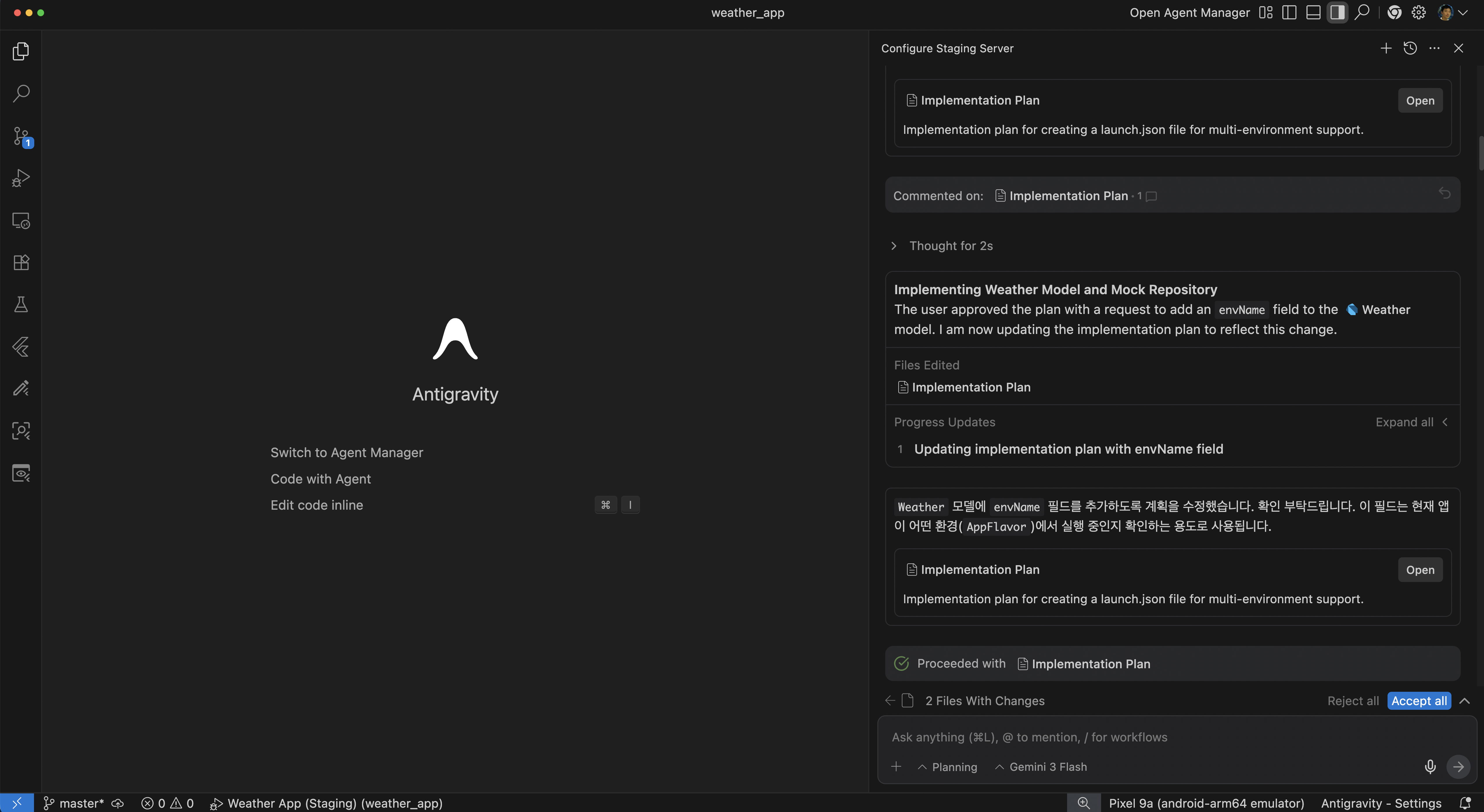
We will design the entire process of instantly switching between development, verification, and production environments without modifying a single line of code,
and even building your own test server.
Even waiting for a backend developer is a waste of time. We introduce the tools of a 'complete developer' who builds and validates their own staging servers by combining n8n and AI.
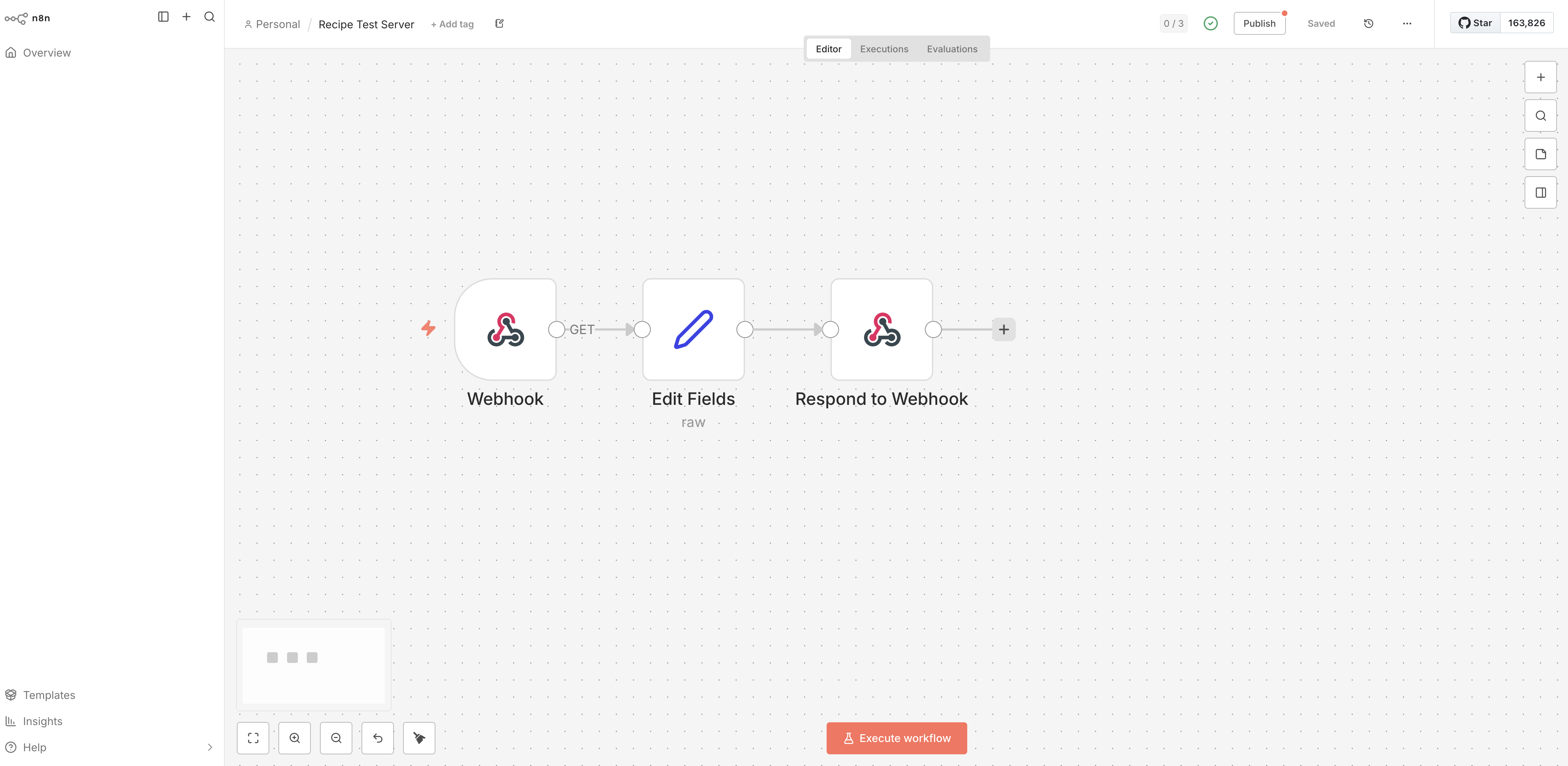
Complete your environment configuration using pure Dart alone, and round out your practical development experience by executing the terminal directly in VS Code.
Understand the necessity of environment-specific build configurations encountered in Flutter practice. Learn how to separate development, staging, and production environments without code modifications, and discover how to configure build environments using only Dart without native settings.
Build an independent development environment quickly using mock data. Practice how to effectively connect state management and UI using dependency injection (DI) libraries such as GetIt.
Understand the role of a staging server and build your own test environment using n8n and Docker. Learn how to integrate APIs on the staging server using Webhook nodes.
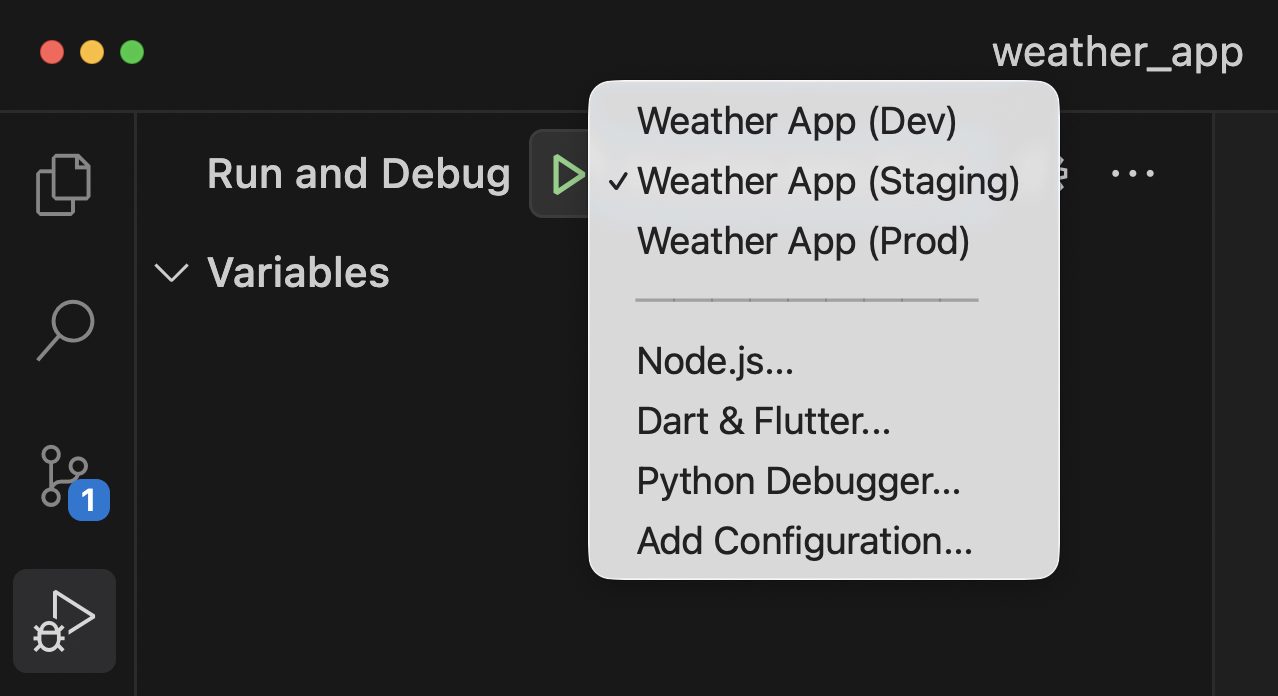
Set up the necessary DI configuration for the staging environment and run the app. Learn how to execute the app for each build environment via the terminal to master environment switching for final checks before actual deployment.
Complete the execution settings for each build environment in VS Code and perform the final check for production deployment.
✔️ Developers who have broken into a cold sweat after forgetting to change the server address before deployment
Those who want to escape the risk of deployment accidents caused by manually changing variables in main.dart
Those who want to build a stable deployment process with the ability to build and run independently for each environment
Those who want to experience a practical architecture that allows for immediate environment switching simply by selecting a build target, without any further code modifications.
✔️ Those who are curious about practical applications of Dependency Injection (DI) using Get_it
Those who want to learn advanced dependency injection (DI) application methods using the Get_it library
Those who want to learn how to increase code reusability and testability through DI
Those who want to develop the ability to write flexible and scalable code even in complex app structures
✔️ Those who want to build a mock server using AI and no-code tools without a server developer
Those who want to quickly build their own test environment without the help of a server developer
Those who want to learn how to build and automate their own staging server using n8n and Docker
Those who want to experience an efficient testing process using mock data and actual staging server data
Practice Environment
Operating System: macOS, Windows, and Linux are all supported.
Required installation tools: Flutter SDK, Dart SDK, Android Studio or VS Code.
Recommended Specifications: 8GB RAM or more and 50GB of available SSD storage are recommended.
Prerequisites and Important Notes
This course is for those with Flutter development experience.
It is recommended for those who have watched "Flutter Intermediate Part 1: Clean Architecture" or possess related knowledge.
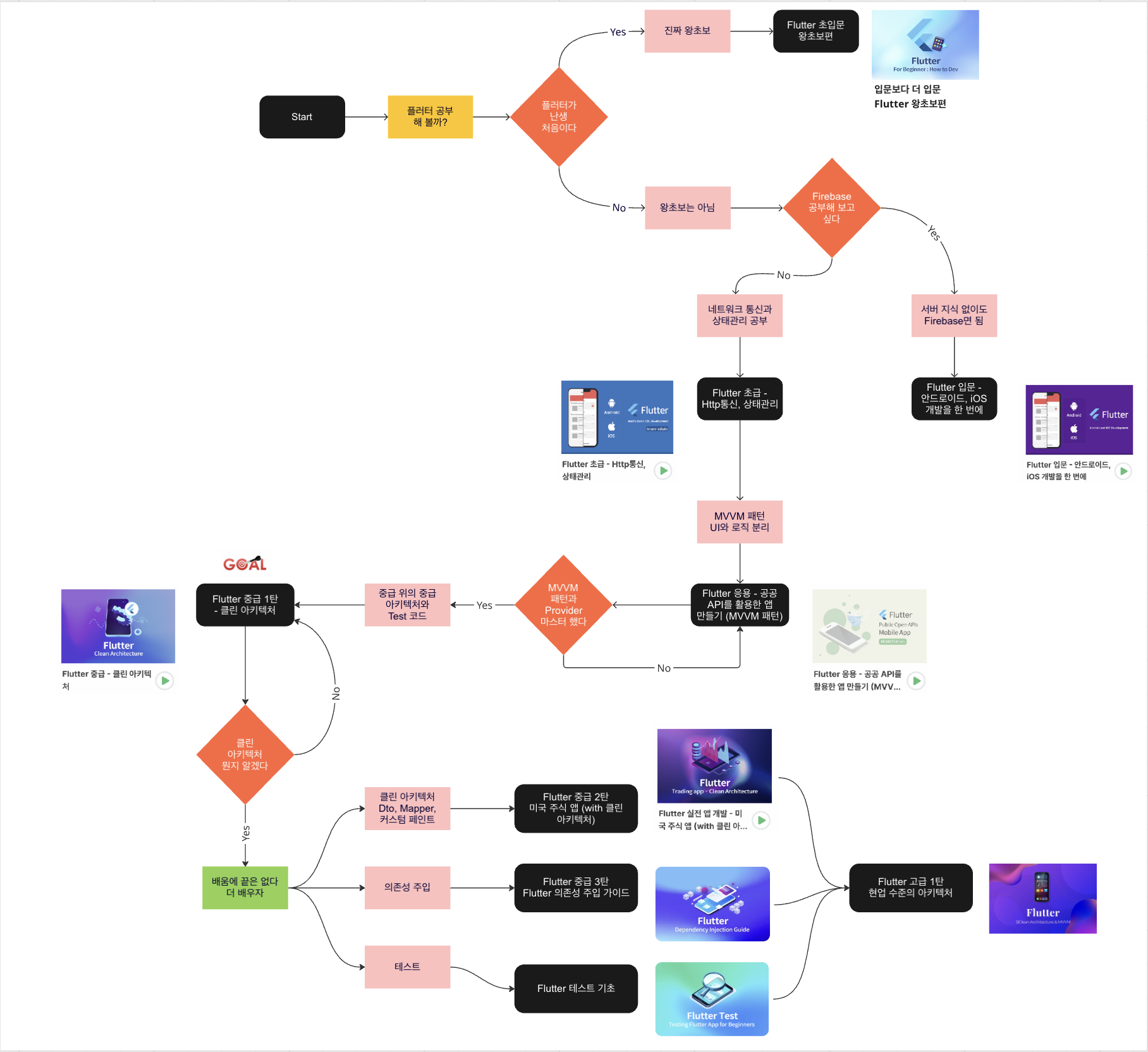
Who is this course right for?
Developers who have broken into a "cold sweat" after forgetting to change the server address before deployment
Developers who understand the concept of Dependency Injection (DI) but are eager for practical application.
A developer who experiences long, meaningless wait times while testing server API integration.
Need to know before starting?
Basic knowledge of Flutter and Dart
Experience using the Get_it package

Career Verified
12,878
Learners
949
Reviews
869
Answers
4.7
Rating
16
Courses
I am Junseok Oh, a developer who teaches and writes books.
I run the 'Junseok Oh's Survival Coding' YouTube channel and the Survival Coding (https://survivalcoding.com) educational platform.Specialties: Android, Flutter
Books
Oh Jun-seok's Flutter Survival Coding (Hanbit Media 2020)
Oh Jun-seok's Android Survival Coding: Kotlin Edition (Hanbit Media 2018)
Android Until It Works (Ruby Paper 2018)
Key Experience
CEO of OhRange
IT Development Vocational Training Instructor at Semin Vocational Training School
Director of Suwon Smart App Development Academy
LG Electronics MC Division
Security Division, Tokai Rika Co., Ltd., Aichi Prefecture, Japan
IT Division, Nihon Techseed Co., Ltd., Aichi Prefecture, Japan
LinkedIn: https://www.linkedin.com/in/junsuk5/
All
29 lectures ∙ (3hr 34min)
Course Materials:
All
4 reviews
5.0
4 reviews

Reviews 12
∙
Average Rating 4.6
5
Things you must know before or after joining a company, I had always been curious about development environment separation, and this completely cleared it up for me. I was able to use MCP, which I had always been curious about, without any burden, and what was even better was being able to approach various new tools I learned about without hesitation.
Reviews 20
∙
Average Rating 5.0
Edited
Reviews 2
∙
Average Rating 5.0
Reviews 1
∙
Average Rating 5.0
Check out other courses by the instructor!
Explore other courses in the same field!
Limited time deal ends in 6 days
$23,100.00
30%
$26.40
![[Advanced Android] The Ultimate Guide to Background Services – From Flavor Configuration to MVI ArchitectureCourse Thumbnail](https://cdn.inflearn.com/public/files/courses/341342/cover/01kkc914rtrr9am0fetn6hh89x?w=420)


![[Bloc Application] Creating a Practical App (Book Review App): SNS Login, Firebase Application, Bloc State Management, GoRouterCourse Thumbnail](https://cdn.inflearn.com/public/courses/331082/cover/b9481892-2741-429c-bde0-45dcee5bf8d2/thumbnail.png?w=420)

![[Python beginner] ChatGPT voice translation app made with FlutterCourse Thumbnail](https://cdn.inflearn.com/public/courses/333668/cover/94589a80-ab05-4bd1-ad98-1e42b75a47fc/333668.png?w=420)
![[CLI] Build Flutter Apps Without Coding with AICourse Thumbnail](https://cdn.inflearn.com/public/files/courses/344365/cover/01m28ccjzp5ecbs85z3warw0r0?w=420)

![[Code Factory] [Introduction] Completely master the Dart language in 4 hoursCourse Thumbnail](https://cdn.inflearn.com/public/courses/328577/cover/d7cd62c2-db07-45d8-af8d-a3fa728cd8e7/inflearn-logo.jpg?w=420)