< The material above is an image. It cannot be clicked because it is not a video. >
Hello! This is Weekend Coding.
There has been a major change in Cursor AI.
Since the leak of the entire Claude source code,
I feel that all coding agents around the world are evolving significantly.
Since the v3.0 update, my lectures are also scheduled to be rewritten and updated to the level of a complete overhaul, so
Please look forward to it and give us your support!
Below is the summarized content.
Go see Cursor v3.0 changes for yourself >> Link
< 🚀 Summary of Cursor v3.0 Key Updates >
With this Cursor 3.0 announcement, the entire user interface has been changed.
The following is a summary of the content.
🧠 New Cursor Interface (Agent-Centric Structure)
In Cursor 3.0, the entire interface has been redesigned to be agent-centric.
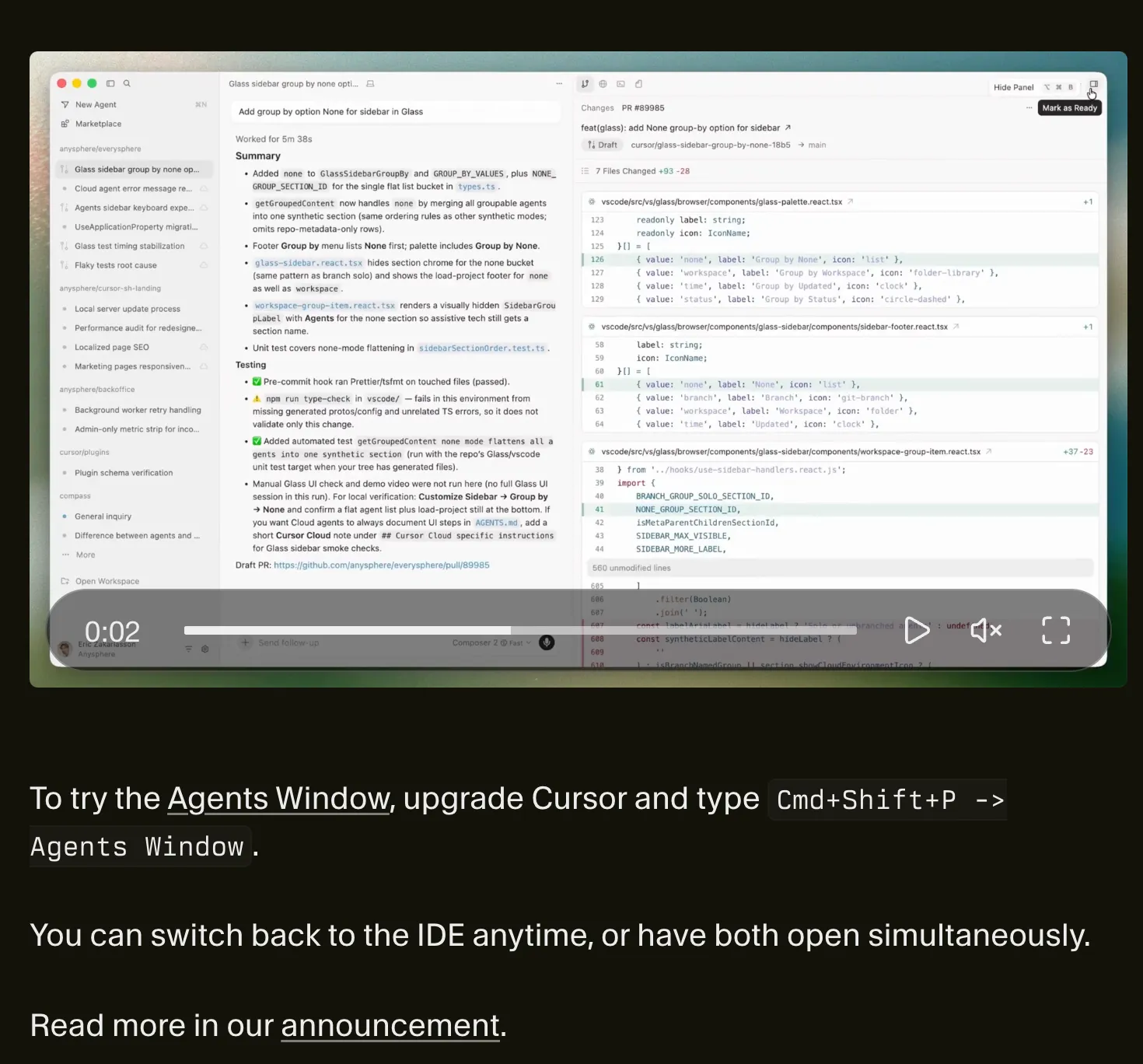
Through the new Agents Window, you can simultaneously run multiple agents across various environments, including local, worktree, cloud, and remote SSH.
Instead of focusing on a single workflow as before, the structure has been changed to allow multiple tasks to be performed and managed in parallel.
Additionally, you can switch back to the traditional IDE screen at any time or use both environments simultaneously.
🎯 Design Mode: A way to specify the UI directly
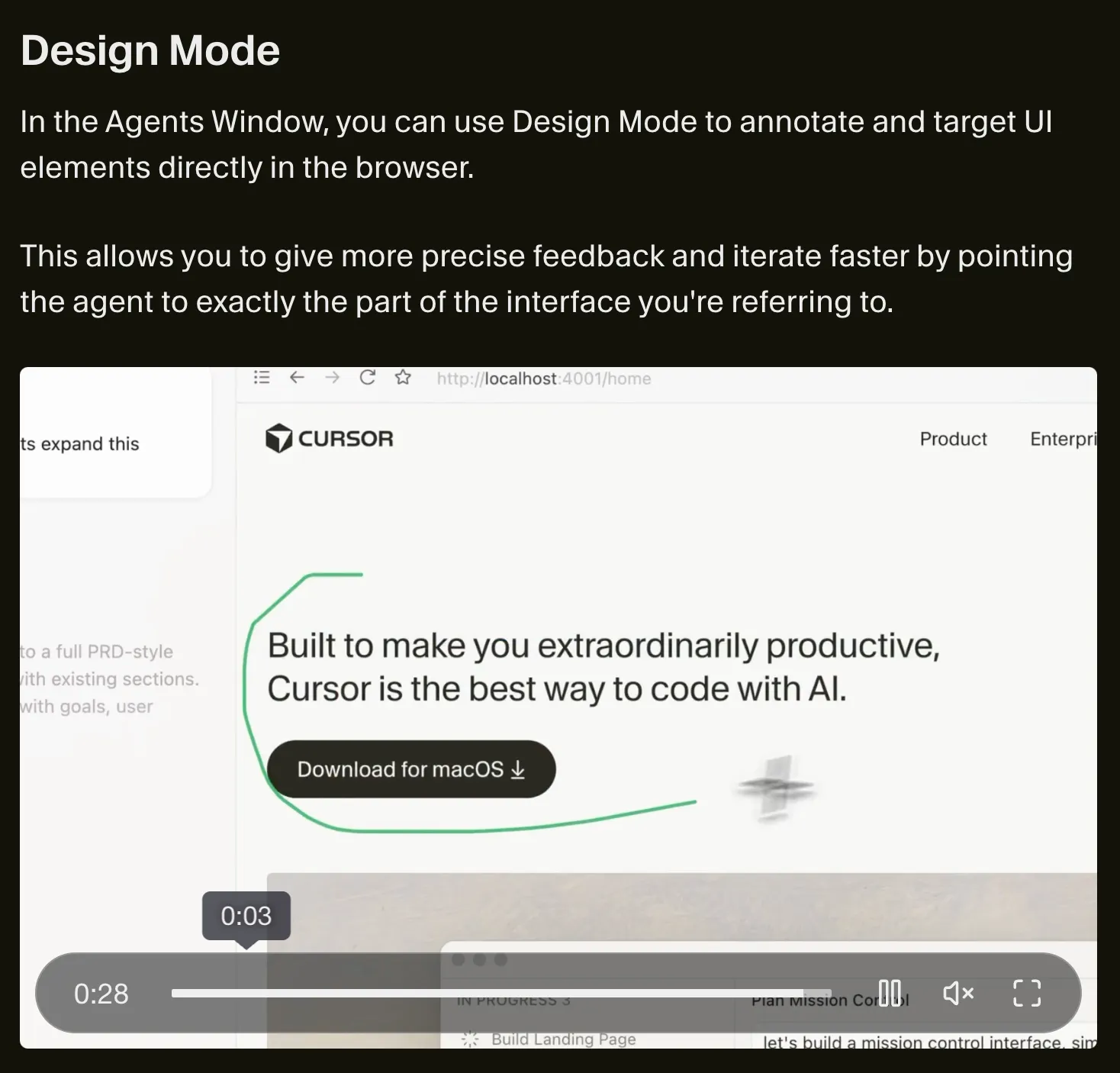
In Cursor 3.0, the Design Mode feature has been added, allowing you to request tasks from the agent by directly selecting UI elements in the browser.
You can specify precise targets by dragging specific areas or clicking on elements, allowing the agent to clearly understand which parts need to be modified.
This feature plays a crucial role in increasing feedback accuracy and improving the speed of repetitive tasks.
🧩 Support for Agent Tabs within the Editor
In Cursor 3.0, an Agent tab has been added inside the editor, allowing you to view multiple chats simultaneously.
You can compare or manage each agent's tasks by arranging them side-by-side or in a grid format,
An environment is provided where multiple workflows can be tracked simultaneously.
⚙ Editor Feature Changes (Worktree & Execution Method Improvements)
In Cursor 3.0, major features related to the way tasks are executed have been changed.
With the new /worktree command, you can apply changes in an isolated state, and
You can execute and compare results from multiple models in parallel using the /best-of-n command.
The existing worktree and best-of-n selection features have been removed, and the cloud agent within the editor is no longer provided.
🔌 Plugin & MCP Feature Improvements
In Cursor 3.0, MCP-based features have been enhanced.
MCP apps now support structured content, enabling richer forms of tool output.
Additionally, in enterprise environments, importing third-party plugins is now disabled by default and has been changed so that they can only be used if an administrator explicitly enables them.
🏢 Enterprise & Teams Enhancements
In Cursor 3.0, features for enterprises and teams have also been strengthened.
Directory group names have been added to the audit logs, improving them into a human-readable format, and
A setting has been added to restrict team secret management permissions to Admins only.
Additionally, a feature is provided to disable the "Made with Cursor" code contribution badge at the team level.
🧩 Summary
Cursor 0.43 is not just a simple addition of features;
👉This is an update that reconfigures the entire development environment around the agent.
Composer 2 - The greatest LLM model ever announced by Cursor
I have some incredible news to share.
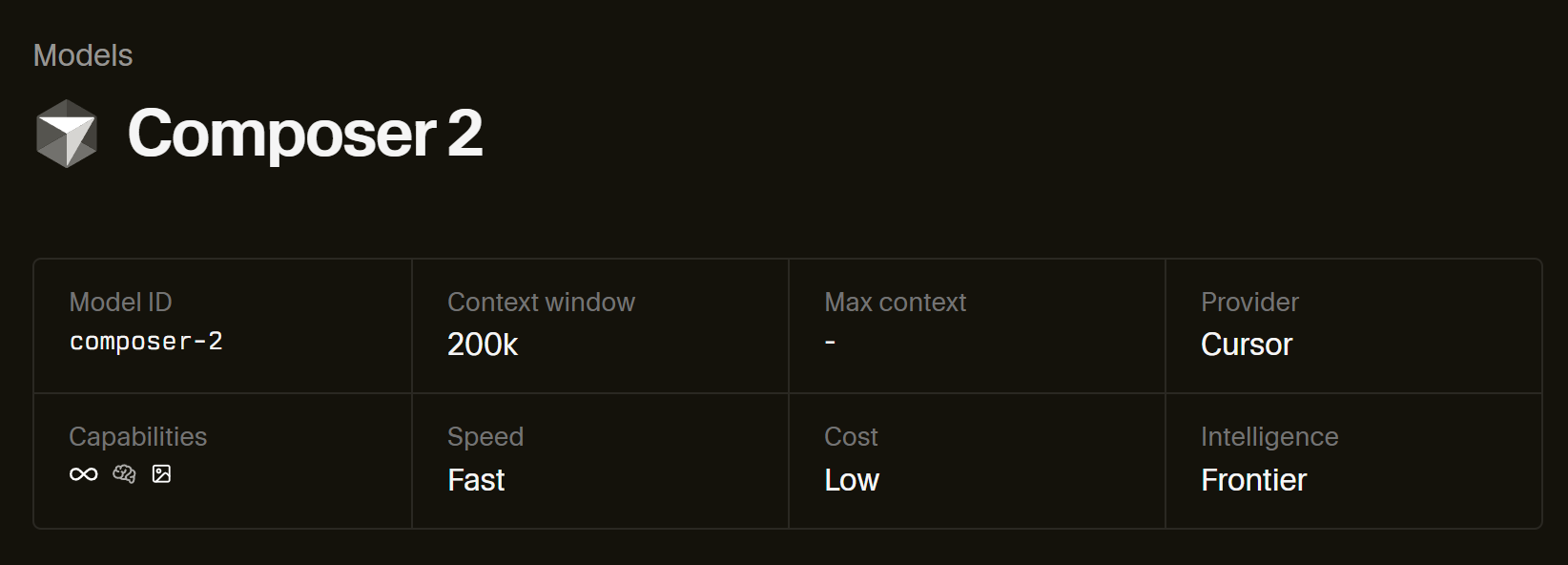
Composer 2 is now available in Cursor.
Coding performance is at a cutting-edge level, and the price is 0.50 per 1 million input tokens and 2.50 per 1 million output tokens,
It offers a new optimal combination of intelligence and pricing.
Frontier-level coding intelligence
It scored excellently across all benchmarks.
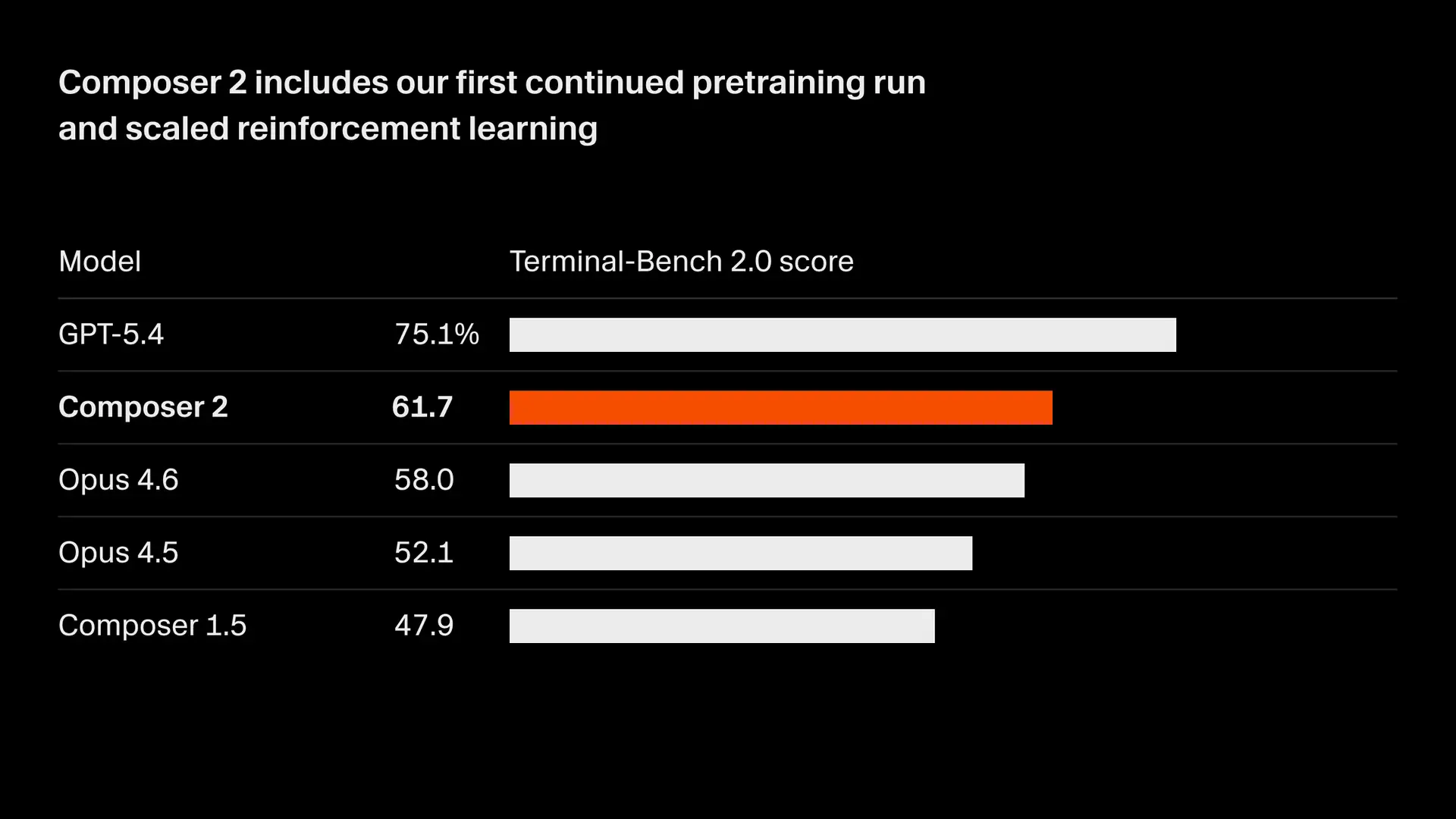
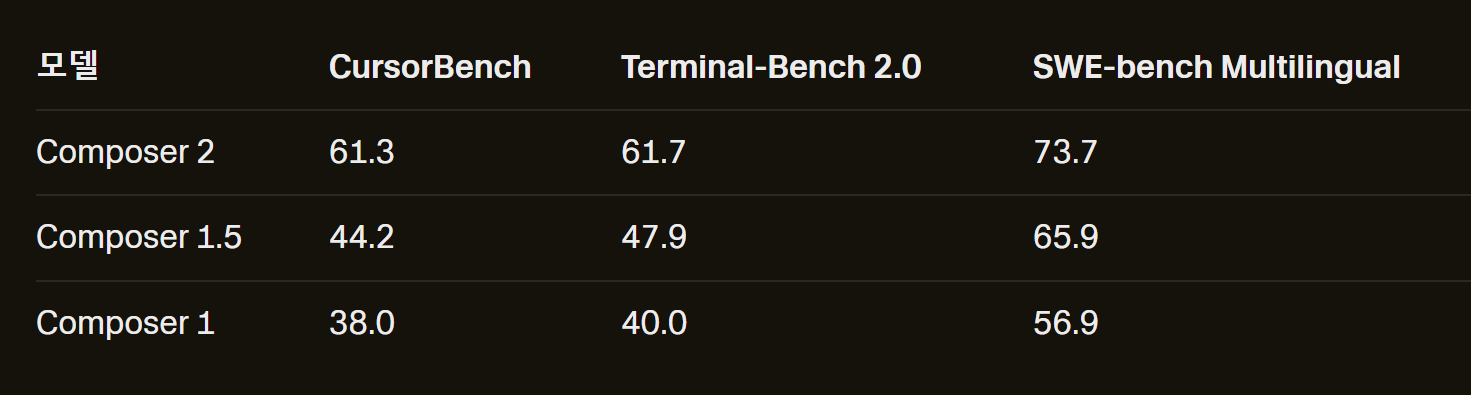
Here is a description of each benchmark.
CursorBench
This is a test created by Cursor themselves. You can think of it as them testing "how well it actually works in our tool." For example, they give the AI real development tasks like "Fix this bug" or "Add this feature" and score how well it resolves them. There is a limitation that it could be designed somewhat in their favor since it is based on their own standards.
Terminal-Bench 2.0
It tests how well the AI performs in the terminal (typing commands on a black screen). For example, it gives tasks that require performing multiple steps in sequence, such as "set up the server, install packages, run tests, and check the results." Since these situations require executing multiple commands consecutively rather than finishing with a single click, it evaluates the AI's "ability to carry out tasks independently." It is reliable because it allows for comparison against coding agents like Claude Code or Codex using the same criteria.
SWE-bench Multilingual
It is one of the most prestigious coding benchmarks in the AI field. It takes GitHub issues (bug reports) from real open-source projects and tasks the AI with solving the problem by directly modifying the code. For example, if you provide a prompt like "Fix this error occurring in this library," the AI analyzes the code and generates a fix patch. The "Multilingual" tag means it includes various languages such as Java, TypeScript, and Go, in addition to Python. Since it is an objective test managed by an external organization, it is the most frequently cited benchmark in the industry.
Available on Pro plans and above.
For developers who develop using only Tab, the $20 plan is sufficient.

Try Composer 2
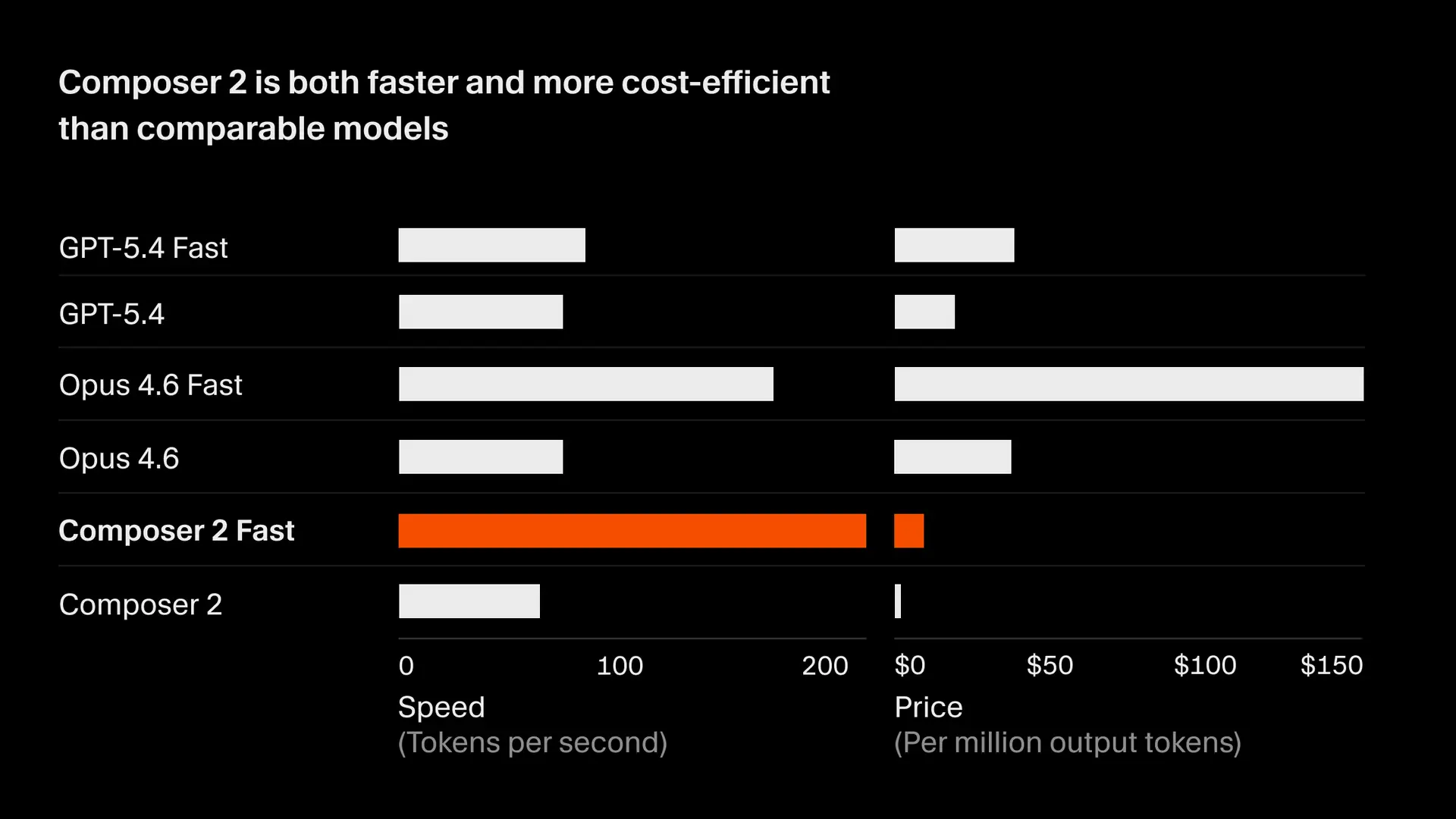
The price for Composer 2 is 0.50 per 1 million input tokens and 2.50 per 1 million output tokens.
There is also a faster version that offers the same level of intelligence.
We will be providing this faster version as the default option. For more details, please check the model docs.

Hello! This is Weekend Coding.
To those of you who are studying grammar and code hard again today!
I hope you achieve everything you desire.
I am excited to announce the launch of a new course and am sharing the link along with news of a discount.
Go to Course ⬇︎
https://inf.run/Nq1UX
Since I am an instructor who doesn't usually offer discounts,
If you are one of my students and need help, I believe now is a great opportunity.
The course covers the process of setting up a MacBook (macOS),
It will be a great help to those who want to start development with a MacBook but don't know how to set it up.
Please take a look to see if this course will be helpful for you. 😃
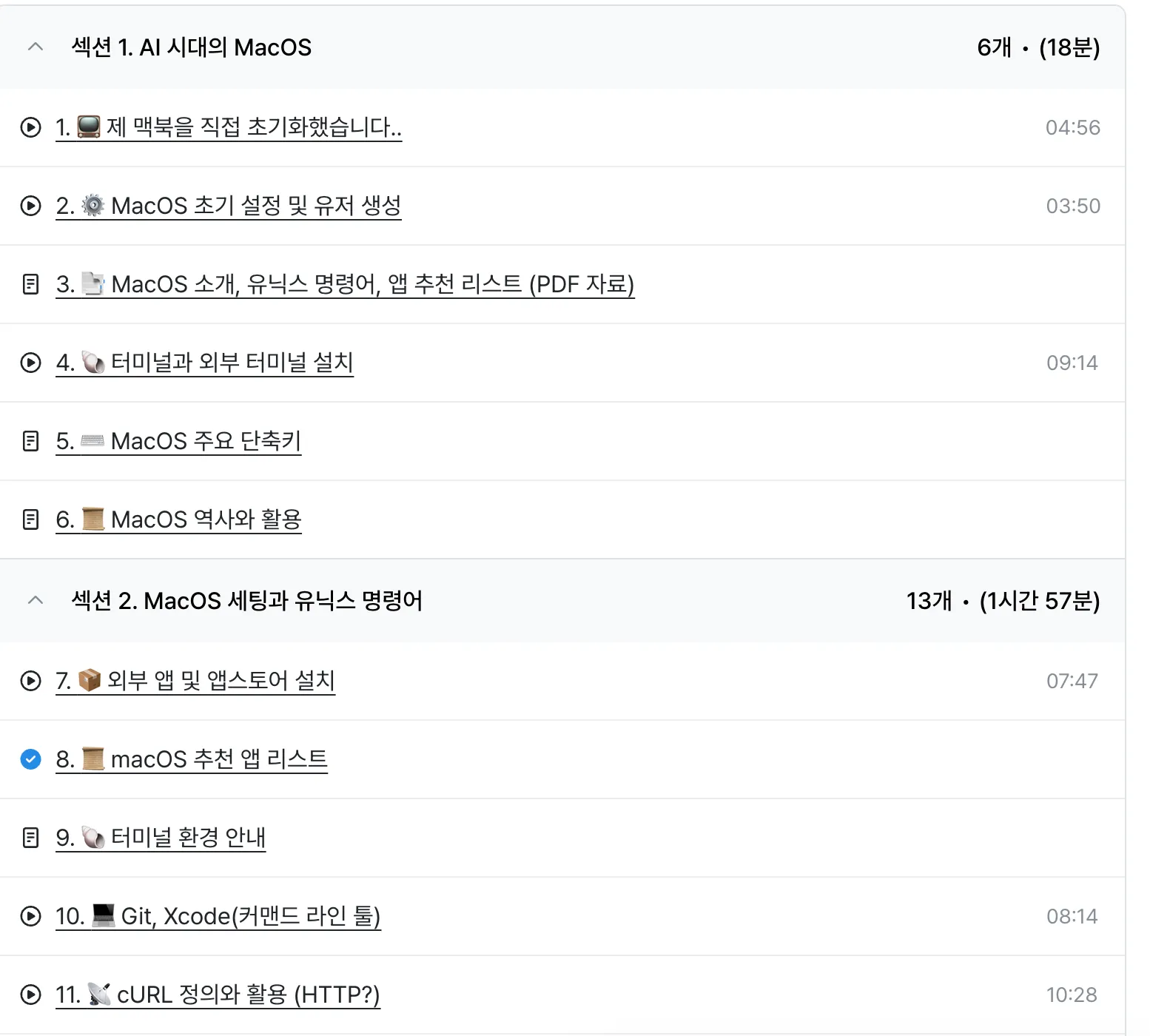
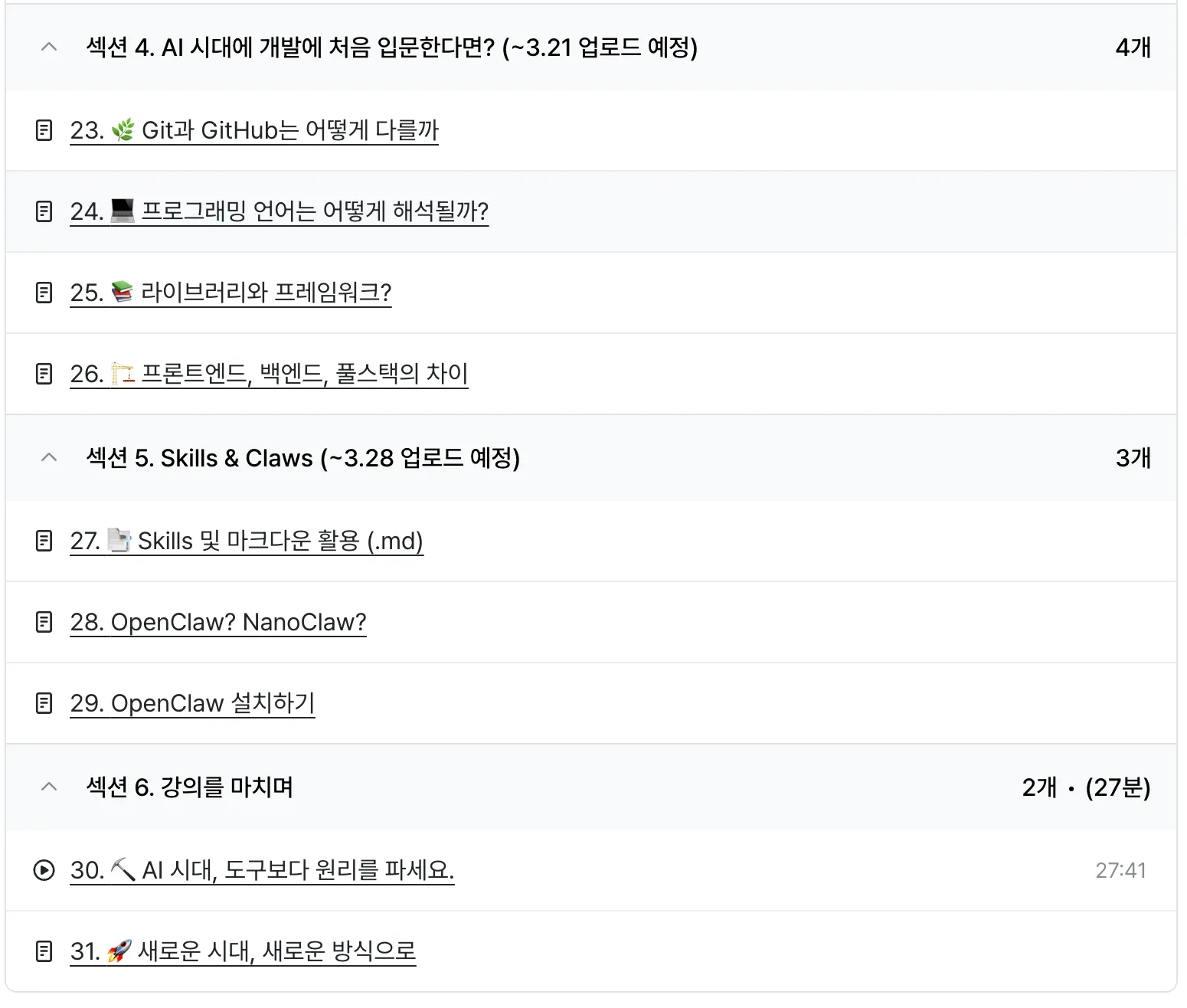
The course will continue to be updated in the future.
There are currently 31 chapters, but
we are planning to upload even more content in the future!
Hello! Students of the Cursor course.
Weekend Coding.
I was prepared for this when creating the course, but I didn't expect Cursor's feature update speed to be this fast 😭😭
(I'm starting to think I shouldn't have released this course...)
Cursor still appears to be the number one player in the IDE market.
I tried working on a single project using various IDEs in my own way.
I've tried Windsurf, Warp, and even Google's Antigravity
I still think Cursor is the best for comfortably using various features while switching between models.
When a new model is released, they apply it very quickly, and sometimes they even offer a week of free access to the latest model.
The most legendary update this time appears to be in the "Frontend" area.
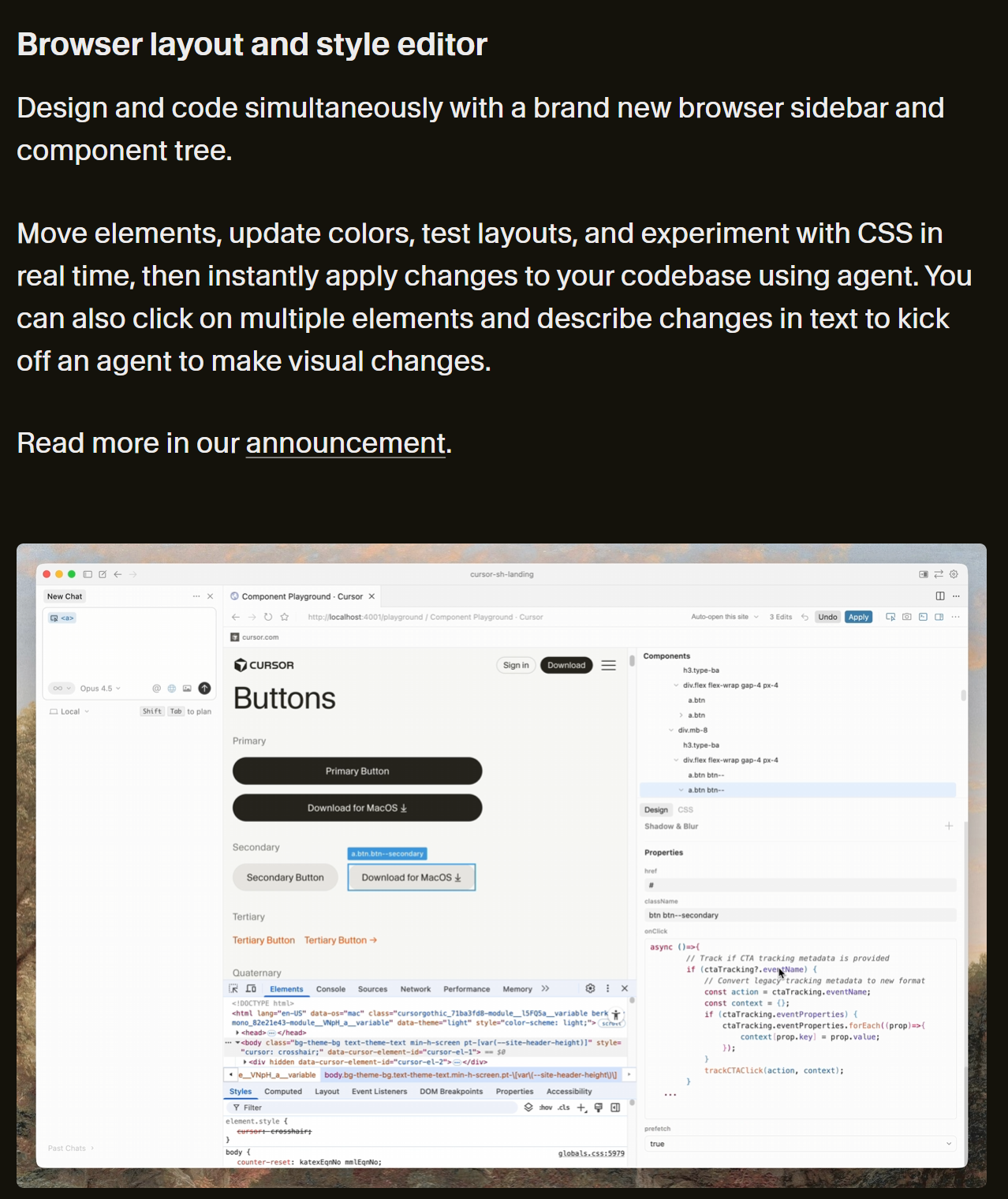
It shows the browser layout and allows you to view and modify it in real-time.
It will be a very useful feature for developers in that it immediately shows the properties being changed.
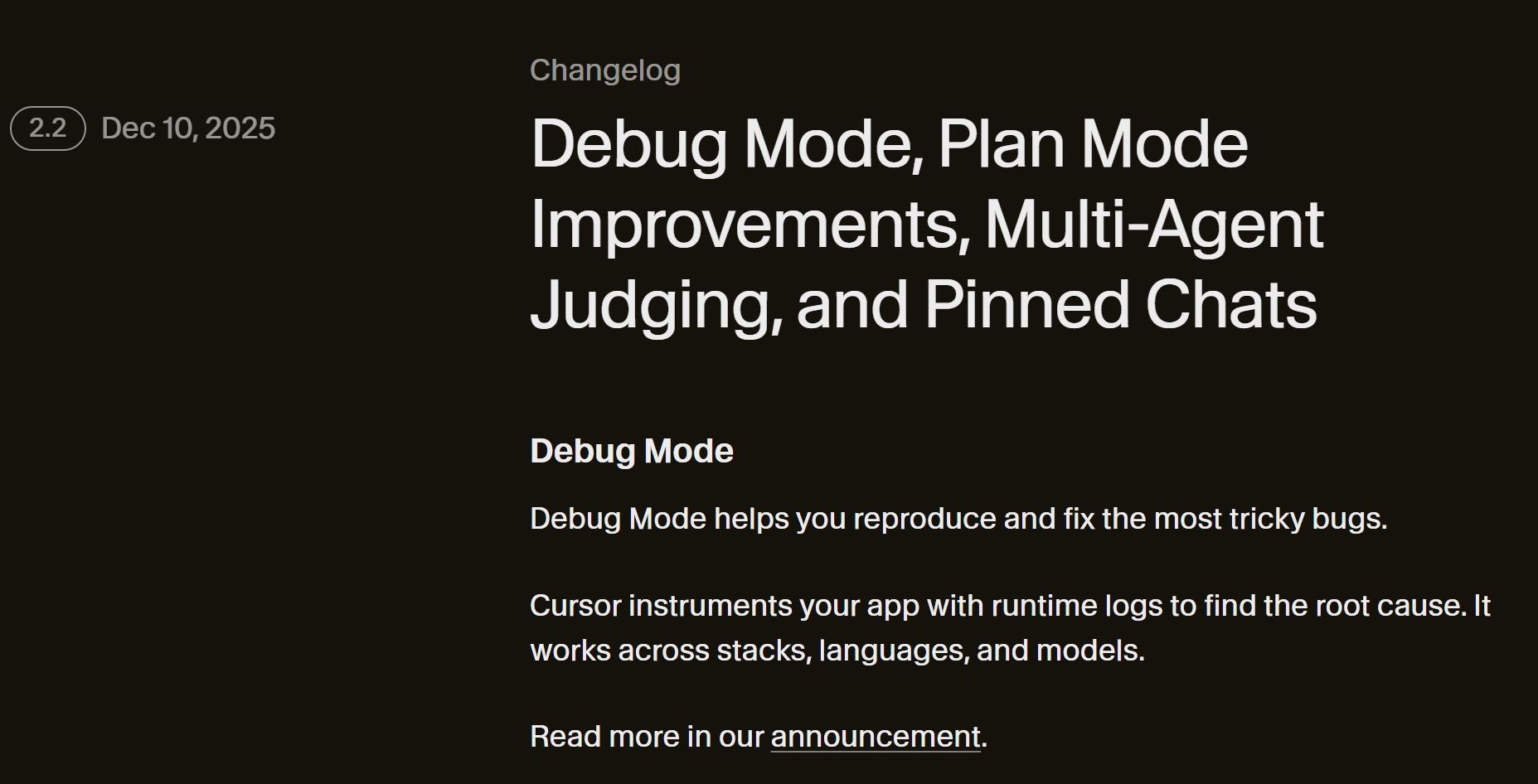
Other changes include an updated plan mode and the addition of multi-agent evaluation.
Based on v2.2, I plan to update the course to cover the browser layout, plan mode, and the newly added Agent tab.
I will become the #1 Cursor-related course on Inflearn by continuously tracking updates until the end.
Later, if Cursor falls behind in the market or an overwhelmingly superior IDE emerges, I plan to stop updating the course,
Until then, please continue taking the course steadily..^^
+) Additionally, Stanford University in the United States has created a new computer science course called "The Modern Software Developer." I noticed it includes a significant amount of content on Agent coding and development using LLMs. I highly recommend reading through it. (Check out the Syllabus section)

The Cursor team announced Cursor version 2.0 on October 29th.
It's only been a few days since I updated the course based on v1.7, and it's already changed like this.
I am also someone who looks forward to new features and studies diligently,
I'm happy that LLM-based code editors are constantly evolving.
As a developer, you can expect greater productivity, and it becomes an opportunity for individuals to make a significant impact on society.
I gave 2 major presentations.
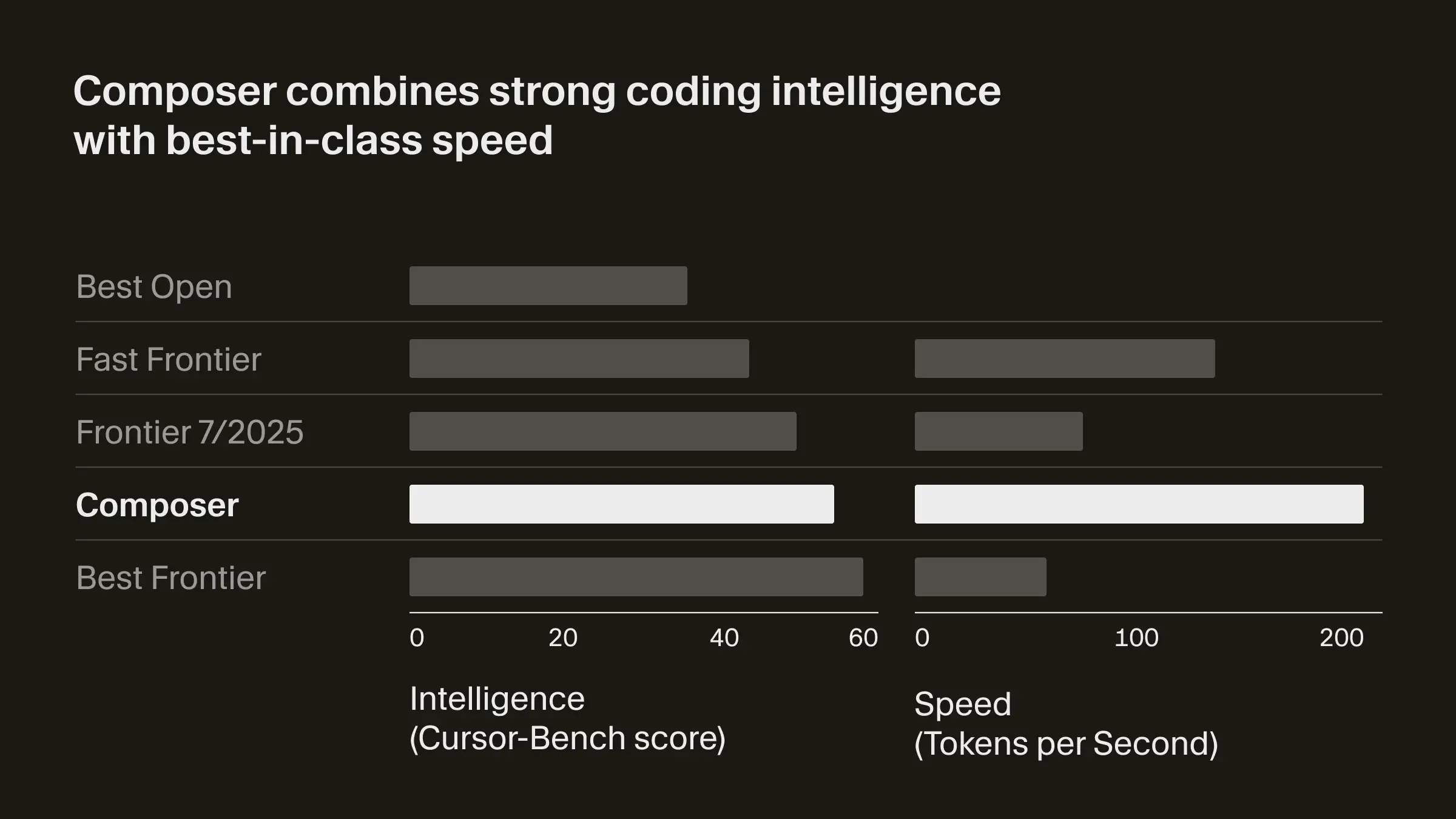
The first one is Composer, which was announced.
It is said to be the most advanced model that is 4 times faster than models of equivalent intelligence.
The second is the multi-agent interface.
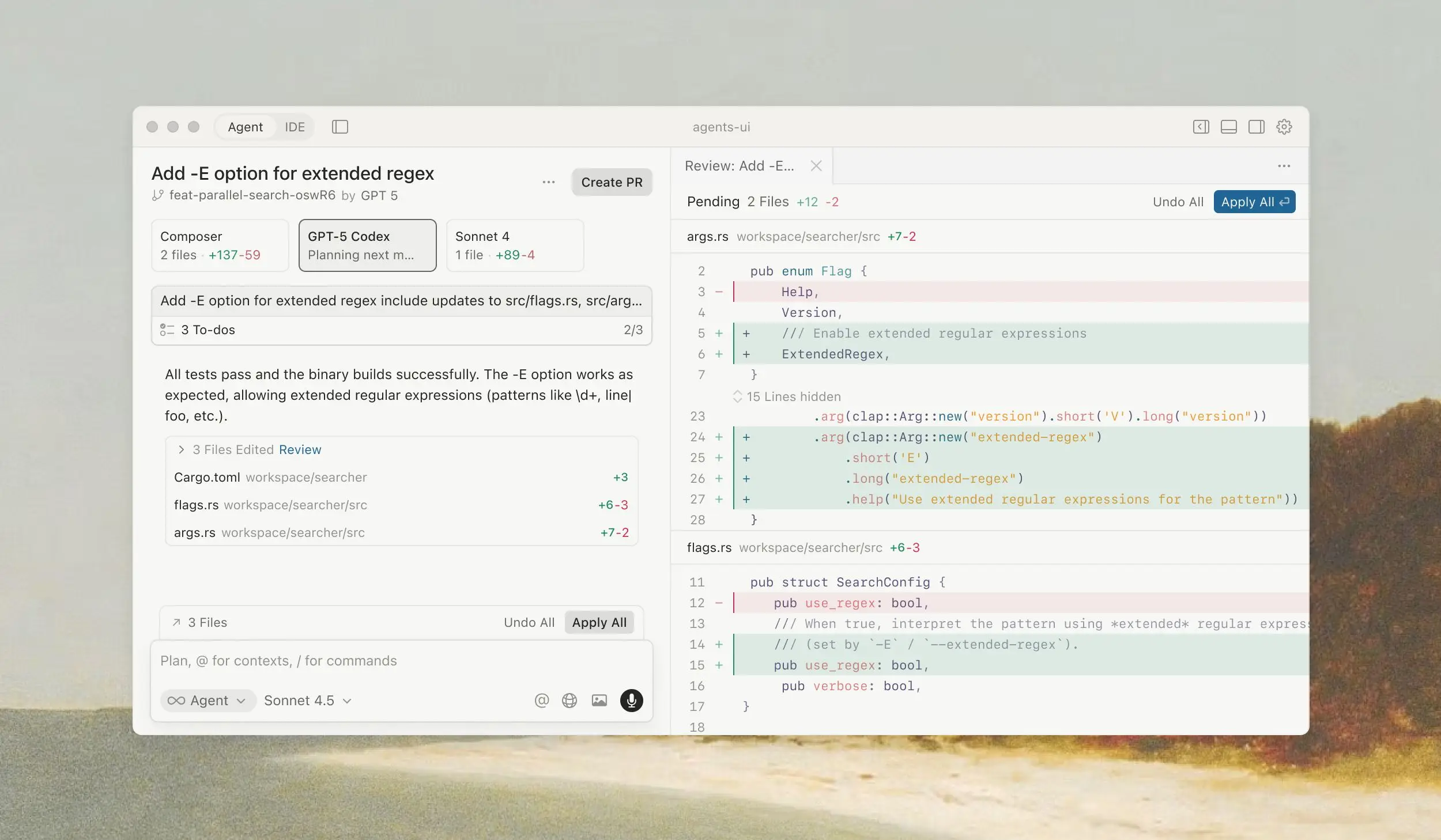
Now they say the editor is designed with an agent-centric approach rather than a file-centric one, providing a more focused environment. While there are concerns about whether LLMs can accurately determine which tools to execute to perform tasks, I think this update suggests that an agent-based world will eventually arrive.
Additionally, they say that by utilizing git worktrees or remote machines, multiple agents can now run in parallel without interference.
You can check the detailed information below.
Hello,
Fellow students who are working hard on development today as well.
The competition in the LLM code editor market is becoming fiercer day by day.
However, I still think that Cursor has the fastest feature updates and is ahead of the competition.
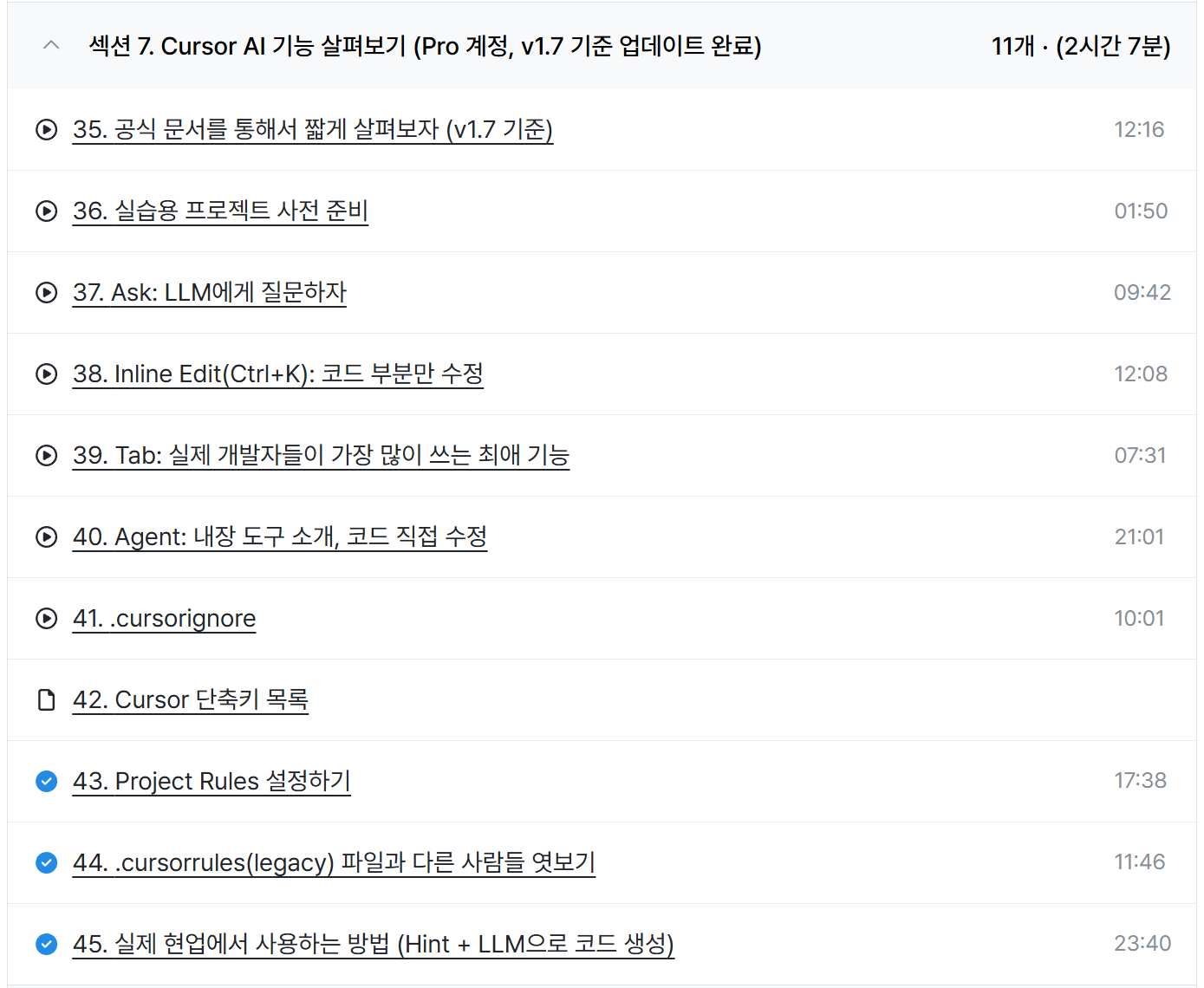
I removed the previous version 0.48 video and updated it with a newly recorded video featuring significantly changed functionality.
Most major features have been updated, except for Plan mode and the context provision feature through @commands.
I plan to continue maintaining this as an improving course going forward,
Please take many courses and ask many questions so that you can work on more projects through Cursor.
Thank you.
1. Course Update Notice
Hello, students of Web & JS: Learn by Building with Cursor.
I recently uploaded all the final project (quiz) content, but then took the videos down again.
When I started this course, Cursor was at version 0.5xx, but it has now reached version 1.7.
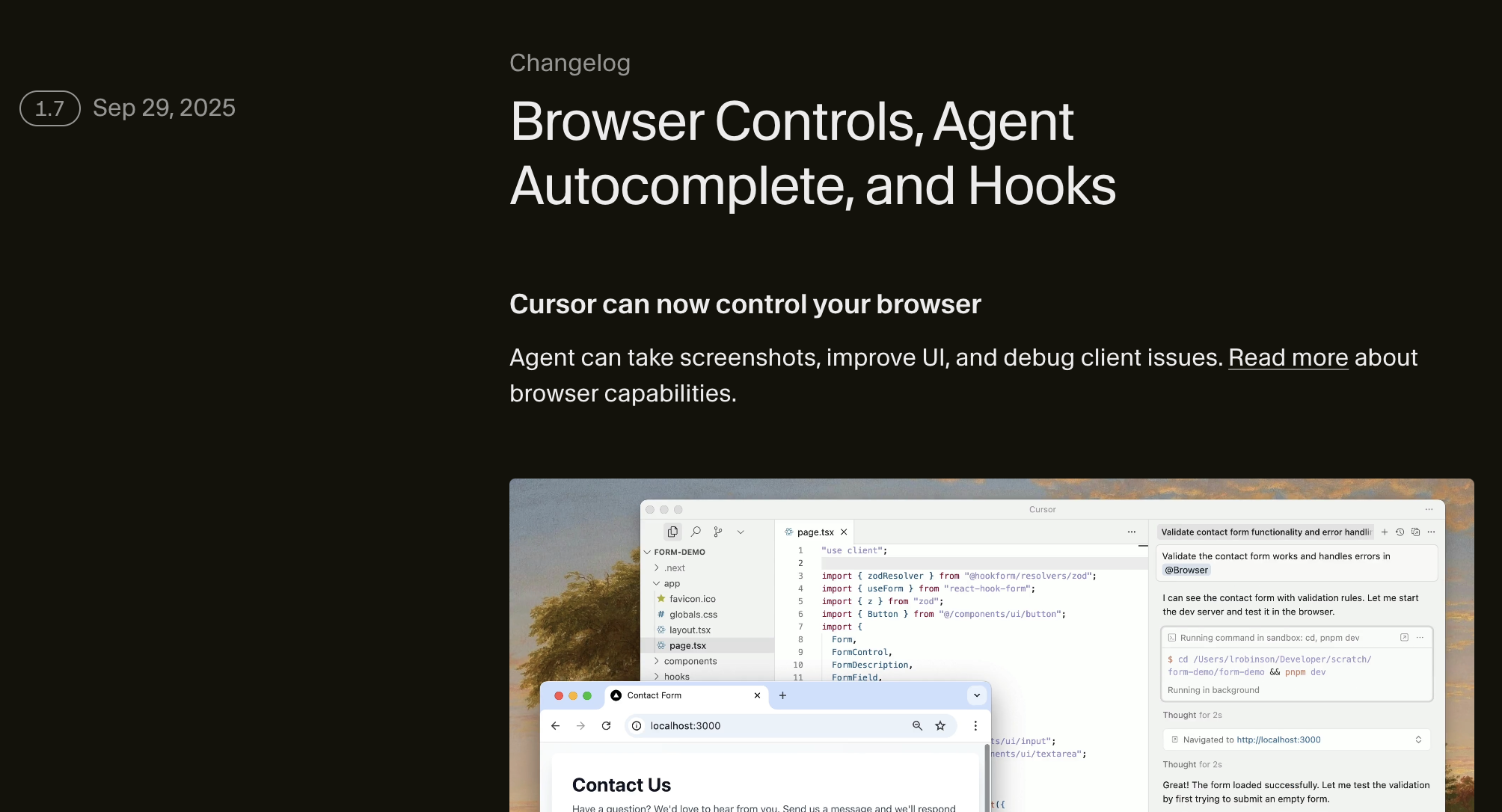
There have been numerous advancements in LLM models during this time.
Claude Sonnet 4.5 version has been released, and the GPT-5 with Grok Code fast model has been released.
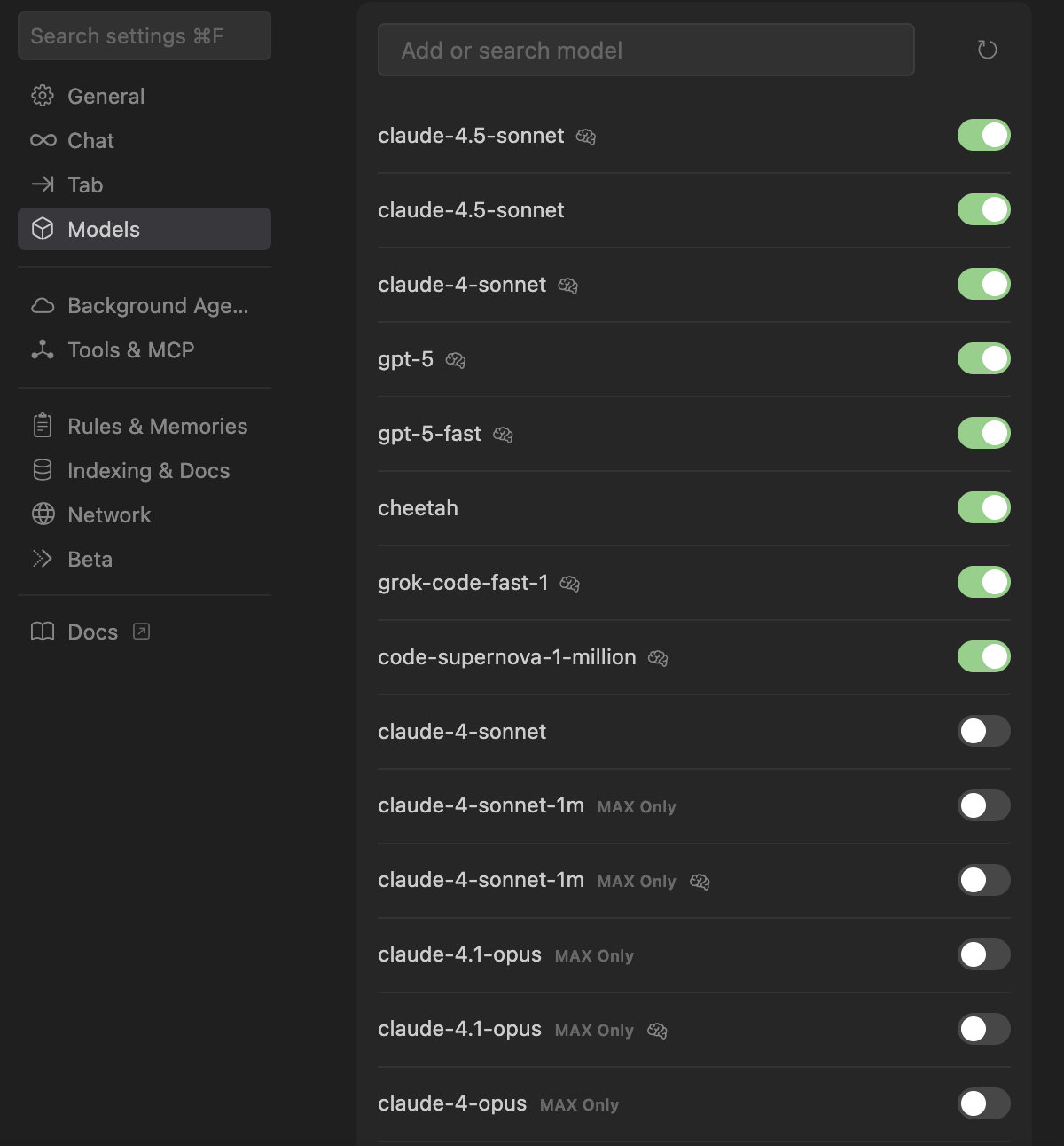
Various features such as Background Agent, MCP, Todo, Plan, Cursor CLI, and more have been added to Cursor during this time
I didn't have time to cover it in earnest. So I'm planning to proceed with an overall Update of the lecture.
I used to be a native Android app developer in the past, and these days I'm developing SaaS as a full-stack developer.
Through various experiences, I realized that the basic projects I had uploaded did not meet the course quality standards I had set for myself.
So I'm planning to systematically create and update projects on a larger scale.
This course was originally planned to have its price increased after completion, so
It would have been personally better to finish quickly and raise the price, but
I'm not going to upload this course for just a day or two and then stop
As AI tools continue to develop, I plan to keep improving and maintaining it, so for my future self as well
I concluded that it would be better to upload videos in a more specific and systematic manner.
Therefore, I plan to upload the final project with more specific chapter organization,
Section 12 (Web APIs), which is not a hands-on project, is scheduled to be fully uploaded within this week.
2. Upload Schedule (in order of priority)
Web APIs: ~by October
Project Three: ~November 31st
Section 7 - Complete update of Cursor features to the latest version: Mid-November
3. Additional lecture chapters planned
In addition to this, I plan to add chapters to this course by uploading text files containing prompt writing methods and prompt examples.
After completing the course to the quality I want, I plan to increase the course price to around 150,000-160,000 won.
4. Others
After completing the frontend area with this course, we plan to release courses on writing server-side (backend) programs and full-stack courses.
I believe that in the AI era, everyone will eventually be able to create their own services in the long term
As someone who first encountered software development, I want to contribute to making every individual an entrepreneur.
Words of Apology
Finally, I sincerely apologize for the continued delays in video uploads.
We deeply apologize and will ensure that the challenges and hearts of all those who made payments are not wasted
I will do my best to create a video that visualizes and explains in detail everything I know.
Thank you to everyone who always supports us, and I hope you have a happy holiday.
Weekend Coding submitted.