
inflearn logo
inflearn logo

Concepts: project management, Notion AI, and time management-(2026)

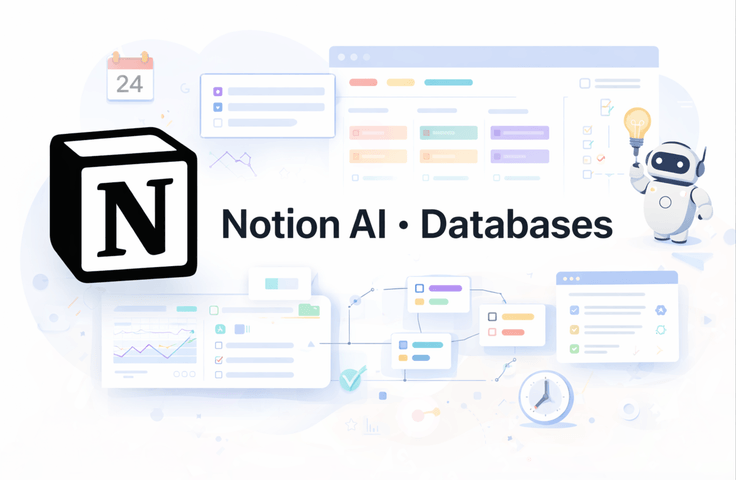
Notion is one of the most powerful tools for organizing work, projects, and knowledge—but many users struggle because they rely on templates without understanding how Notion actually works. In this course, I help students move beyond confusion and scattered setups by teaching Notion as a system. You’ll learn how to configure Notion correctly from day one, understand how blocks, pages, and databases truly function, and build workflows that remain clean, flexible, and scalable over time. Through clear explanations and practical examples, I guide you step by step—from the fundamentals of Notion to advanced features like databases, dashboards, automations, formulas, and Notion AI—so you can confidently design systems that support your productivity instead of slowing you down.

강의소개.상단개요.수강생

난이도 입문

수강기한 무제한

Notion
Notion
Project Management (PM)
productivity-power-tools
organization management
Production Management
Notion
Notion
Project Management (PM)
productivity-power-tools
organization management
Production Management

강의상세_배울수있는것_타이틀

  • Set up Notion correctly and use it efficiently from day one

  • Understand how blocks, pages, and databases truly work in Notion

  • Build structured and scalable databases for projects and knowledge

  • Create dashboards for project tracking and daily workflows

  • Use filters, relations, rollups, and formulas to connect information

  • Automate workflows with buttons, templates, and Notion AI

  • Confidently design custom systems instead of copying templates

Notion Mastery for Productivity & Project Management (with Notion AI)

This course teaches you how to use Notion as a complete productivity and project management system—from daily task tracking to advanced databases, dashboards, and AI-powered workflows.

The skills taught in this course are widely used in:

  • Project management

  • Knowledge management

  • Operations & office workflows

  • Freelancing and entrepreneurship

  • Personal productivity systems

Throughout the course, you’ll work with real Notion examples, including dashboards, databases, and automations, so you can directly apply what you learn to your own work.

What You’ll Learn

Section (1): Core Keywords

Notion Fundamentals · Productivity Systems · Databases

In this section, students will learn how Notion actually works under the hood and how to set it up correctly from the beginning.

You will learn:

  • How Notion blocks, pages, and workspaces truly function

  • How to navigate the Notion interface efficiently without friction

  • How to structure pages as reusable, scalable systems

  • How to create and organize databases the right way

  • How to control database views using filters, sorting, grouping, and layouts

Section (2): Core Keywords

Project Management · Automation · Notion AI

This section focuses on turning Notion into a powerful operating system for your work.

You will learn:

  • How to connect databases using relations and rollups

  • How to build project dashboards and tracking systems

  • How to reuse work efficiently with templates

  • How to automate workflows using buttons and formulas

  • How to use Notion AI inside pages and databases for writing, summarizing, and organizing information

  • How to design workflows that scale as your workload grows

Before You Enroll

Prerequisites & Notices

  • No prior knowledge is required.
    This course starts from the basics and gradually progresses to intermediate and advanced concepts.

  • Audio & Video Quality:
    All lessons are recorded in clear audio with high-resolution screen capture for easy follow-along.

  • Recommended Study Method:
    The best way to learn is to follow along inside your own Notion workspace while watching the lessons.

  • Questions & Support:
    Students can ask questions through the course platform, and answers will be provided to help clarify concepts.

  • Course Updates:
    The course may receive updates to reflect new Notion features, including improvements to Notion AI and automation tools.

  • Copyright & Intellectual Property:
    All course materials are for personal use only. Redistribution, resale, or reproduction without permission is not allowed.

강의소개.콘텐츠.추천문구

학습 대상은 누구일까요?

  • Beginners who feel overwhelmed by Notion and don’t know how to structure their workspace

  • Intermediate Notion users who rely on templates but want to build their own systems

  • Freelancers, students, and professionals who want better project and time management

  • Teams or solo entrepreneurs looking for a central workspace for work and knowledge

선수 지식, 필요할까요?

  • No prior knowledge is required. This course starts from the fundamentals and gradually progresses to advanced workflows, making it suitable for both beginners and intermediate users.

강의소개.지공자소개

Hello, I'm Markus, a software developer specializing in Artificial Intelligence and Python. I work in the finance industry and have extensive experience developing LLM applications with LangChain and successfully deploying them into production.

I am passionate about teaching and strive to make complex topics approachable and practical for my students, focusing on providing clear, hands-on learning experiences.

I’m excited to share my knowledge with you and help you grow your skills.

I look forward to welcoming you to my courses and being part of your learning journey!

더보기

커리큘럼

전체

36개 ∙ (강의상세_런타임_시간 강의상세_런타임_분)

강의 게시일: 
마지막 업데이트일: 

수강평

아직 충분한 평가를 받지 못한 강의입니다.
모두에게 도움이 되는 수강평의 주인공이 되어주세요!

Markus Adam님의 다른 강의

지식공유자님의 다른 강의를 만나보세요!

비슷한 강의

같은 분야의 다른 강의를 만나보세요!

강의상세.할인문구

$32,340.00

30%

$35.20