ChatGPT is out. This has made it possible for people who don't know how to develop to create apps. If you have an idea but haven't created it yet, try it quickly!
Android app development for everyone, You can do it with ChatGPT!
Using ChatGPT Easy and simple mobile app development
'I have an idea, but I don't know how to develop it...'
If you are not a professional developer but want to implement a simple idea into a mobile app
I want to start a business with a mobile app.
Anyone who wants to learn app development in a simple way and learn how to continuously upgrade their apps on their own.
'Development, where and how should I start?'
If you are feeling overwhelmed by the difficulty and vastness of learning Android app development,
Android app development, all you need is an idea!
ChatGPT, the AI chatbot that has become a major trend in recent months! With ChatGPT, anyone with an idea can now develop an app.
This lecture uses ChatGPT to ask ChatGPT how to develop an Android app , and applies the information to actual development . When building a mobile app using ChatGPT, what questions should you ask ChatGPT in what situations? And how should you utilize its answer sources? We'll teach you essential questioning techniques and development knowledge. Whether you're a non-developer or just a casual user, try your hand at app development!
4 key points from the student's perspective!
1️⃣ Let's start with a story that anyone with no development knowledge can understand .
2️⃣ We'll tell you what questions to ask ChatGPT and in what situations .
3️⃣ We will tell you where to copy and paste the source code you received in response.
4️⃣ And it allows you to study the contents one by one and maintain them in the future.
Just ask ChatGPT your questions. And then you just follow along.
This course begins with asking ChatGPT questions. By providing methods that anyone can understand and follow, you'll naturally develop the know-how to implement your ideas. Start simply and learn by following along through practice!
Sample apps you can create with ChatGPT Design an app → Think about the app screen → Ask GPT a question → Apply it to the response program
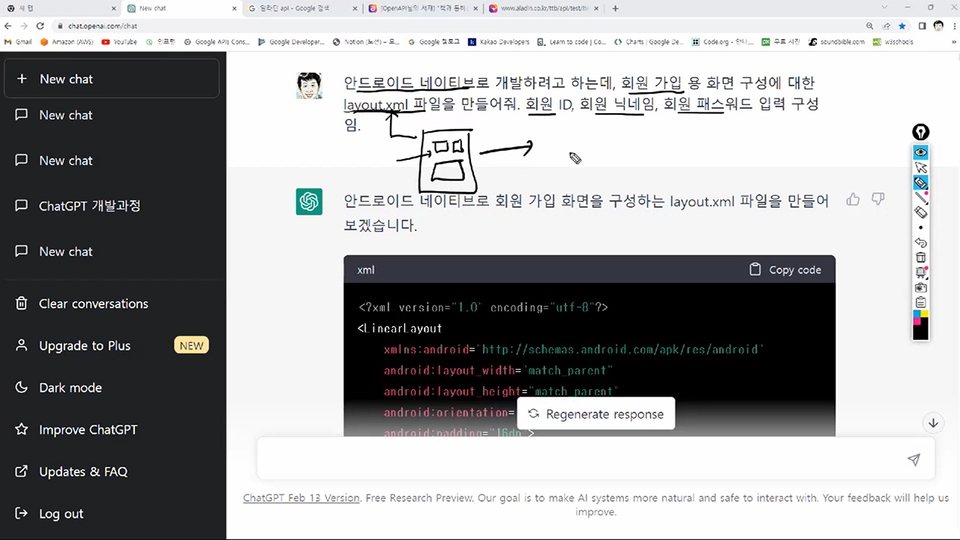
Create a membership sign-up screen by asking ChatGPT a question.
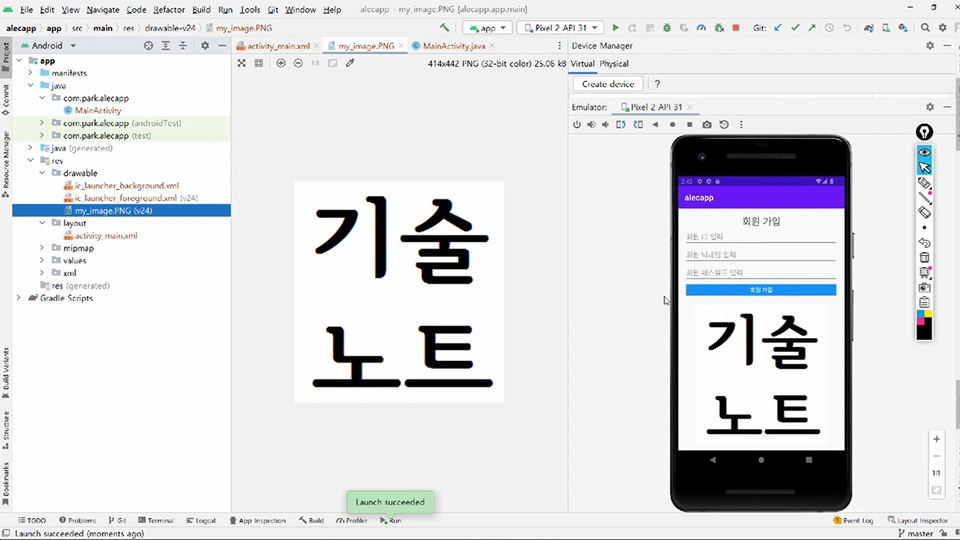
Develop a feature to display images on the screen with ChatGPT.
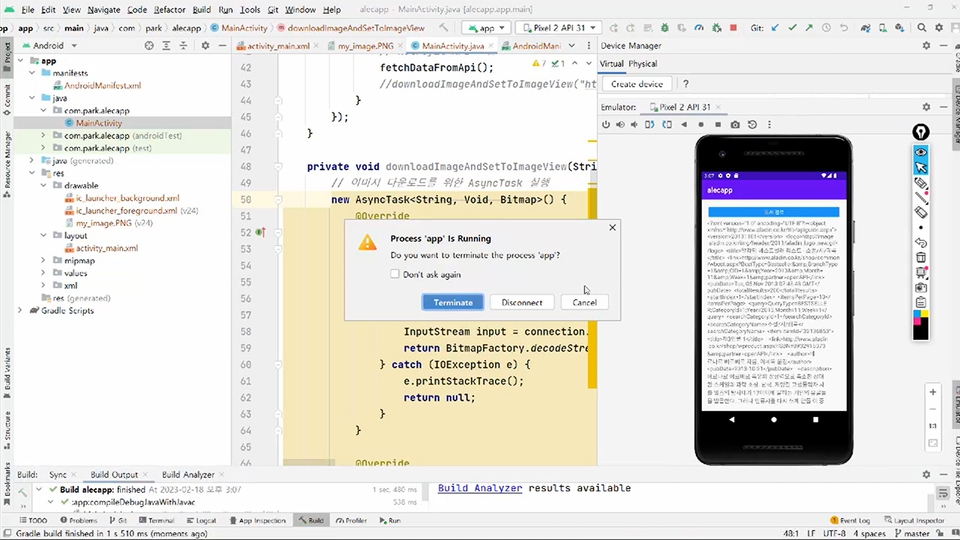
Learn how to retrieve book information from the Internet with ChatGPT.
After attending the lecture, you'll be able to create your own app by gradually changing the questions ChatGPT asks. You'll be able to develop your own app by following the source code presented in the responses and applying it in a similar way.
Here, we've created a separate course covering the core content of Android app development. By gradually delving deeper, we've designed it to maintain interest while ensuring sufficient learning.
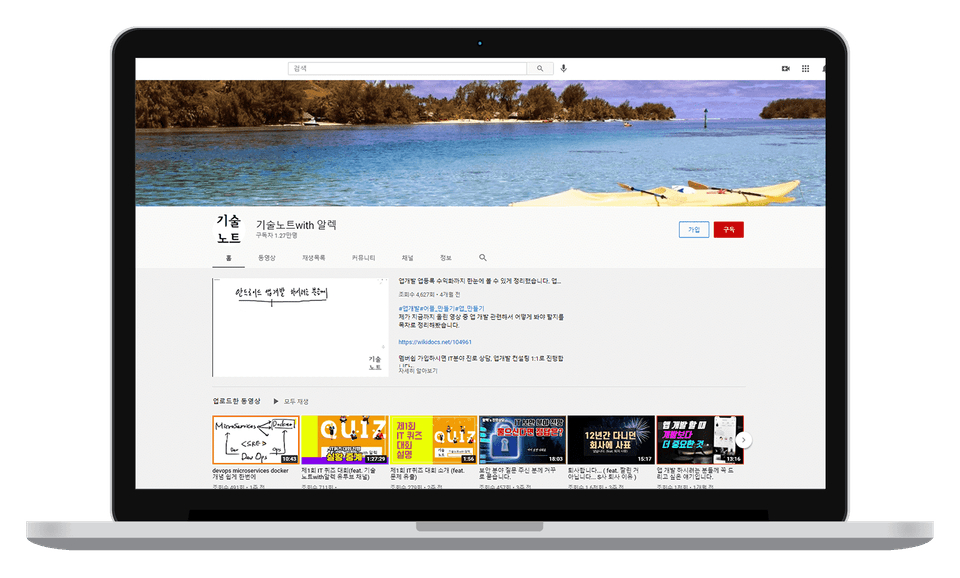
Tech Notes with Alex Channel Check out more videos!
I've been running the YouTube channel "Tech Notes with Alex" for about three and a half years now, and I've been receiving a lot of inquiries about app development. The most common questions are, "I have an idea, but I don't know where to start," and, "Outsourcing feels burdensome, and I want to do maintenance and development myself, but I don't know how to study." I hope this course will help you learn how to develop your own app!
Q&A 💬
Q. Can I do this even if I don't know much about development?
If you approach it with the mindset of making a light and fun app and then studying afterwards, you can do it. Just follow along first, and then study later.
Q. How complete can an app be made using GPT?
It's difficult to say you can complete it, but I can say you can get started. ChatGPT helps those who are unsure of how to develop get started. You can achieve completion through a process of gradual refinement.
Q. Does this only apply to Android native?
While the basic approach is based on Android native, ChatGPT allows for translation into other languages. This also enables iOS development.
💾 Please check before taking the class!
The training will be conducted in Windows and Android environments, using Android Studio .
Recommended PC specifications are 16GB of memory and 30GB or more of disk space .
Source code is provided to students.
This course is designed for beginners in app development, non-development majors, and business leaders.
10 years of experience in software development / 12 years of experience as a Project Manager / Currently in IT Consulting
App development lectures / Professional Engineer certification holder / AWS Certified Solutions Architect – Professional holder
Portfolio/Personal Videos
I have been running a YouTube channel for over 3 years now. (IT knowledge, app development lectures, and know-how from my experience studying for the Professional Engineer certification)
YouTube Channel 'TechNote with Alec'
A book has been published that allows you to study computer architecture and operating systems easily and systematically on your own. Yes24: https://gilbut.co/c/25058579xE Kyobo Book: https://gilbut.co/c/25
A book has been published that allows you to study computer architecture and operating systems easily and systematically on your own.


.png?w=736)







![[Portfolio] Creating an Android App - Theory EditionCourse Thumbnail](https://cdn.inflearn.com/public/courses/335258/cover/371a20a3-e586-4be2-b40e-addbf7fb3416/335258.png?w=420)

.png?w=420)
![[Python beginner] ChatGPT voice translation app made with FlutterCourse Thumbnail](https://cdn.inflearn.com/public/courses/333668/cover/94589a80-ab05-4bd1-ad98-1e42b75a47fc/333668.png?w=420)