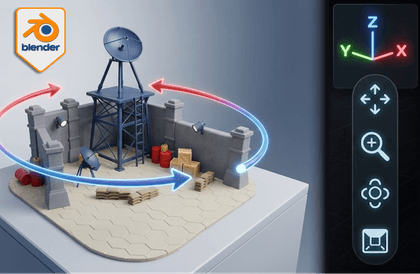
Blender 3D for Absolute Beginners with a 3D Emoticon Artist

New to both Blender 3D and 3D in general? A 3D KakaoTalk emoticon creator will directly teach you in this beginner-friendly 3D introductory course.

(5.0) 1 reviews

34 learners

Level Beginner

Course period Unlimited

3d-modelling
3d-modelling
Blender
Blender
3d-modelling
3d-modelling
Blender
Blender
날개 달린 동전

Recommend Course to grow and earn commission!

날개 달린 동전

Marketing Partners

Recommend Course to grow and earn commission!

What you will gain after the course

  • Basic Interface and Operation of Blender

  • Creating your own 'Mini Shop' by following along step by step

  • Node system, HDRI settings, and final rendering

  • How to Use Blender 3D MCP + Claude AI

< Mini Shop Creation> Hands-on Project that Anyone Can Follow

We will guide you step by step from Blender installation to operation, modeling, texturing, lighting, node system, HDRI settings, and final rendering so that even beginners can follow along without difficulty.

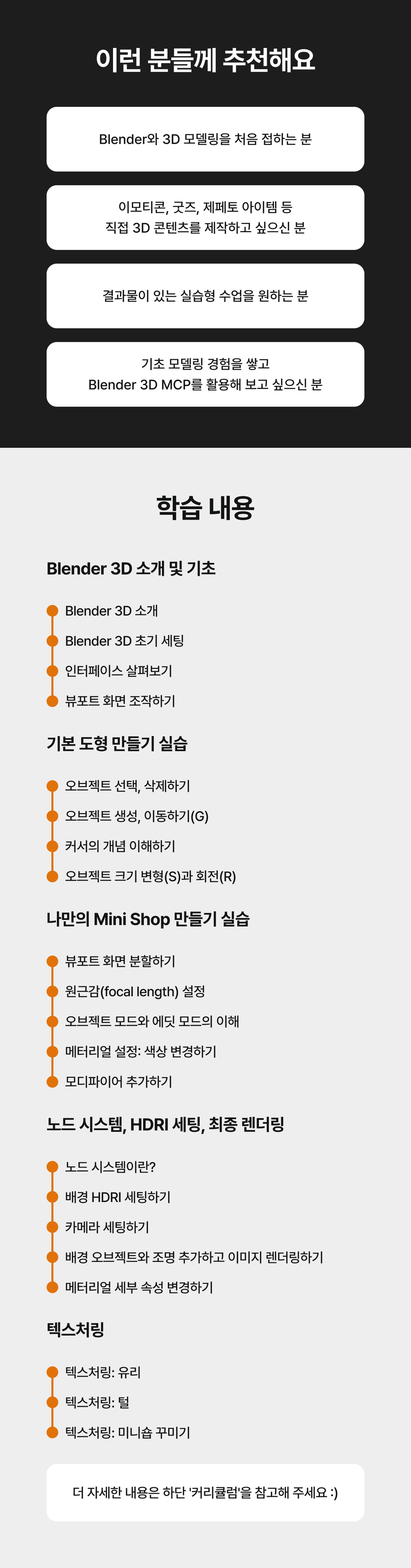
You can learn things like this

Blender 3D Introduction and Basics

  • Introduction to Blender 3D

  • Blender 3D Initial Settings

  • Take a look at the interface

  • Manipulating the Viewport Screen

Practice making basic shapes

  • Select and delete objects

  • Create and move objects (G)

  • Understanding the concept of cursor

  • Object size transformation (S) and rotation (R)

Practice making your own Mini Shop

  • Splitting the viewport screen

  • Setting the focal length

  • Understanding Object Mode and Edit Mode

  • Material Settings: Changing Colors

  • Add a modifier

Node system, HDRI settings, final rendering

  • What is a node system?

  • Setting up the background HDRI

  • Setting up the camera

  • Add background objects and lights and render the image

  • Change material detail properties

Texturing

  • Texturing: Glass

  • Texturing: Fur

  • Texturing: Decorating the Minishop

Things to note before taking the class

Practice environment

  • The lecture will be conducted in a Windows environment .

  • The course will be taught using Blender version 4.0.1 . You can also take the course using the latest version without any problems.

  • Texturing lessons are conducted in a Mac environment .


Preparation

🙋‍♂ Instructor Introduction

️"What if this is your first time using Blender tools and 3D?"

A friendly introduction to modeling from the creator of KakaoTalk 3D emoticons

  • Blender 3D Basics that even beginners can easily learn

  • Practice making your own Mini Shop

  • Introduction to the node system, HDRI settings and final rendering

  • How to use Blender 3D MCP + Claude AI

100% Free! Open Source 3D Modeling Software Blender 3D

Blender is an open source 3D modeling tool that anyone can use for free.
It is widely used by creators around the world because it can handle all processes including 3D modeling, animation, texturing, and rendering within a single program.

#Free #High-performance #Intuitive interface #Active community #Supports various add-ons

Why 3D Modeling Beginners Should Learn Blender!

  • Completely Free & Commercially Available: Anyone can use it freely and use the results commercially.

  • All-in-one 3D creation tool: modeling, material setup, animation, and rendering, all in one place, without any other programs.

  • Lightweight & Intuitive UI: The interface is designed to be easy to access for beginners. There are a lot of shortcuts, but once you get used to it, it’s very efficient.

  • Powerful expandability: You can easily add desired functions such as AI functions, automation, and simulation by utilizing various free or paid add-ons.

What can I use Blender 3D for?

If you learn 3D modeling, you can expand into various fields and even challenge yourself to monetize it.

  • Get a job as a 3D modeler

  • Create and sell paid add-ons/modeling sources (assets)

  • Creating Blender 3D Lessons

  • 3D character design outsourcing work

  • Metaverse Item Creation (Zepeto)

  • Making KakaoTalk emoticons, etc.

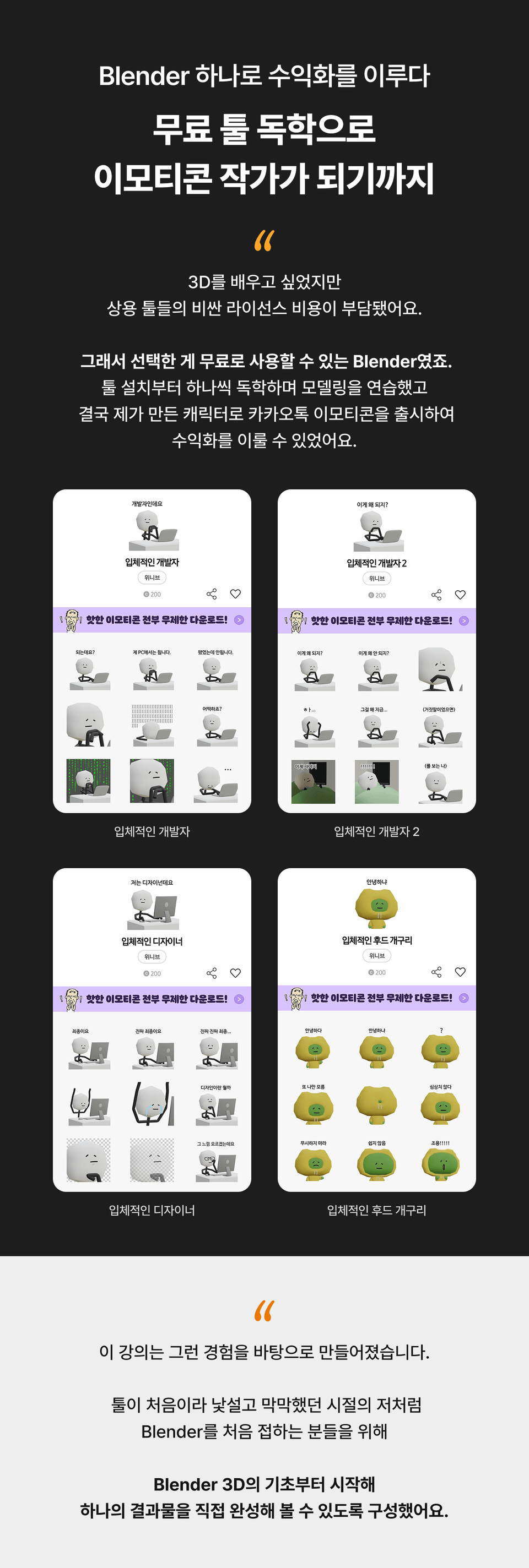
How to become an emoji artist by teaching yourself with free tools

I wanted to learn 3D, but the expensive license costs of commercial tools were a burden.
So I chose Blender, which is free to use. I practiced modeling by learning each tool on my own, and eventually I was able to monetize it by releasing KakaoTalk emoticons with the characters I created.

  • 3D developer

  • 3D Developer 2

  • 3D designer

  • 3D Hooded Frog

This course is based on that experience.

For those who are new to Blender, like me, who were unfamiliar with the tool and felt lost, I've organized it so that you can start from the basics of Blender 3D and complete a single result yourself.

Recommended for
these people

Who is this course right for?

  • For those who are new to Blender and 3D modeling.

  • For those who want to utilize 3D in emoticons, merchandise, content, etc.

  • For those who want hands-on, project-based classes

  • For those who want to build basic modeling experience and utilize the Blender 3D MCP add-on.

Need to know before starting?

  • Familiarity with using a mouse and keyboard is OK.

Hello
This is jejucoding

105,824

Learners

2,801

Reviews

163

Answers

4.8

Rating

80

Courses

소개 이미지.png.webp


🧙‍♂️ Hello. This is Jeju Coding Basecamp.

What is Jeju Coding Basecamp?


A bootcamp plotted by the hottest developers in Jeju! We provide passionate young people with the opportunity to grow as much as their passion!

Jeju Coding Basecamp is the largest ICT education event in Jeju, held in collaboration with local governments and companies such as Kakao, Goorm, and the Jeju Industry-Academic Convergence Institute.


Success in building a service
—through this experience, cultivate your confidence, self-esteem, sense of accomplishment, and the ability to be self-reliant in this era of job scarcity!, hãy nuôi dưỡng sự tự tin, lòng tự trọng, cảm giác thành tựu và khả năng tự lập trong thời đại khó khăn tìm việc làm này!

Go for it, youth! You can do it! 😀



︎ Jeju Coding Base Camp Roadmap

제코베 로드맵.png.webp


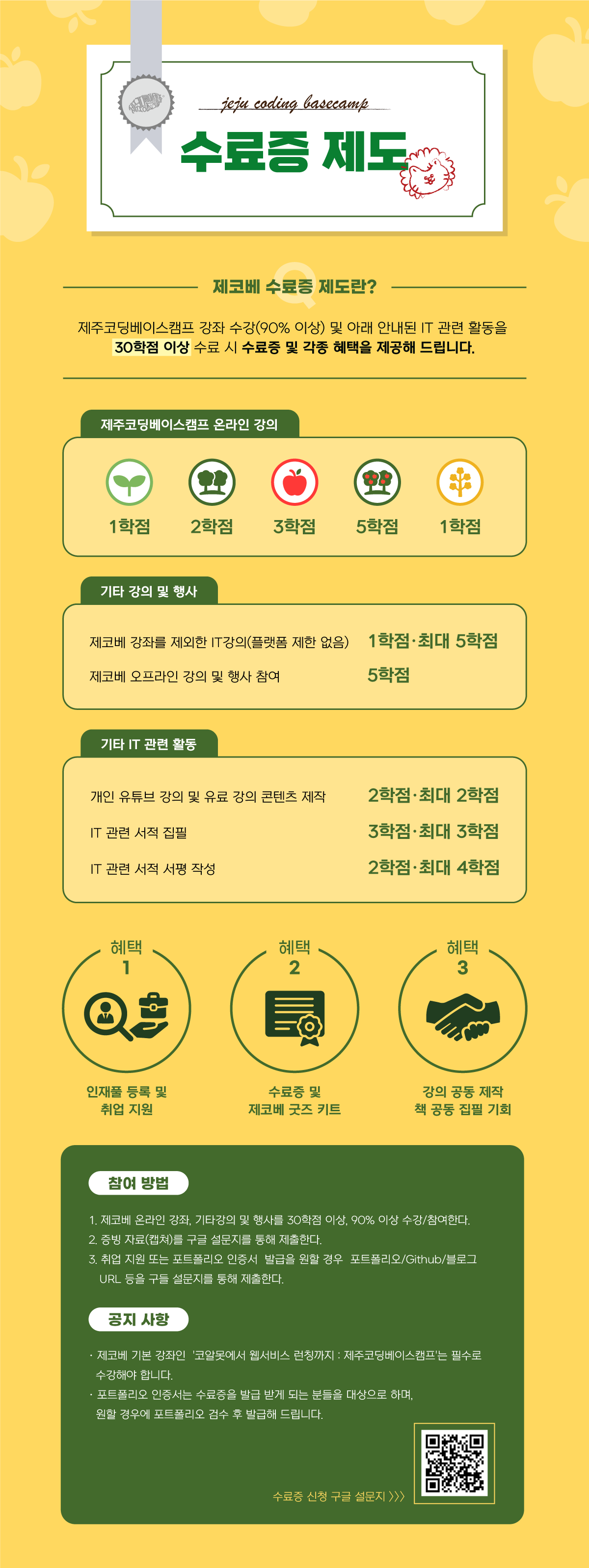
︎ Jeju Coding Basecamp Certificate System


- 1.png.webp


More

Co-instructor

Curriculum

All

42 lectures ∙ (3hr 31min)

Course Materials:

Lecture resources
Published: 
Last updated: 

Reviews

All

1 reviews

5.0

1 reviews

  • agibyouls님의 프로필 이미지
    agibyouls

    Reviews 9

    Average Rating 5.0

    5

    31% enrolled

    jejucoding's other courses

    Check out other courses by the instructor!

    Similar courses

    Explore other courses in the same field!

    $17.60