

Free Python Course (Usage Part 3) - Web Scraping (5 hours)
From HTML basics to expert scraping techniques, I'll teach you everything. This one video is all you need.
5,630 learners
Level Basic
Course period Unlimited
News
4 articles
hello!
I am Infraon's knowledge sharer, Nado Coding. 👋🎉 [ChatGPT Full Course] We are pleased to announce the new release of the course! 😊
In this lecture, we will start with the basic usage of ChatGPT.
A variety of prompt engineering techniques to get the optimal response I want,
And we'll even cover how to leverage the API to use ChatGPT within your programs.💡 Lecture Key Contents
- Create an image 🖼
- PDF-based Q&A chatbot 📝
- Voice to text conversion 🎙
- Create PPT, PDF, Excel files 📂
- Data Analysis and Visualization 📊
- Create an online picture book 🌈 📖
- Medical consultation chatbot service using Streamlit 🩺 🤖A wide variety of exercises and quizzes to review what you have learned so far.
And there are even projects prepared to help you hone your skills.Beyond simply asking questions and receiving answers,
Learn how to use ChatGPT properly! 🌟💥 We are holding a new release commemorative event . (Until 11/24)
✔ 50% discount coupon for lectures (discounted price 29,000 won)
✔ Coffee or gift certificates given away through raffle 🎁📣 Check here for more details !
👉 Go to: https://bit.ly/naco_chatgptThank you for your interest! 🙏
Thank you. 😊
hello?
I am also a knowledge sharer of Infraon, Nadocoding.To celebrate the start of the spring semester in March, we are offering a 20% discount on the Java Fundamentals course. (Until 3/15)
The Java course currently has 1,300 cumulative students and maintains a 5-star rating .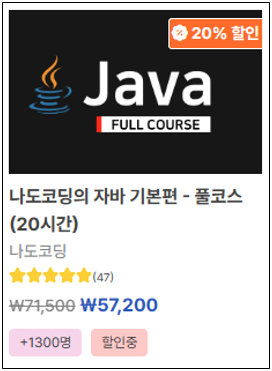
If you need Java this semester,
Start with the world's easiest coding lesson 😊👉 Shortcut: https://inf.run/BUS6
thank you
🎓 First, read the reviews from those who took the course 👇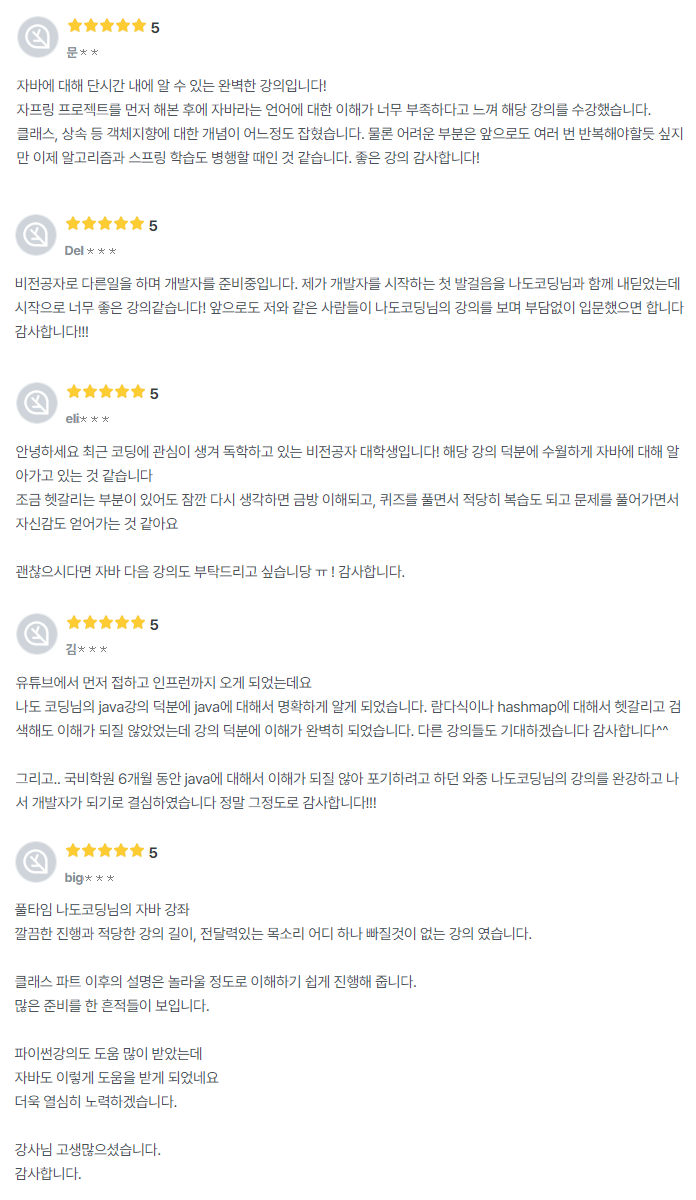
hello?
I am also a knowledge sharer of Infraon, Nadocoding.
【C Programming - From Beginner to Game Development】 The lecture has been published as a book. 📕👏🎶
We have prepared this with great care so that it can be helpful to those who were not satisfied with just video lectures, so please show us a lot of interest. 😊

This newly published book is different from the existing C lectures in this way!
1. Update all source code and descriptions to match the latest development environment.
2. Added various supplementary explanations in the form of notes and tips.
3. Self-check in the form of a 1-minute quiz and mini-project for each chapter
I recommend this book to these people:
1. For those who want to learn programming in more depth
2. Those who are currently enrolled in or planning to enroll in a computer-related department
Third, those who want to study difficult content easily and enjoyably.
Studying the C language, I, Nado Coding, can help you.
Meet us right now 😊
📕 Purchase Link
👉 Yes24: https://bit.ly/3dRhv5B
👉 Kyobo Bookstore: https://bit.ly/3UK4L1i
👉 Aladdin: https://bit.ly/3DUntxg
Hello, I am also coding. ^^
We would like to inform you that there have been changes to the webpage since the lecture was filmed.
Please study by referring to the contents below.
1. "Tistory" receives HTML normally without changing the UserAgent.
(Related lecture: User Agent)
2. When you try to log in to "Naver", an automatic input prevention character input page will appear. Please refer to the link that introduces a method to bypass this using JavaScript.
https://jaeseokim.github.io/Python/python-selenium-using-web-crawling-Naver-login-after-subscription-feed-crawling/
(Related lecture: Selenium Advanced (Naver Login))
3. After checking the contents of the "Coupang" lecture, it seems that some items are retrieved a little differently from when accessed on the web. About 80% of the screens are normal, and 20% retrieve values that do not exist on the page. (They may be contents that appear on the next page.) Also, 80% of the items seem to be in a slightly messed up order, unlike the web page. There seems to be a difference in the values returned by Coupang when retrieved using only requests, so it seems necessary to compare the results through selenium. I sincerely apologize for any errors in the contents because I did not think to fully inspect the results during class.
(Related lecture: BeautifulSoup4 Utilization 2 (Coupang))
4. When I try to retrieve Naver News from the "Project" lecture, I get a 500 Server Error. In this case, you can add your PC's user-agent to the headers in requests.
(example)
def create_soup(url):
headers = {"User-Agent":"Mozilla/5.0 (Windows NT 10.0; Win64; x64) AppleWebKit/537.36 (KHTML, like Gecko) Chrome/84.0.4147.89 Safari/537.36"}
res = requests.get(url, headers=headers)
res.raise_for_status()
soup = BeautifulSoup(res.text, "lxml")
return soup
(Related lecture: Headline / IT News (Naver News))
thank you
