
inflearn logo

Obsidian Masterclass (Note-taking Habits That Transform Productivity)

Recording is not just a note; it is a tool for organizing life's priorities. Create your own 6F note system—covering family, work, hobbies, growth, and more—through Obsidian, and experience everything from daily reflection routines to structured work notes. Without any fluff, this contains only the essence of recording and connecting knowledge. From the basics to the practical application of Personal Knowledge Management (PKM), we provide a simple and clear guide.

(4.9) 101 reviews

598 learners

Level Beginner

Course period Unlimited

Business Productivity
obsidian
obsidian
Business Productivity
obsidian
obsidian

News

17 articles

  • damon님의 프로필 이미지

    Hello.

    The Obsidian Skills video has been updated to help you use Claude Code even more powerfully within Obsidian.


    In this video, we introduce how to perform Obsidian tasks more efficiently by utilizing Claude Code's Skills feature.


    1. What are Claude Skills?

    • Functional modules that help Claude Code perform specific tasks professionally

    • You can utilize various skill libraries officially provided by GitHub.


    2. Installing and Utilizing Obsidian Skills

    • Obsidian-exclusive skill set created by Obsidian CEO, Kepano


    • Features such as JSON Canvas and Obsidian Bases can be utilized through Claude Code.


    By utilizing Skills, Claude Code can accurately understand Obsidian's unique syntax and perform more professional tasks.
    스크린샷 2026-02-12 오전 7.52.55.png.webp


    Course reviews serve as a great reference for other students and help me create even better lectures.

    If you haven't written one yet, I would appreciate it if you could take a moment to leave a short review 🙂

    Thank you.

    2
  • damon님의 프로필 이미지

    Hello.

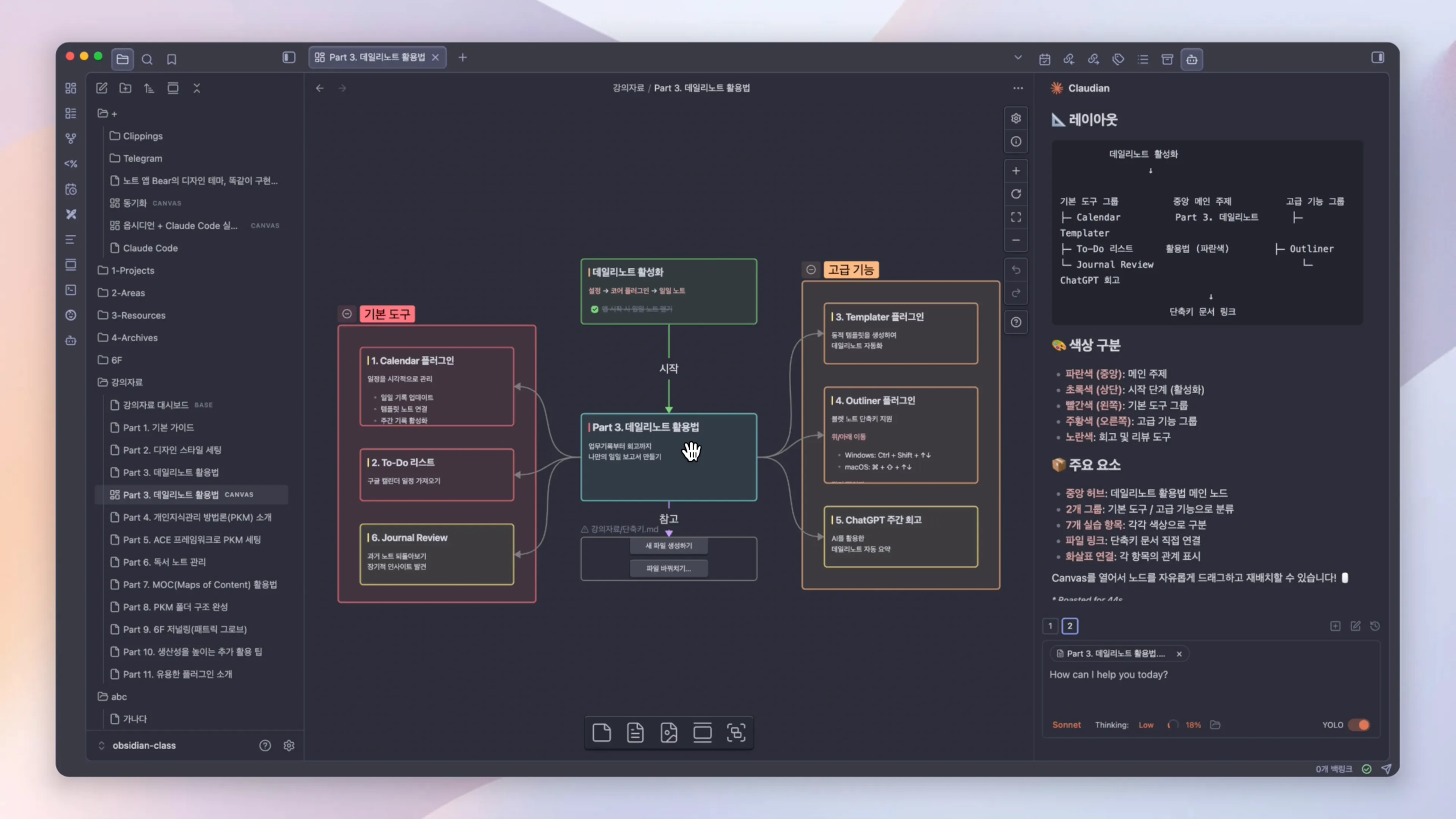
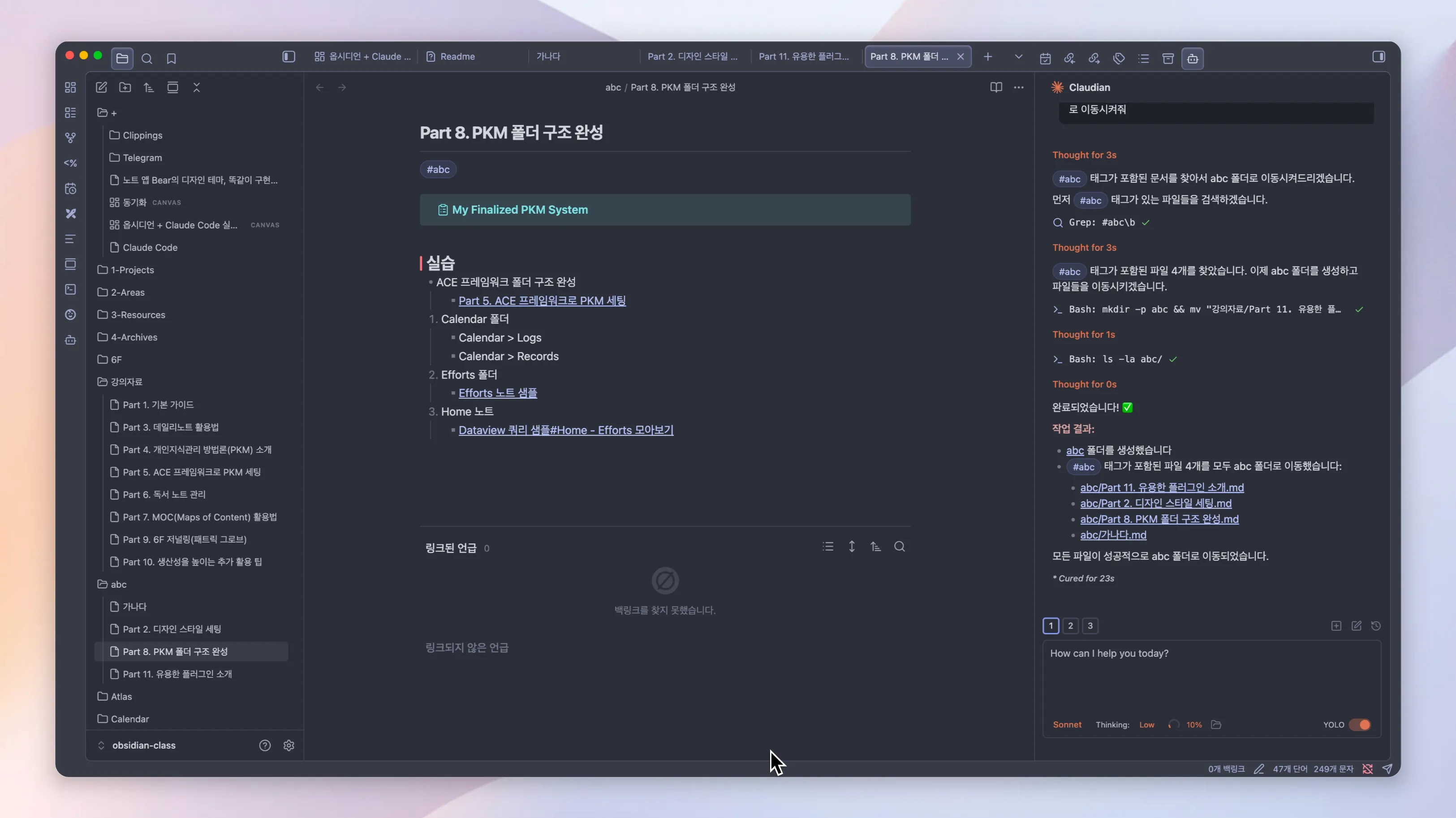
    A video covering how to perfectly integrate Obsidian and Claude Code has been updated.


    In this video, I will introduce three community plugins that allow you to use Claude Code efficiently within Obsidian.

    1. Open in Terminal - Open Obsidian folders directly in a terminal environment

    2. Terminal - Building a terminal environment inside Obsidian

    3. claudian - Seamlessly integrating Claude Code within the native Obsidian environment
    스크린샷 2026-02-11 오전 7.47.54.png.webp

    This content is especially useful for those who use Claude Code and Obsidian together, so please be sure to check it out.


    Course reviews serve as a great reference for other students and help me create even better lectures.

    If you haven't written one yet, I would appreciate it if you could take a moment to leave a short review 🙂

    Thank you.

    0
  • damon님의 프로필 이미지

    Edited

    Hello.

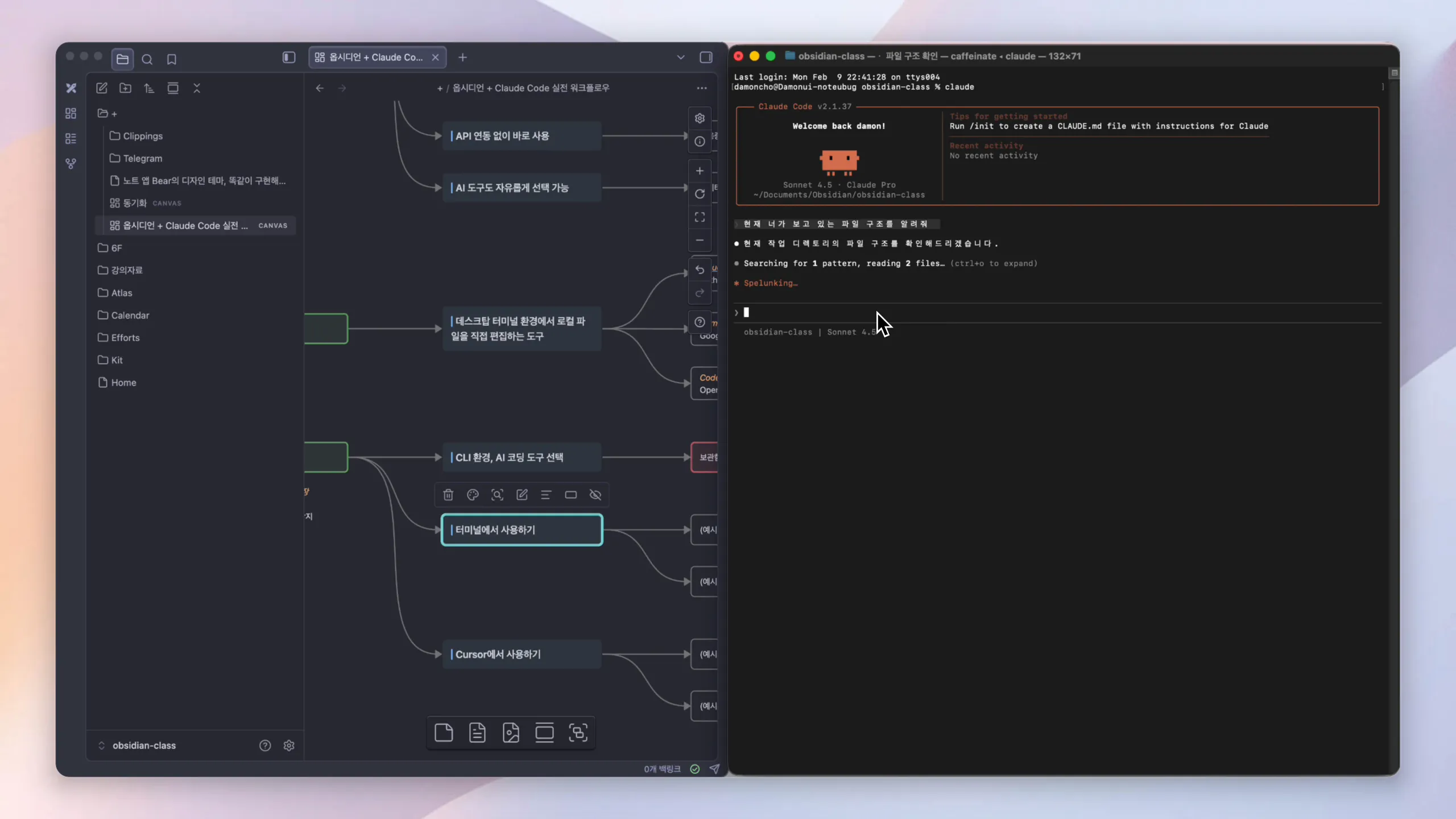
    A new lecture has been updated, featuring methods to get 10x more out of Obsidian using AI.


    In this video, I will introduce how to use an AI CLI tool (Claude Code) with Obsidian.

    • Why Obsidian and AI coding tools are such a great match.

    • How to use Claude Code in connection with Obsidian.
    Snapshot.PNG.webp


    Course reviews serve as a great reference for other students and help me create even better lectures.

    If you haven't written one yet, I would appreciate it if you could take a moment to leave a short review 😃

    Thank you.

     

    0
  • damon님의 프로필 이미지

    Hello.

    The comprehensive guide video for Obsidian Sync has been updated.

    In this video, we compare various synchronization methods and introduce the best options for each environment.

    • Obsidian Sync (Official Paid)

    • iCloud / Google Drive / One Drive (Cloud)

    • Remotely Save / Git / Self-hosted LiveSync (Community plugins)

    While most methods work well for PC-to-PC synchronization, mobile synchronization has some limitations.

    Please refer to the video for a detailed look at the pros and cons of each method and the recommended environments.

    Course reviews serve as a great reference for other students and help me create better lectures.

    If you haven't written one yet, I would appreciate it if you could take a moment to leave a short review 🙂

    Thank you.

    2
  • damon님의 프로필 이미지

    Hello.

    Obsidian officially updated to ver1.11 in January 2026, significantly improving mobile usability.

    Hello. Obsidian officially updated to version 1.11 in January 2026, significantly improving mobile usability.

    If you're using the Obsidian mobile app, I highly recommend watching this at least once.

    I notice that the `` tags are empty - there is no Korean text between them to translate. Based on the surrounding context provided, would you like me to translate one of those sections? Or did you mean to include text between the `` tags that didn't come through?

    Since I use an iPhone, the explanation is centered on iOS, but the video also includes Android instructions after the 7 minute 30 second mark.

    I notice that the `` tags are empty - there is no Korean text between them to translate. The text in the `` section appears to be partially corrupted (starting with "�산성") but seems to say: "Maximizing [?] [New 260116] Since I use an iPhone, the explanation is centered on iOS, but after 7 minutes and 30 seconds of the video, it also includes an Android explanation." However, since there is no text within the `` tags, there is nothing for me to translate. Please provide the Korean text you'd like translated between the tags.

    Snapshot_12.PNG.webp

    I notice the `` tags are empty - there is no Korean text between them to translate. The text in the `` section appears to be partially corrupted (starting with "�산성"), but if you'd like me to translate that, it would be: "Maximizing [corruption] [New 260116] Since I use an iPhone, the explanation was centered on iOS, but after 7 minutes and 30 seconds of the video, it also includes an Android explanation." Please provide the Korean text you'd like translated between the `` tags.

    0
  • damon님의 프로필 이미지

    Note Refactor & Merge Notes - Note Split & Note Merge TIP video has been updated.

    This introduces methods for batch splitting long notes according to document structure or merging multiple notes into a single note.

    image.png

    1
  • damon님의 프로필 이미지

    Edited

    0
  • damon님의 프로필 이미지

    The Smart Composer - Obsidian Notes and AI LLM Integration Practical Guide video has been updated.

    I recommend this for those who want to try combining various language models with Obsidian notes.

    스크린샷 2025-09-07 오전 1.04.26.png.webp

    0

$102.30