

.content:before 값에 z-index값을 줘도 뒤로 안가는 이유
4274
7 asked
글에 기울어진 디자인이 겹쳐서 이 디자인을 후순위로 하려고 z-index를 사용했는데 이게 동작을 안하네요.
왜 동작을 안하는지 알수 있을까요
Answer 6
0
왜 마이너스 값을 줘야 작동을 하는건가요
숫자가 낮은게 무조건 후순위 아닌가요
0
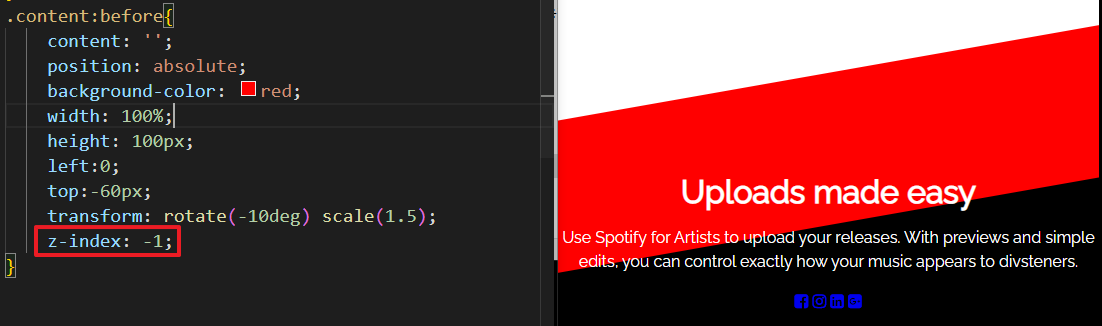
낮은게 후순위 맞습니다. 1 보다 -1이 더 낮은거니까 후순위로 갑니다.
포지션 속성이 relative, absolute, fixed가 들어가면 기본적으로 z-index는 0이 부여됩니다.
그러니까 0보다 낮아야 하니까 마이너스 값을 줘야 뒤로 숨길 수 있습니다.
0
/* Fontawesome 4.7 */
@import url('https://stackpath.bootstrapcdn.com/font-awesome/4.7.0/css/font-awesome.min.css');
/* Google Web Fonts CDN */
@import url('https://fonts.googleapis.com/css?family=Noto+Sans+KR:300,400,500,700,900&display=swap');
/* Google Web Font */
@import url('https://fonts.googleapis.com/css?family=Raleway&display=swap');
body{
    font-family: 'Raleway', sans-serif;
    line-height: 1.5em;
    margin: 0;
    background-color: #fff;
}

.gallery{
    display: flex;
    list-style: none;
    height: 100vh;
    margin:0;
    padding:0;
}
.gallery li{
    border-right: 5px solid #000;
    flex:1;
    transition: 0.5s;
    position: relative;
    overflow: hidden;
}
.gallery li:last-child{
    border-right: none;
}
.gallery li:nth-child(1){
    background: url(images/artistic-image-01.jpg) no-repeat center center;
}
.gallery li:nth-child(2){
    background: url(images/artistic-image-02.jpg) no-repeat center center;
}
.gallery li:nth-child(3){
    background: url(images/artistic-image-03.jpg) no-repeat center center;
}
.gallery li:nth-child(4){
    background: url(images/artistic-image-04.jpg) no-repeat center center;
}
.gallery li:nth-child(5){
    background: url(images/artistic-image-05.jpg) no-repeat center center;
}
.gallery:hover li {
}
.gallery li:hover{
    flex:3;
    filter: grayscale();
}
.content {
    position:absolute;
    background-color: #000;
    color: #fff;
    height: 200px;
    bottom:-200px;
    transition: 0.5s;
    text-align: center;
    z-index: 2;
}
.gallery li:hover .content{
    bottom: 0;
    transition-delay: 0.5s;
}
.content:before{
    content: '';
    position: absolute;
    background-color: red;
    width: 100%;
    height: 100px;
    left:0;
    top:-60px;
    transform: rotate(-10deg) scale(1.5);
    z-index: 1;
}

 <ul class="gallery">
        <li>
            <div class="content">
                <h1>Uploads made easy</h1>
                <p>Use Spotify for Artists to upload your releases. With previews and simple edits, you can control exactly how your music appears to divsteners.
                </p>
                <div class="sns">
                    <a href="#none"><i class="fa fa-facebook-square"></i></a>
                    <a href="#none"><i class="fa fa-instagram"></i></a>
                    <a href="#none"><i class="fa fa-linkedin-square"></i></a>
                    <a href="#none"><i class="fa fa-google-plus-square"></i></a>
                </div>
                <div class="box"></div>
            </div>
        </li>
        <li></li>
        <li></li>
        <li></li>
        <li></li>
    </ul>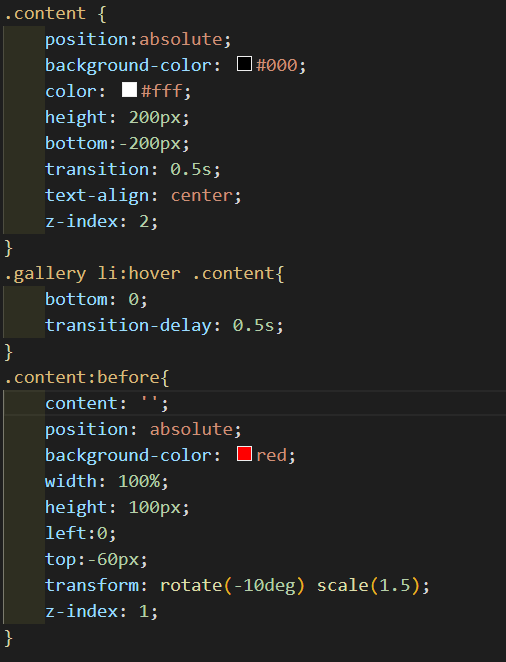
span 태그에 여백이 들어간 것 같은데 왜 그런건가요?
1
135
5
class 값 한 번에 부여하는법
2
137
1
@media에서의 flex-direction: column으로 세로배치 관련 질문드립니다.
1
117
1
div#css-checker-widget의 해결방
1
115
2
input의 포커스되었을때 검정선이 사라지지 않아요
0
131
2
강의듣는법
1
122
1
아코디언 만들기 100%이하의 화면으로 보았을때
1
121
2
input checked 질문합니다.
0
121
1
Bracket Pair Colorizer - 비주얼 스튜디오
1
208
2
Part 1 영상 안나옵니다
1
130
1
제이쿼리 작동이 안됩니다
1
261
3
강의 내용 질문있습니다.
1
178
2
일정 부분만 주석하는 방법
1
299
2
폰트어썸
1
185
2
인접선택자에 대한 질문드립니다!
1
169
2
delay 적용 안됨
1
167
1
rotateY(360deg)가 적용이 안됩니다!
1
237
2
세로이동할때 height값
1
176
2
폰트어썸이 안되요..
1
564
2
화면 정중앙에 오게끔 할수있나요?
1
206
1
어코디언 네비게이션 중
1
156
1
라이브서버 문제
1
290
2
넷플릭스 어코디언 예제 질문
1
135
1
이번 강의에선 display flex가 무조건 적으로 필요한건가요 ?
1
196
1