

오류 잡기
144
6 asked
import { Pressable, StyleSheet, Text, View } from 'react-native'
import React from 'react'
import CheckboxUnChecked from '../assets/checkbox-unchecked.svg';
import CheckboxChecked from '../assets/checkbox-checked.svg';
import DeleteIcon from '../assets/delete.svg';
const TodoItem = () => {
  return (
    <View style={styles.itemContainer}>
        <Pressable
            hitSlop={10}
            style={styles.itemTextChecked}
        >
            <CheckboxUnChecked />
            <CheckboxChecked style={styles.itemCheckboxCheckedIcon}/>


        </Pressable>
            <Text
            style={[styles.itemText, styles.itemTextChecked]}
            >
                코딩하기
            </Text>
        <Pressable
        style={[
            styles.deleteButton,
            styles.deleteButtonDone
        ]}
        hitSlop={10}
    >
         <DeleteIcon />
        </Pressable>
      <Text>TodoItem</Text>
    </View>
  )
}

export default TodoItem

const styles = StyleSheet.create({}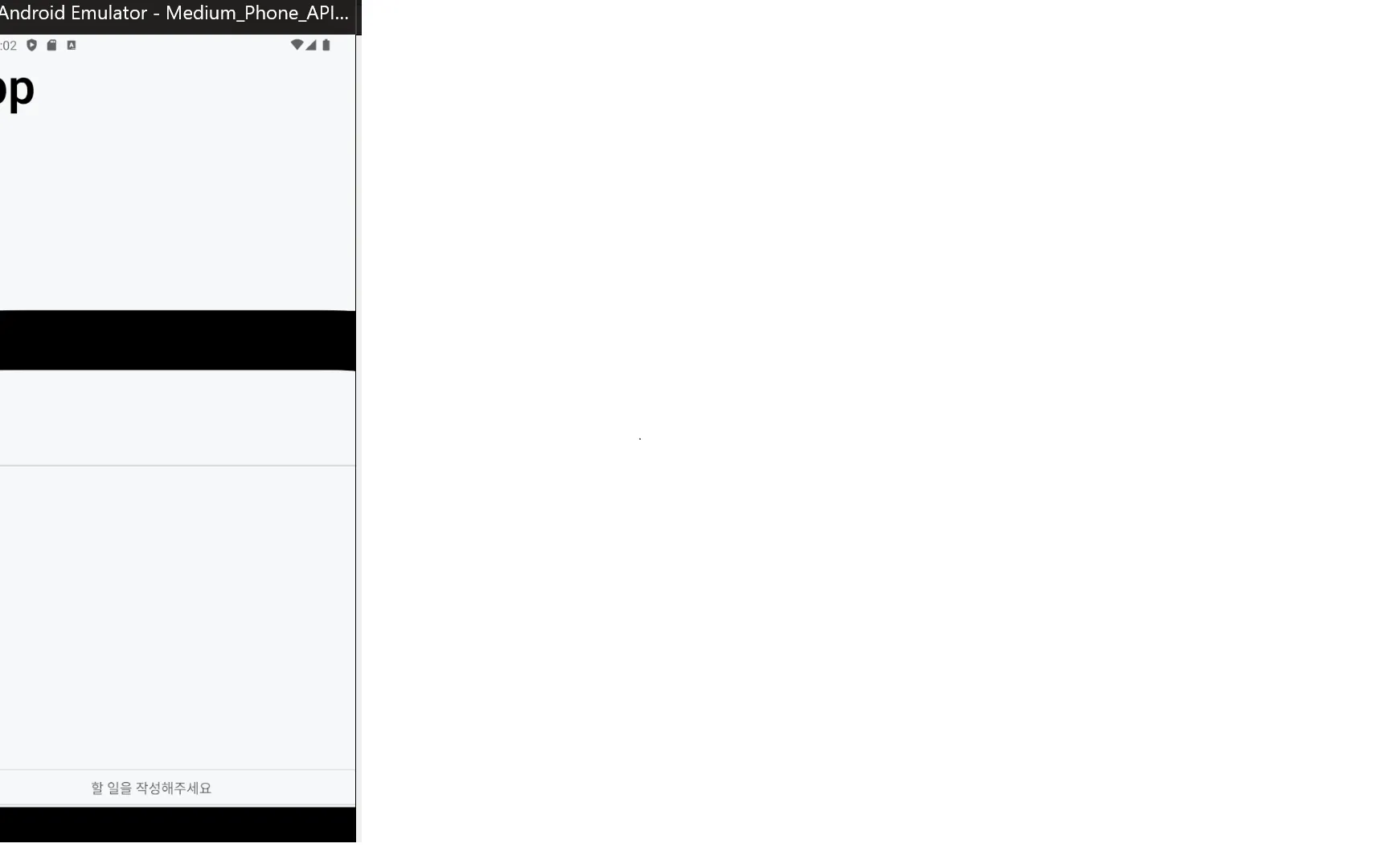
)
내가 보낸 이미지 보면 글자가 짤려 왜그런거야?
선생님이 하란대로 했고 14.1로 인스톨해서 에러도 안났어. 그런데 인스톨 하고나서 보니까 글자가 잘리더라고 왜그런거같아?
import { SafeAreaView, StyleSheet, Text, View } from 'react-native'
import React from 'react'
import { StatusBar } from 'expo-status-bar'
import { Platform } from 'react-native';
import InputForm from '../components/InputForm' // 대소문자 정확히 일치
import TodoItem from '../components/TodoItem';


const MainScreen = () => {
  return (
    <SafeAreaView style={styles.container}>
        <StatusBar backgroundColor={'default'} />
      <Text style={styles.pageTitle}>ToDo App</Text>
      <View style={styles.listView}>
        <Text style={styles.listTitle}>할일</Text>
        <TodoItem />
      </View>
      <View style={styles.separator} />
      <View style={styles.listView}>
        <Text style={styles.listTitle}>완료된 일</Text>
      </View>

<InputForm/>
    </SafeAreaView>
  )
}

export default MainScreen

const styles = StyleSheet.create({
  container: {
    flex: 1,
    paddingTop: Platform.OS === 'android' ? 20 : 0,
    backgroundColor: '#f7f8fa'
  },
  pageTitle: {
    marginBottom: 35,
    paddingHorizontal: 15,
    fontSize: 54,
    fontWeight: '600'
  },
  separator:{
    marginHorizontal: 10,
    marginTop : 25,
    marginBottom : 10,
    borderBottomWidth: 1,
    borderBottomColor: 'rgba(0,0,0,0.2)',
  },
  listView: {
    flex: 1,
  },
  listTitle: {
    marginBottom: 25,
    paddingHorizontal: 15,
    fontSize: 41,
    fontWeight: '500'
  }
})
이게 mainscreen이야. 알려줄수있어??
Answer 0
21강 11분 59초 버그
1
76
0
svg질문
0
105
1
강의 자료 다운
0
156
1
expo가 안깔리고 에러가 납니다.
0
333
3
React-Native 강의중 expo 모바일이랑 연결 중에 이런 오류가 나네요
0
291
1
getStatusBarHeight () 화면UI적용
0
165
1
navigation쓸때 오류
0
209
1
수업외로 궁금한거 2
0
127
1
수업 외로 궁금한거!
0
124
1
파이어베이스 버전 11 오류
0
144
1
마지막 9번째 Redux 관련 자료가 없어요
0
120
1
강의에서 InputForm.js에서
0
163
2
React-Native-Cli 컴파일 오류
0
255
2
윈도우에서 cli 이용해서 ios개발이 가능한가요?
0
803
2
android studio에서 시뮬레이터를 실행시 cpu 과도 사용 질문
0
292
1
Execution failed for task ':app:checkDebugDuplicateClasses'. 에러 해결
0
397
1
선생님 이다음 remote push 부분 강의가 없습니다.
0
243
2
Check the render method of `SceneView`. 오류
0
405
3
진도가 100% 완료가 안됩니다.
0
260
1
진행도가 100% 안찍혀요
0
275
1
프로젝트 예제 코드는 깃헙에서 따로 볼 수 있을까요?
0
166
1
expo 환경설정 관련해서 문의드립니다.
0
461
1
'NavigationContainer' 중첩 오류
0
449
1
강의 내용이 24년 현재 버전과 너무 다릅니다.
0
338
2