
inflearn logo
Challenge
Ended

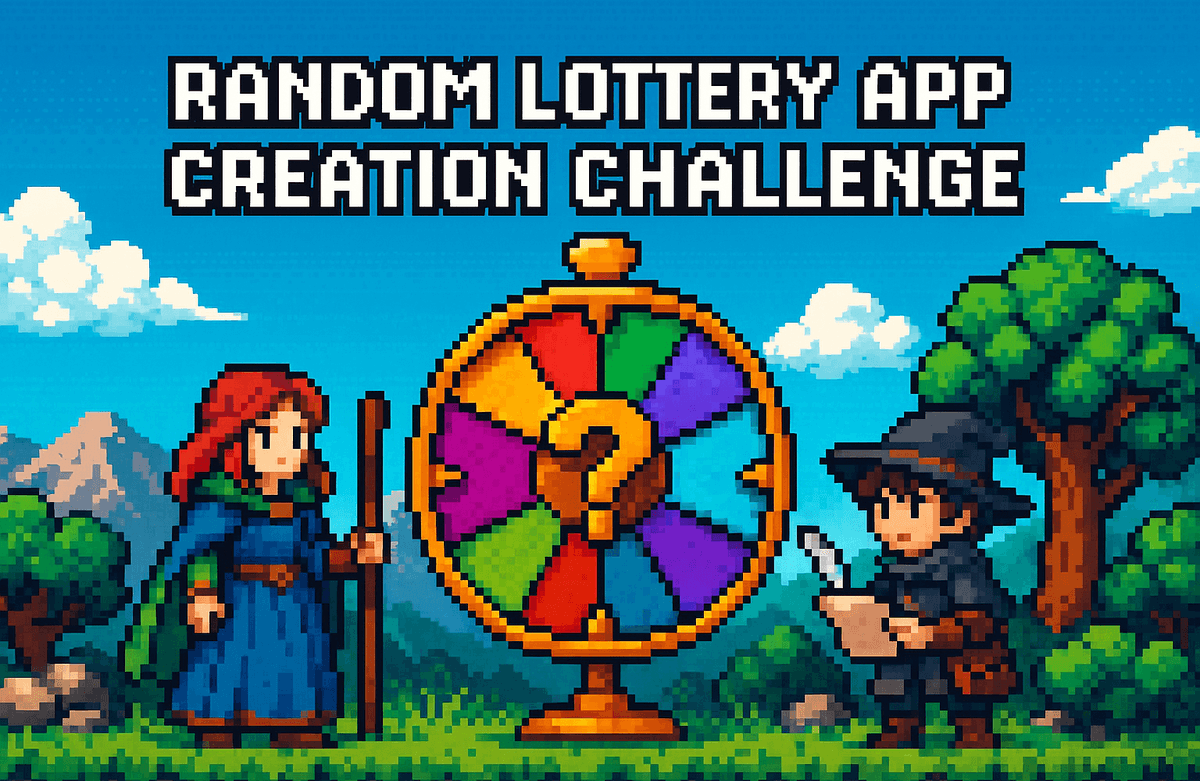
Random Drawing App Creation Challenge - Batch 1

"Can I build an app without knowing a single line of code?" — This challenge is a 6-day journey to answer that question with a "Yes, you can." In the process of creating a random lunch menu picker app by conversing with AI, you will learn how to write prompts to order an app from Claude on the first day. From there, you will add features day by day—including adding/deleting items, slot machine animations, permanent data storage, statistical charts, and sharing functions—to create a high-quality app ready for the App Store. Each lesson offers three challenge courses tailored to your level, allowing both those unfamiliar with code and those with prior coding experience to grow at their own pace. What you truly learn in this challenge is not just code, but how to ask the right questions to AI—a skill that applies everywhere, not just in app development.

Swift
AI
claude

6개 수업 학습

6회 미션 수행

무제한 복습, 내 것으로 만들어요.

같은 기수와 교류하고 함께 성장해요.

지식공유자와 멘토링 혜택!

leeo님과 함께해요!

8,808

Learners

243

Reviews

7

Answers

4.9

Rating

30

Courses

Hello, I'm Leeio, a developer fishing for code in Pohang.

Even if you don't know a single line of code, you can have an app in 6 days.

Random Picker App Development Challenge with Seongjang-gori


"I bought 3 coding courses, but I have 0 completed apps."

The experience of getting exhausted before even seeing an app run in lectures that start with theory like variables, functions, and classes. The experience of closing your laptop because you didn't know where to start fixing errors while following a free YouTube tutorial. The experience of thinking "It's a lie that making apps with AI is easy" after pasting code from ChatGPT into Xcode and seeing 20 red lines appear.

If even one of these applies to you, this challenge was made for you.


What makes this challenge different from other coding courses

We don't start with theory. The app runs from Day 1. You ask the AI to "make an app like this," paste the code you receive into Xcode, and run it in the simulator. By adding features to that app one by one every day, you'll naturally start to understand what the code is doing.

You are not memorizing code, but learning how to ask questions. There is a complete difference in results between a vague request like "Make me an app" and a specific request like "Make me an app using SwiftUI that picks a random item from an array and displays it on the screen when a button is pressed." You will learn this difference through hands-on experience over the course of 6 days.

Congratulations if an error occurs. A red error message is not a failure, but a signal to move to the next step. By repeating the loop of copying the error, sending it to the AI, getting it fixed, and rebuilding dozens of times, you will develop a "constitution that is not afraid of errors." This is a skill that works not just in coding, but anywhere.


What you will build in 6 days

A random lunch menu picker app. It may look simple, but after 6 days, it will include all of these features.

Day 1 — Birth of the First Randomizer App Order the app by writing a prompt for Claude. The first app, where a menu appears randomly when a button is pressed, runs in the simulator. Look directly into the code to see what @State and randomElement() do.

Day 2 — Managing My Own Items Instead of a fixed menu of five items, you will make it so users can add and delete items themselves. Draw results will be displayed prominently in a Sheet popup, and a history will begin to accumulate. You will learn the pattern of "adding features to existing code rather than starting from scratch."

Day 3 — Visually Pleasing Random Picker Add an animation where text spins rapidly like a slot machine and then stops when the button is pressed. Categorize items into groups such as food, activities, and places, and breathe life into the app using SF Symbols icons and colors.

Day 4 — Persistent Data Implement permanent storage so that data does not disappear even after the app is closed and reopened. Add a weighted selection feature so that favorite menus appear more frequently. Experience firsthand what roles Codable and UserDefaults play.

Day 5 — An App You’ll Want to Share Use Swift Charts to display statistics on which items were picked most often, and enable sharing results via KakaoTalk using ShareLink. By separating the picking, statistics, and settings screens with a TabView, the app will start to look professional.

Day 6 — Releasing to the World Create an app icon using AI and register it in Xcode, then prepare the name, description, and screenshots required for App Store release. Reflect on your growth over the past 6 days and confirm the fact that "I made an app without knowing how to code."


5 things you will definitely gain after taking the course

One App Store-ready app created with your own hands. You will build and take home a high-quality app complete with features such as adding/deleting items, slot machine animations, permanent data storage, statistical charts, and sharing functionality.

The ability to write prompts that extract desired results from AI. You will experience the difference between vague and specific requests and become proficient in using practical patterns such as "Add this feature to the existing code."

A debugging loop mindset that doesn't panic when seeing errors. As the cycle of copying error messages to the AI, receiving fixes, and rebuilding becomes second nature, you will develop the intuition that "error = a signal to move to the next step."

Practical experience with 12 core SwiftUI concepts through code. Get hands-on with @State, TextField, List, Sheet, Timer, withAnimation, enum, Codable, UserDefaults, Swift Charts, ShareLink, and TabView within a fully functioning app.

A question journal containing a 6-day record of growth. The daily questions and problem-solving experiences become a portfolio and learning asset that proves "this is how I have grown."


At a pace that suits me

Three challenge courses are prepared for every class.

🐣 It's still difficult — This level involves changing just one thing in the code provided by Claude. You build confidence by making small changes, such as changing button text or a single color, and seeing the results with your own eyes.

🚀 I'm somewhat familiar — Try expanding on it yourself based on the concepts you've learned. Instead of asking Claude for the entire code, actively engage with the code by asking, "Where should I modify to add this feature?"

🔥 Too Easy — Minimize Claude's help and take on the challenge yourself. Try writing the code first and get a review from Claude, or design and implement features not included in the lesson plan on your own.

No matter which course you choose, you will complete the same app. Only the pace differs; the destination is the same.


Recommended for these people

Those who have an app idea but haven't been able to execute it because they couldn't find a developer. Those who have started coding lectures several times but have never made it to completion. Those who want to build something with AI but don't know where to start. Planners or designers who feel like technical terms sound like a foreign language when communicating with the development team. Those who feel anxious about falling behind in the AI era but haven't been able to take concrete action.


Please check before taking the course

Required Materials

  • Mac (MacBook, iMac, Mac mini, etc.) — Xcode only runs on macOS

  • Latest version of Xcode (Free installation from the App Store, approx. 12GB)

  • Claude account (Free signup at claude.ai)

Prerequisites

  • It is recommended to complete the Task Management App Challenge.

  • If you have experience installing Xcode and running the simulator, you can start right away.

Time Required

  • Approximately 50 minutes a day × 6 days

  • 1 hour to 1 hour 30 minutes per day, including level-specific challenges


Frequently Asked Questions

I've never coded before; can I follow along? Yes. Instead of writing code yourself, you'll be asking the AI and pasting the results. Your app will be up and running starting from Day 1.

I feel like I'm just pasting code without understanding it. Is that okay? It is perfectly fine in the beginning. The goal of this challenge is not to memorize code, but to learn how to ask AI the right questions. As the days progress, you will naturally start to recognize and understand the code.

Do I have to do it for 6 consecutive days? No. You can proceed at your own pace. However, since the code structure is continuous, we recommend a pace of Day 1–3 in the first week and Day 4–6 in the following week.

Can I really upload the app I made to the App Store? Technically, yes. For an actual release, a separate subscription to the Apple Developer Program (129,000 KRW per year) is required.

Can I use ChatGPT instead of Claude? Yes, it is possible. However, the curriculum is written based on Claude, so using Claude will provide the smoothest experience.


Finally,

What you truly learn in this challenge isn't the code. It's how to ask AI the right questions. Making specific requests, building features on top of existing results, and running feedback loops without fearing errors. These are skills that apply not just to app development, but to everywhere you work alongside AI.

In 6 days, an app you built yourself will be on your phone.


iOS App Development with AI · Gaebaljari

3월

15일

챌린지 시작일

2026년 3월 15일 PM 03:00

챌린지 종료일

2026년 4월 12일 PM 02:30

챌린지에서 배워요

  • One app created by my own hands that is ready for release on the App Store

  • Prompt engineering skills to get the desired results from AI

  • A debugging loop mindset that stays calm when facing errors

  • Practical experience with 12 core SwiftUI concepts through code

  • A question journal containing a record of two weeks of growth

Recommended for
these people

Who is this course right for?

  • People who have plenty of app ideas but cannot find a developer or lack the budget to outsource development.

  • Someone who has signed up for three different YouTube coding courses but gave up halfway through every time.

  • People who feel overwhelmed because the code they received from ChatGPT is covered in red errors when pasted into Xcode.

  • Planners or designers in non-development roles who feel frustrated every time because they can't communicate effectively with the development team.

  • People who feel anxious about falling behind in the AI era but don't know what to do first

Need to know before starting?

  • Need to complete the challenge of creating a schedule management app.

Reviews

All

1 reviews

5.0

1 reviews

  • catmask78349님의 프로필 이미지
    catmask78349

    Reviews 1

    Average Rating 5.0

    5

    50% enrolled

    너무 부담스럽지 않게 가벼운 마음으로 여러가지 해 볼수 있는게 좋은거 같습니다.

    FAQs

    취소 및 환불 규정
    챌린지는 지식공유자가 설정한 수업 최소 정원이 충족되지 않을 경우, 폐강 안내가 고지되며 결제 내역이 자동취소됩니다.

    leeo's other courses

    Check out other courses by the instructor!

    Free