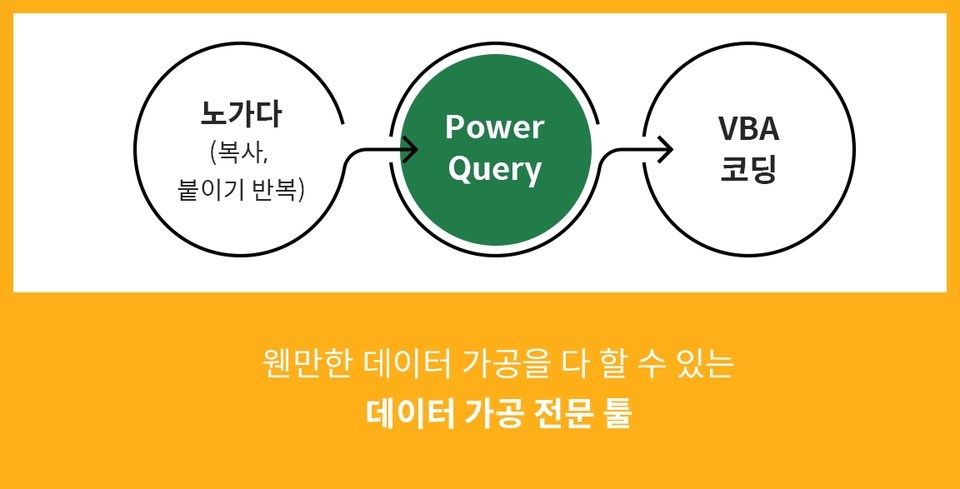
엑셀에서 지원하는 강력한 데이터 추출 전문 기능, 파워쿼리! 파워쿼리는 MS의 액세스(Access)에서 사용되던 데이터 추출 기능인 ‘쿼리’를 엑셀에서 사용할 수 있도록 만든 기능입니다. 간단히 말하자면 노가다와 VBA 중간 포지션에 위치한, 웬만한 데이터 가공을 다 할 수 있는 데이터 가공 전문 툴이죠.
질문을 드려보겠습니다. 첫번째, 엑셀 함수와 기능 대신, 파워쿼리를 써야 하는 이유를 2가지 이상 말씀하실 수 있으십니까? 두번째, 파워쿼리로 파일통합, 시트통합, 병합 기능을 자유자재로 실무에 적용하실 수 있으십니까? 세번째, 워크시트로 쿼리 테이블을 로드해올 때 '연결만 만들기' 라는 옵션이 있음을 알고 계십니까?
위 세 가지 질문에 모두 답변이 가능하다면 선행학습 없이 바로 이 과정을 학습하셔도 무리가 없습니다.
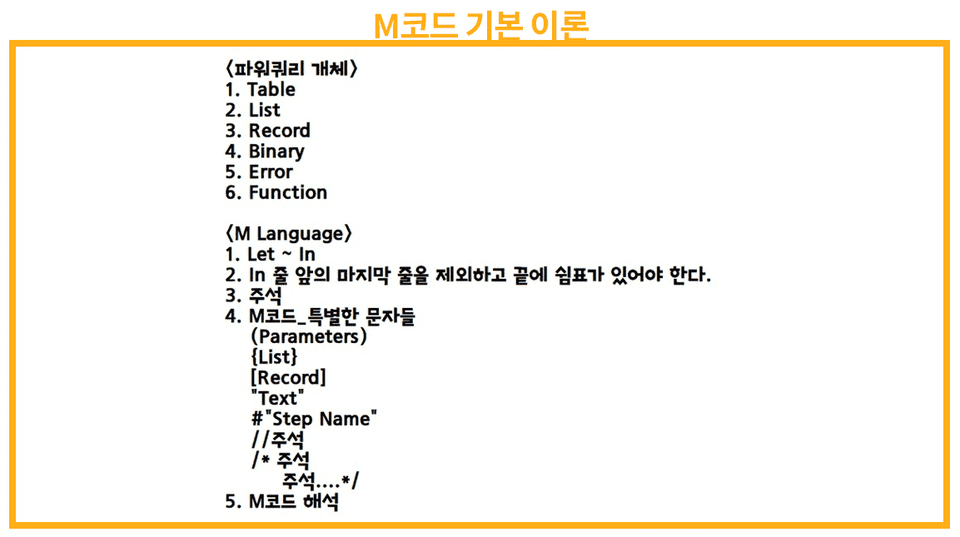
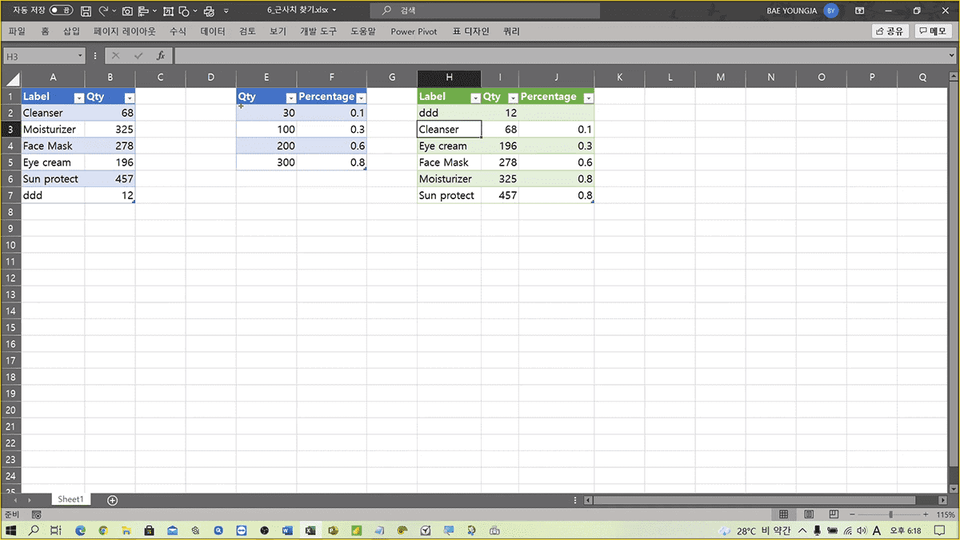
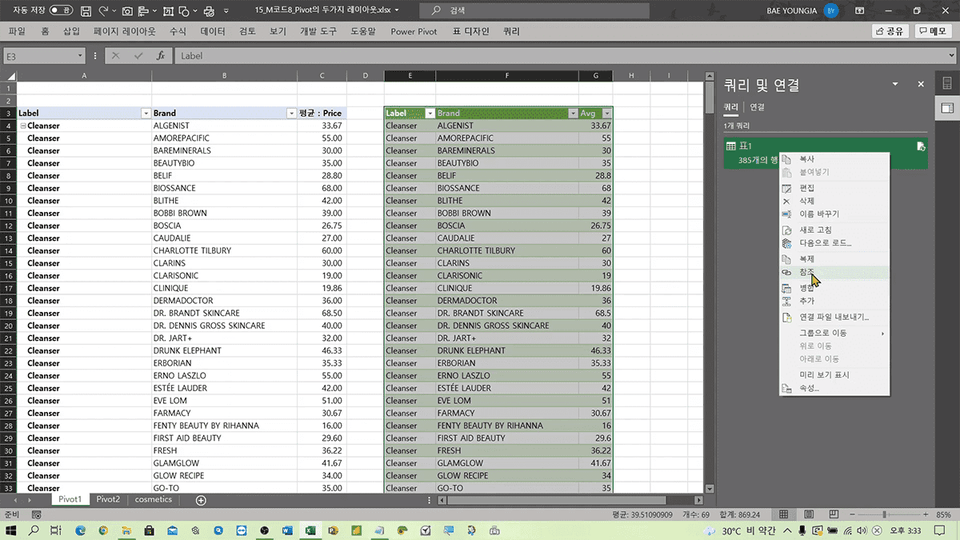
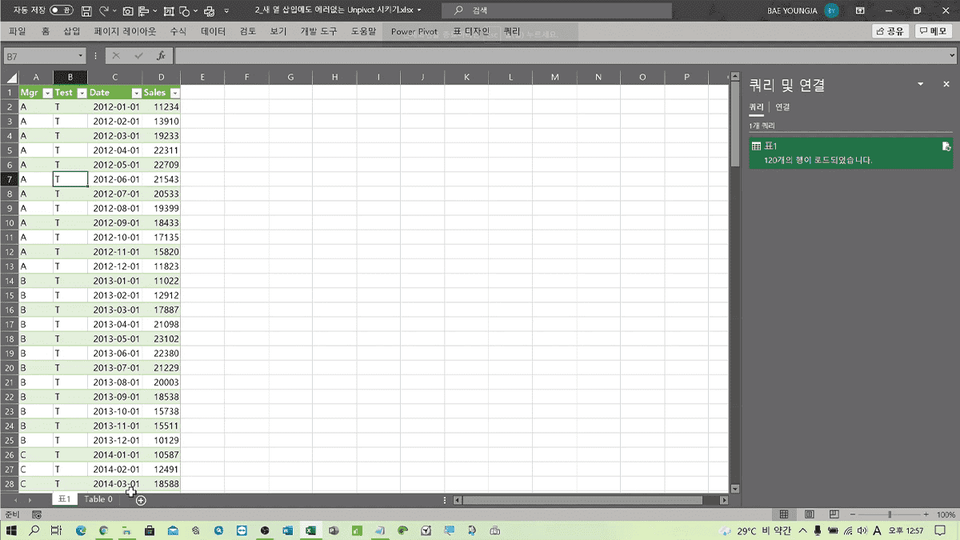
첫째로, 이 과정에서는 M 코드(M Language)를 다룹니다. 두번째로 Basic 과정에서는 기본 개념을 익히기 위해 단순한 예제 샘플만을 다룬다면, 이번 Advanced 과정에서는 실무와 흡사한 테이블 형태로 구성된 예제 샘플을 다루게 됩니다.
Q. M 코드(M Language)를 다루려면 프로그래밍 언어 공부하듯 문법을 익혀야 하나요?
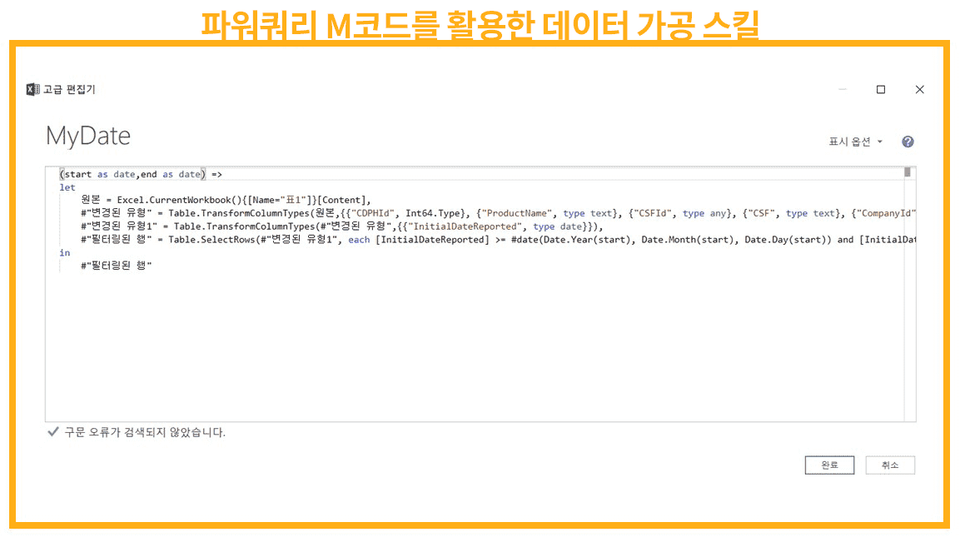
단언컨대, 그럴 필요 없다고 생각합니다. 만약 그렇다고 하면 MS에서 M 코드를 독립적인 프로그래밍 언어로 상용화했겠지요.
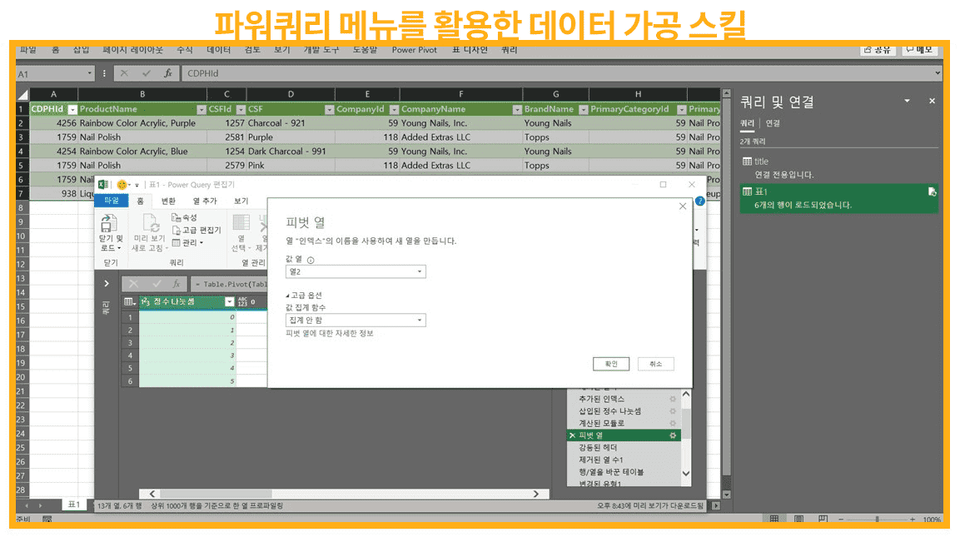
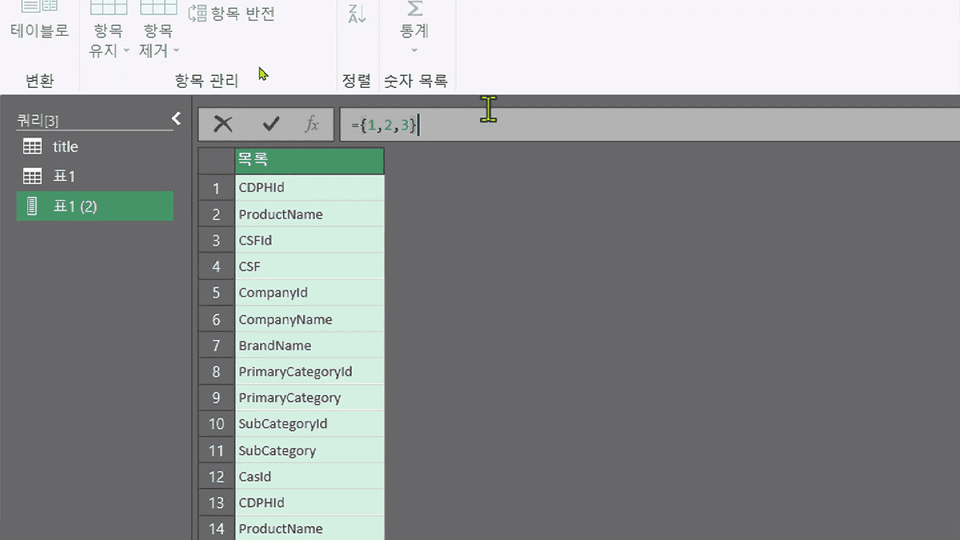
파워쿼리는 유저가 메뉴를 클릭하고 가공할 때 내부적으로 우리가 한 입력을 M코드로 변환해줍니다. 그 변환된 코드를 [고급 편집기] 또는 [수식입력줄]에서 확인할 수 있기에, 디테일한 가공은 이미 만들어진 코드에 직접 살짝씩만 수정해주면 됩니다. 그 방법을 이 강의를 통해 학습하게 됩니다.
Based on what I learned in the instructor's previous lecture, I am applying Power Query well to my work. ^^
However, I was often embarrassed because unexpected errors occurred (such as changing column names), but through this lecture, I was able to increase the freedom of Power Query. In particular, the concept of parameters and the function of adding index columns in a table seem very useful.
See you in the next lecture. ^^
Hello, Myeongdong-nim :D
You finished it at the speed of light.
Myeongdong-nim's great concentration and execution, I will learn from you too.
Looking at what you said,
You seem to be applying Power Query in the top few percent of power users in your field.
I also hope that we can evolve together.
Stay healthy~
Hope
I am taking this course after the basic course.
It is really helpful in practice!
I would like to see a Power Pivot course after the Power Query course.
It is difficult to learn how to use Power Query user-defined functions or parameters in free YouTube lectures. I used to only use the basic functions of Power Query, but I think it will be very helpful for my work after taking the Advanced course.
Thank you, fenought.
In the field, handling complex data sets is often insufficient with Power Query alone.
I think it would be good to try to automate the entire work with vba or python, or rpa tools.
Fighting (∩^o^)⊃━☆






![[Work Automation Using Free MS RPA] Power Automate Desktop Basic강의 썸네일](https://cdn.inflearn.com/public/courses/329047/cover/35cb417d-cd84-47f8-a20f-653724b03a77/329047-eng.png?f=avif&w=420)

![[Pass ITQ Excel A in One Go] in 3 days강의 썸네일](https://cdn.inflearn.com/public/courses/329652/cover/b44e11b6-a47e-4993-86ea-a85da9836bb5/329652-eng.png?f=avif&w=420)