


인프런 워밍업 클럽 4기 DevOps 미션 2.
응용 1
startupProbe가 실패 되도록 설정해서 Pod가 무한 재기동 상태가 되도록 설정해 보세요.
(여러분들이 가장 많이 겪게될 Pod 에러입니다)
답
https://192.168.56.30:30000/#/deployment?namespace=anotherclass-123
대시보드에서 내가 사용하고있던 네임스페이스의 deployment 에 가서 수정
deployment 수정 이유? Pod를 수정한다고 해도 결국 deployment 의 yaml 파일에서 프로브 설정 적혀있으므로.
failureThreshold 를 1로 하면 무조건 실패해서 Pod를 재기동 > 무한반복 아닐까?
          startupProbe:
            httpGet:
              path: /startup
              port: 8080
              scheme: HTTP
            timeoutSeconds: 1
            periodSeconds: 5
            successThreshold: 10
            failureThreshold: 1# 36
이거로 해보니, 일단 #로 시작하는걸 저기 붙이면 안되는거 같고,
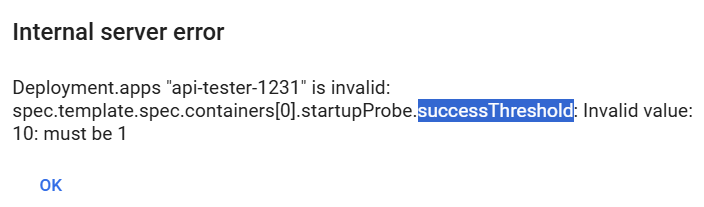
successThreshold 는 무조건 1이어야 하는듯? 명시하지 않으면 자동으로 1로 동작한다고 해서, success와 failure 를 둘다 1로 명시해보고 try
          startupProbe:
            httpGet:
              path: /startup
              port: 8080
              scheme: HTTP
            timeoutSeconds: 1
            periodSeconds: 5
            successThreshold: 1
            failureThreshold: 1

된건...가? ( 계속 늘어난거보니까 되는듯 하다 ) > 다시 돌려 놓았음.
응용 2
일시적 장애 상황(App 내부 부하 증가)가 시작 된 후, 30초 뒤에 트래픽이 중단되고, 3분 뒤에는 App이 재기동 되도록 설정해 보세요.
(아래 API를 날리면 readinessProbe와 livenessProbe가 동시에 실패하게 됩니다)
// 부하 증가 API - (App 내부 isAppReady와 isAppLive를 False로 바꿈)
curl http://192.168.56.30:31231/server-load-on

// 외부 API 실패
curl http://192.168.56.30:31231/hello

// 부하 감소 API - (App 내부 isAppReady와 isAppLive를 True로 바꿈)
curl http://192.168.56.30:31231/server-load-off
답
  timeoutSeconds: 1        # 1초 안에 응답 없으면 실패로 간주
  periodSeconds: 10        # 10초마다 헬스체크
  successThreshold: 1      # 1번만 성공하면 성공으로 인정 > 이건 없어도 기본값 1이랬음
  failureThreshold: 3      # 3번 연속 실패 시 컨테이너 재시작


          livenessProbe:
            httpGet:
              path: /liveness
              port: 8080
              scheme: HTTP
            timeoutSeconds: 1
            periodSeconds: 60
            successThreshold: 1
            failureThreshold: 3
          readinessProbe:
            httpGet:
              path: /readiness
              port: 8080
              scheme: HTTP
            timeoutSeconds: 1
            periodSeconds: 10
            successThreshold: 1
            failureThreshold: 3
위에 api 날리면 둘다 동시에 멈춘다고 했음.
외부 트래픽 > readinessProbe,
앱 살아있는지 체크 > livenessProbe
30초 후 트래픽 중단, 3분 뒤 app 재기동 이니,
위와 같이 10초씩 3번 실패하면 service <> pod 연결 해제
1분씩 3번 실패하면 pod 재기동
기존에 밑에 정리한 대로, 하여 위와 같은 테스팅 >
liveness 프로브 : APP 잘 살아있니?
- 실패시 장애라고 판단하고 Pod 를 재기동
readiness 프로브 : 외부 트래픽 넣어도 괜찮니?
- 성공 나오면 Service <> Pod 연결
- 중간에 실패 나오면 다시 연결 해제하고, 성공 뜨면 또다시 재연결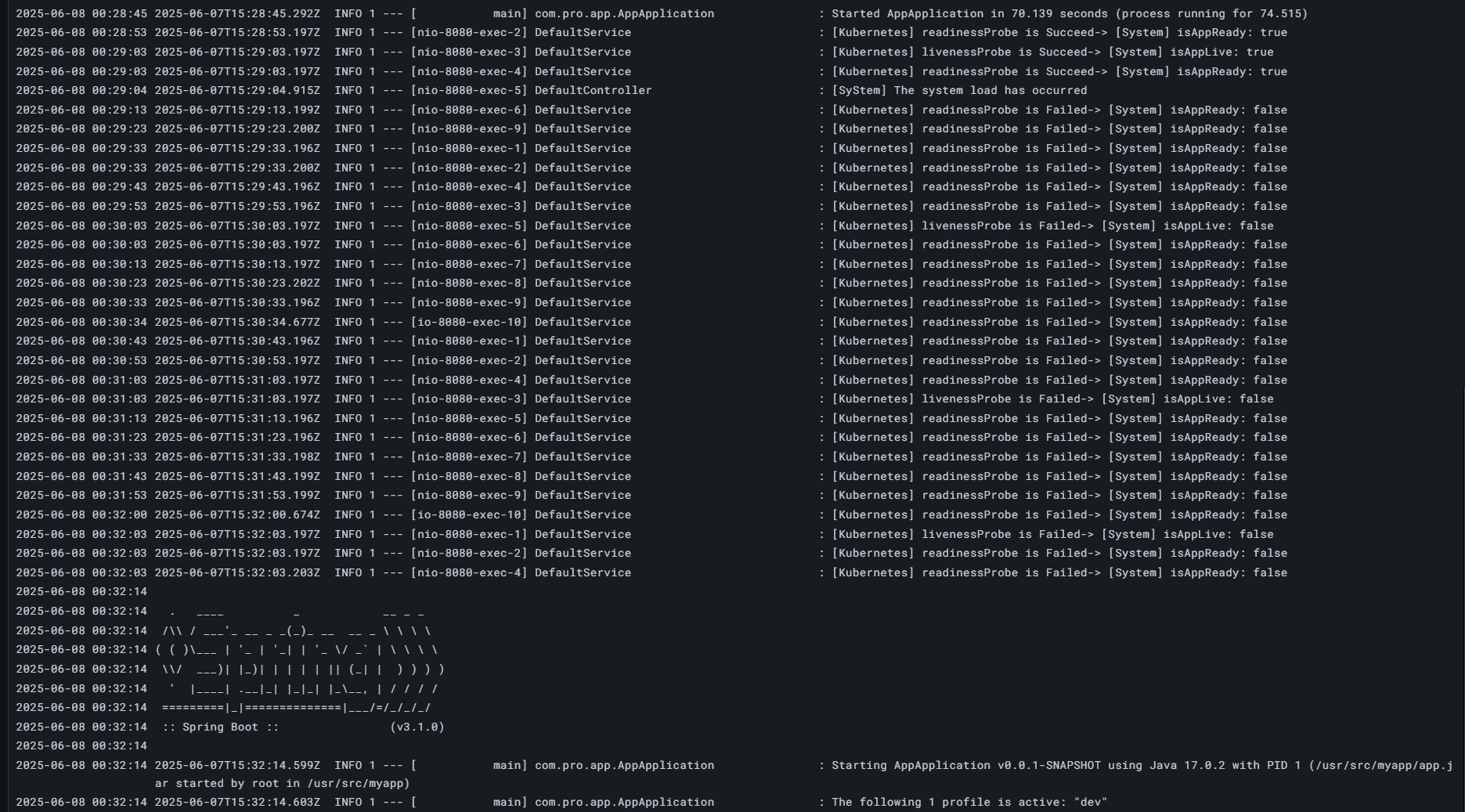 3분 지나고 pod 재시동 ( 로그 확인 )
30초 지나고 외부 api 꺼짐

파드 다시 켜지고 Pod 들어가서 부하 줄이는 코드 > 외부에서 api 호출했을 때에 잘 반응

>> 부하가 많이 걸릴 때에, Pod를 재기동하기 보다는 일단 외부 api 호출을 막아서 app의 부담을 덜고
>> 3분동안 처리했을 때에도 처리가 다 안되면 pod 재기동? 결국은 read 보다 live 를 많이 잡는게 좋을듯
응용 3
Secret 파일(/usr/src/myapp/datasource/postgresql-info.yaml)이 존재하는지 체크하는 readinessProbe를 만들어 보세요.
(꼭 API를 날리는 것만이 readinessProbe 활용의 전부는 아닙니다)
답
exec은 readinessProbe, livenessProbe, startupProbe 모두에서 사용 가능.
해당 파드의 컨테이너 안에 해당 명령어가 있어야 하고, 프로브가 실행될 때 그 명령어가 컨테이너 안에서 직접 실행
문제에서 readinessProbe 가 Secret 파일(/usr/src/myapp/datasource/postgresql-info.yaml) 존재 여부를 파악하라 했으므로 cat 명령어를 이용해 있는지, 있다면 내용 뱉으라 확인
          readinessProbe:
            exec:
              command: ["cat", "/usr/src/myapp/datasource/postgresql-info.yaml"]
            periodSeconds: 10
            failureThreshold: 3
** 강사님 답 보고 알아낸 사실
☞ HTTP 명령이 아니기 때문에 로그에서 Readiness probe가 찍히는건 볼 수 없습니다.
☞ 하지만 command 명령에 실패(해당 파일이 없을 때)하면 아래와 같이 event로 실패 로그를 볼 수 있어요
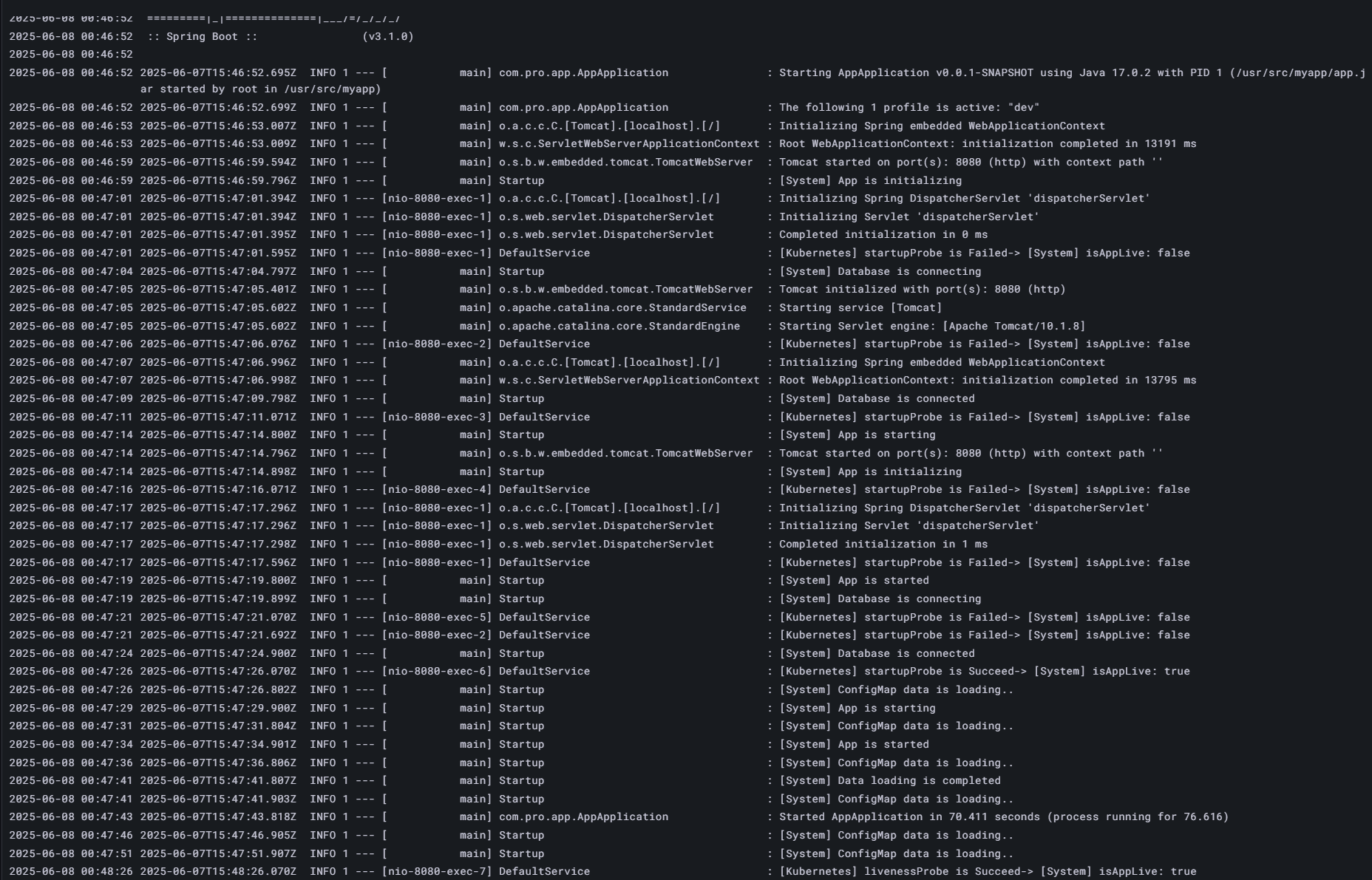
어쩐지 로그가 안찍히더라.
참고로, 위와 같이 그대로 코드 넣고 deployment 없데이트 했을 때 나중에 들어가보면 아래와 같이 바뀌어 있고, 주석도 사라짐 ( 주의 )
          readinessProbe:
            exec:
              command:
                - cat
                - /usr/src/myapp/datasource/postgresql-info.yaml
            timeoutSeconds: 1
            periodSeconds: 10
            successThreshold: 1
            failureThreshold: 3
근데 이렇게 했을떄에, 대시보드에서 exec 치고 cat 하면 되는데, 이벤트로 안뜬다. 왜?
내 생각에는, 기존에 liveness를 60초로 걸어두고 readiness 만 바꾸고 시작해서,,,?
음... 잘 모르겠다...
답변 0